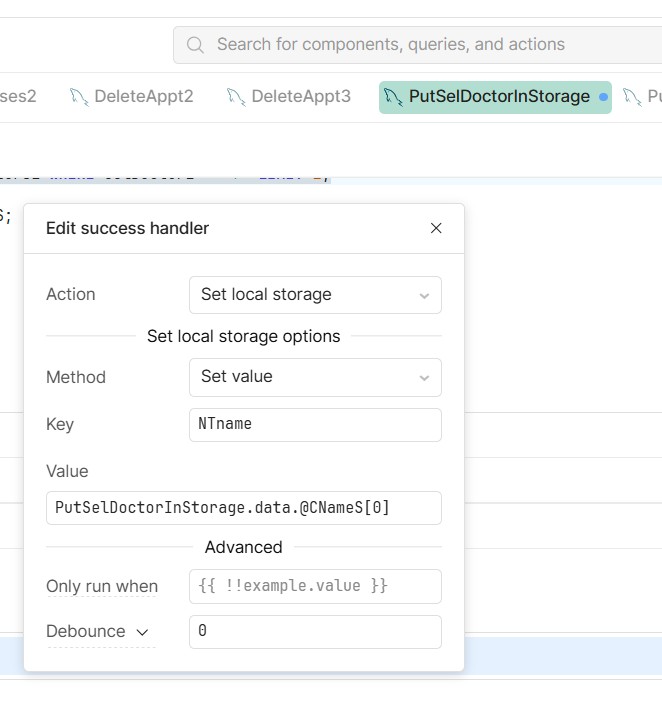
I am having difficulty with the Local Storage success event.
I extract a value from a table using
SELECT CName2 INTO @CNameS FROM Doctors2 WHERE SelDoctor2 = 'Y' LIMIT 1;
I then attempt to put this into local storage as per the form below:
This puts a stream of incorrect text into local storage,
I believe the problem is the "@" symbol. I can't see how to get around this?
Mike
1 Like
Hi @mdsmith1 ,
It looks like the issue isn’t the @ symbol itself, but how Retool handles query results.
When you use:
SELECT CName2 INTO @CNameS ...
@CNameS becomes a MySQL session variable. Retool does not return session variables in the query response, so it won’t be available in PutSelDoctorInStorage.data. That’s why you’re seeing unexpected or incorrect values in local storage.
Instead, you should return the value directly as part of the result set. For example:
SELECT CName2 AS CNameS
FROM Doctors2
WHERE SelDoctor2 = 'Y'
LIMIT 1;
Then, in your success handler, set the local storage value like this:
{{ PutSelDoctorInStorage.data[0].CNameS }}
This works because Retool exposes query results as an array of objects, so you need to access the first row and then the column.
If there’s a chance no row is returned, you can make it safer with:
{{ PutSelDoctorInStorage.data?.[0]?.CNameS || "" }}
That should resolve the issue.
I am getting the error message "Undeclared Variable CnameS"
Mike
1 Like
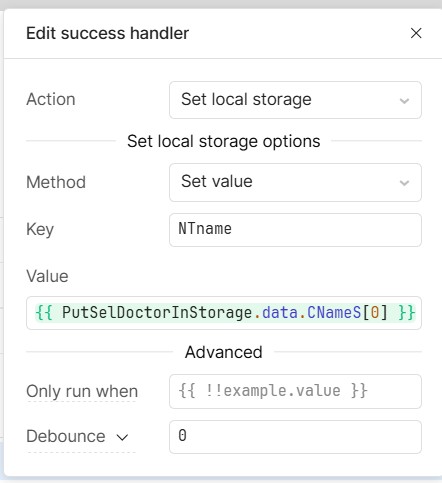
I got it to work!
The code in the first block is:
SELECT CName2 INTO @CNameS FROM Doctors2 WHERE SelDoctor2 = 'Y' LIMIT 1;

SELECT(@CNames) AS CNameS;
The form entries are shown below.
It was just a matter of renaming the variable with
SELECT(@CNames) AS CNameS;
I have marked your answer as the Solution. Thank you for your help.
Mike
1 Like