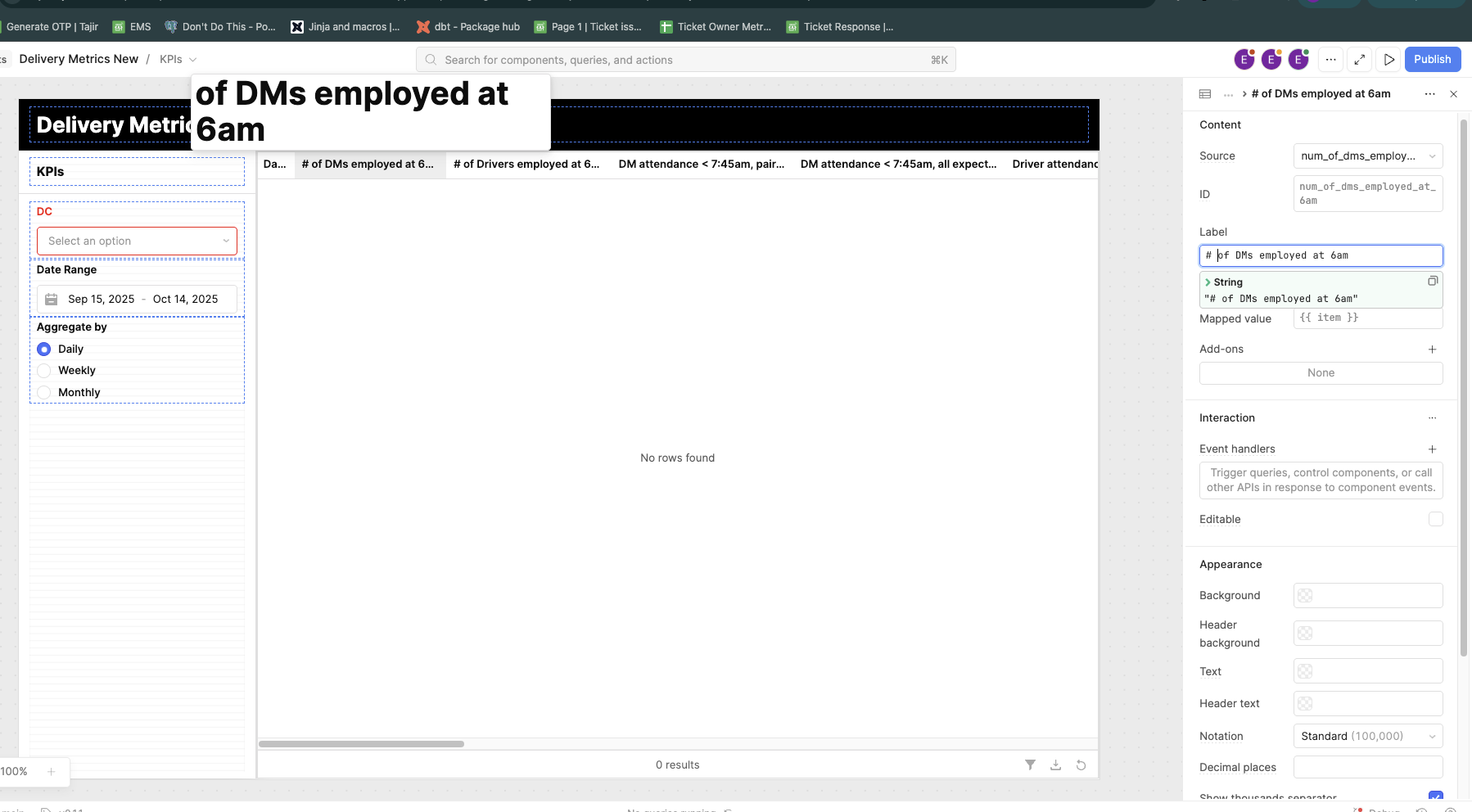
Hi, I have a column which has this name shown in the picture, `# of DMs employed at 6am`. How do I turn off this default column header tooltip and why is it picking it as a markup?
@engineering-tajir - This is definitely a Retool bug but its reading the # as a markdown from your column label.
You have a couple options
- Make the column wide enough so that it doesn’t have to truncate it
- Retool just made it so column headers can wrap (under appearance extra options there’s “Wrap column header text”)
- Change your column header to “number of DMs….” or “Num DMs….”
1 Like
The tooltip is likely appearing because the # character is being interpreted as markup or a special symbol by the table/grid component you’re using. Try escaping it or renaming the column slightly (for example: No. of DMs employed at 6am) to avoid the automatic parsing.
If your framework has a tooltip option, you can also usually disable it with a setting like showHeaderTooltip: false or similar depending on the library.