Goal: Add a header that fits the full screen width, with two menu items.
Issue: When navigating between pages using the header, the screen flickers. The header briefly shrinks and then grows back to full width.
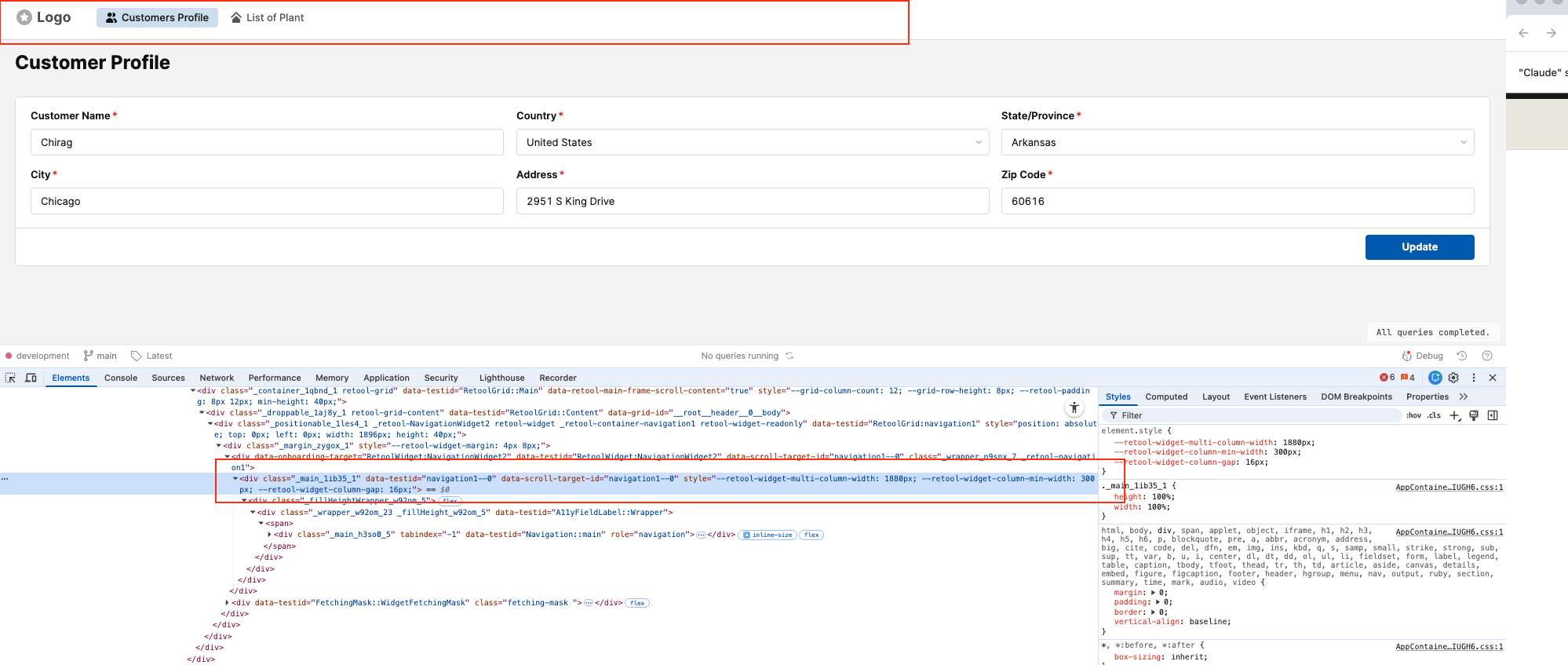
Root Cause (suspected): I can see in DevTools that the --retool-widget-multi-column-width CSS variable changes during page navigation - dropping to around 1160px before recovering to 100%. This appears to be what causes the flicker.
Steps Taken:
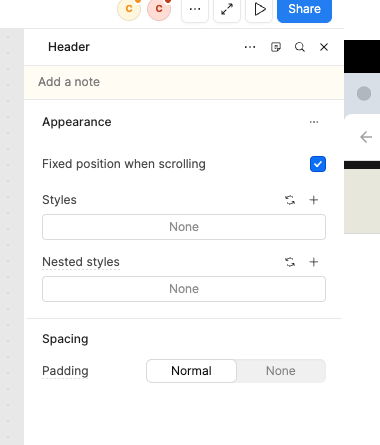
I compared two apps - one using the old header component and one using the new header component. The flickering only occurs in the app with the new header component. The issue did not exist before a recent Retool update, which also introduced a new option: "Fixed position when scrolling" in the header's appearance settings.
I have attached screenshots showing the affected header element in DevTools and the new header configuration panel.
Hey @chirag_kalsariya, thanks for the detailed report! A couple of quick clarifying questions to start.
When you mention the "new header component," I believe you are referring to the Navigation component. You mentioned the issue started after a recent Retool update, do you know which version introduced it?
Could you share a repro app? You can export the app as JSON. That would really help me investigate this! Thanks!
I created a dummy app with the same bug. It has 3 pages and one navigation bar. All 3 pages have "Expand to content fit" checked, so they take the full screen of the device.
If you create a new app with a navigation component with a couple of pages, make the pages "Expand to content fit" and try to navigate; you will see the same flicker glitch.
Hey @chirag_kalsariya thanks for waiting! And thank you for the JSON and repro steps. I was able to reproduce the bug on my end as well. I've filed a bug report internally and will let you know as soon as I hear back!