1) My goal:
Create a Spreadsheet using Retool Sheet block feature
2) Issue:
Suddenly stopped working without any changes, seems like something on Retool side.
3) Steps I've taken to troubleshoot:
Tested using different account and workflow same issue. Going to switch the blocks from Retools to Google's API Code.
4) Additional info: (Cloud or Self-hosted, Screenshots)
Self Hosted
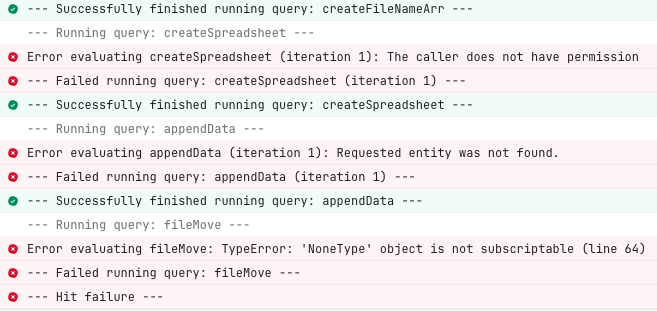
Hi @HMir,
Apologies for the issue, that is very odd that it was working previously and then suddenly stopped.
Are you able to share a screenshot of the block so I can help further troubleshoot? Has switching blocks helped?
I am curious about what the previous code looked like and what the "Google API code" looks like. This could give me more details to talk to the workflows team to see if we may have made any changes that caused this block to change from working to giving you this error.
The first error message from createSpreadsheet seems to say that the. "caller does not have permissions" which makes me think that on the spreadsheet side permissions may have changed  Are you working with Google sheets?
Hi @HMir,
Just wanted to check in and see if you are still having this issue.
I need more details on the block to help troubleshoot.
Have you tried either exporting/importing the workflow or rebuilding the logic in another workflow? The workflow may be in a corrupted state for some reason if it doesn't work without you making any changes.