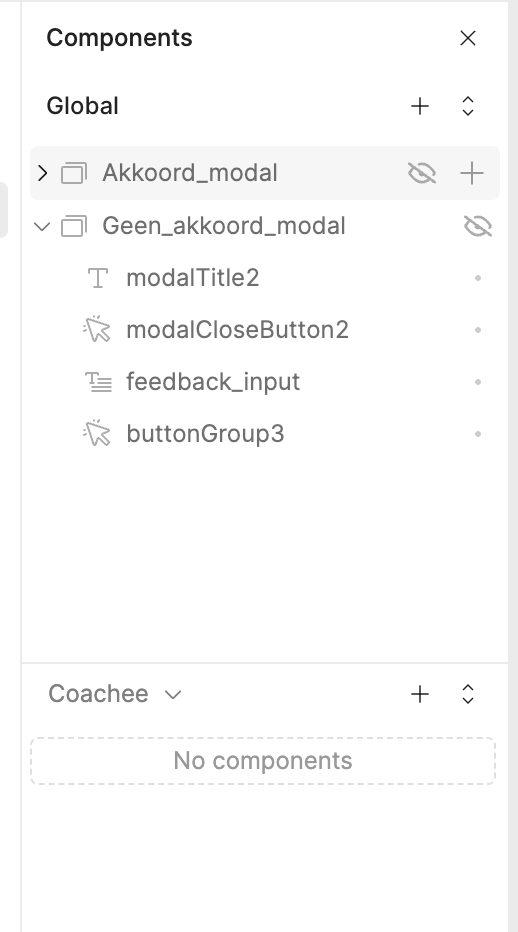
I have tried to find the solution and I found that duplicating the app could work, before I do that I would like to know if anyone found another solution to this? Can’t remember how or when exactly this happened since the app has been live for a client for a while.
Hey @Bob_Engelen, haven't seen you in awhile, welcome back!
Are you still experiencing this? A couple of quick things to try before duplicating the app:
Check which page is selected: in multipage apps, the component tree only shows components for the currently active page in the editor. It's easy to accidentally be viewing a different page and see only globals.
Hard refresh the editor: sometimes the editor state gets stale and a quick Cmd/Ctrl + Shift + R can bring everything back.
Hope one of these does the trick! Let us know how it goes.
Yes I have tried all of these options before but it seems like the component tree is completely gone. There is only one page and I can see all my components on the actual page but none in the component tree. It has been like this for close to a month so I think it might be broken.
Thanks for your update! @Bob_Engelen Can you try the following few things for me?
I know you briefly mentioned that you were thinking of doing this. Could you try duplicating the app and see if the component tree appears in the duplicate? This will help us figure out if it's a data corruption issue specific to this app.
Are you on Retool Cloud or self-hosted? If self-hosted, what version?
Any Retool upgrade or major app edits around the time it broke?