Hello. I'd like to report a bug in the Azure Blob Storage connector, specifically in the 'Upload data' Action type. When accessing data from a component within the same scope, there is an error saying that the scopes do not align and therefore the data cannot be accessed.
When I encountered this error, I was trying to access both base64 data and filetype info from a file dropzone so I could upload a file to blob storage from within a modal in my multi-page application. Inputting the appropriate data into the ‘File type’ and ‘Upload data (in base64)’ fields yielded the following error for both fields:
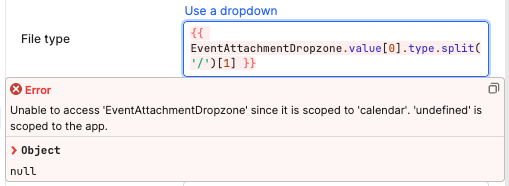
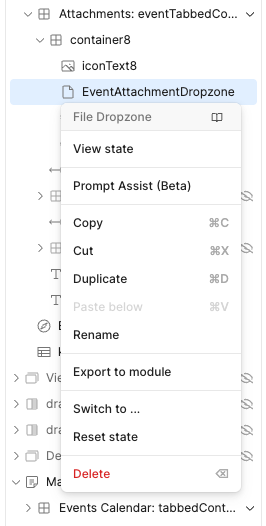
Since this is clearly a scoping issue, I attempted to move both the query and the component to global scope. I could not do this for the file dropzone or container that holds it; the option to do so simply isn’t there.
Similar topics:
- Unable to access 'chat1' since it is scoped to 'XPage' and 'query1' is scoped to the app
- Unable to access the input field data (and insert into database) - #3 by Steven_W
- Scoping issue with google cloud storage - #7
These posts did not help me until I saw that the last post reported it as a false positive and that it worked despite the error message. Similarly to the post’s OP, I did not think to run the query despite the message. Upon running, the query uploaded the data from the file dropzone with the correct filename and type.
To show that the component and query are scoped to the same scope:
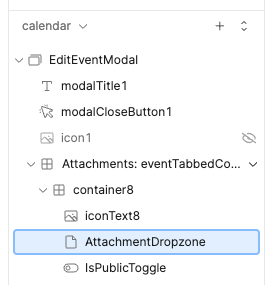
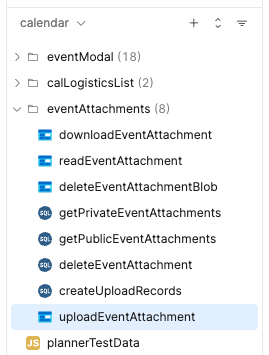
I suspect that the issue has something to do with the 'undefined’ in the error message. If the name of the query cannot be resolved, I doubt its scope can, resulting in a defaulted scope of app.