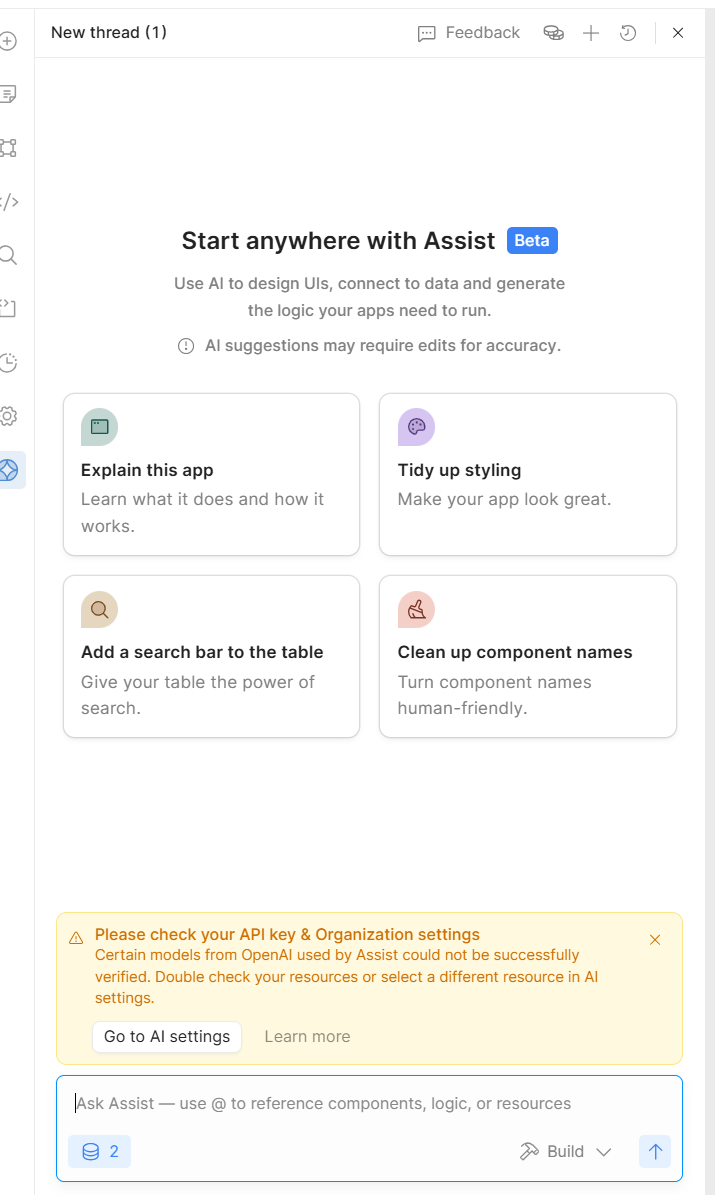
I'd like to be able to bring my own key for the app gen functionality so I have introduced DeepSeek, which has an open API-style endpoint.
Issue:
Even though I can select this new endpoint in the AI section of settings, the app gen doesn't work. Even though I still have a Tropic key re-tool managed, it won't default to this one when the other one doesn't function
Can I make it such that the DeepSeek open AI style endpoint works with DeepSeek reasoning?
If not, can I make Retool default to the anthropic?
@ChiEn could you have a look? I think it's very hard to find a way to control the actual model that is used by App Assist
I consulted documentation and went to a resource to configure this in Retool AI
It is nowhere to be found anymore
Then upon checking settings, AI there is no way I can specify the model. I can set an OpenAI key and an Anthropic one but I have no way to control which one is used
And also I provided an endpoint in the OpenAI style with DeepSeek. Also it didn't work
Thanks a lot. I'm looking for a way to control the model that my app gen uses, not the agent.
Also I have included two screenshots where you are able to see how I configured this. Also in the AI section it is selectable if I wanted to select the OpenAI DeepSeek because they offer an OpenAI-style endpoint to hit
Hey @mascaritas - unless you're on an Enterprise plan, app generation via Assist currently requires that you use Retool-managed keys, as described here. The fact that you even have access to this dropdown is probably a bug - I'll follow up internally!
Thanks a lot for your reply and explanation. Now what I have done is reset the API keys in the resources to be retool managed for Anthropic and for OpenAI.
Now I opened a new app and use App Assist to create new elements but constantly this dialogue would show up. I would assume if I have Retool managed for OpenAI and Anthropic, the models should be all right
Also I can then begin to build but it's painfully slow and it lets me wait so much longer than it used to
I've been digging into this and have a bit more insight into what's going on.
The warning that you currently see when interacting with Assist is misleading. When starting a new session, Retool currently runs a check on all BYOK AI resources to verify the presence of specified model endpoints - even for resources not assigned to Assist. As such, the warning only indicates that a potentially incompatible resource definition exists. This is definitely something we should fix, but it shouldn't block you from using Assist with Retool-managed keys.
Thanks a lot for clarifying this and looking under the hood. This is exactly what is happening. I now deleted this "Bring Your Own Key" that I have on the side and the error message seems to be gone
However I have another hypothesis: I still notice my Appgen being super slow and also not so performant like it used to be. I was able to run it with my own keys before. Can that make such a big difference?
Actually should it make such a big difference? Is it maybe because it's restricted by retool manage key so the workload is a bit distributed and this hits the performance?
Earlier it never used to ask such questions because it actually can see the canvas and the whole app surface.
Now it's acting quite blind for the moment