My goal: Have my app further developed or built using AI Assist
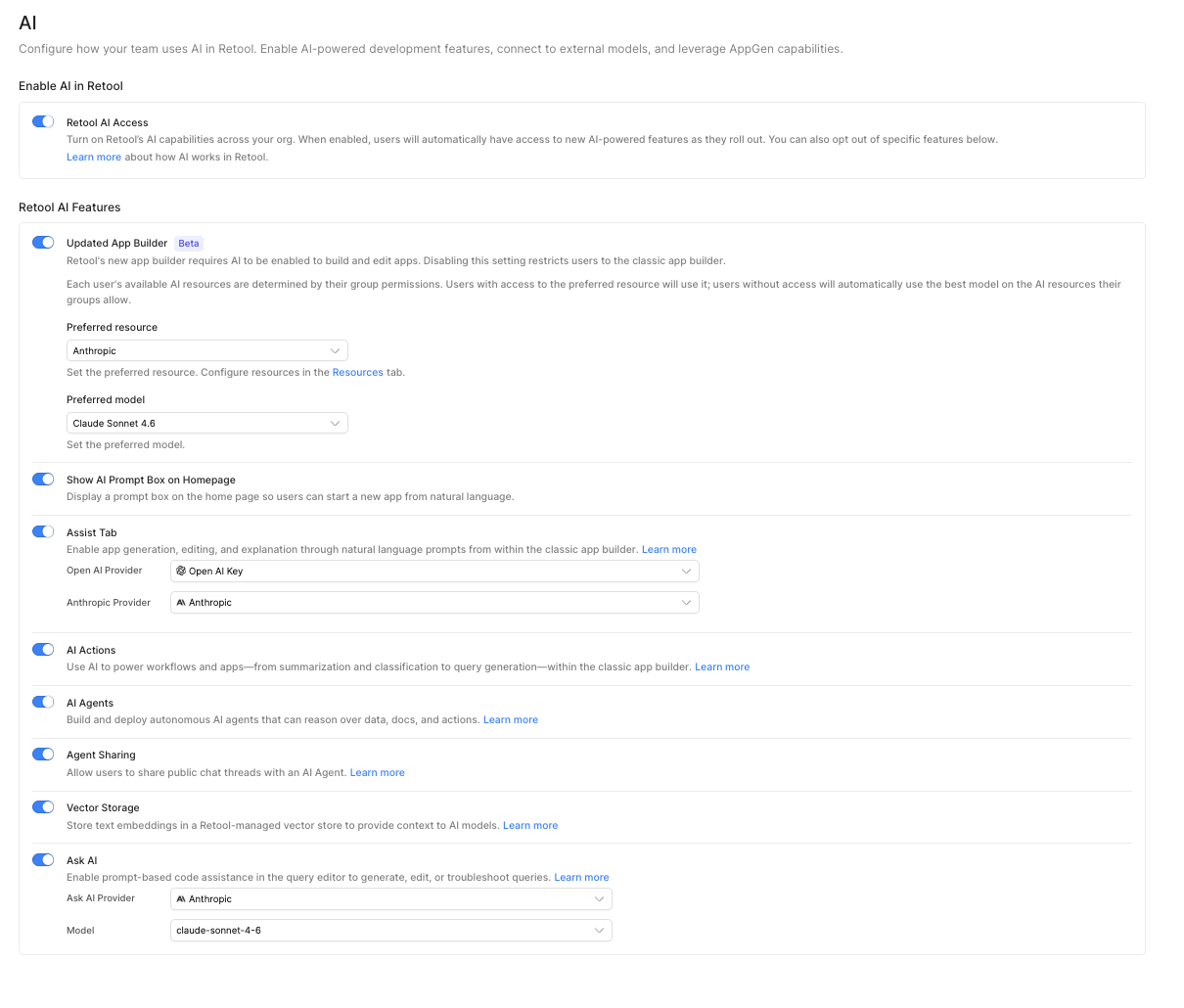
Issue: Everything worked fine in the free version—but then I ran out of credits and didn't receive any new ones each month. So I upgraded to the Teams Plan (unlimited use) and connected my AI resources (ChatGPT and Claude). Even so, I still can't use the AI Assist feature.
Steps I've taken to troubleshoot: Email Support Retool
This is my first post, and I hope it reaches you all—maybe someone can help me. Email support directed me here because, when I had the free version, I was still able to use the AI Assist feature to build or further develop features within my app.
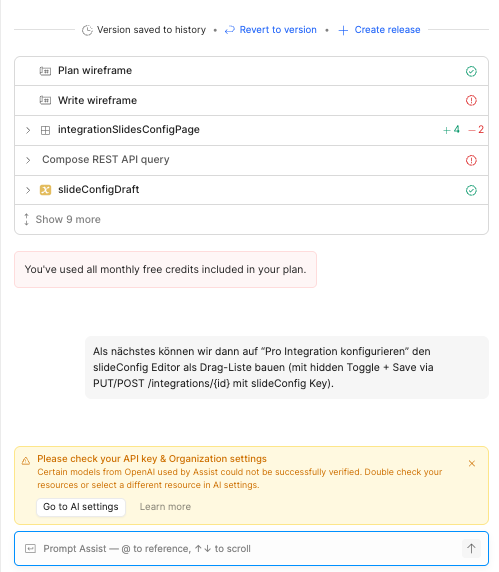
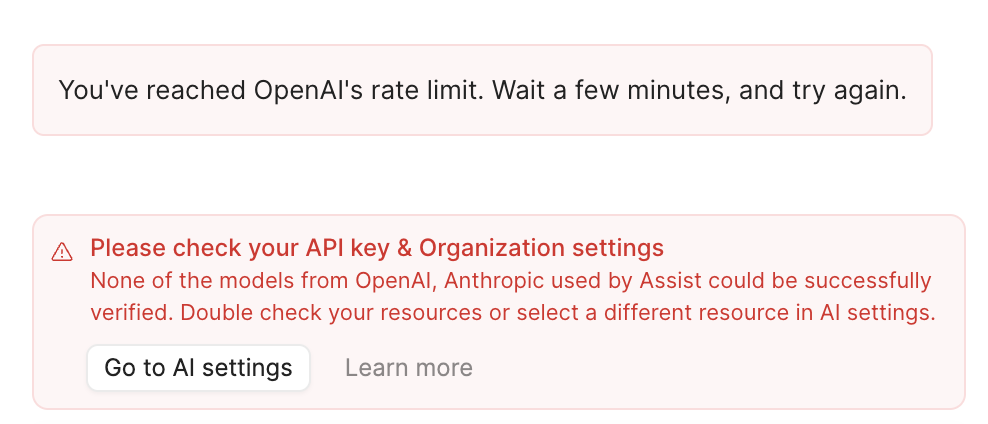
After my credits ran out, I upgraded to get unlimited use of the Assist feature. Unfortunately, that’s when the problems started. I’m paying for a service I can’t use (see screenshots). I think I’ve set everything up correctly, but I still get the error message and can’t use the Assist feature.
Does anyone have any idea what I can change to get it working again?
Hi @SamuelZab - welcome to the Community and posting for the 1st time
Sorry to hear that you are running into this issue after you have upgraded to Team. I wanted to check in with you about a few things to help troubleshoot:
It is possible that the error message that you still see in the Assist chat was from before upgrading to Team. Could you try refreshing or starting a new thread in Assist and retry your prompt in case there is any caching?
I noticed in your screenshot that you have selected Open AI Key as your Open AI Provider in your Assist tab settings. Does it work if you switch this to the Open AI option?
Lastly, could you check Settings > Plans & billing, click the "AI Credits" tab at the top, and see if your Assist credits are being used here? Feel free to share a screenshot of this page!
If these steps do not work for you, please let me know and I can check in with our engineering team. Thank you!
in general i would like to use Antrophic and thought i would use it but now i receive this message always (also new threads) and cant deactivate Open AI. Do you have any idea?
Hey @SamuelZab - Assist is configured to use models from both OpenAI and Anthropic, as each has different strengths. It's not possible to choose one or the other!