Retool permissions are set up in a way that admins can decide use/edit/own/none permissions on apps/resources/workflows/… .
Admins can also configure who has permission to functionality like viewing audit logs, managing themes etc. (RBAC). You can find the full list of actions here. And these docs walk you through how to set up RBAC.
One of the most requested permission feature is to allow non-admin users to invite/ disable users and to add/remove them from permission groups. Non-admin users currently have the ability to suggest new users on https://www.<yourRetoolInstanceURL>/settings/users. After the suggestion is submitted admin users can view the suggestion in /settings/users and can approve it - which automatically invites this user

We do have a feature request (internal id GOV-5270) to allow non-admins to be able to create/disable users via RBAC but don’t have a timeline on when this will be deployed. Until then you can use the following as a workaround:
If you would like non-admin users to invite new users you can use the Retool API
[All of the below require Retool Enterprise Plan]
Here is the documentation on how to set up a Retool API resource and here are the details on the POST /users call:
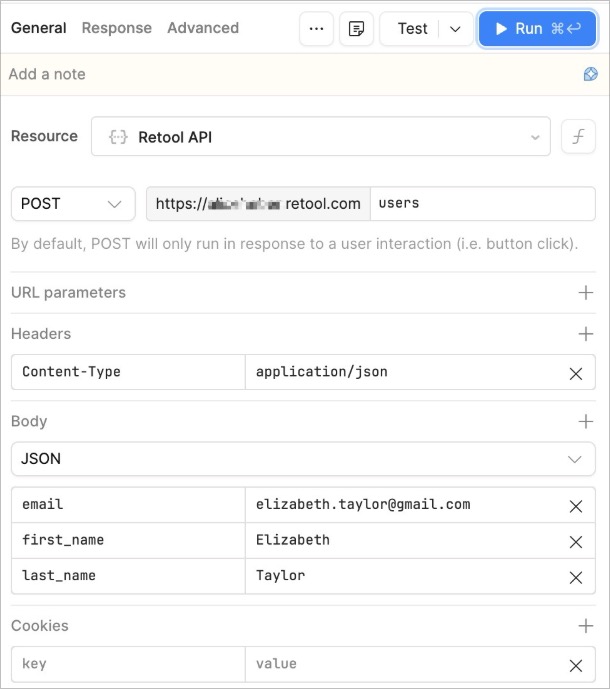
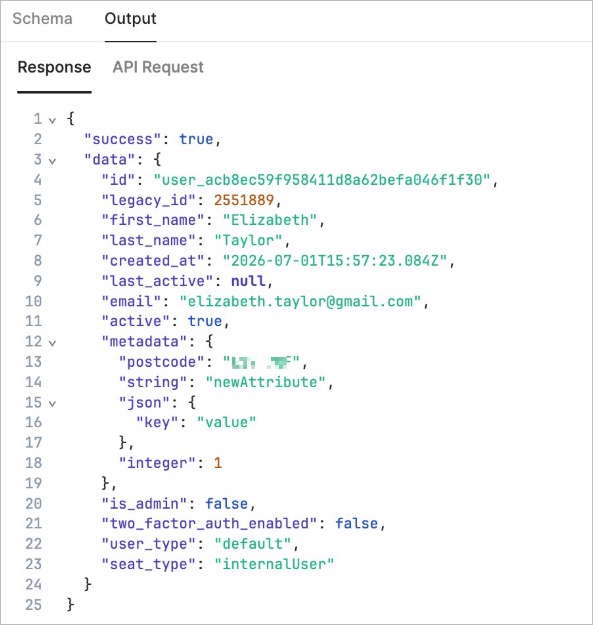
The user gets created and the call response will look something like
How non-admin users can add or remove users from permission groups
The non-admin user can now add this new user to an existing permission group - all that’s needed is the group id and the user id . This new user will automatically be part of the All Users permission group
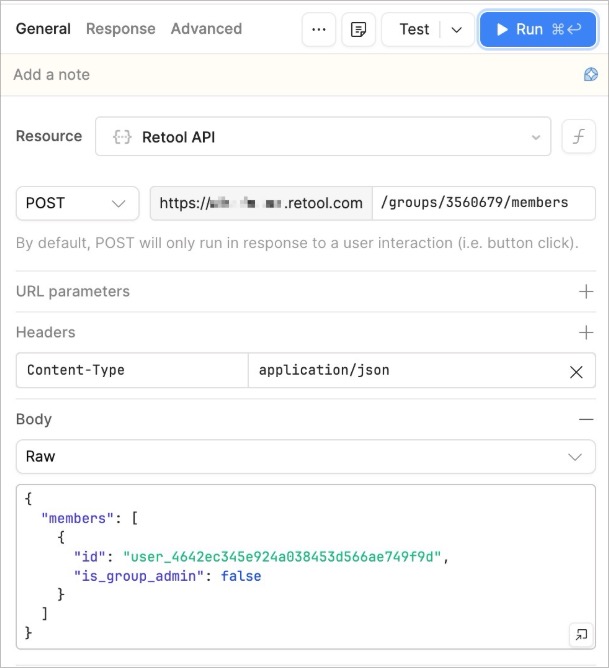
Note that users invited this way will not receive an auto-invite (like when an admin user invites a user via the UI) and will need to go to
https://www.<yourRetoolInstanceURL>/auth/login and click on forgot password to set up the account.
You can also have non-admin users disable existing users via the Retool API
Here is the documentation on the DELETE /users/userId request. Please note that the non-admin user can disable any existing user, not only the ones they have added via the Retool API. After this request ran users will be disabled but can be re-enabled by an admin if necessary

Additional reading: