I have a workflow working well sending out emails.
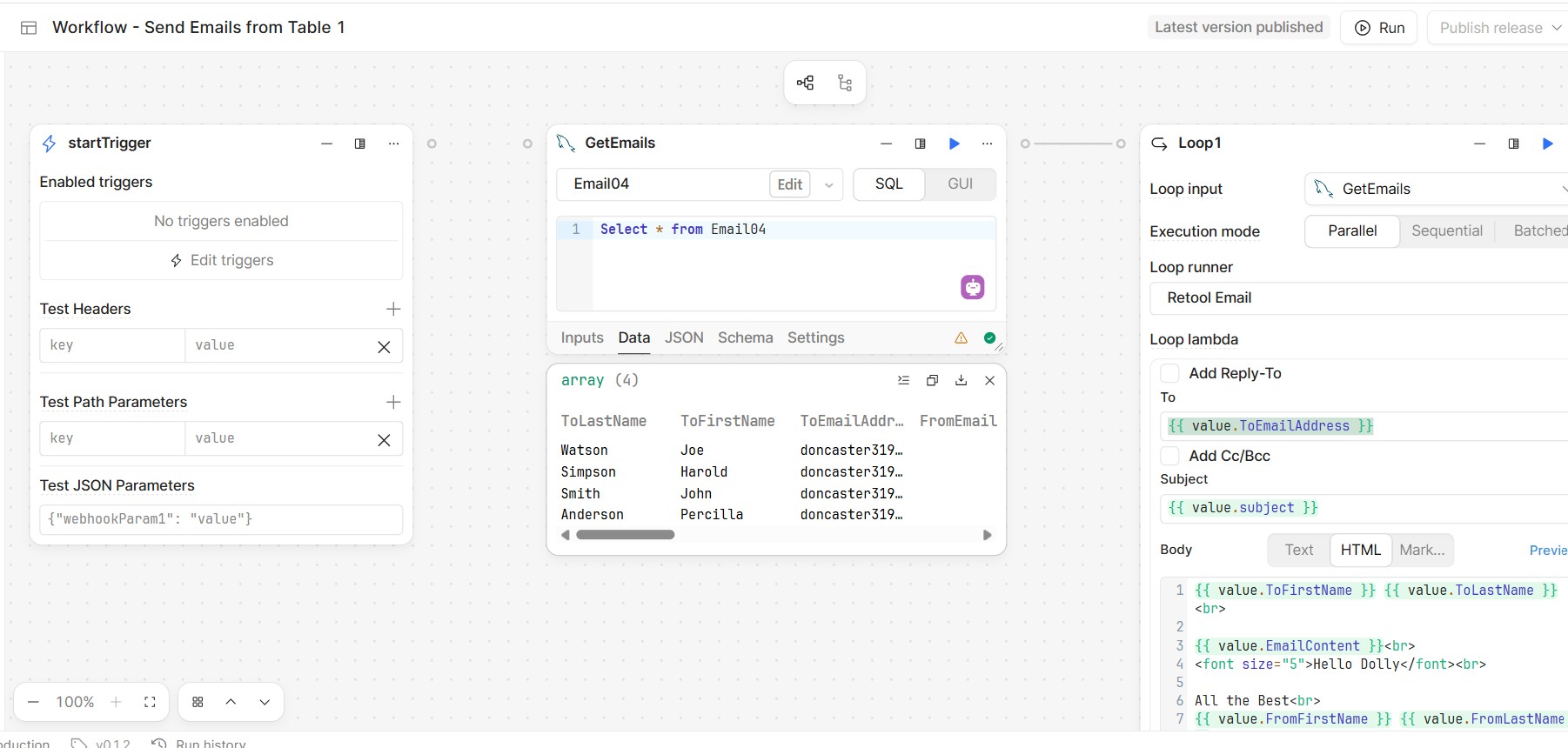
You can see a graphic below.
The startTrigger is not active. I would like to start this manually with a button in the operations section. How would I develop such a button?
Mike
I have a workflow working well sending out emails.
You can see a graphic below.
The startTrigger is not active. I would like to start this manually with a button in the operations section. How would I develop such a button?
Mike
Hey mdsmith1,
Thanks for reaching out to the Retool community. Allow me to help out on this Workflow start issue.
To trigger a Workflow from a button, first set the Workflow to have any trigger. The trigger won't matter too much for this use case but may later if you have other uses such as a schedule.
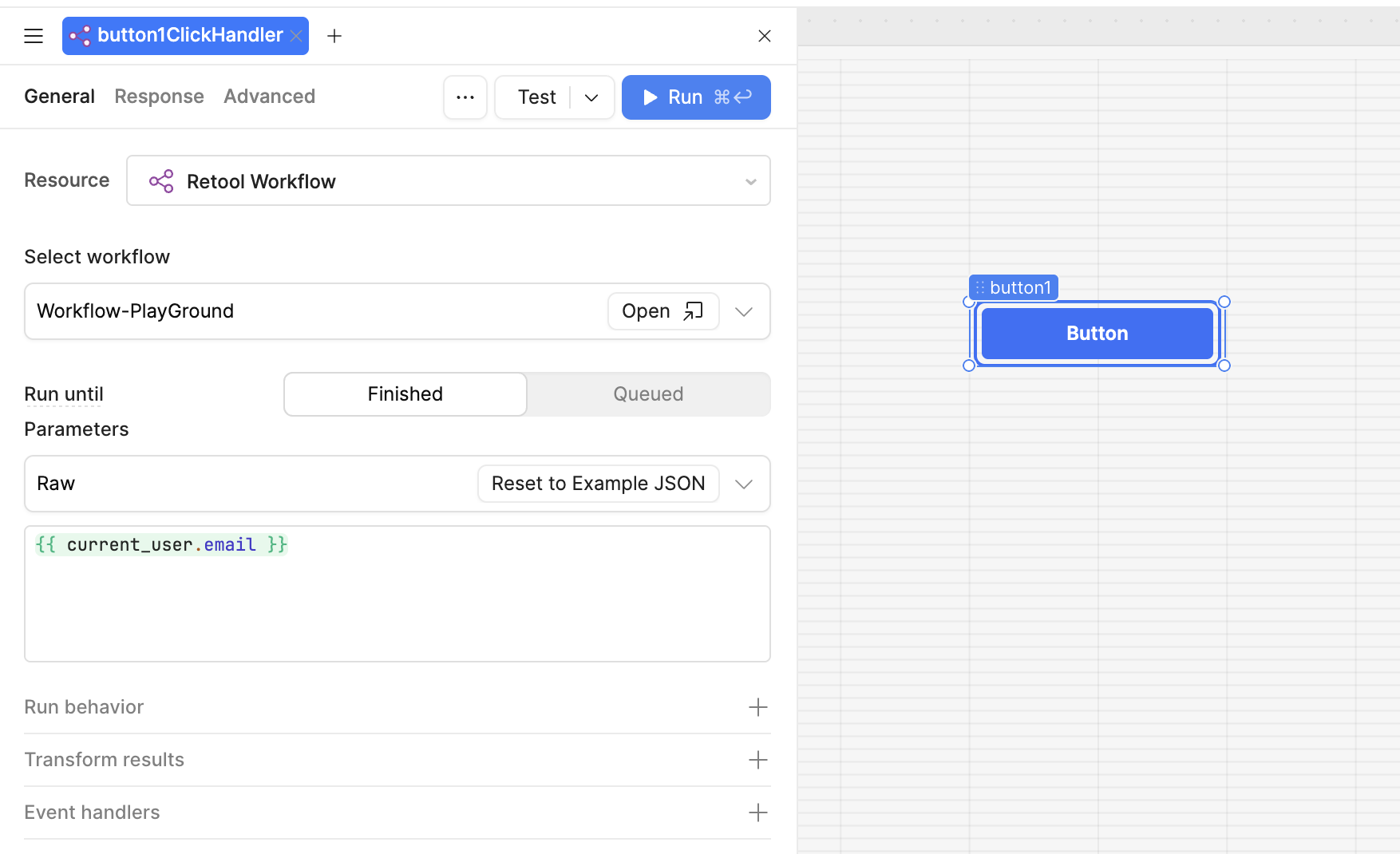
We will then want to change the event handler for the button so that it triggers the Workflow. This will then allow you to select the Resource as a Workflow, and then find your specific one.
 Here is my example below:
 Hope this helps! Let me know if you run into any further issues with configuring this triggering.
Regards,
John | Retool Support
John:
I got most of the steps setup but I wanted to check on your entry {{current-user.email}} in the first block.
Could you explain that to me.
Thanks.
Mike
Hey mdsmith1,
Happy to help explain that bit!
In the Retool test app I made I am envoking the current_user object. This is a built in object type that has a lot of functions and I use it a lot in testing like this.
Since I wanted a button to send an email, I thought "let me pass my own email to the workflow" and thus used this to pass that data along. Its pretty useful for any situation where you want to use information from the logged in user accessing the app.
Let me know if that helps! I would encourage you to test it out and check the state within your app to see more details live in action.
Regards,
John | Retool Support
John:
Thank you so much. I now have it working. I have marked your answer as the Solution.
I was wondering if I could ask you another question.
There seems to be a several minute delay between sending emails and getting them back for review.
I there some way of previewing the emails from within Retool?
Thanks again.
Mike
Hey @mdsmith1
Happy to help!
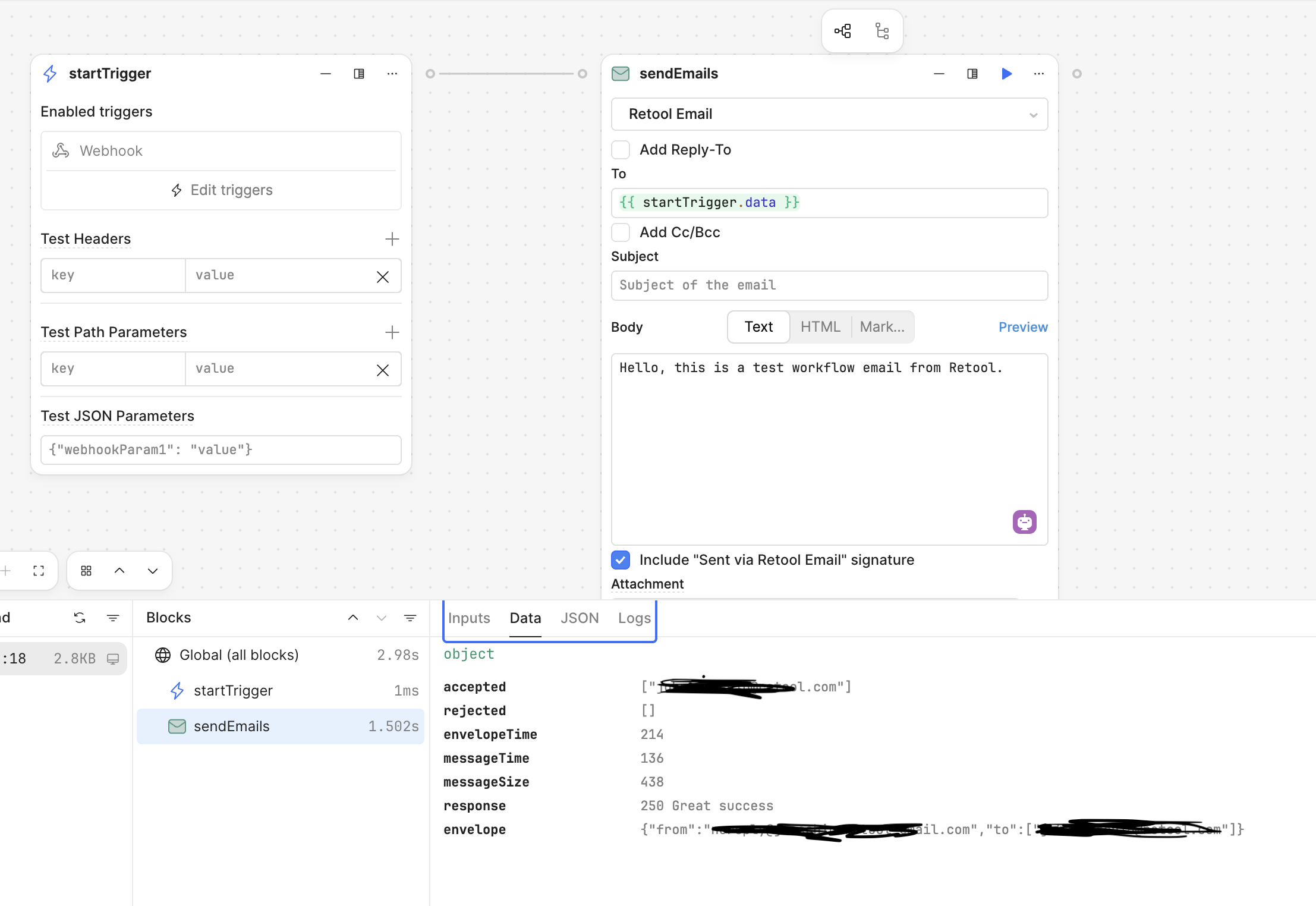
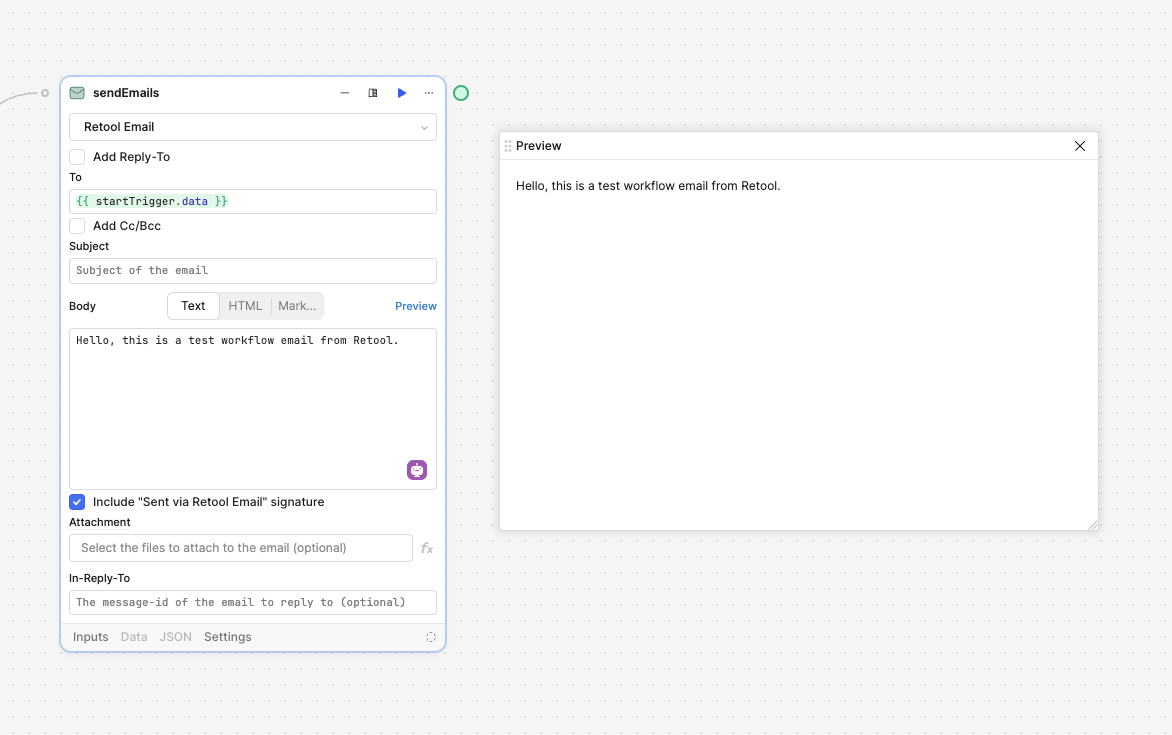
For previewing the emails, you can do this directly in the Workflow. There is a preview button next to the body portion. This should let you preview it and edit it in real time instead of sending emails and waiting.
You can also apply Test Parameters on the Workflow start so it has values to use for the email as well.
Hope this helps
Regards,
John | Retool Support
Hi John:
I got the Preview Frame to open up but it is empty.
I am getting test emails to come up with Outlook but they don't show up in the Preview Frame.
Mike
Hey @mdsmith1
Let’s start the troubleshooting of that then in another thread so we can keep these issues separate. Would you mind creating another post? In it please post some pictures of the Workflow steps and the email part with the preview option open.
I will do my best to grab the post and work on it with you
Regards,
John | Retool Support