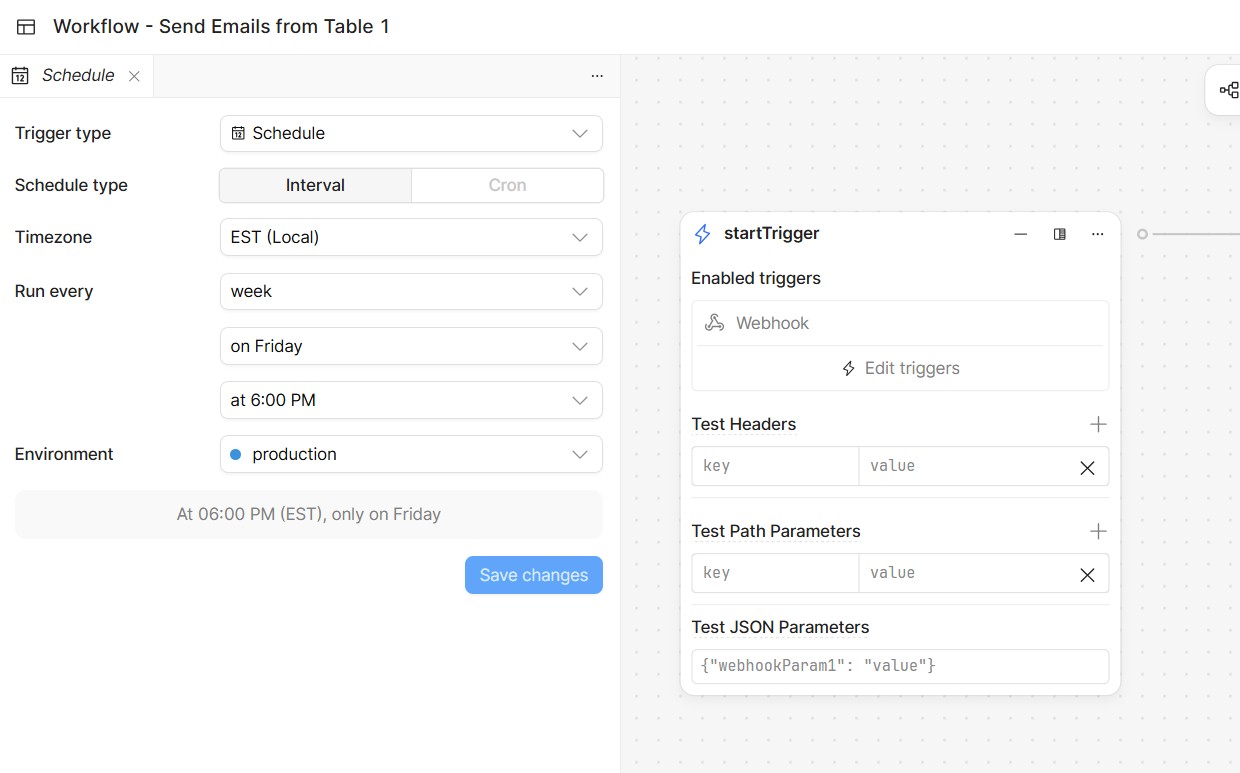
I have changed the Trigger Type to “Schedule” in the settings screen but after I click “Save”, the startTrigger Screen still shows the enabled trigger as “Webhook”.
I am on the latest Cloud instance of Retool and I am currently unable to reproduce this. Would you mind refreshing the page and letting me know if this still reproduces for you?
If so, would you mind sharing a few steps to reproduce it? I added several triggers and changed them back and forth but it always propagated down to the enabled triggers.
There may be an issue with the Cloud Version you are looking at and the version I am looking at.
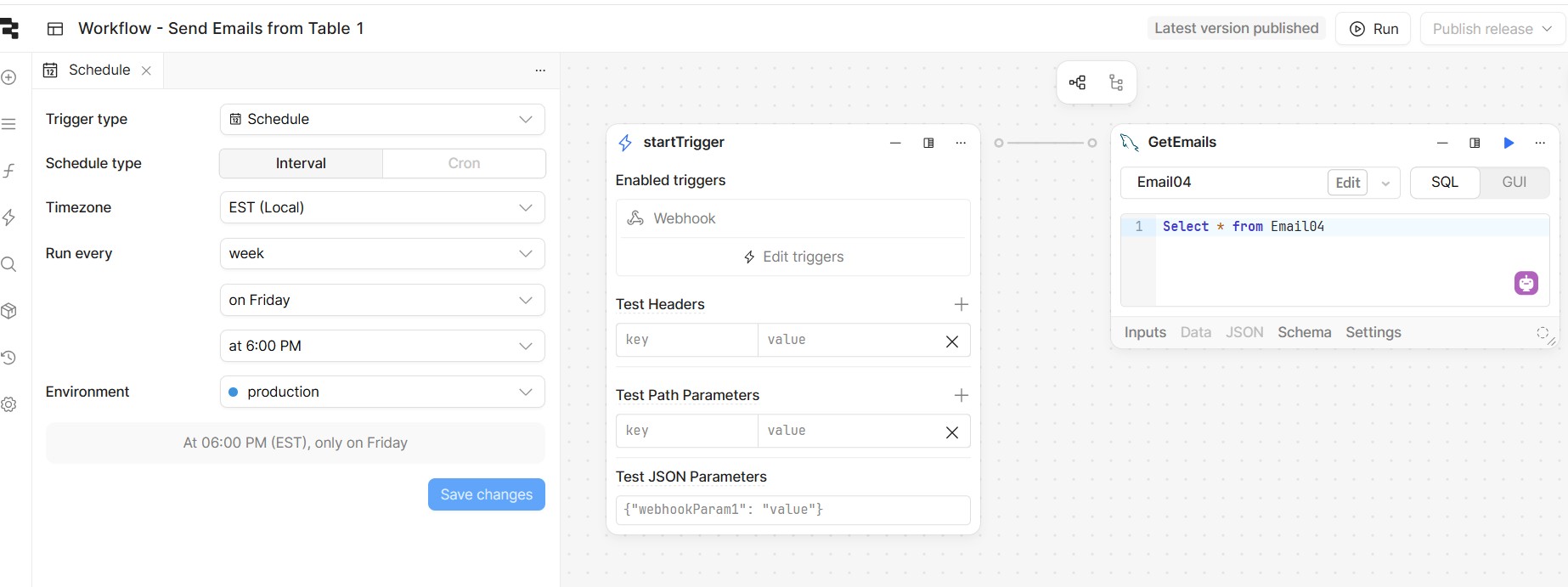
I have refreshed the page and it still shows “Schedule” in the Trigger Development screen and “Webhook” in the “Start Trigger” screen. I am attaching a graphic.
Possibly it is just a matter of getting your latest Cloud Version being made available to the rest of this.
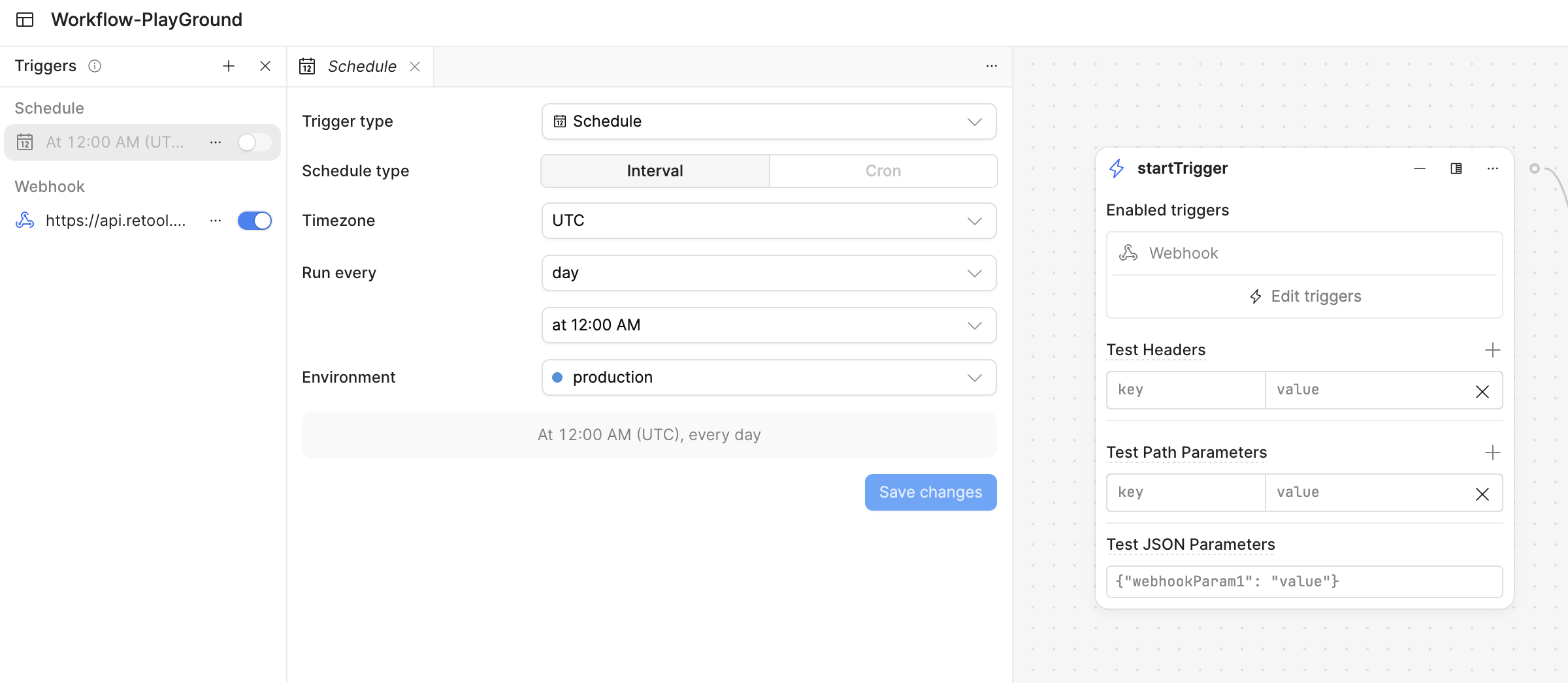
Thanks for the screenshot! Is it possible that this schedule you are editing is not enabled and there is already a Webhooks that is turned on? You should see it on the left side.
The only way I could reproduce your issue is this way, which is the default behavior. All turned on triggers will show here but you can add/edit other triggers that are non-active, and it won’t change any of them listed in the UI until enabled.
Let me know your thoughts or a full screenshot. I am on the latest Cloud release.
 If so, would you mind sharing a few steps to reproduce it? I added several triggers and changed them back and forth but it always propagated down to the enabled triggers.