Top bar and side bar hierarchy in multipage app

Hi,
this is a small issue but would be happy to see if there is a way to achive this.

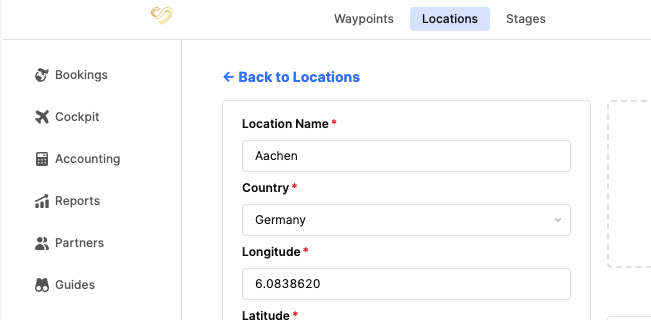
I'd like side global menu be full hight and then top global bar be extended only to the side bar. The opposite that is in the screenshot. Is this achievable?

In our use case we have menu to switch between apps on the side menu and navigation between pages on top bar.

2 Likes

Hey @Gasper_Anderle1,

Unfortunately this is not possible, but linking your post to this other feature request so that the retool team can keep track of interest.

Best,
Miguel

1 Like

Hey @Gasper_Anderle1 thank you so much for taking the time to write this feature request, that’s totally reasonable and definitely a valid feature to have! I completely agree with you.
Thanks @MiguelOrtiz for tagging the relevant post as well. I went ahead and added a +1 internally to help raise visibility with the team. :raised_hands:

1 Like

+1
It would be very helpful

1 Like

@Gasper_Anderle1 this isn't something that should be done unless there just isn't another option, but seeing how that's the case – have you tried using custom css to set the z-index to be 1 index higher on your side menu than on your top navbar?
1 Like

For those struggling with the same issue I used the below custom CSS to adjust the hierarchy

:root {
--pc-sidebar-width: 240px; /* set once */
}

[data-testid^="ViewerPageLayout::sidebarFrame"] {
position: fixed !important;
top: 0 !important;
left: 0 !important;
height: 100vh !important;
width: var(--pc-sidebar-width) !important;
z-index: 1000 !important;
}

[data-testid="FrameStyleSection::sidebar"] {
width: 100% !important;
height: 100vh !important;
}

[data-testid="FrameStyleSection::header"] {
position: fixed !important;
top: 0 !important;
left: var(--pc-sidebar-width) !important;
width: calc(100% - var(--pc-sidebar-width)) !important;
z-index: 900 !important;
}

[data-testid="ViewerPageLayout::MainContent"] {
margin-left: 0 !important;
padding-left: var(--pc-sidebar-width) !important;
padding-top: 0 !important;
}

3 Likes