-
My goal: Has option to change table component multiple selection box outlining color
-
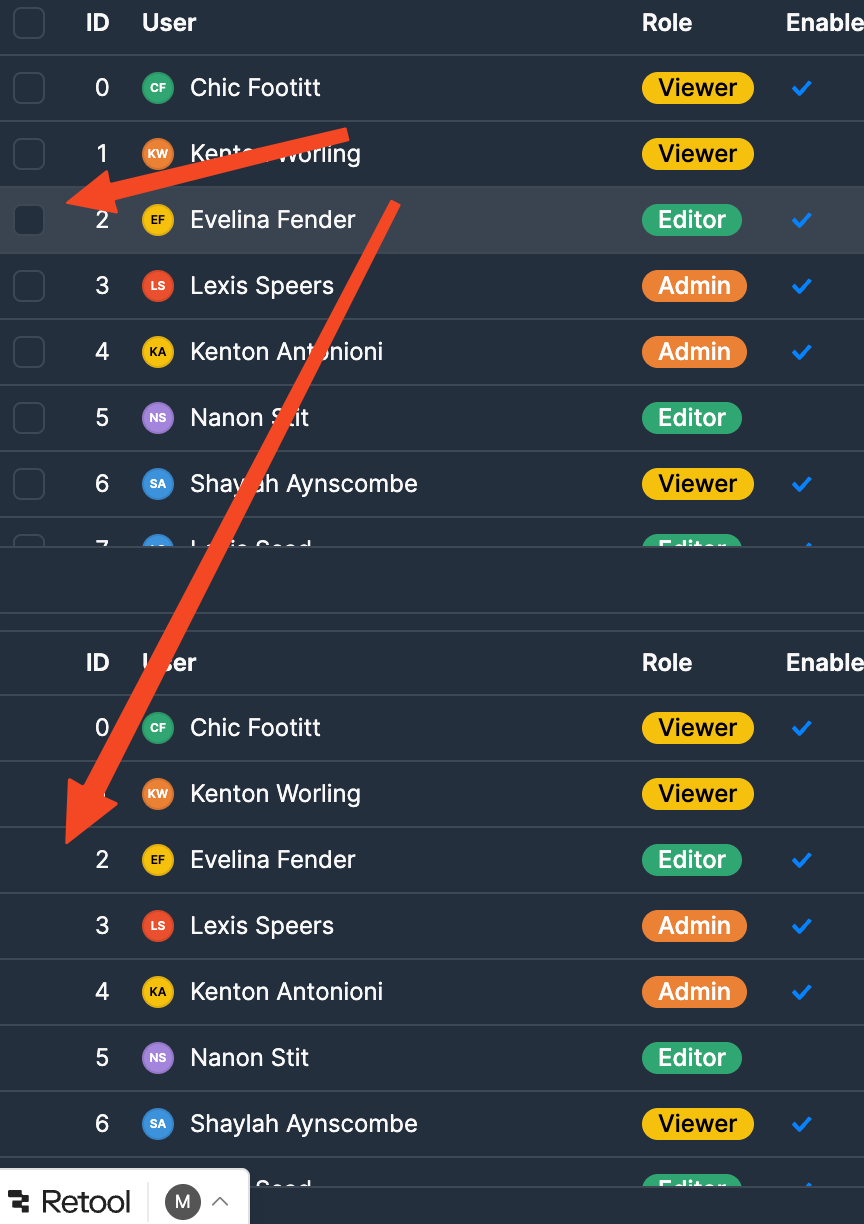
Issue: New table component has worse outlining visual for the multiple selection box compare to older table component. It is really hard for any user to first notice that select column is selectable. Can we reverse back the way table component display select box or have an option to do so?
-
Screenshots. Above is older table component. Below is the latest component
1 Like
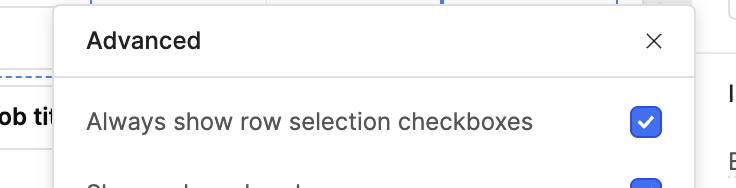
Hi there is a hidden Option to always show the boxes, under the appearaced three dots (advanced menu)
1 Like
Hi @minh_ng, Welcome to the Retool community!
I reviewed both your older and newer components and understand the issue.
To enable the checkboxes:
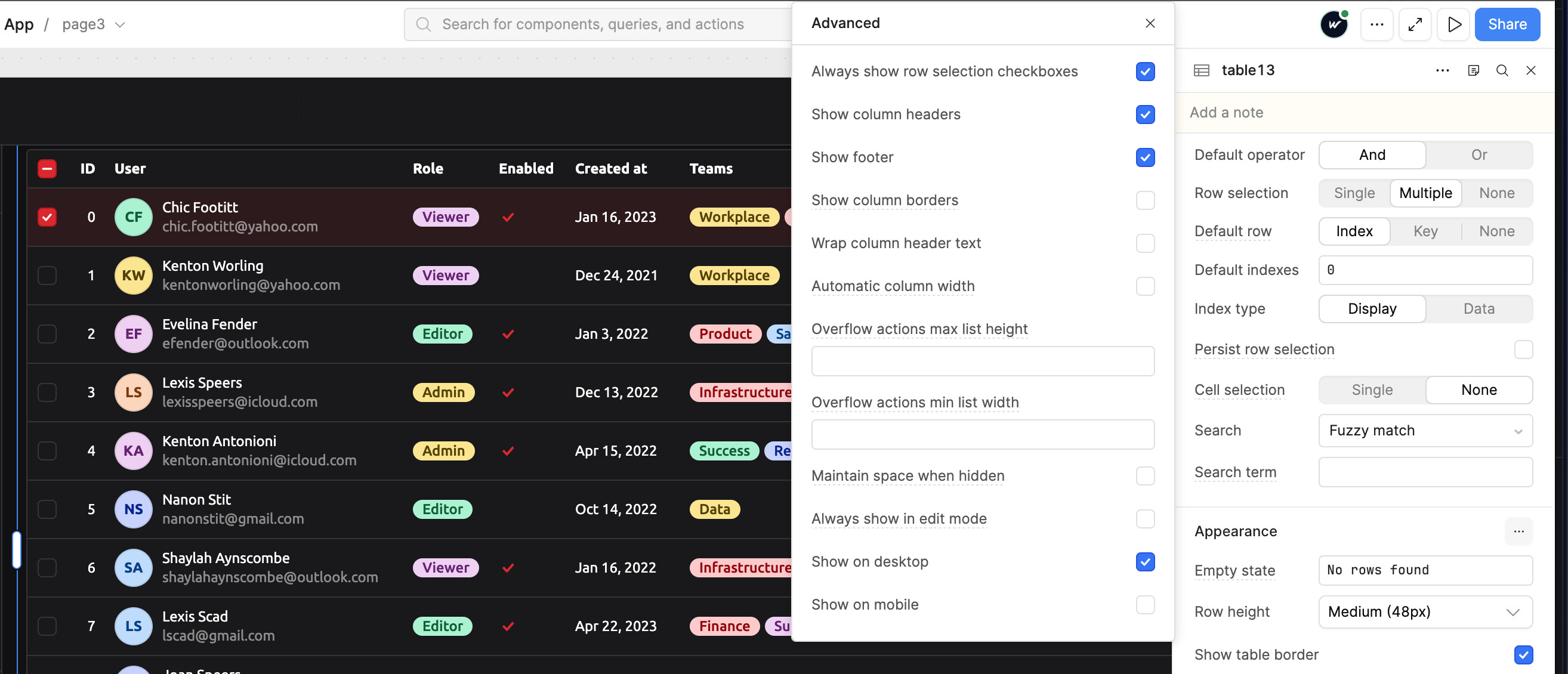
Go to Table → Inspect → Appearance (three dots) and enable “Always show row selection checkboxes.” This will make the checkboxes visible by default.
To change the checkbox color:
Go to Styles → Accent, then update the accent color. The selected checkbox color will automatically reflect the new accent color.
I’ve also attached a screenshot for reference.
I hope this resolves your issue. Let me know if you need any further assistance!
2 Likes
Thanks for all your reply. I see the setting now 
1 Like