- My goal: on my Retool iFrame, I want to slide steps by steps in my container without any shift on iFrame position.
- Issue: shift of Retool iFrame while progressing through steps.
- Retool version & hosting setup (Docker, K8s, cloud provider, etc.): 3.196.8 (On-premise - AWS)
- Error message(s) or screenshots:
-
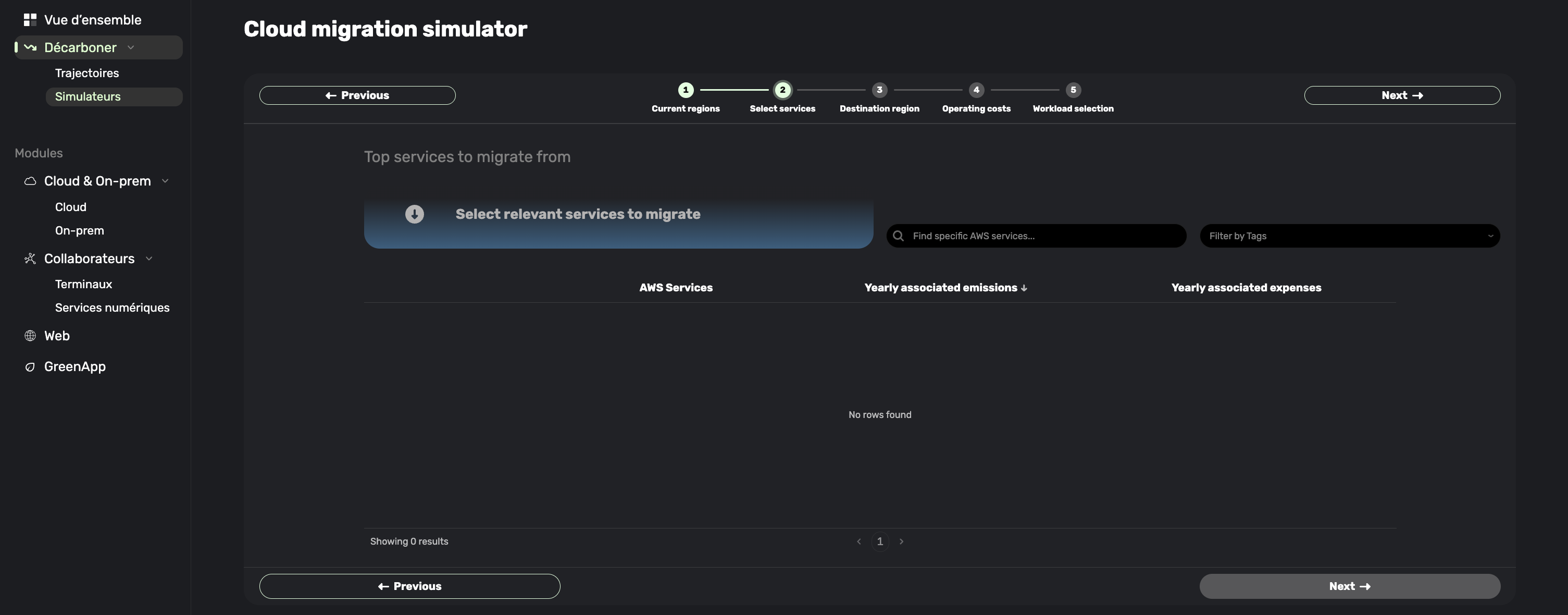
Step 1/2 : iFrame si well centred.
-
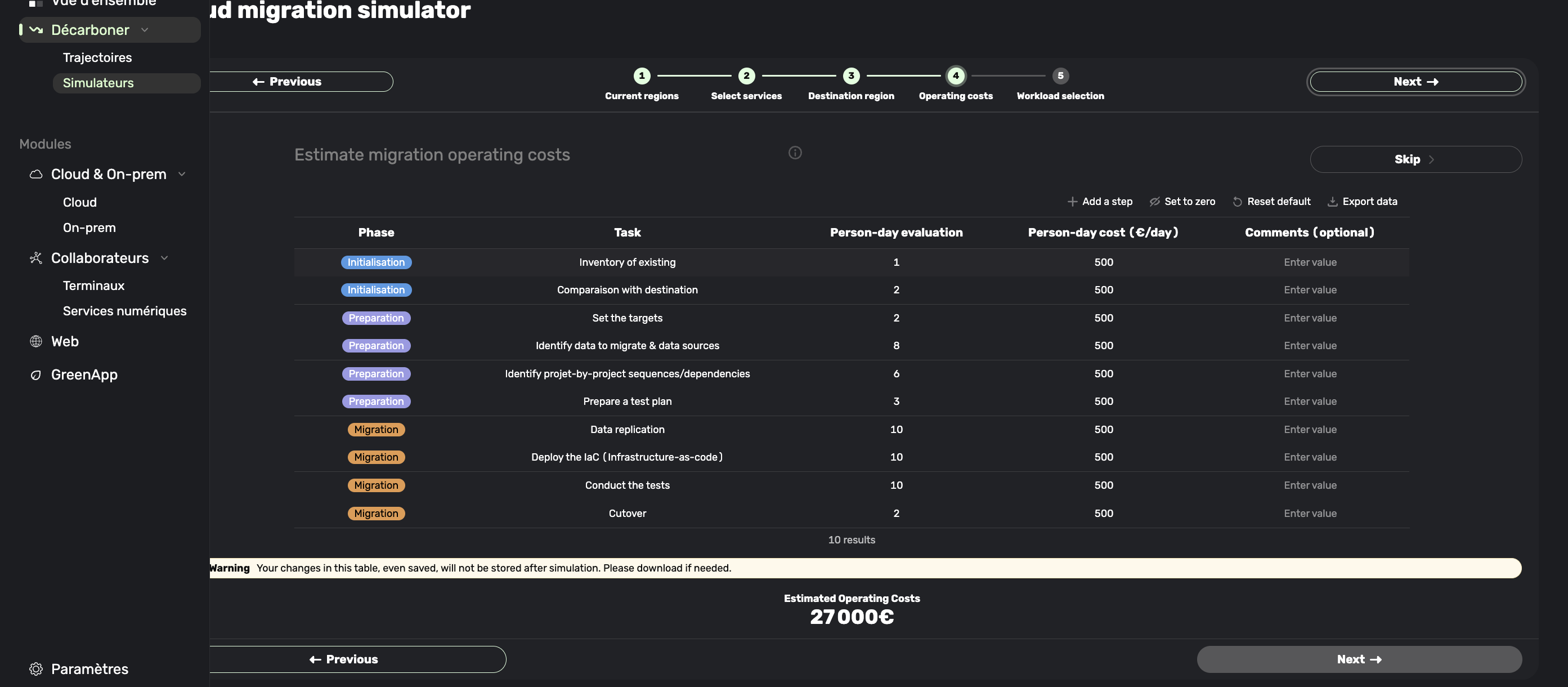
Step 3/4 : iFrame start to shift (see left navigation sliding above Retool component)
-
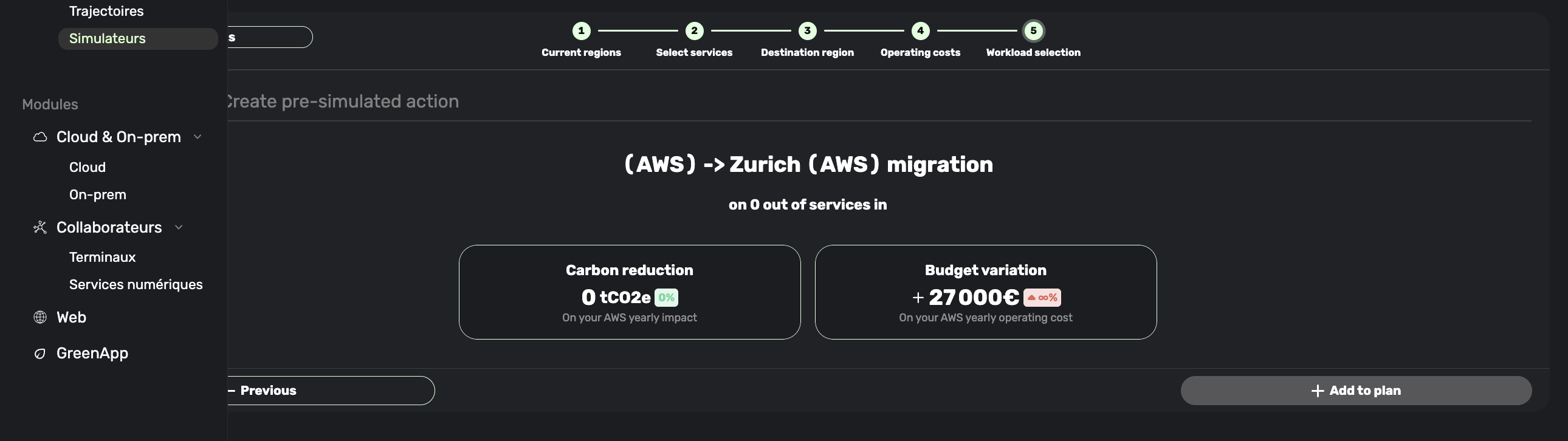
Step 5 :
-
- What I’ve tried so far:
Quick Tech Analysis: When changing steps, the component changes the x axis of the iFrame position to the left. Only way we found to avoid this is some CSS hard constraint.
Hi @Laurin_Boujon1,
Very interesting, I haven't seen this behavior before.
So to confirm, the side panel on the left is static and is native to your website. With the Retool embedded iframe taking up the rest of the space of the page, and the tapped container is causing the iframe to expand its width and go under the left side panel, correct?
I did notice you are on an older version of Retool, not sure if this is a bug that has been fixed in newer releases.
Does shrinking down the size of the iframe help? Is the CSS hard constraint working properly for your use case?
Hi @Laurin_Boujon1,
I wanted to check in and see if you are still experiencing this issue. If you can help me to reproduce this behavior with more details that would be very useful for me to troubleshoot what events cause this behavior.