Same problem; temporarily resolved by setting 1000000px (as recommended by OP via Claude).
We are also having the same issue on many of our modules. And, since they are not apps, the “Max width” setting is not available in the Inspector.
How often are your users viewing the module in isolation, though? Isn't it almost always embedded into an app? In my own testing, the width of the module contained within an app behaves as expected. Let me know if you're seeing something different.
If you do need a consistent appearance both when editing and previewing a module, though, you can add the following custom CSS snippet:
div[data-testid="ViewerPageLayout::ScrollContainer"] {
  padding-left: 0px !important;
  padding-right: 0px !important;
}
I'll follow up internally to hopefully get this prioritized, but don't hesitate to follow up with additional questions in the meantime. 
We actually use modules extensively, and nest modules within modules, so we don’t have them attached to an app it seems. As you can see here your CSS snippet didn’t fix it either 
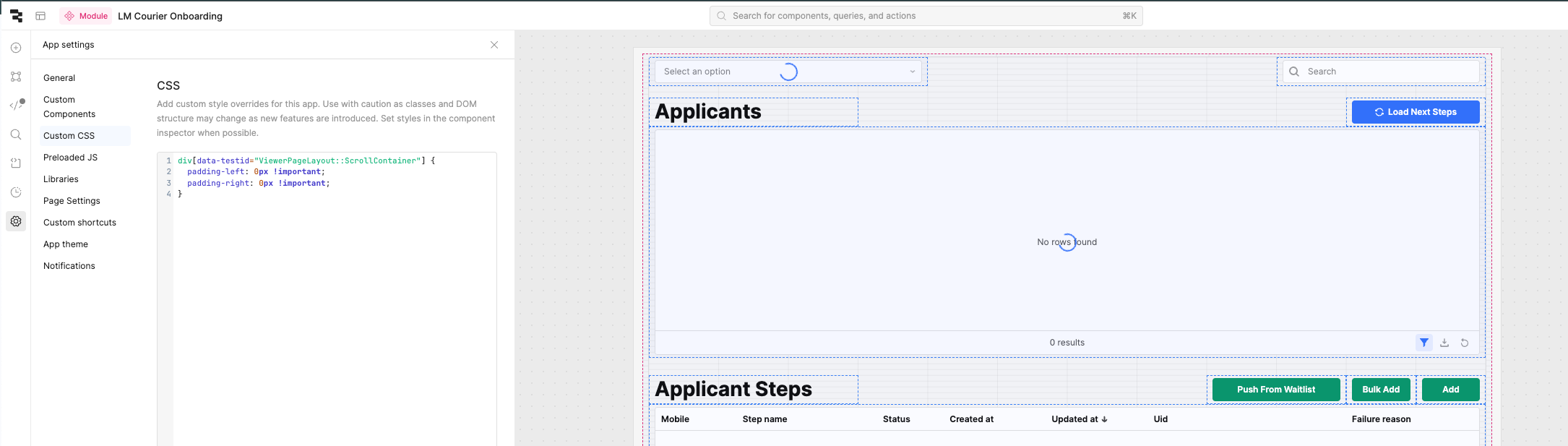
You will need both rules in order to properly set the width in both edit and view mode.
div[data-testid="EditorPageLayout::WidthConstrained"] {
  max-width: 100% !important;
}

div[data-testid="ViewerPageLayout::ScrollContainer"] {
  padding-left: 0px !important;
  padding-right: 0px !important;
}
It should work for nested modules, as well, but I haven't explicitly tested that. In general, though, modules are intended to encapsulate a group of commonly used UI elements + related queries and then ultimately be displayed within an app.
1 Like