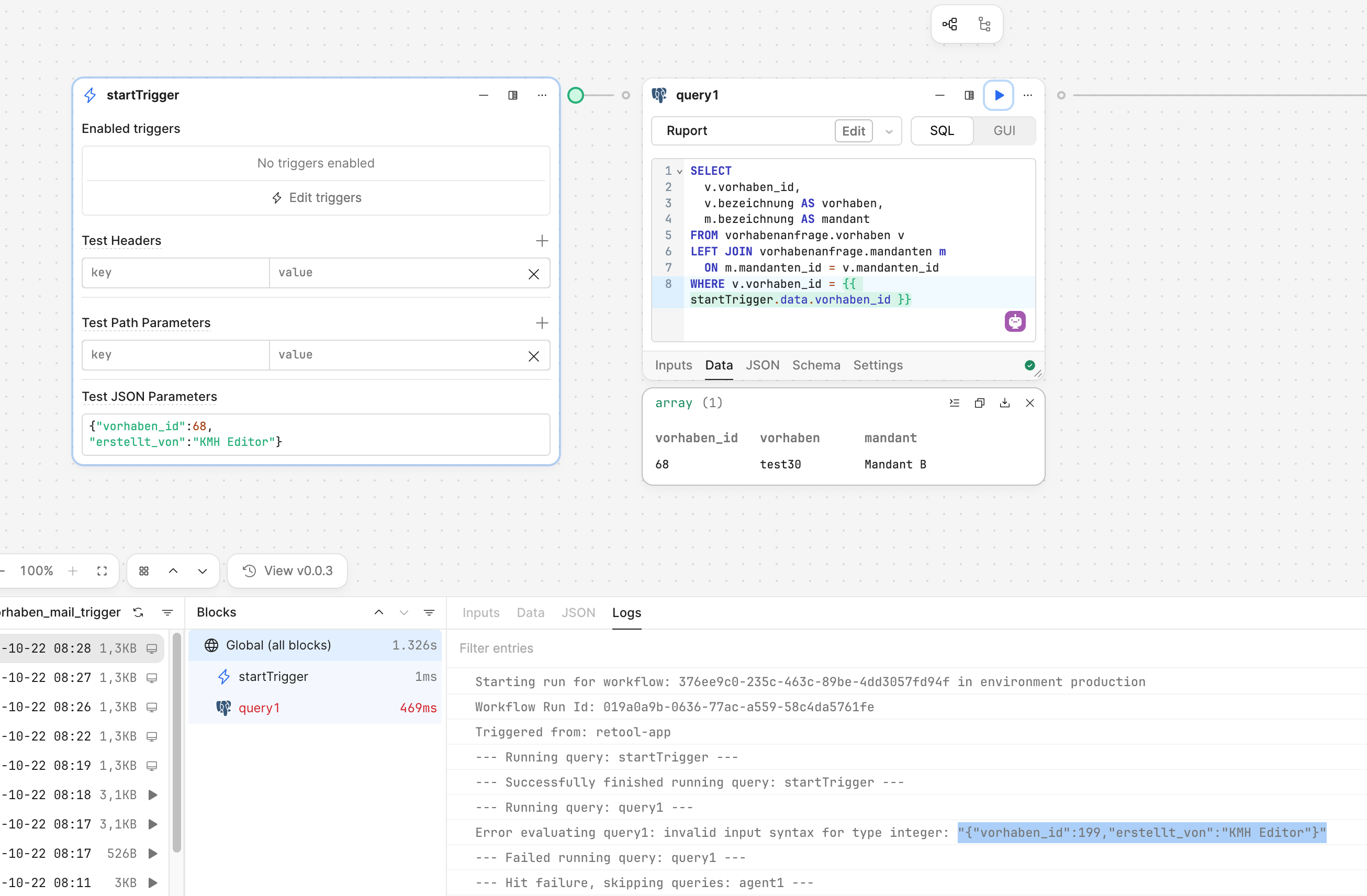
I’m trying to build a simple workflow in Retool.
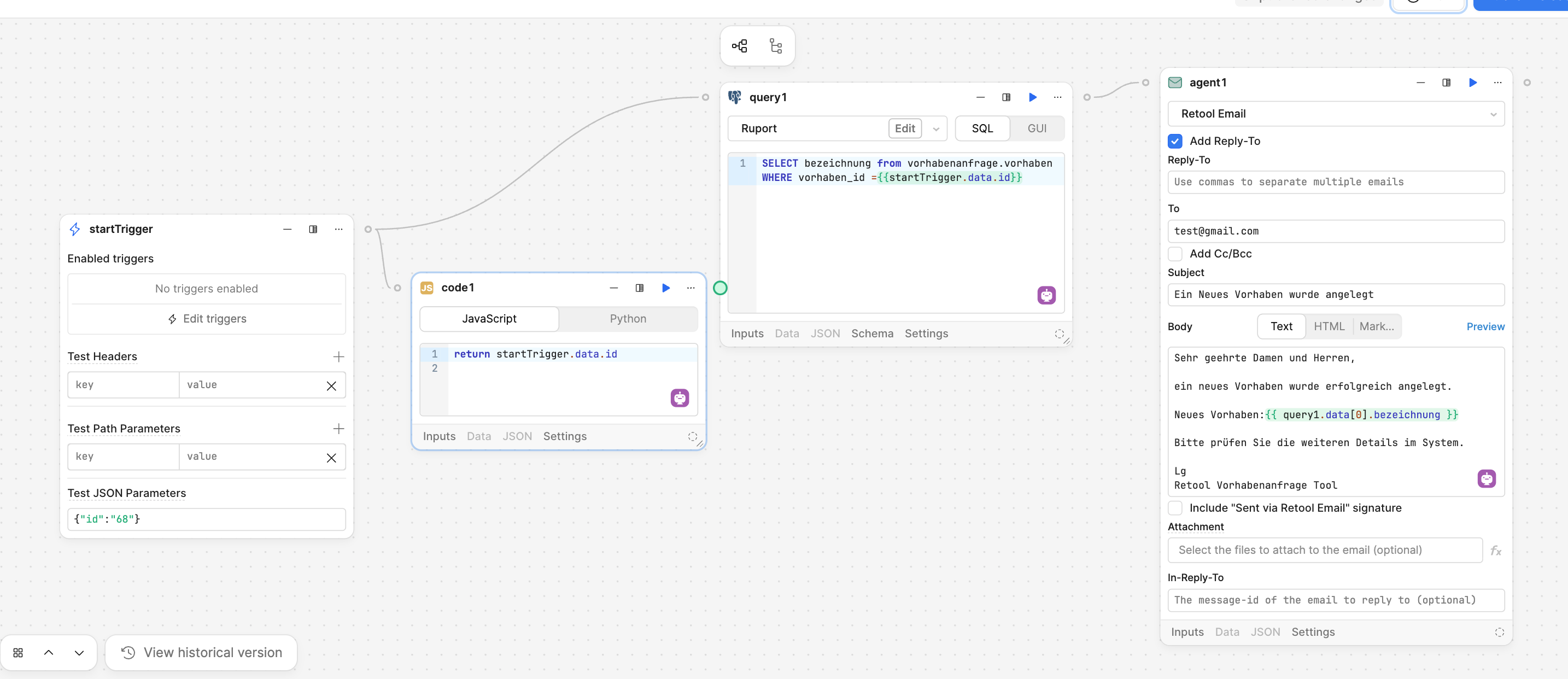
When a new record is inserted, an email should be sent containing the record’s name.
When I run the workflow in the builder, it works.
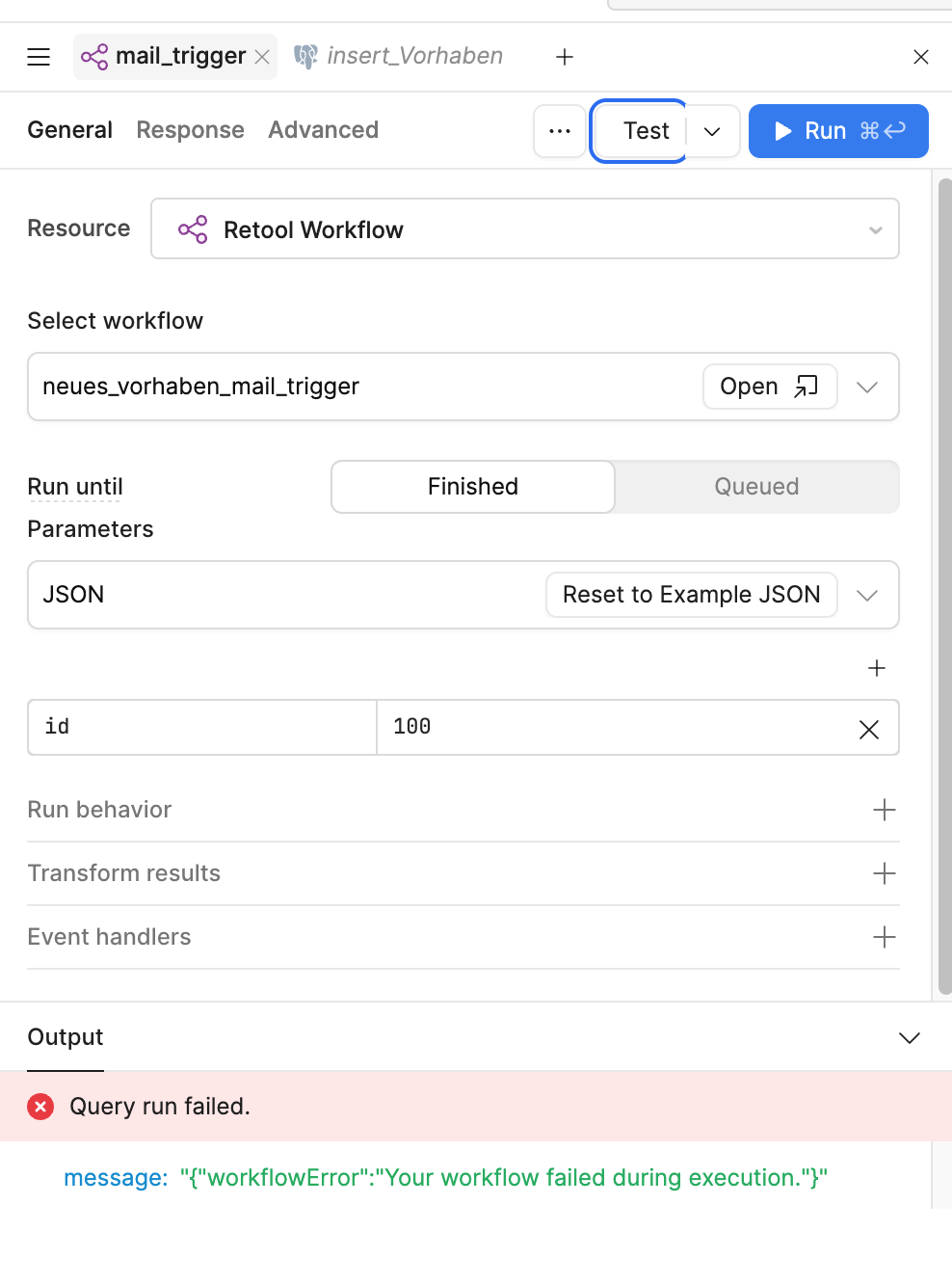
But when I click **Test** to trigger the query in the builder, it fails.
its only with test parameters right now
Can someone help me through the images I’ve provided?
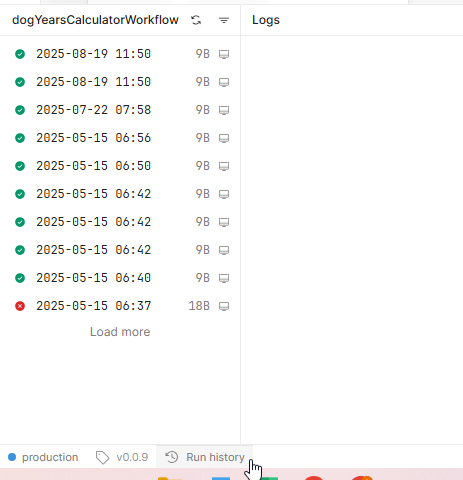
You will need to go into your workflow to see where it fails. Click on “Run History” in the bottom left. It will open a window to show all of your recent workflow runs. Click on the little “Refresh” icon then on any of the runs you see on the left. You will see a red icon for any failed runs and you can see the data from each block there. This should tell you exactly what you need to know.
Hi @RojanKmh, based on your picture I think you need to create a trigger for your workflow to connect your webapp to it. You can click Edit triggers and then toggle the webhook.
Unless that just wasn't included in the previous image, then you can follow @Shawn_Optipath's directions to track down where it's failing.
In your first screenshot (Test JSON Parameters), notice that the "68" value is inside quotation marks — which means it’s being treated as a string, not a number.
Further down, in your error example {"id":100}, the value 100 isn’t in quotes, so it’s being passed as a number instead.
If the workflow or query expects a string (for example, id defined as text or UUID), sending it as a number can cause that type error. Try wrapping it in quotes to match what your workflow expects, like: {"id": "100"}
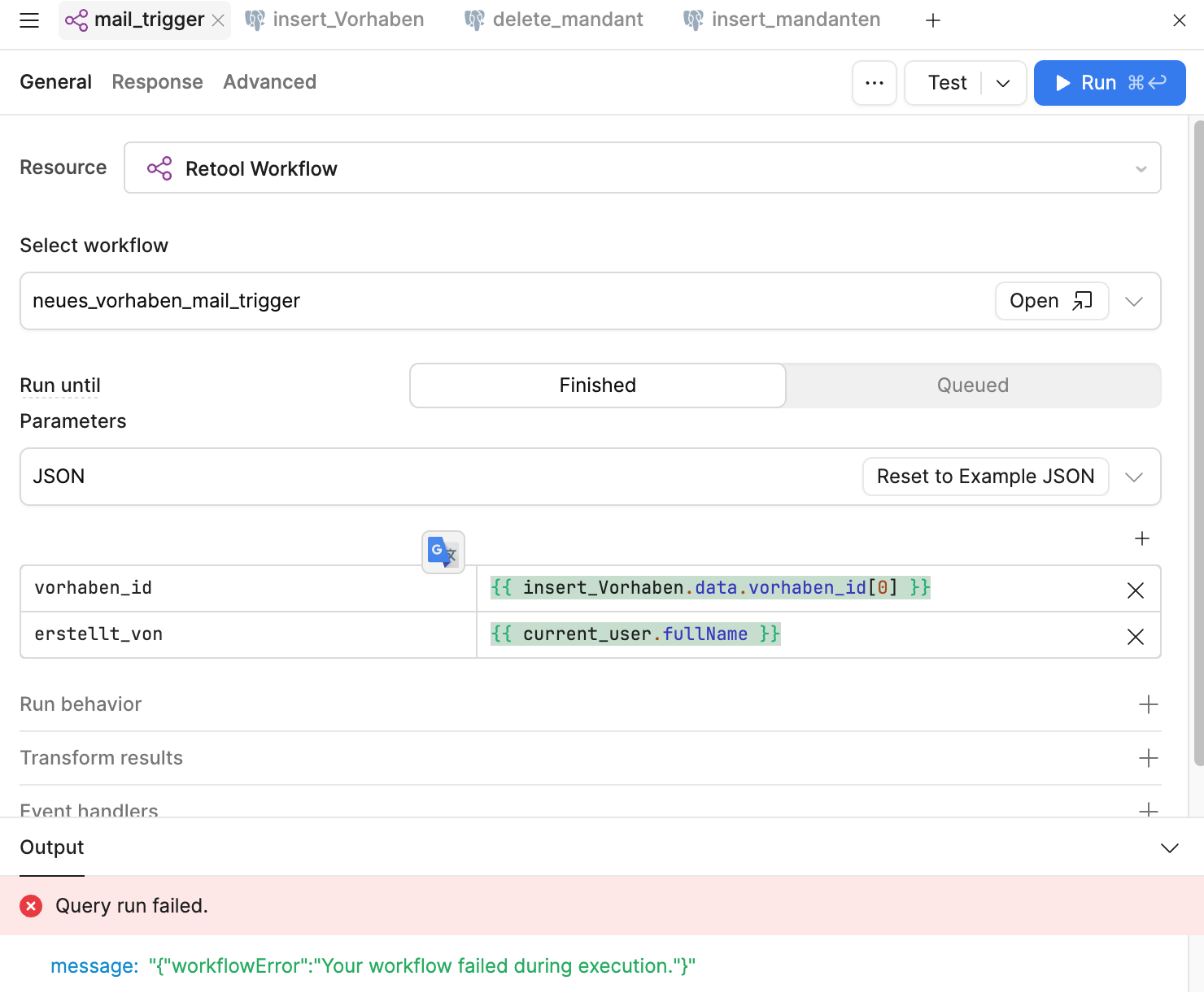
try changing {{ insert_Vorhaben.data.vorhaben_id[0] }} for {{ parseInt(insert_Vorhaben.data.vorhaben_id[0]) }} this will change your string to an actual integer, which seems to be what is causing the issue.
What's odd is that it isn't saying invalid syntax for type integer: "199", instead it's looking at the whole object, as if to say that startTrigger.data.vorhaben_id is actually evaluating to "{"vorhaben_id": 199, "erstellt_von": "KMH Editor"}".
Is it possible that from your app, {{ insert_Vorhaben.data.vorhaben_id[0] }} is somehow returning an object?
The other possibility is maybe you haven't published your latest changes in your workflow? If a previous version of the workflow was doing something like WHERE vorhaben_id = {{ startTrigger.data }}, and if you haven't published since then, that would explain the error.