I would like to create a dynamic table with different colored tags based on the content that's within the cell. I've verified that the tag colors work when its automatically picked, however when using a ternary operator, with item.includes, it doesn't not change colors. Image for reference to try and make cells with 2022 in them change color.
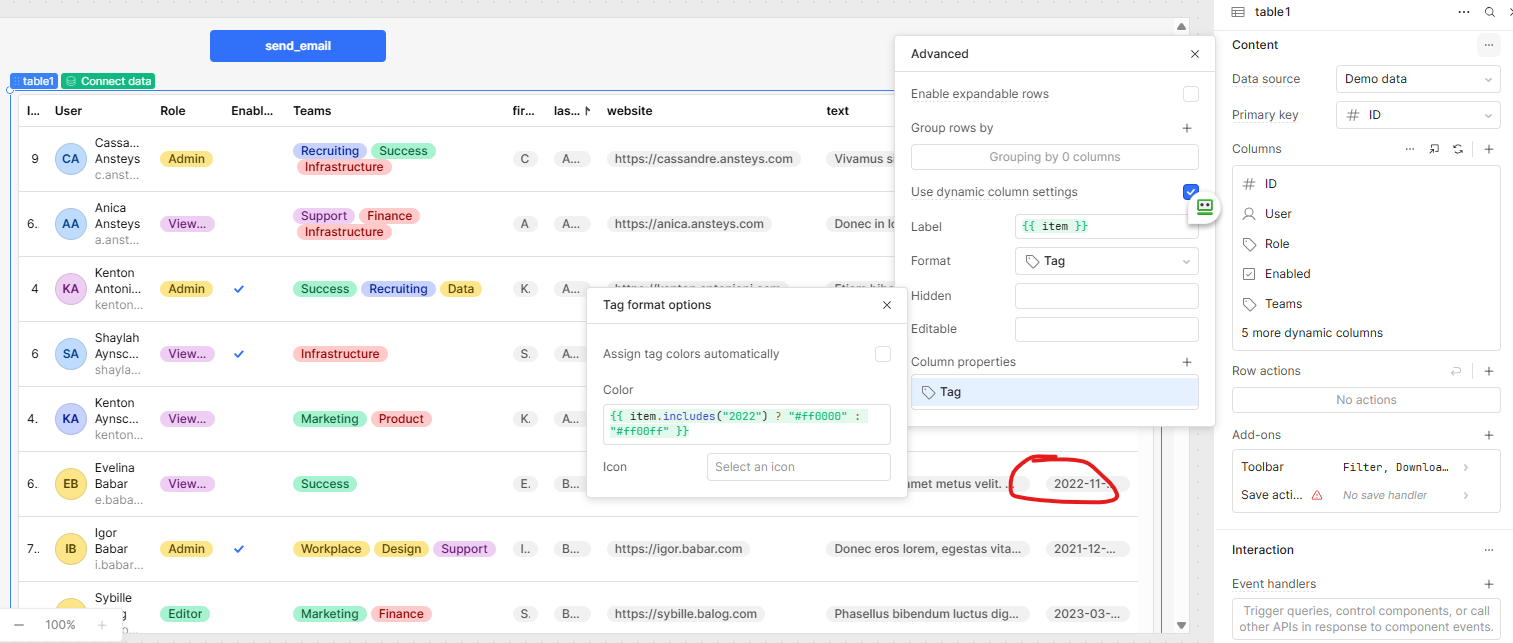
this would be because in the 'Advanced' window you have open, it's the 'Advanced Settings' for the table as a whole and the table itself doesn't know what item is so your code
{{ item.includes('2022')? "#FF0000" : "#FF00FF" }}
should actually be throwing an error.
Instead if you look at the 'Columns' section on the right for the Table Properties and click on the column you want to change the color of then scroll down to the properties and put your ternary code there:
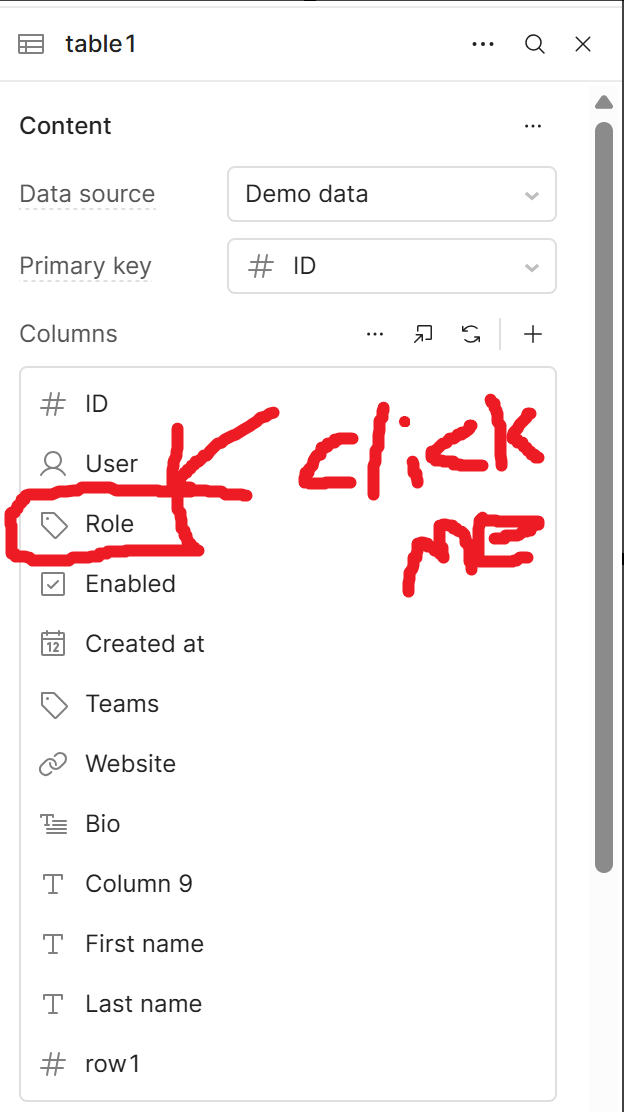
after clicking the row you'll see something like:
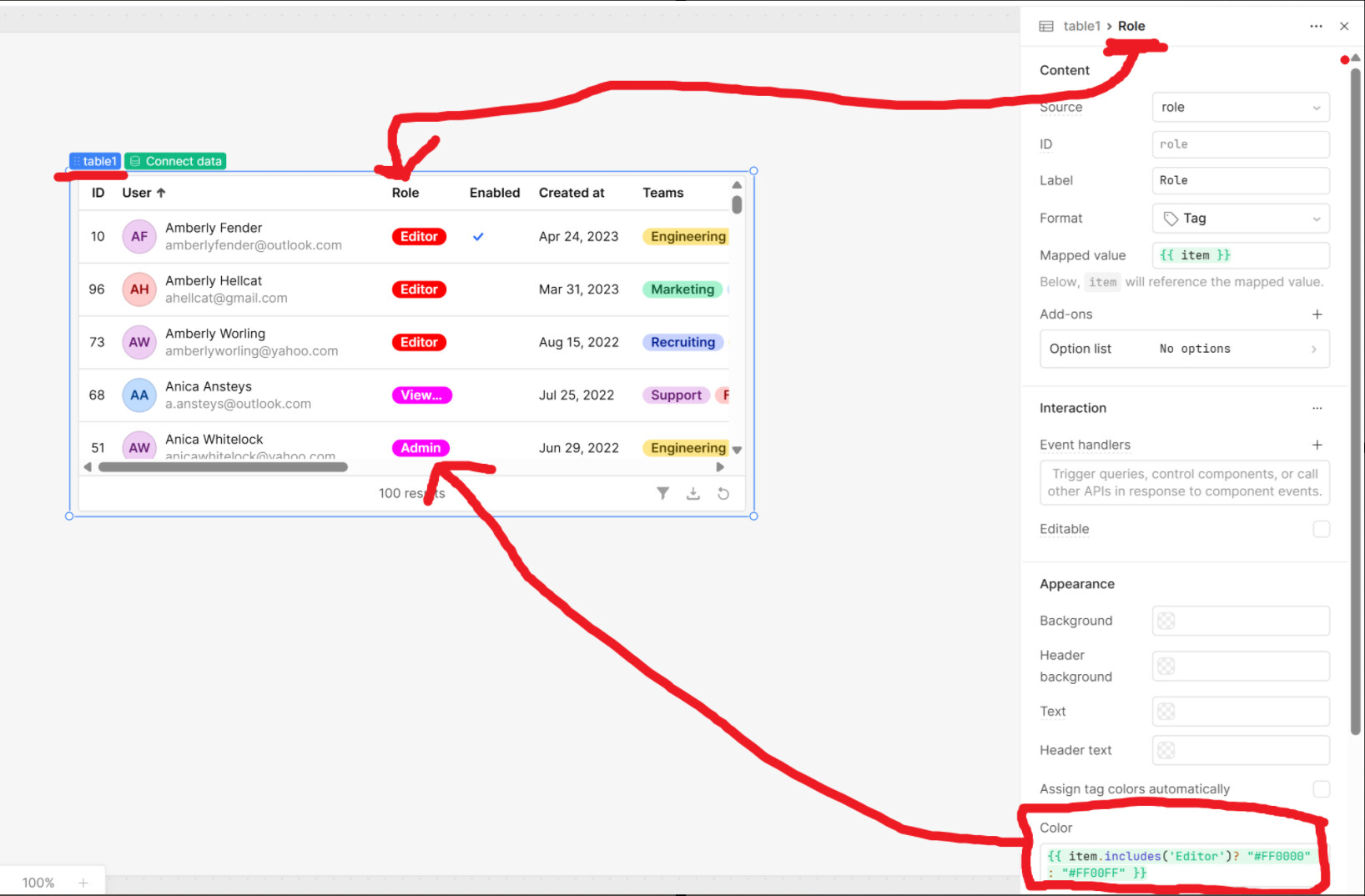
1 Like
When using dynamic columns in a tables, selecting the dynamic column section only opens up the advanced settings for the column, so I can't access an appearance section in the column settings.
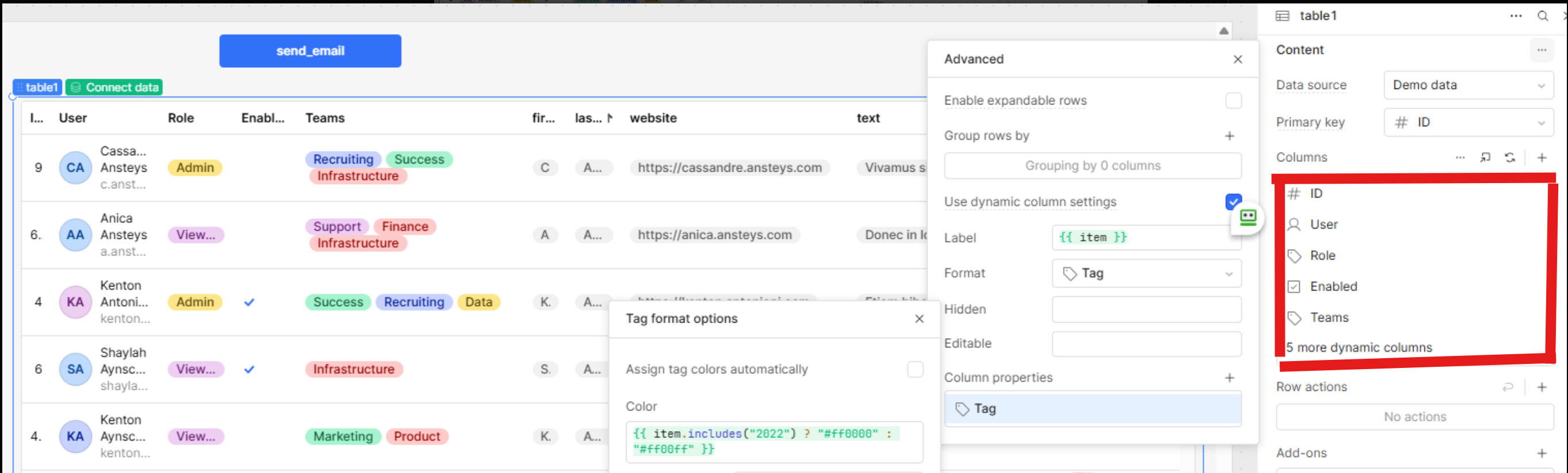
In this sample data the predetermine cols will open that col settings menu, the option where it says "5 more dynamic columns" does not.
I think I need some new glasses.... or eyes, i'm not sure. I didn't even notcie the "5 more dynamic columns" and I drew a fat red line under it 

in the color area, try using self instead of item.
{{ self.data.map(row => ["success", "data"].includes(row.Teams.toLowerCase())? "#FF0000" : "#FF00FF") }}
I'm still not sure what your column name/label is so I just used the Teams column as an example.
sorry about that mix up tho, hopefully this works for ya 
This is a weird thing that appears to work when hard coded but then fails when substituting the item keyword:
This is the same result array but functional in one case and not the other:
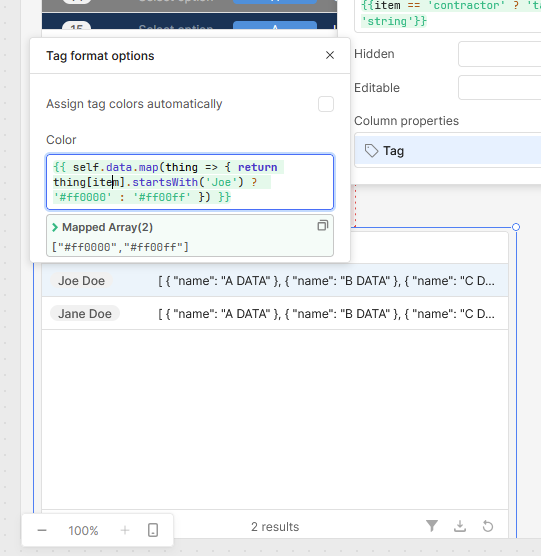
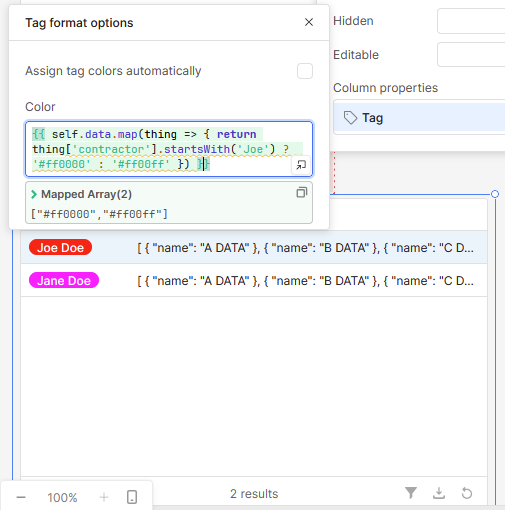
I set the item "contractor" in this case to read as a tag while the other column is read as a string. It clearly outputs the same array, but only one changes the color value on the table. Very much feels like a dynamic column bug.
Some more context for my specific situation is that the column headers are also dynamic. Its essentially a calendar table so col 1 is sept 1, but setting the month to August makes col 1 aug 1.
Hi all, this is a known issue with dynamic columns tag colors. There are some threads here and here.
From what I can tell, item only references the first dynamic column name from within "Advanced > Tag format options > Color", and regardless of how you set that array it applies the color set to the whole row.
I'll add your +1 to the existing ticket on this and we'll let you know if anything changes 
1 Like