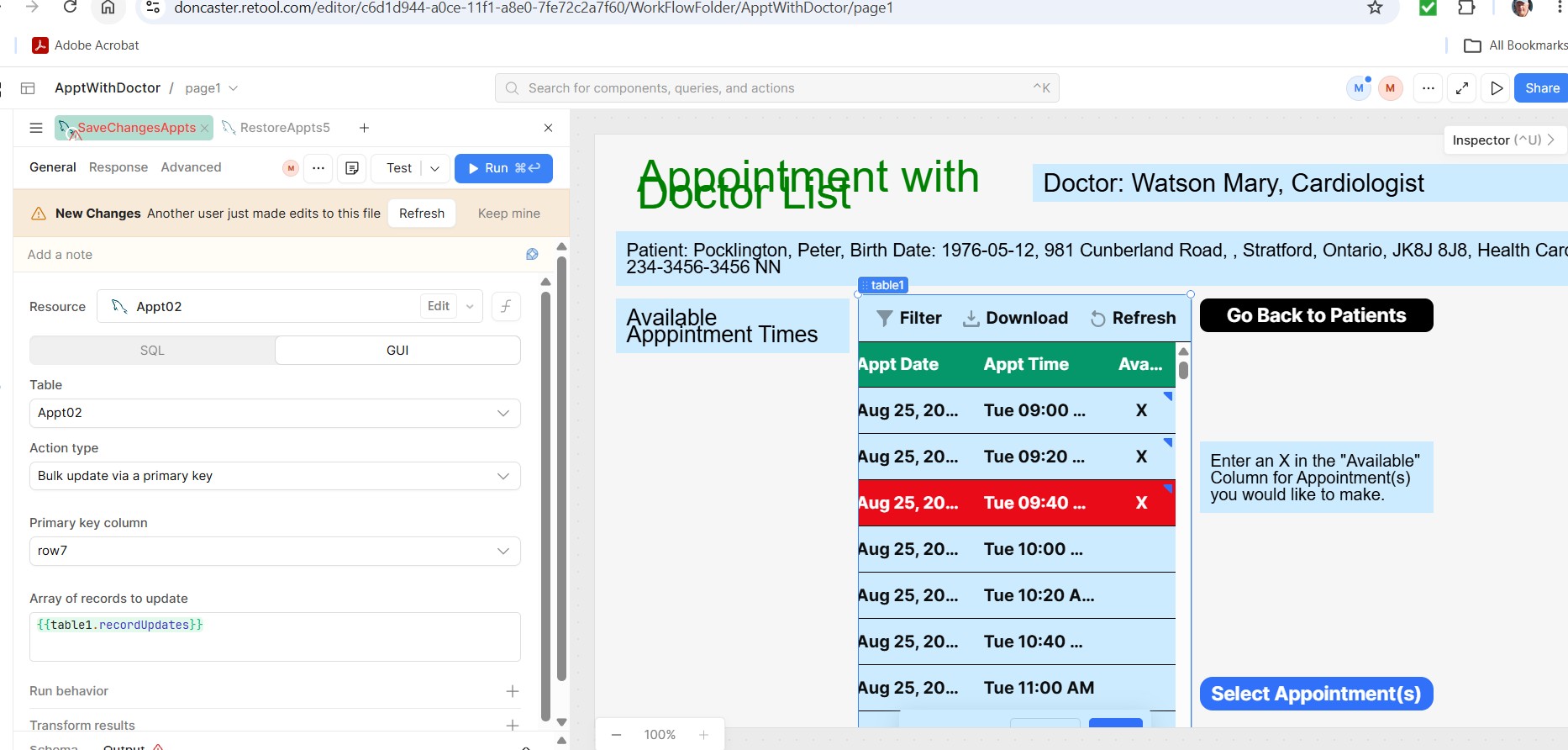
I am unable to save to the Server because of an error message "data is not an array" when I send the changes back with the code shown on the left side of the screen.
Any thoughts?
Mike
Summary
An error stating "data is not an array" appears when attempting to save changes back to the server using the code shown in the query editor.
AI Response
This error occurs because write, bulk insert, and bulk update operations expect the payload to be formatted as an array of record objects, not a single object or other value. The fix is to wrap or transform the data so it resolves to an array (e.g. [ { ... }, { ... } ]) before passing it into the query — for a table, referencing the changeset/record updates array, or for custom code, using a transformer or JS to return an array. Confirm the value feeding the query evaluates to an array in the state inspector, and match the field/key names to what the destination expects.
Sources
How do I transform json results into an array for importing into retool database
Solved thread covering the same "data needs to be in an array" error, resolved by transforming the payload into an array before the write.
Solved thread that walks through the correct array-of-records format required for bulk insert/update queries.
The Community Team is testing out a new automation. Let us know if it's helpful (or not) by leaving a  ,
,  , or
, or  . Or by marking this post as the "Solution"! Let us know if you have any feedback here.
I have great difficulty understanding the examples in this post.
Mike
I wanted to point out something that I have not seen before on tables that I was updating.
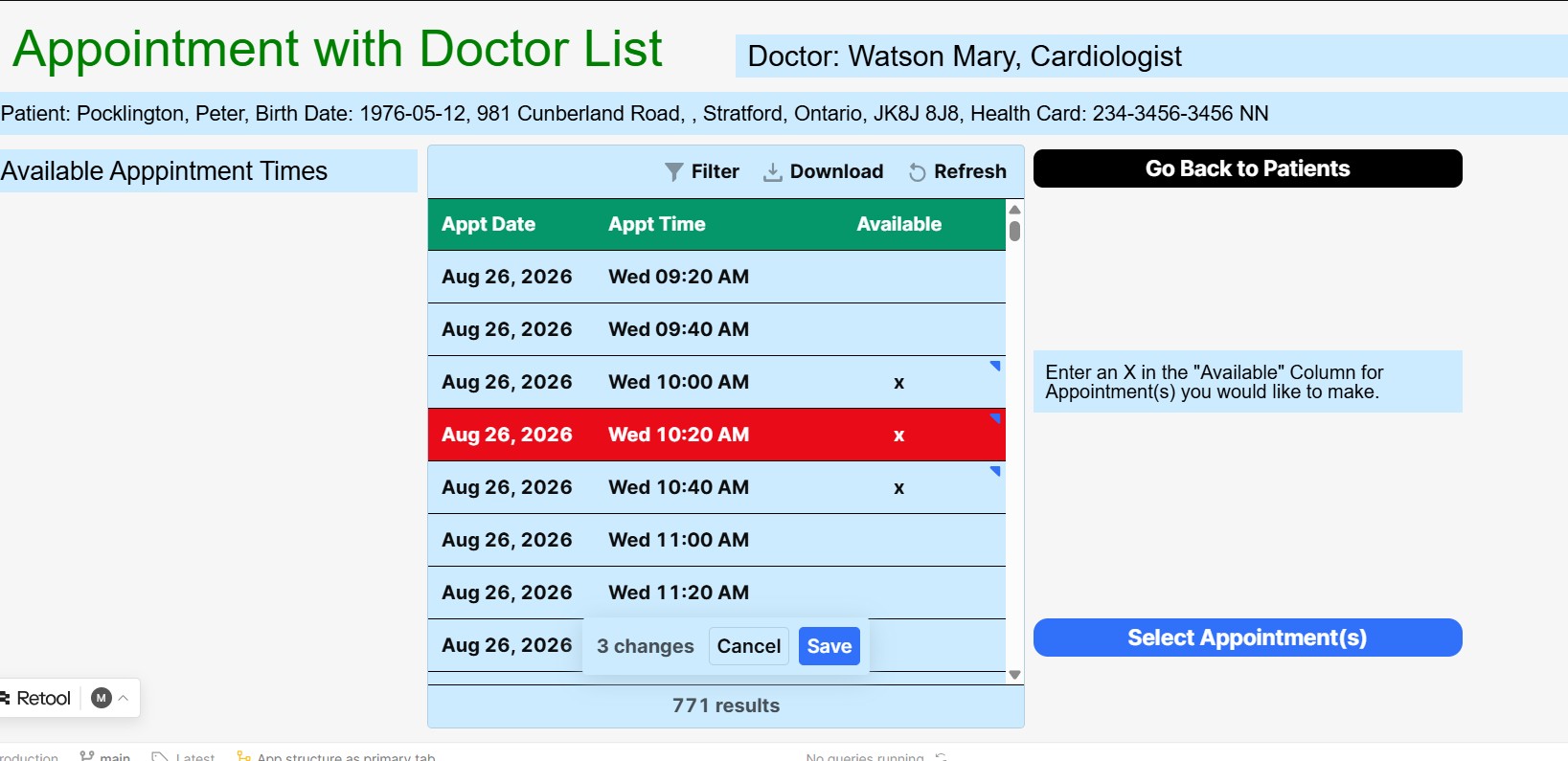
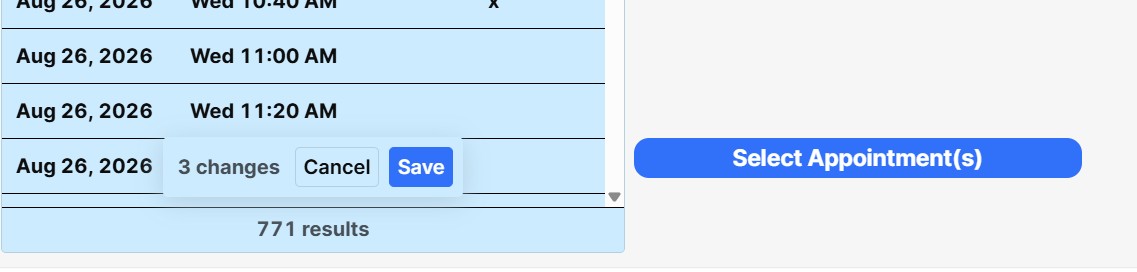
I am attaching 2 screen captures. The first is a wide angle view of my screen and the second is a zoom in on a tally of the number of changes made. I have tried pressing the Save button and nothing happens.
The error message is the message that comes up if there are no changes. Is this tally thing, preventing the changes from going into my table?
Mike
Hi @mdsmith1!
In your first screenshot, it looks like you have {{table1.recordUpdates}} in the "Array of records to update". Can you hover over this to double-check if it populates an array and not a single object, undefined, or an empty value?
This "Bulk update via a primary key" query expects an array here, so if it isn't an array and you Run it without any changes made to your table, you would see the error message data is not an array in the output.
Another area to double-check is your Primary Key - did you select a column that has unique values (e.g. ID)? A missing or incorrect Primary Key may cause changes to not register and save properly.
This is what I have set up for my update query:
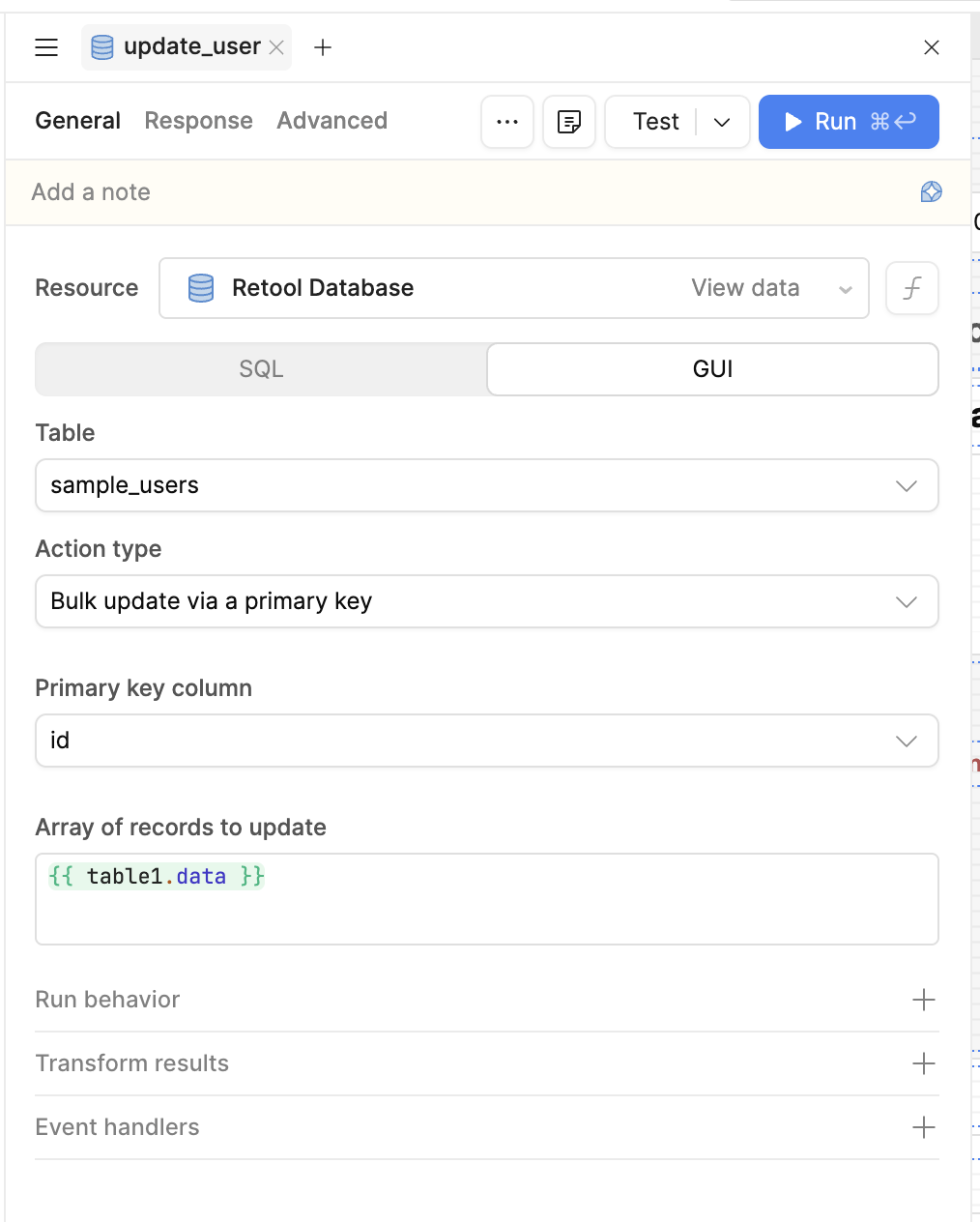
Let me know if you are still running into the same issue after checking. Thanks!
-Jen
Jen:
You are right I am dealing with a table rather than an array. But normally this has not been a problem.
I realize that I should be developing my screens with arrays, but I have not learned how to do that.
Is their a simple syntax for populating my screens with arrays rather than data tables?
Mike
Hi @mdsmith1!
You will not need arrays for all table settings, but for this particular area (see the red box in the screenshot below), it specifically asks for an array of records here:
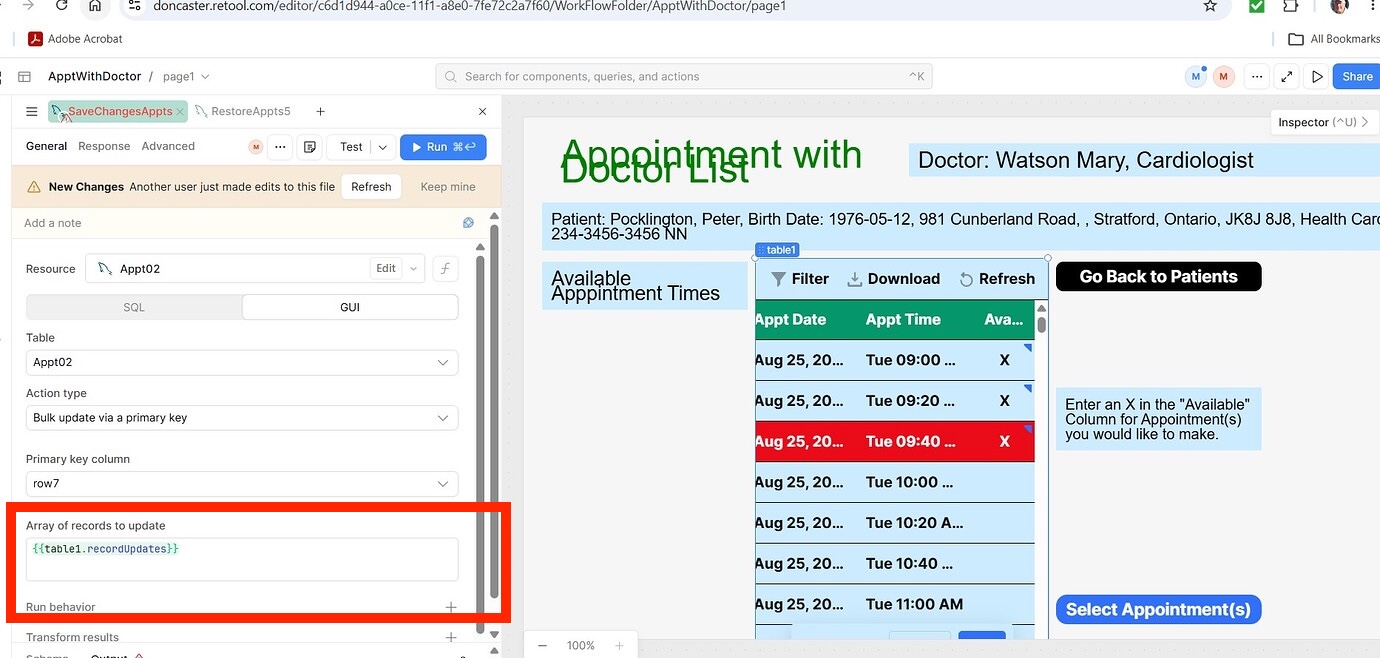
As an example, you can include this syntax:
[
  {
    "date": {{ table1.selectedRow.date}},
    "time": {{ table1.selectedRow.time }},
    "available": {{ table1.selectedRow.available }}
  }
]
I am not sure how you have your columns or table set up so adjust this as needed.
Hope this helps! If you run into more issues, let me know.
-Jen