-
My goal: Hi, I'm trying to configure the Salesforce as a Retool resource.
-
Issue: When I try to authenticate the Salesforce Resource in Retool I end up at a page that says This site can’t provide a secure connection
~retool url~ sent an invalid response.
ERR_SSL_PROTOCOL_ERROR. The url is retooltenant.com/oauth/oauthcallback?code=1234.abcd.123%3D%3D&state=123-abcd url -
Steps I've taken to troubleshoot: Open Retool, go to resources, select Salesforce, select Connect with OAuth button, you'll see an authorize Salesforce page in Retool, select authenticate, you'll be redirected to Salesforce to allow access, select allow, end at the error'd screen described
-
Additional info: Self Hosted version 3.4.3
Additional context,
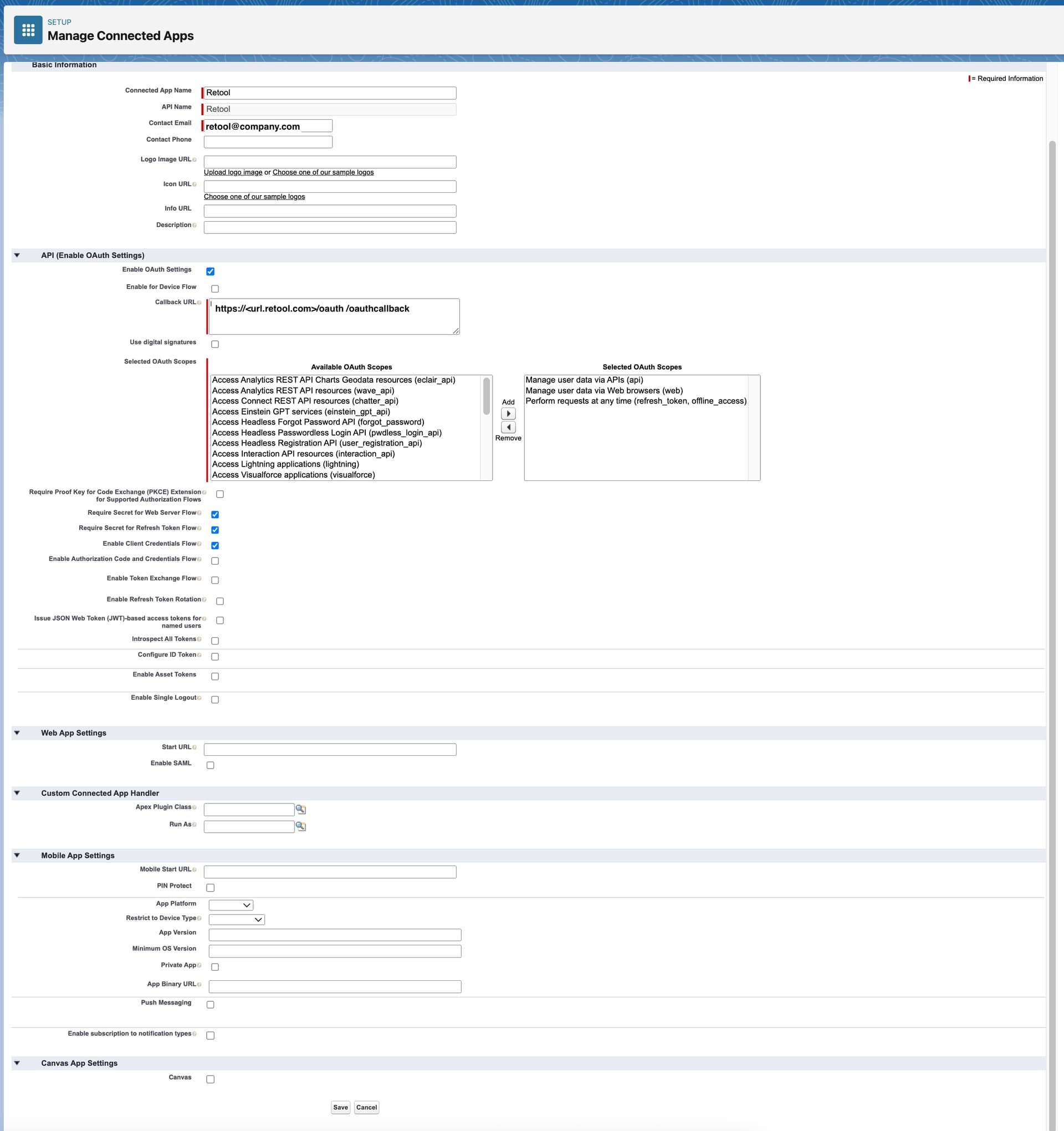
We've configured our Salesforce Connected App for Retool with the following OAuth scopes, we're not sure if these are correct or not
*Manage user data via APIs (api)
*Manage user data via Web browsers (web)
*Perform requests at any time (refresh_token, offline_access)
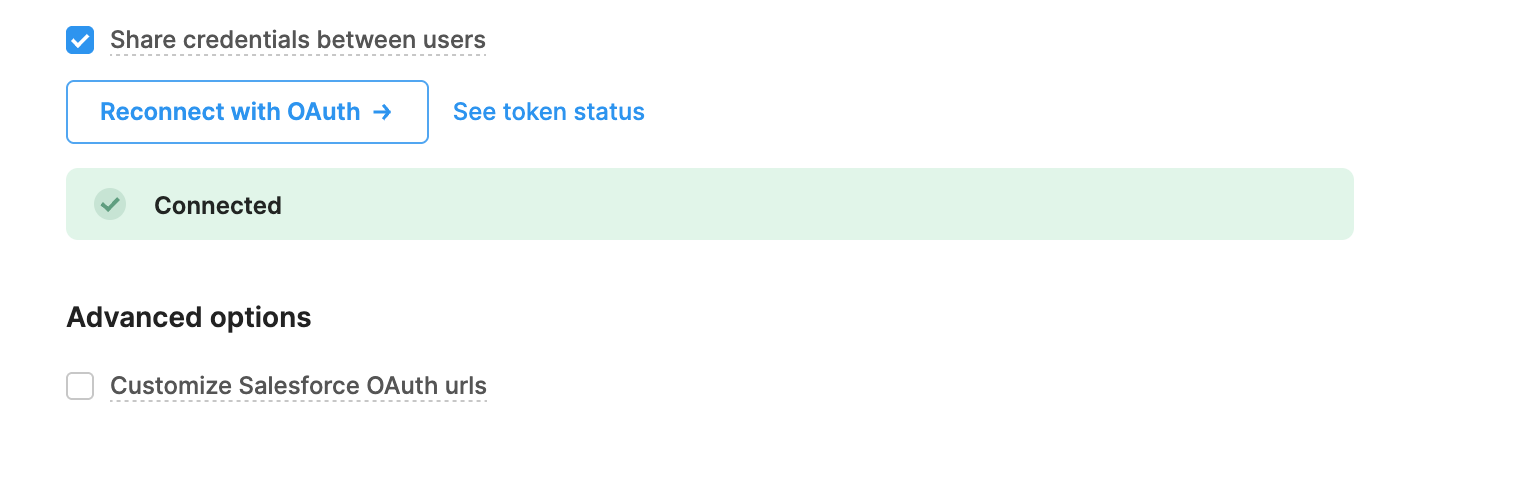
Despite still having the same error originally described, my Salesforce Resource is now showing as connected in Retool. The token statuses shows existing for the access and refresh tokens but the ID token shows as not existing.
Hi @b17834,
Apologies for the issue. Can you share a screenshot of how you have all your auth setup for this resource?
Going off of your last comment, is the resource not working due to the missing ID token even though when you test the connection it appears to the GUI that the resource is showing a green successful connection status?
Hi @Jack_T
Are you referring to how we have our Salesforce app for Retool configured?
If so, I've attached a screenshot of that config. For the purpose of sharing, the callback url and contact email have been changed.
Correct, the initial Salesforce resource GUI shows green Connected, but when you see token status ID token is failing.
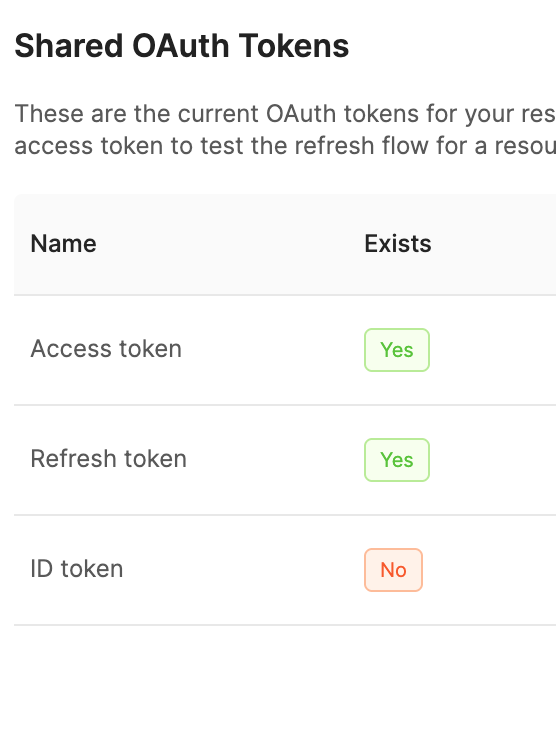
I know there's a configure ID Token field on the Salesforce Connect App but I don't see any instructions in Retool's Salesforce Resource Guide for how this should be configured and what Retool wants these values to be, mainly what should the ID Token audiences be set as

Thank you for sharing those details.
What error message are you getting when you try to test the connection of the resource in Retool?
Hi Jack,
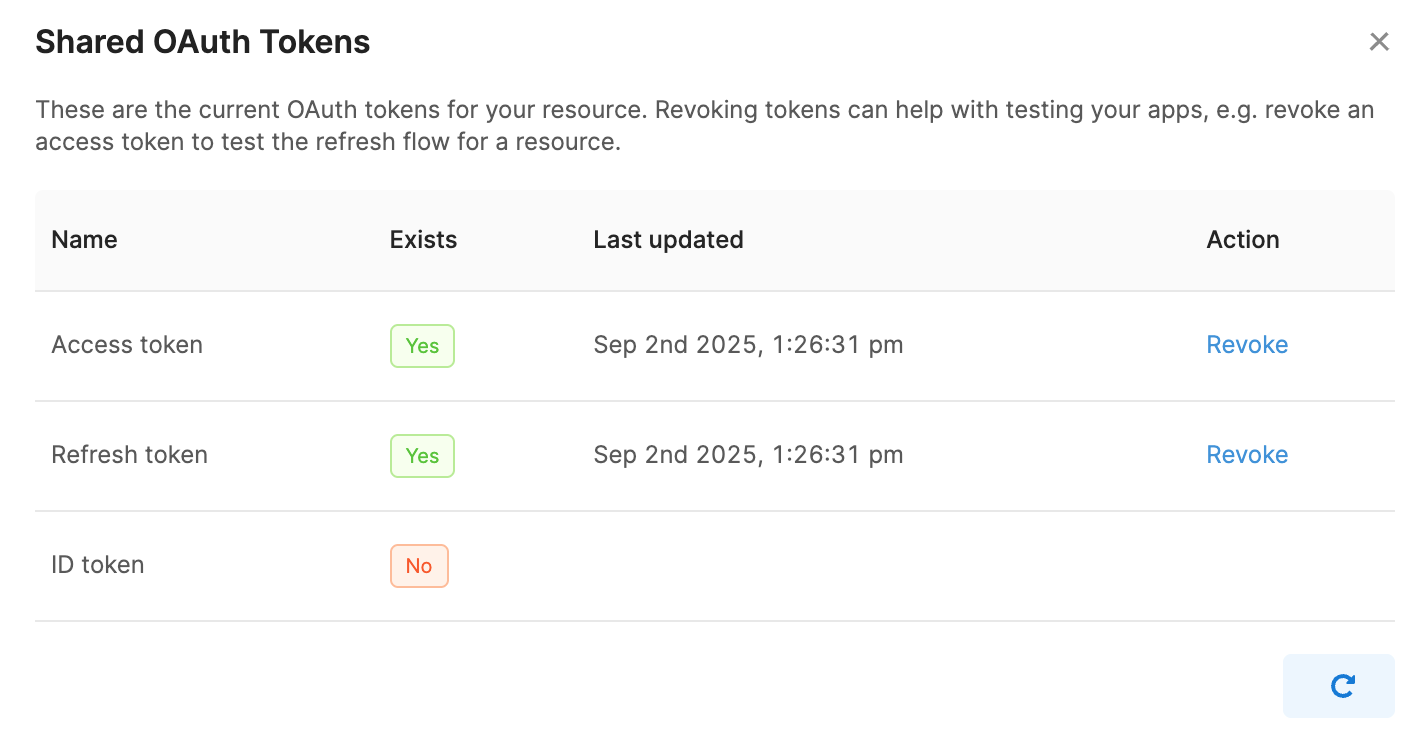
When I (Re)Connect with OAuth, I'm able to login successfully and Retool shows Connected status, but when I open See Token Status I see that the ID Token doesn't exist.

Hi @b17834,
Thank you so much for share those additional details and screen shots 
I was doing some digging and it looks like several Salesforce auth and Salesforce integration related issues have been fixed and improved with our newer release versions.
I have a very strong feel that your issue will likely be resolved if you can move your self hosted deployment as close as possible to our most recent stable. All our docs are specific to the latest stable and this will make those much more helpful for this and any other issues.
Please update incrementally to our newer stable versions and let me know if this issue still persists 
We've upgraded to version 3.253.1 and are still seeing the ID token as not existing.
Ah ok, I believe there might be one scope that you need to add on the salesforce side to get the ID token to Retool.
The scope is highlighted in grey, "Access the identity URL service" should hopefully allow for the Salesforce app to pass the token to your Retool deployment.
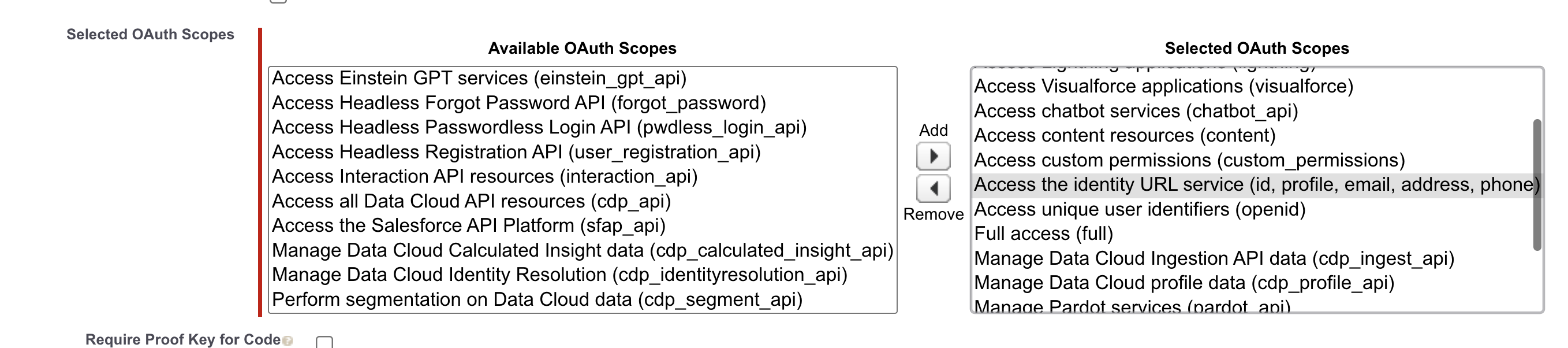
Let me know if this works!
Hi @b17834,
Just wanted to check in if you were able to solve this my adding the "Access the identity URL service" as I mentioned in the comment above! It should work but just wanted to get confirmation 