Hi Retool team,
I'm experiencing inconsistent behavior when uploading images using the Retool mobile app vs web browser.
Environment
-
Retool Cloud
-
Retool Mobile App Simulator
-
Google Cloud Storage (GCS) upload
-
ImageInput / Camera capture component
-
Custom JS upload handler (base64 conversion + upload)
Issue
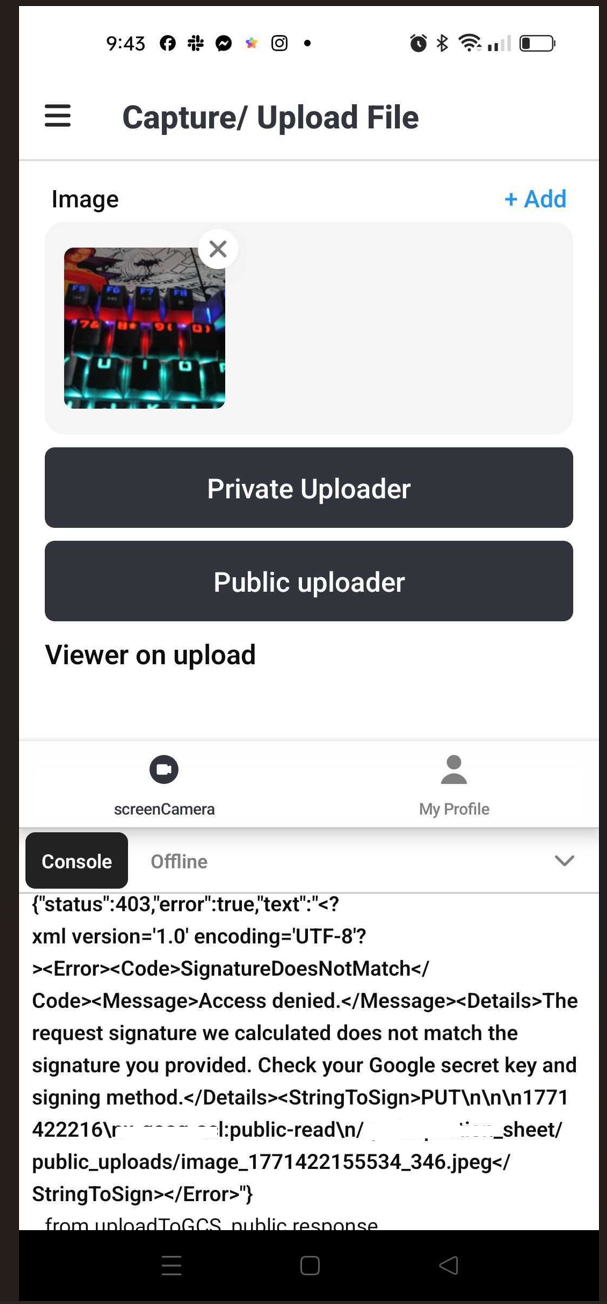
Uploading images works correctly when using the web browser, but fails when using the Retool mobile app simulator.
Behavior
Web browser
-
Select image → upload works
-
File successfully uploads to GCS
-
No errors
Retool Mobile Simulator
-
Capture or upload image
-
Upload fails with error
-
Same handler and query used
Implementation Details
- Mobile files return
uriwhich I convert to base64 using:
utils.getDataByObjectURL(file.uri)
-
Upload triggered via Retool query to GCS
-
Bucket permissions tested (private / authenticated/ public)
Question
Is this expected behavior or a known limitation with:
-
Retool Mobile file handling?
-
Mobile authentication context?
-
Camera/ImageInput output format?
-
Mobile simulator environment?
Is there a recommended best practice for handling mobile image uploads to GCS in Retool?
Expected Behavior
Mobile upload should behave the same as web upload.
Reproduction Steps
-
Create ImageInput component
-
Capture image from mobile simulator
-
Convert file to base64 using
file.uri -
Upload to GCS
-
Upload fails
Any guidance would be appreciated. Thank you!
 Root Cause
 Fix
Fix Additional Lesson Learned