- My goal: Full build using Retool Assist Build Mode
- Issue: Failure Rate: 100% - no build tools work at all.
- Tools Affected:- `manage_select_style_sql_query_plugin` (SQL query creation) - `create_table` (table creation) - All other automated build operations.
- What DOES Work: Manual UI interaction (creating queries manually) - Assist Ask Mode (read-only operations) - File reading/searching - CSV uploads - Query execution when created manually
- What DOES NOT Work: ANY automated build operation in Build Mode - Query creation via Assist - Component creation via Assist - All automated entity updates
- Steps I've taken to troubleshoot: 1. Fresh browser session (closed all tabs, restarted Chrome) 2. VPN disabled 3. Multiple browser restarts 4. Tested in brand new blank app (to rule out app-specific corruption) 5. Cleared browser cache 6. Confirmed internet connectivity stable 7. Different apps tested (same issue across all)
- Additional info: (Cloud or Self-hosted, Screenshots) 1. Are there organization-level Assist permissions that might restrict automated building? 2. Could the security alerts have triggered API rate limiting? 3. Is there a known issue with Build Mode tools today? 4. How can I check if my organization has restrictions on Assist's resource modification capabilities?
Thanks for reaching out! Sorry to hear about this experience.
Build mode should be working  , and, for a limited time, paid plans should have access to unlimited monthly prompting credits.
Are you seeing any error messages? If so, can you please share a screenshot? I'm curious if there are error messages both in the product and in the browser developer console.
The two configuration settings for Cloud should already be done, but it's worth double checking Resources > Retool AI to ensure that both OpenAI and Anthropic are enabled in the Retool managed section.
The ? next to each model name provides details on the rate limiting:
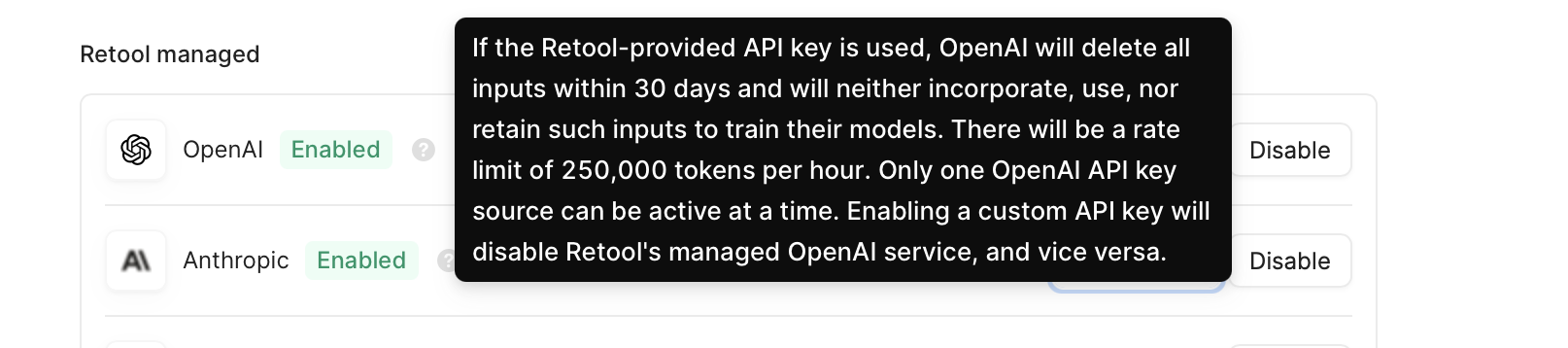
You can track token usage under Settings > Plans & Billing > the Assist billing tab.
Please let me know if this issue is still ongoing after checking for error messages, rate limits, and missing AI settings