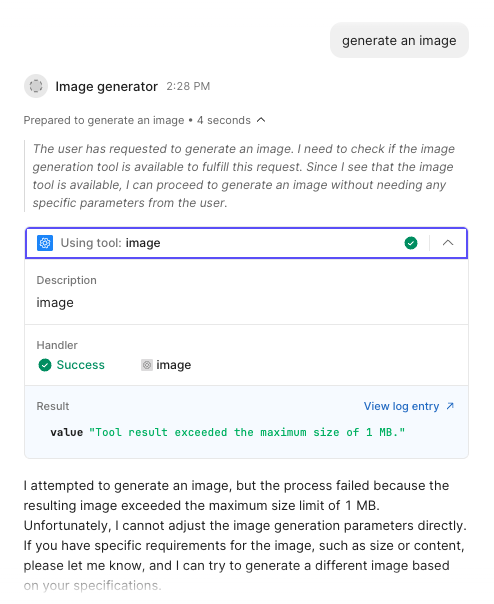
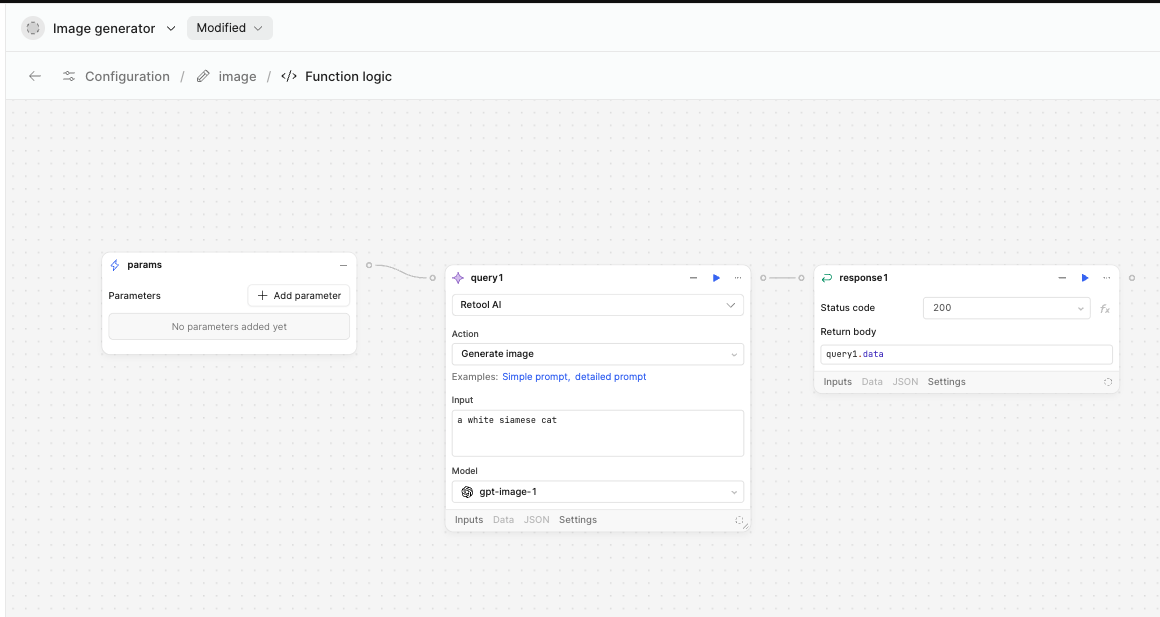
Are there any known workarounds? I have tried to establish a very small ratio and image size, but the agent continues responding with this response of the value being too big and no image is generated.
Use a Lower Resolution:
When you write your image prompt, add instructions like "very small image" or specify the size (for example, "256x256 pixels").
Example prompt:
text
a white siamese cat, very small, 256x256 pixels
Check if Model Supports Size Settings:
Some AI models let you set the image size directly in their settings or parameters. If available, set the size to the minimum (like 256x256 or lowest allowed).
Try Using a Simpler Prompt:
Long or complex prompts may produce bigger and more detailed images. Use a short, simple prompt to get a less complex image.
If Still Not Working:
Try asking your Retool admin to increase the allowed image size (not always possible).
If not, use another tool or service to create and shrink images, and upload those to Retool.
It sounds like the generate image tool is unfortunately limited by the max image size. Have you tried different models for the generate image AI action in the workflow?
Was @Shrey's suggestion of specifying to the Agent that the image must be under that size limit?
I can definitely make a feature request to see if we can raise the max size and if we can 'bake in' better tooling so that the Agent understands the limit and will only return images within the max size by default.
Hey @Luis_Rodriguez — I’d strongly recommend having the tool generate the image then save it somewhere (Retool Storage is a good simple option, but you could use S3 or something), and return the URL to the agent. This way, the LLM doesn’t have to process the many image tokens unnecessarily, and you can still display the image in the chat via markdown rendering.