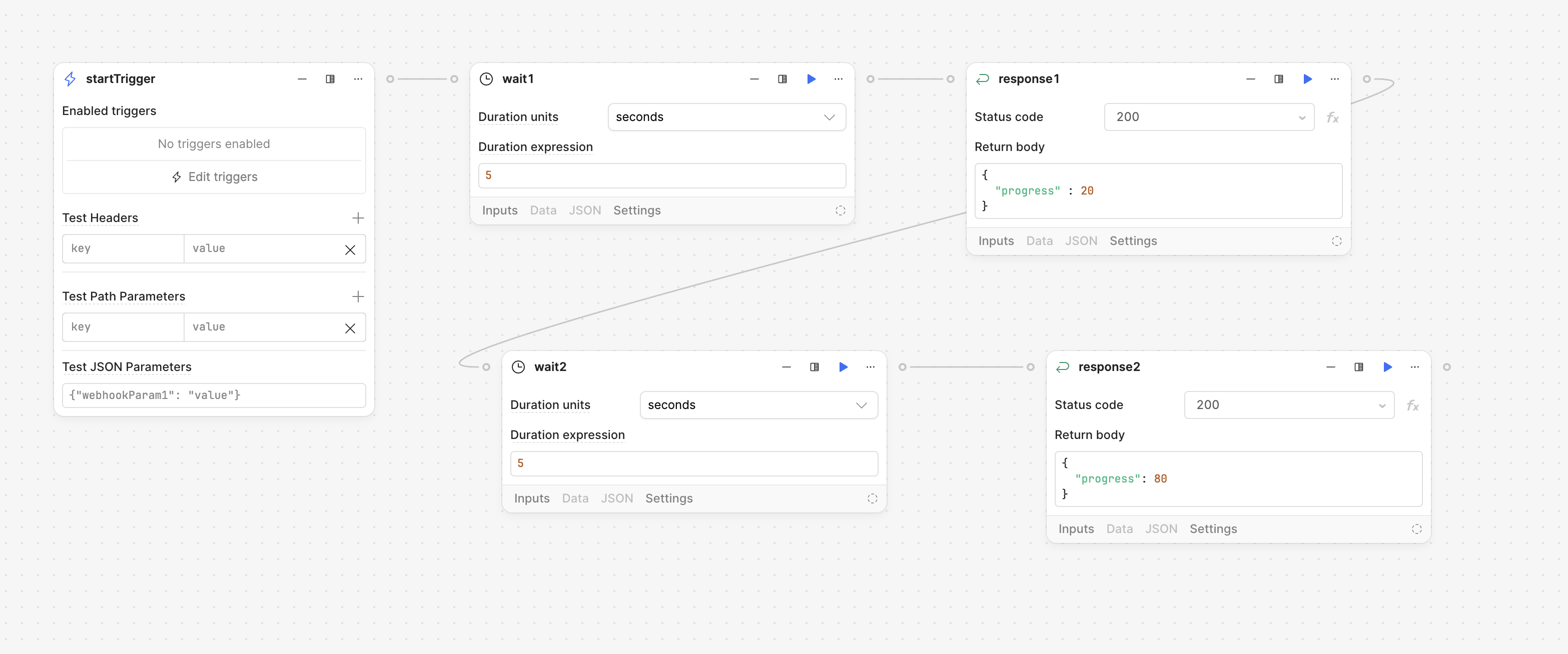
I’m working with Retool Workflows and wondering what the best approach is for reporting progress back to the app during a long-running workflow.
Ideally, I’d like to send intermediate updates (e.g. step 1 complete, step 2 running, etc.) back to the retool app so the UI can reflect progress in real time. From what I understand, workflows only return a single response at the end, so I’m not sure if there’s a built-in way to handle this.
Has anyone implemented something like this?
Example:
I want my app to show the progress of the workflow. e.g. in this case say 20% and then afte a few seconds 80% …. so O can show the user the progress
You’re correct that Retool workflows currently return only a single final response, so there isn’t built-in support for streaming or intermediate updates. A practical workaround for this is to use a database polling pattern.
Here’s a simple approach:
Step 1 — Create a progress table
Set up a table to track workflow execution status:
Hi @Pedram! Just checking back to see if the suggested workaround that @WidleStudioLLP has worked for you? Unfortunately there isn't a built-in way to display intermediate updates, but I can make an internal feature request to consider making one
I'm curious to know about your workflow setup - you have mentioned that you have many steps involved, but could you clarify how your setup is different than the setup mentioned in the original post?
At the moment, there isn't a way to show intermediate updates no matter how long the workflow is, but I will make an internal feature request to consider making this possible!
Please let me know if @WidleStudioLLP 's workaround suggestion helps with your use case as well!