So, two questions before I try to provide a response:
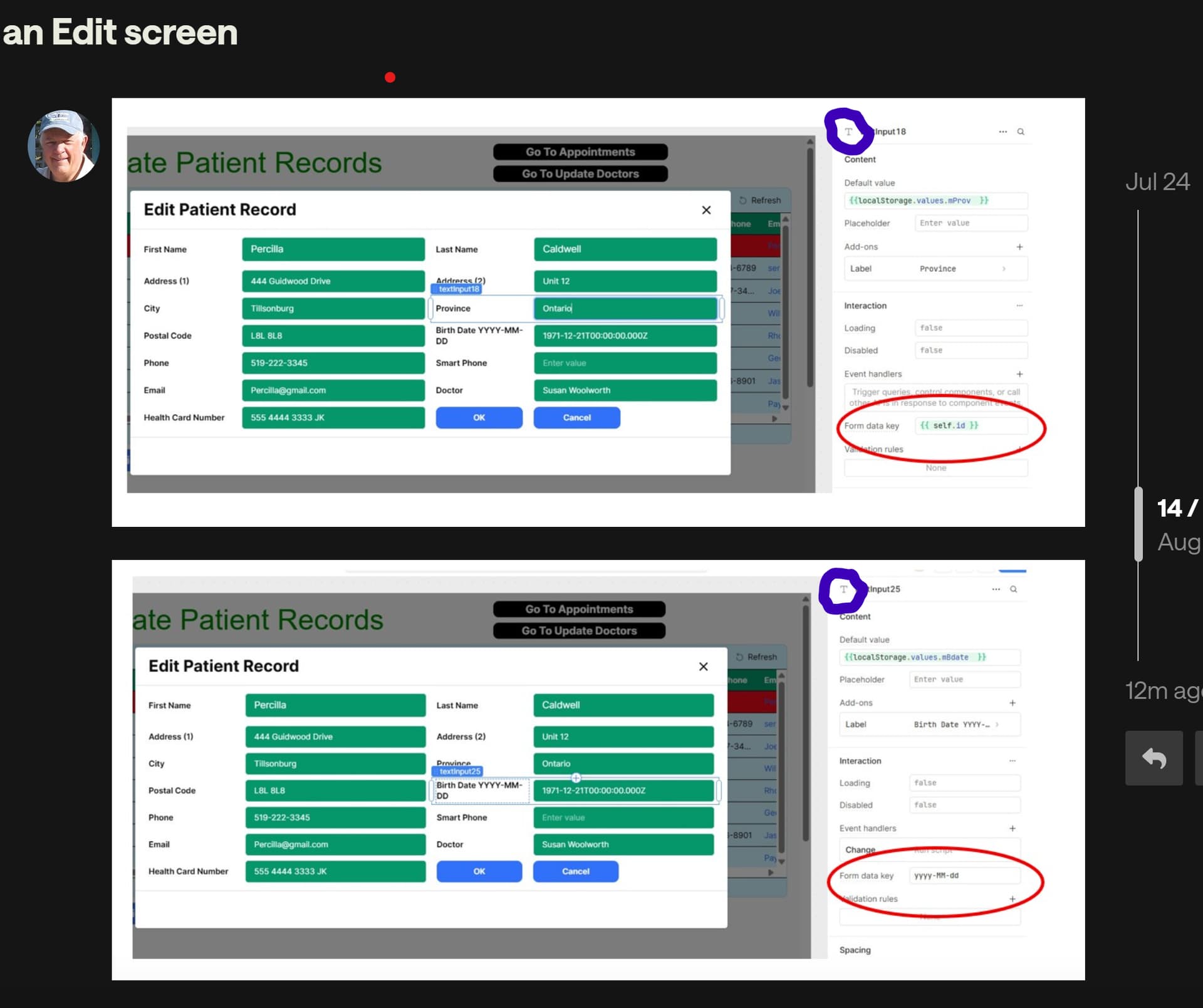
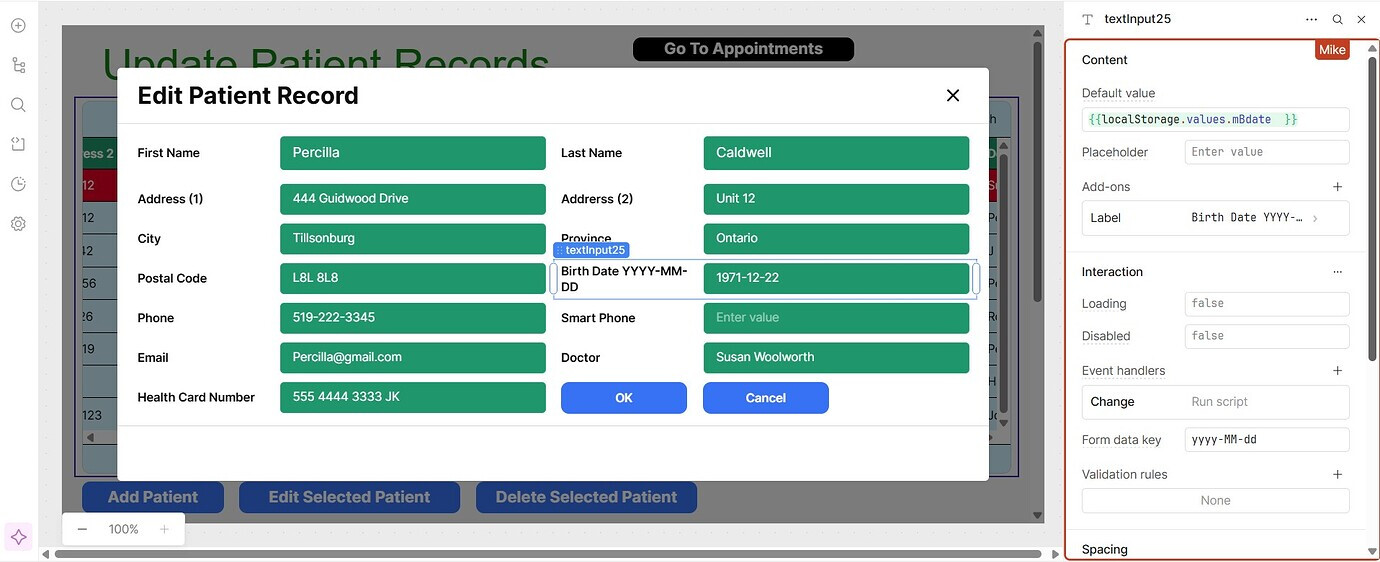
1- I see the "Form data key" field is empty in your textInput20 component. I'm assuming then that this field is being populated via the "Default value" options, right? Are you able to share what you have in that field?
2- Any particular reason you're using a textInput component and not a date component?
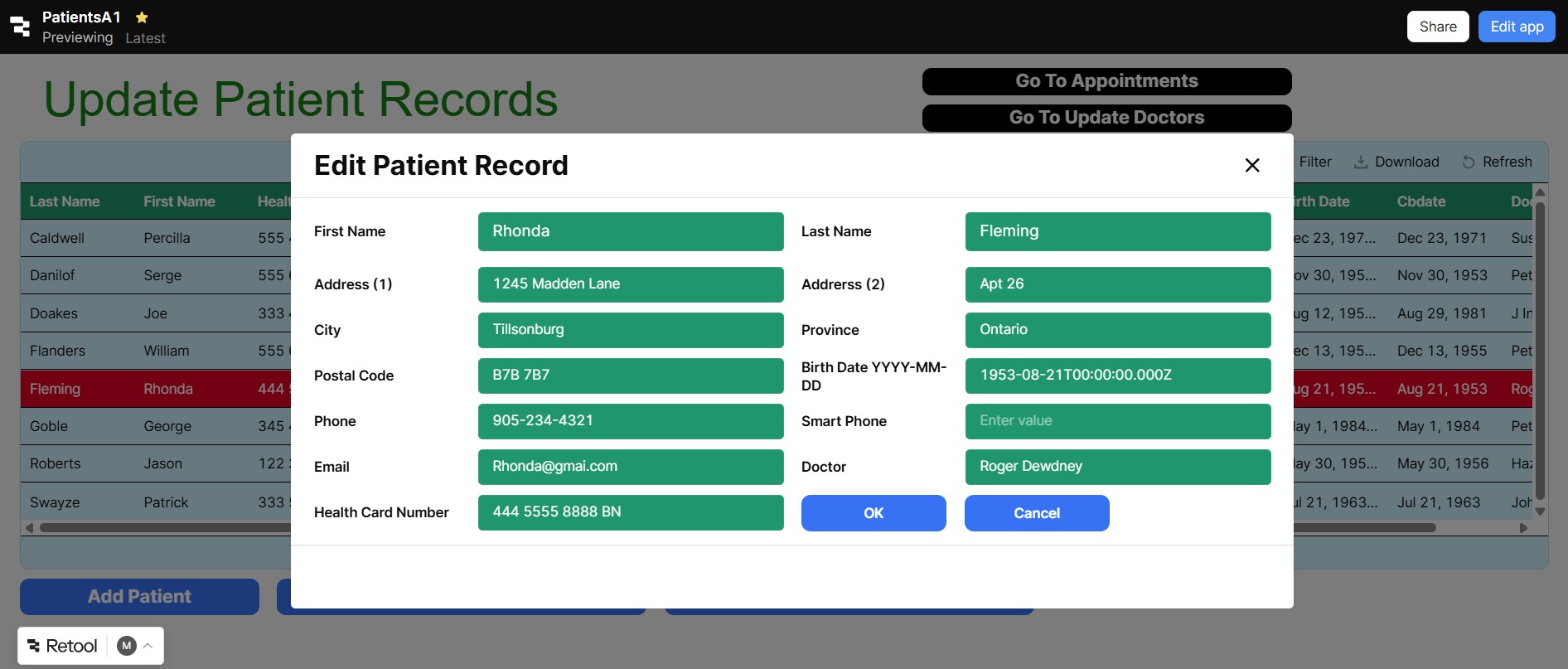
I assume you mean you are entering a date into the table in the background but when you edit the date in that popup and click OK the table updates with a datetimezone?
so your table shows like "2025-06-22" and when you open up that popup and change the date to "2025-07-23" then click OK the table value changes to "2025-7-23T00:00:00.000Z"
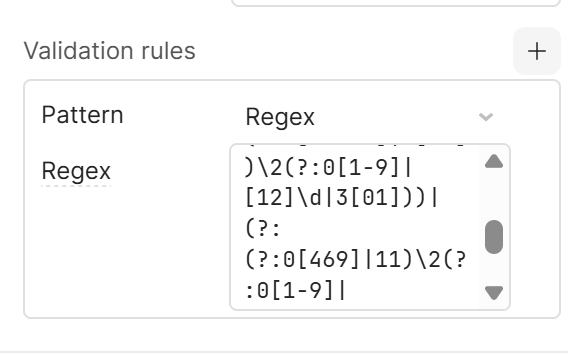
- if you're using a textbox, you can validate all dates (including leap days) and the YYYY-MM-DD format and optionally the YYYY-MM-DDT00:00:00.000Z format using regex:
its a bit toooooooo long for me to wanna go over all of it right now so maybe toss it into GPT or Claude and ask it:
"analyze then breakdown and explain in detail the following regex for validating dates including how it is accounting for leap days: <copy pasta the mess above here>"
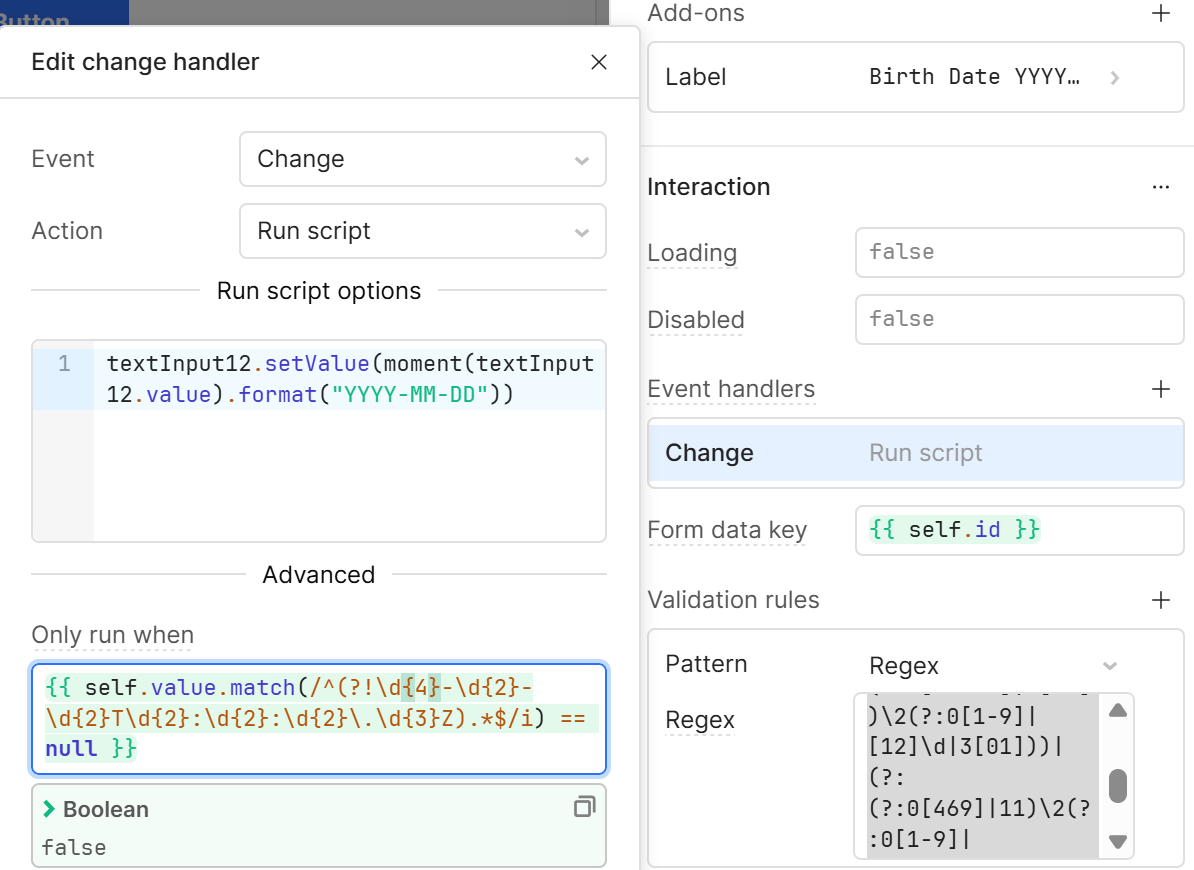
- to fix dates entered manually we can use the Change Event Handler:
we only want this to run when there's a valid datetime string ending in Z so the regex is: {{ self.value.match(/^(?!\d{4}-\d{2}-\d{2}T\d{2}:\d{2}:\d{2}\.\d{3}Z).*$/i) == null }}
to actually change the format to YYYY-MM-DD the JS is: textInput12.setValue(moment(textInput12.value).format("YYYY-MM-DD"))
Note:
It actually can validate both "2024-02-22" and "2024/02/22" (depending on what's using it or which browser different styles might be more confirmative )
Feel free to tag me if you need help with any of this
Update:
fixed the validation regex.... I copied the wrong one
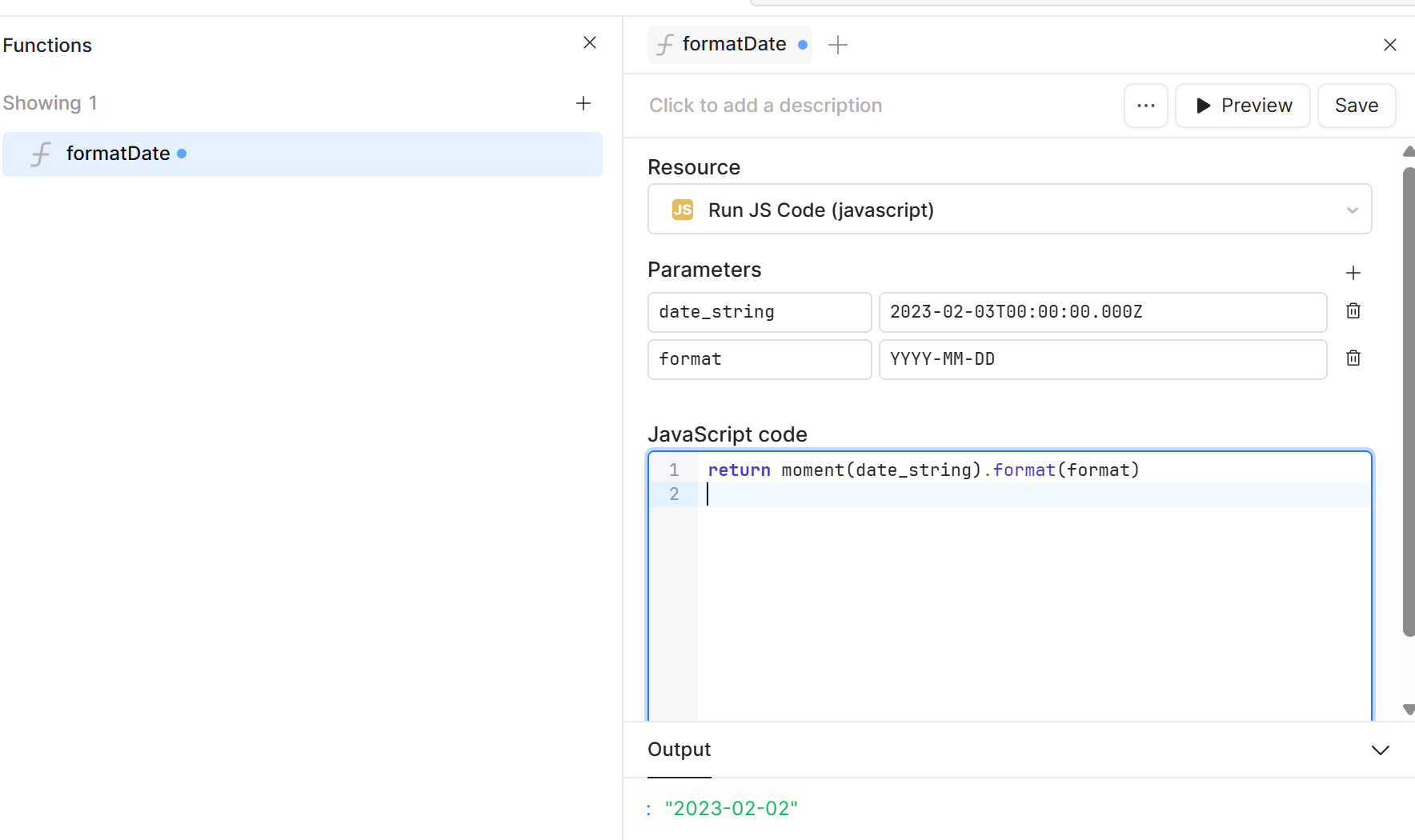
I forgot I wrote a function and used it in the default field so youd have an example:
I have taken a run at this as shown in the screens below.
I have also tried the format idea and that did not work either.
Some participants have been asking about the sequence of events.
I have one screen called "Add Patient" where the birthdate is entered in the format of "YYYY-MM-DD".
I have a second screen called "Edit Patient" that takes the current values in the table and puts them into localStorage. Then these values are put into the "Edit Patient" Screen. Most values are text and they come up perfectly. Its just the date value that comes up as a Time Stamp.
Hi Mike, it sounds like the issue is that the date is returning in a full timestamp format when you edit the data. To fix this, you can simply format the date to only display the first 10 characters — typically this will give you just the date portion in the format YYYY-MM-DD.
I have not heard from you for a long time. I take it they have moved you to another job.
Anyway, I tried your suggestion of changing the input to a date input field and renamed it back as it was before. I gave it the format code that you recommended but it still didn't work.
See the screens below.
The first screen shows my entry of the birthdate for the first record in the table.
the top one is a Text Input, like what you have and the bottom one is a Date Input. The only thing I changed was the label, everything else is default value.
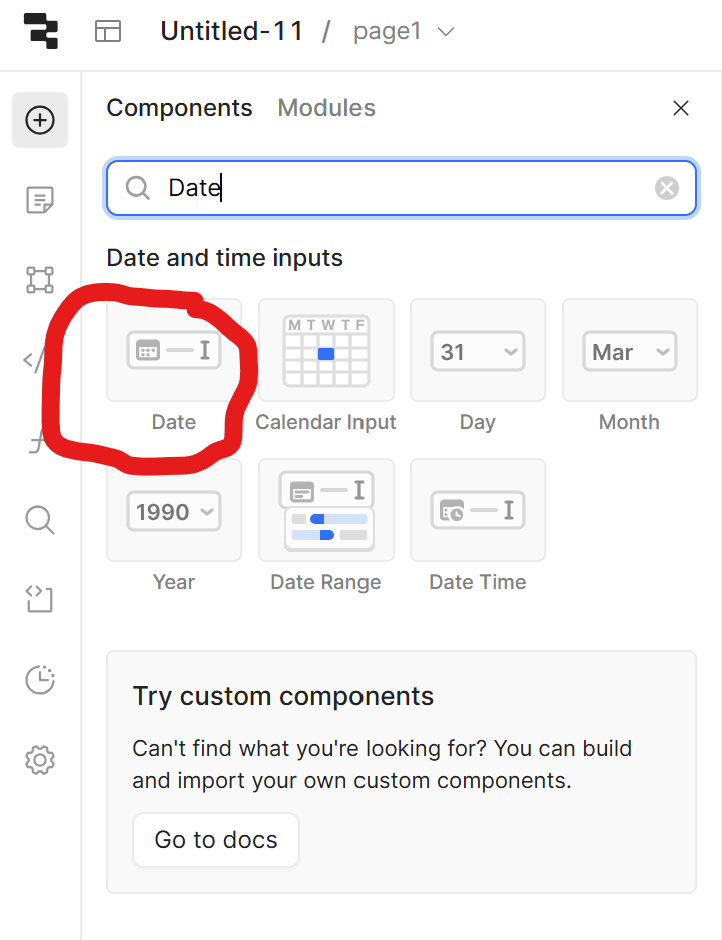
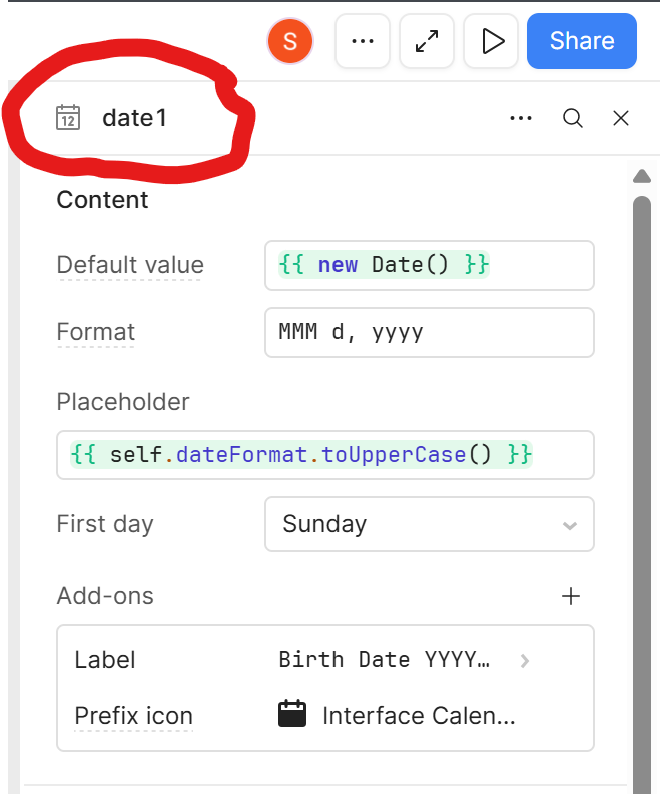
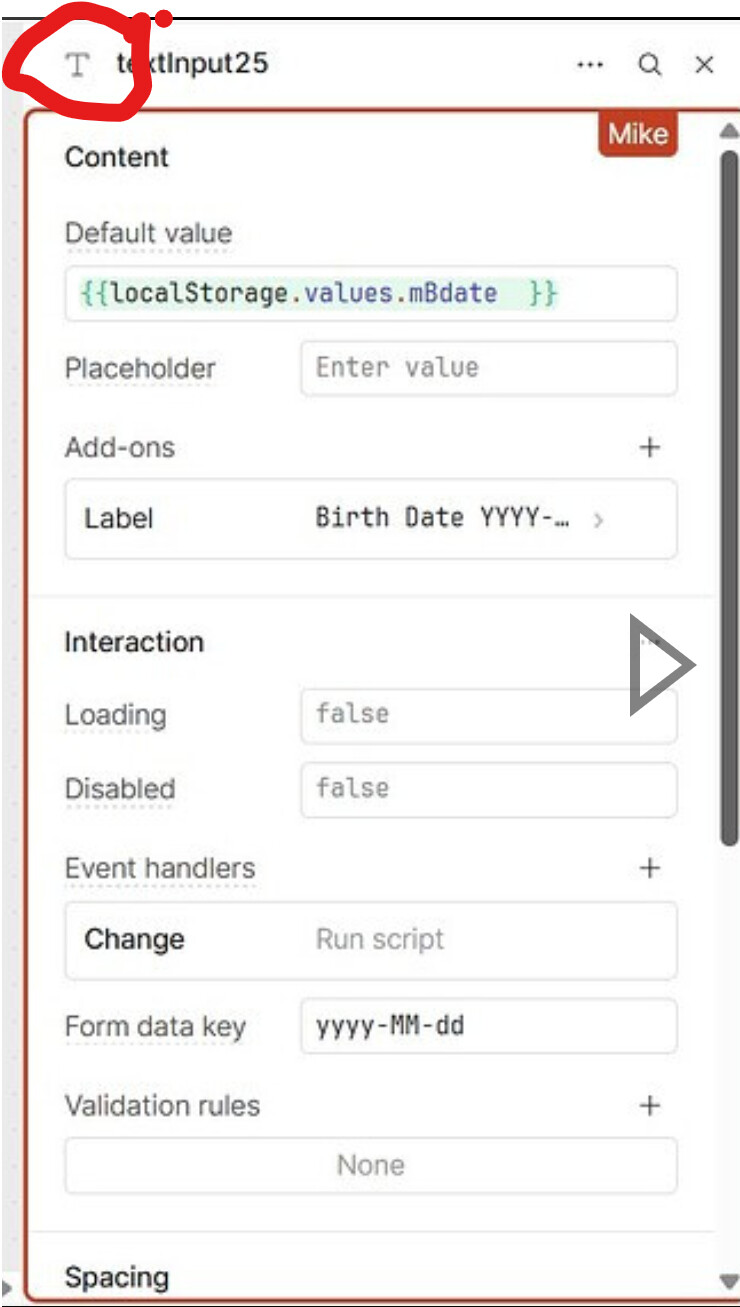
I actually wasn't calling it a Text Input because of the name, it's the icon and the order of things in the window. Below I've circled the icon that tells you what type of component it is, but you'll also notice other things:
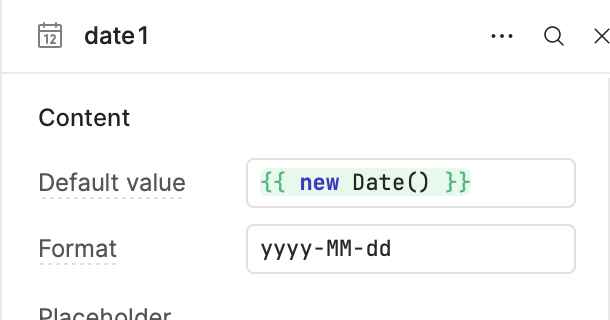
Format falls right below Default Value and it isn't named Form data key
First day is missing from Text Input
Date Input has a default Prefix icon under Add-ons, Text Input doesn't
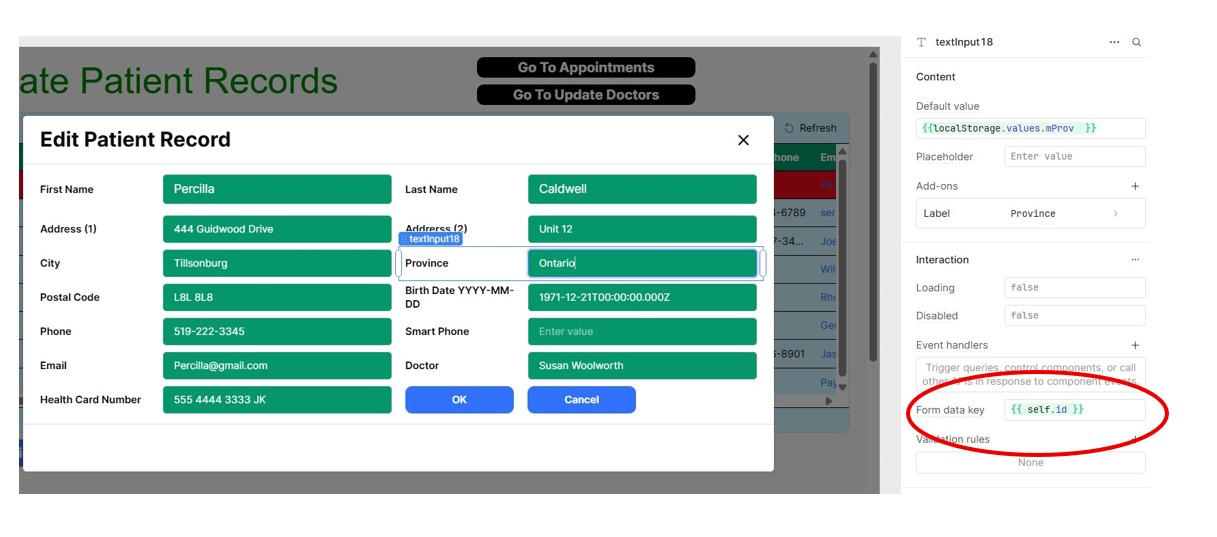
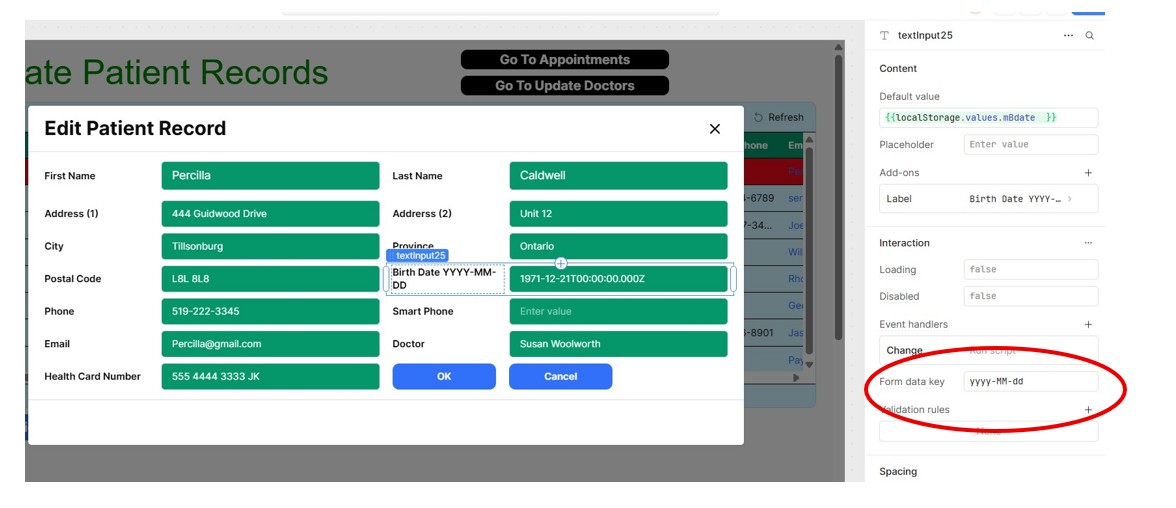
that does not say "Format Data Key" it says "Form Data Key". What you circled has absolutely nothing to do with the text format of anything. Hover over "Form Data Key" it will not mention Formatting anything. Both of your pictures have a Text Input Component selected, not a Date Input Component.
Yes I get you have different values in "Form Data Keys" but it is doing absolutely nothing. There is no such thing as a "TextInput Data Key" or a "DataInput Data Key" only "Form Data Key" because it has to do with auto populating the values of different input components when inside a Form Component but nothing to do with formating a string.
use the Date Component as @Tess suggested. Just click and drag one onto your workspace anywhere, you will immediately see it is different than what you currently have
Please don't sound defeated , we'll get you there but you 100% are not using the Date Component. I've shown you how your own editor window says those are both Text Inputs, not Date Components but here look at the blue circles:
You may well at one point have put a Date Component there, but as of right now this T symbol you see to left your components name:
is Retool telling you the component you have selected is a Text Input.
This is the symbol for a Date Component
This symbol is not next to either of your component names, so neither of them can be a Date Component.
Maybe I'm just not understanding correctly. Why do you think those are Date Components when the Retool UI is informing you otherwise? Is there a reason you don't want to drag a new Date Component to your screen to check if there is a difference?








 , we'll get you there but you 100% are not using the Date Component. I've shown you how your own editor window says those are both Text Inputs, not Date Components but here look at the blue circles: