- My goal: I would like to add the passwordless link like the default login page to a custom login.
- Issue: I don’t see the option and it dosn’t appear in the template created even if it’s activated
- Steps I've taken to troubleshoot:
- Additional info: (Cloud or Self-hosted, Screenshots) : Cloud
Hi @fbrisebois! Welcome to the Community forum 
Just to clarify with you - are you setting up a custom login page in your Branding settings (as described in our docs here)?
If yes, then the Login user action that powers custom login pages only supports these login methods:
- Username and password
- Google SSO
- SAML SSO
- OIDC SSO
Unfortunately, passwordless login is not supported with this feature at the moment. A workaround is that you can still link out to [your_domain].retool.com/auth/login from your custom page for users, while your custom page handles the rest of the branded experience.
I can also add your +1 to an internal feature request to consider adding passwordless login for the future
Let me know if you need anything else!
-Jen
1 Like
Thank you!
The problem is that I need to translate our login page from English to French in order to comply with our policies and government standards, but we want to keep the Passwordless functionality to make it easier for our users to log in.
If I understand the workaround that you propose correctly, I can use a magic link/passwordless flow to log in our internal users, but I would need to configure the Custom Auth API. Is that correct?
Thank you,
Hi @fbrisebois!
Let me continue testing - perhaps there is a way to allow for passwordless on a custom page. I will circle back to you soon with an update!
Thanks for your patience
-Jen
Hi @fbrisebois ! Thanks for your patience while I did more investigation - could you possibly set one of your components on your custom page to a User Action? There is an option to Send passwordless login link (see screenshot):
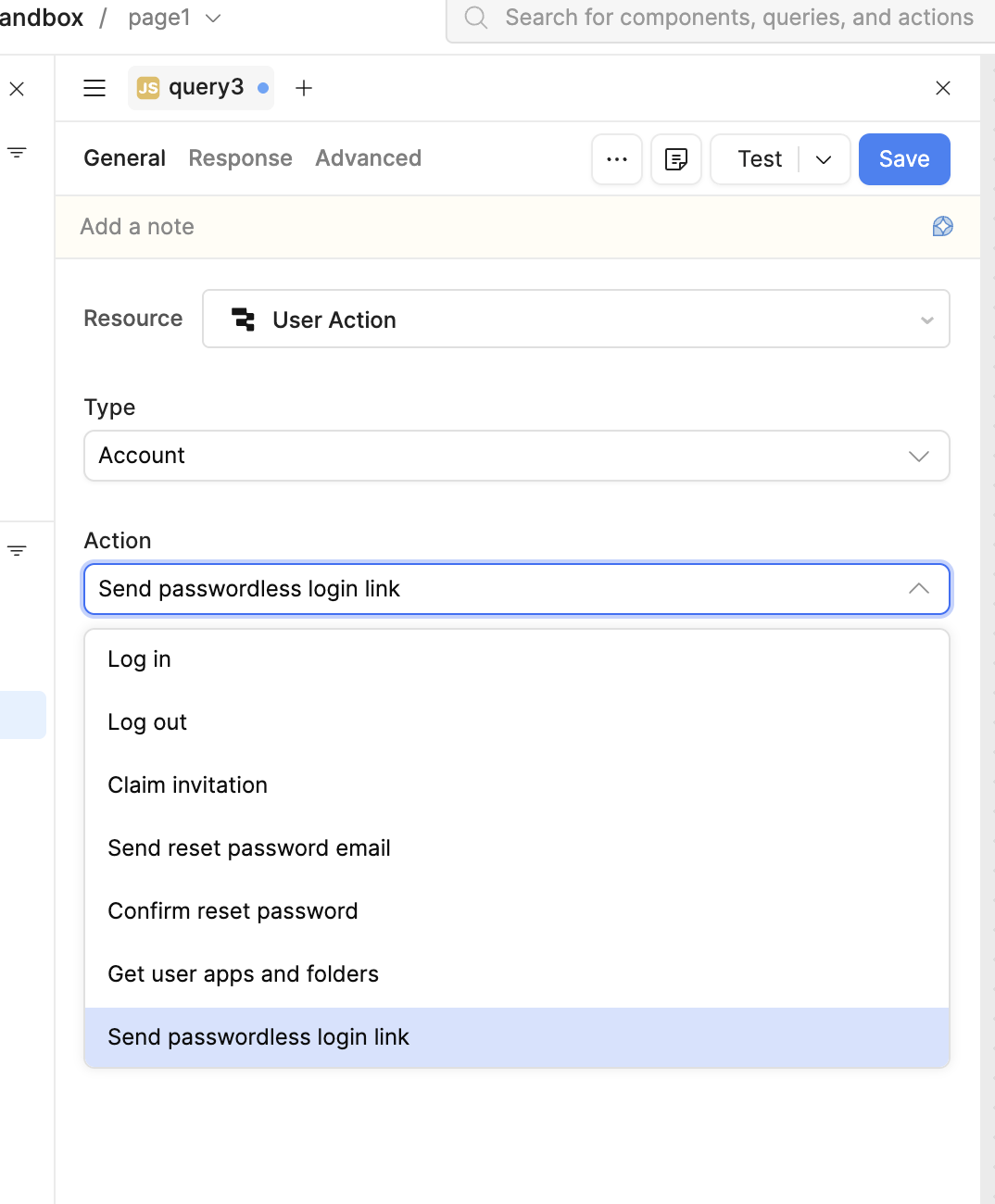
Then, in your Branding settings, you can try setting this custom page as your login page.
Could you give this a try and see if this is what you are looking for?
Thanks!
-Jen
I tried it and it seems to work! Thank you!
I haven’t saw this option when I look, sorry if it was there!
1 Like
Hi @fbrisebois! Great, happy to hear that it works now!
And don't worry, it was my first time finding out about this option as well 
-Jen