Hey @Keven, what you’re seeing is expected behavior in Retool multipage apps since form state does not automatically persist when navigating between pages.
Here’s a step by step way to preserve your data:
- Create a variable in global scope (for example,
variable1). This way, the value will persist across different pages. - In your API query, add an Event handler. On success, set the value of
variable1, then use it in your value column when querying.
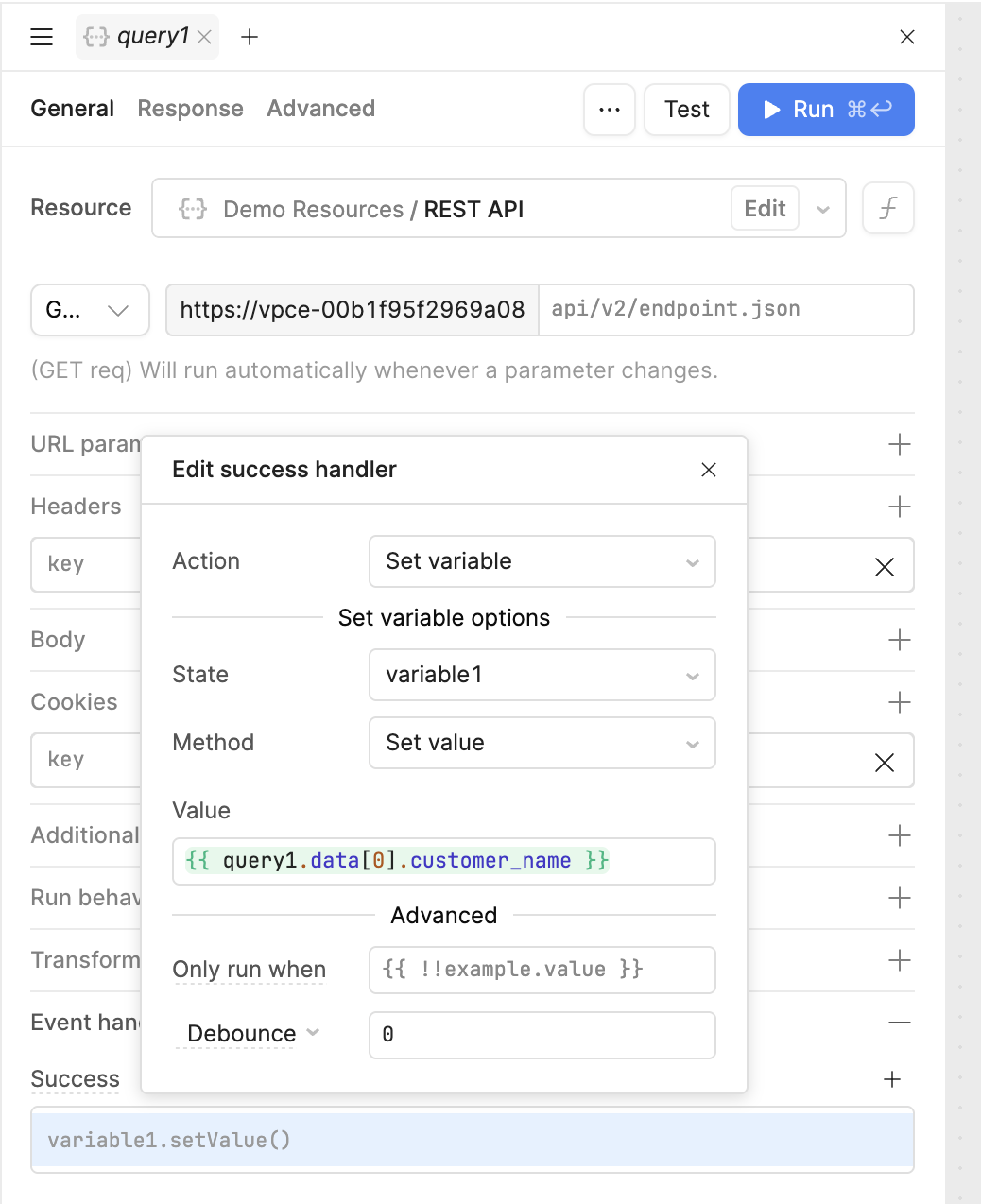
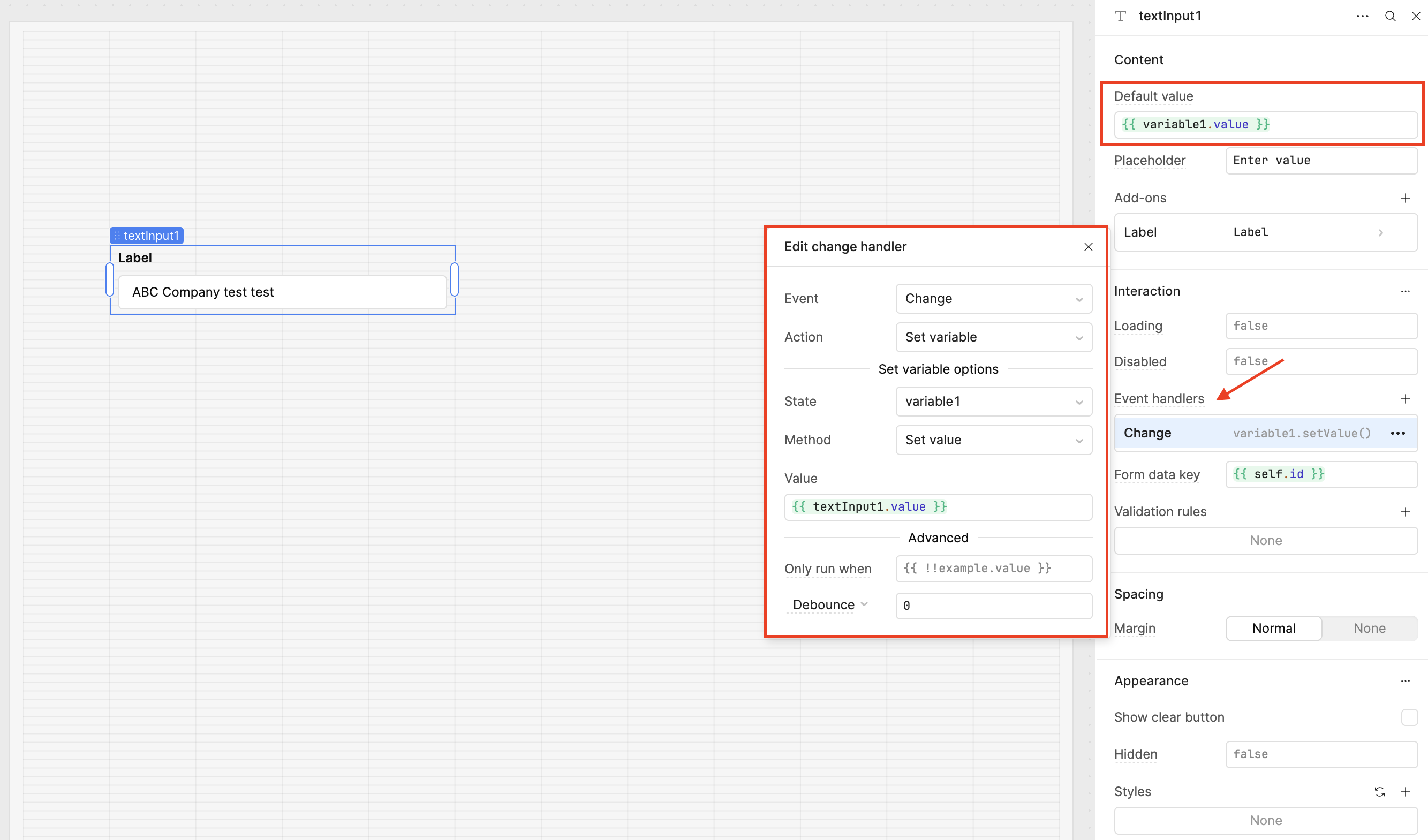
- Bind your Text Input component to the variable:
- Set the Default value to
{{ variable1.value }} - Add an Event handler:
- Event:
Change - Action:
Set variable - Value:
{{ textInput1.value }}(this keepsvariable1updated whenever you enter a new value)
- Event:
- Set the Default value to
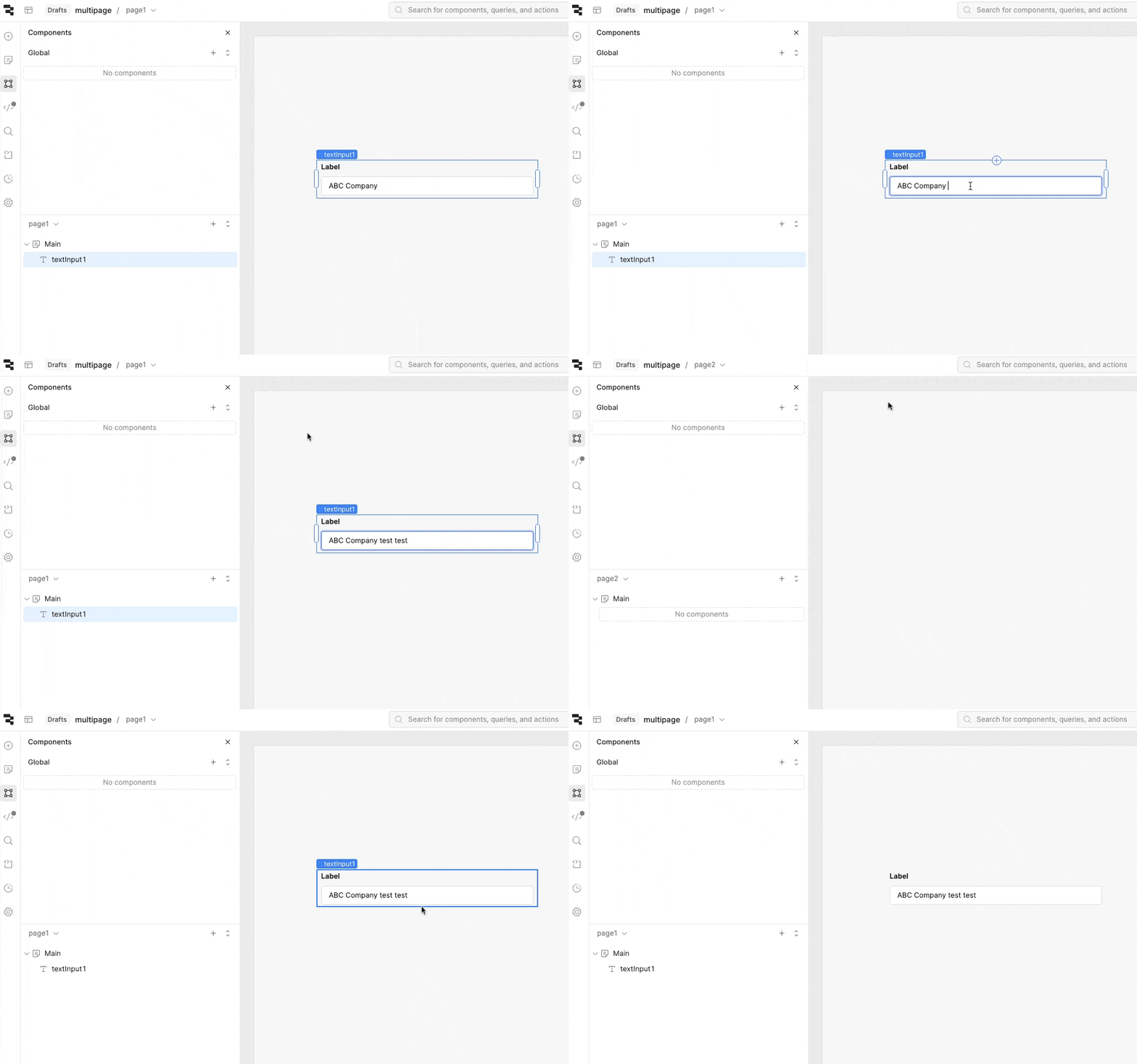
Now, try typing values next to your API data. As shown in my gif below, when you navigate to page 2 and then back to page 1, your edited data will still be there.
Let me know if this is helpful for you! If you ever need live debugging help, we have an upcoming Office Hours session Sept 4 at 2pm EST where you can get help directly from the Retool team and other developers. We host these Office Hours twice a week! 