Newly‑inserted rows show as blank until full page refresh

1) My goal:
Have newly inserted rows show their data in a Table component immediately after the insert/save action—no full‑page refresh required.


2) Issue:
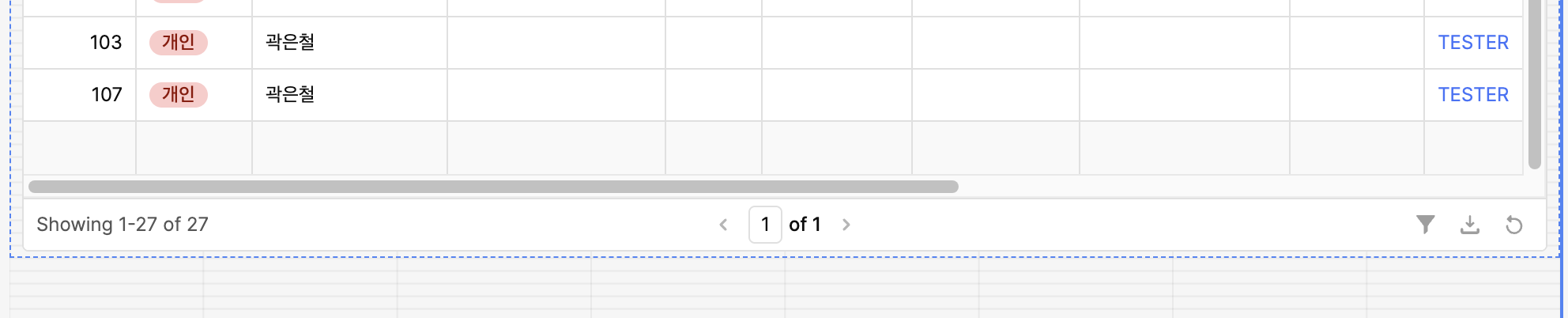
After insertRow runs and the follow‑up select query (or table.refresh()) completes, the new row appears but every cell is blank. The correct values only appear after a full browser refresh (F5 / hard reload).


3) Steps I've taken to troubleshoot:

  • Set table1.primaryKey to the unique id column returned by the select query.

  • On insert success, run:

    table1.clearChangeset();   // remove newRows / changeset overlay
    getRows.trigger();         // re‑fetch latest data
    
  • Regenerated columns in the Table inspector.

  • Added await/delays between the insert and select queries.

  • Recreated the scenario in a brand‑new test app—same behavior.


4) Additional info:

  • Deployment: Retool Cloud
  • App version: 3.240.0 (as shown in the “?” menu)
  • Screenshots / video: Can provide a short recording if helpful.

Hi @ccf2994,

Thanks for creating this post and joining office hours! I haven't been able to reproduce this issue with the app json you sent :thinking:

Here are some ideas to try though:

  1. Remove the event handlers from createProductQuery since you are already handling that logic in createProductWithImagesQuery
  1. If step 1 doesn't help, I am curious if it helps to await clearing the changeset:
onSuccess: async () => {
    await productsTable.clearChangeset();
    getProductsWithAllStatusesQuery.trigger();
  }
  1. Can you confirm if this is happening in an incognito window?

Hi @ccf2994, @Tess,

Could it be the special characters (Korean)? Encoding issues could be blocking the UI from rendering those rows. Test by inserting a simplified row with only ASCII text to see if it shows up without refresh.

Oh good call! Yes, that could potentially be the issue. I had to put in my own data when testing, so I wasn't testing with special characters

I fixed the problem by rebuilding an identical Table component from scratch and then swapping its name in place of the old one. After that, newly inserted rows displayed correctly without a full page refresh. It seems the original table had picked up some hidden errors during earlier edits that were triggering the blank‑row behavior.
2 Likes