Hi all, I’m excited to share that we are starting a closed beta for our new Scanner V2component. We've listed to your feedback on certain issues you've all run into, namely better UI for multiple barcodes + symbology restrictions.
Let us know if you'd like to test it out, drop your org domain and we can enable it for you.
Is the scanner already available or could you please add pureleigmbh.retool.com to the closed beta. We are using the barcode scanner on a daily basis and experiencing many issues with the old scanner component. It fails to open the scanner very often and you have to close the app completely to use the scanner again.
Hi @Darren , I would like to give you some feedback. The v2 Scanner is definitely way better than v1. We are experiencing a loading time, which is in my opinion a little bit too long. So it takes up to 2 seconds until the component is open. Opening up the built in camera app on the same devices takes up less than a second. Maybe there is something which is currently throttling the speed to open up the module. Otherwise the component is nearly 100% reliable. Thanks for the great work!
Scanner V2 looks great — thank you for the improvements!
However, we’ve run into two blocking issues that make proper implementation difficult:
No desktop debugging
The camera activates correctly in the desktop browser (tested on both macOS and Windows laptops), but the scanner itself doesn’t start — it just shows the camera preview without recognizing any codes. This prevents us from testing and debugging the pipeline during development.
Accumulating scanned values
Each new scan adds to an array of previously scanned values, so the first (or oldest) barcode keeps reappearing in the list. Maybe this can be fixed, but we can’t properly debug it because of issue #1 above.
We’d really appreciate your help or any guidance — this component could be extremely useful for us once these two issues are resolved.
We currently have no way to call the scanner component, so we can’t trigger scannerComponent.clearValue() anywhere.
And yes — the ability to test directly from within the browser IDE is something we really need. It would make debugging and development with the scanner component much faster and more convenient for our team.
We’d really appreciate if this could be prioritized.
Just wanted to kindly check if there are any updates regarding the ability to test directly from within the browser IDE, which you mentioned earlier.
At the moment, our development team can’t move forward without this functionality — it blocks debugging and further improvements. Because of that, I also can’t properly scale the application inside our assembly department, where the tool is supposed to be actively used.
Is this feature something your team is already working on or planning soon?
Hey @Pavlo_Klymenko - thanks for your patience. For the time being, the scanner component should only considered to be supported on a physical mobile device. I'm not sure when we'll be able to support scanning via the web IDE or emulator. That said, it should still be possible to test and debug the desired functionality from within the mobile app.
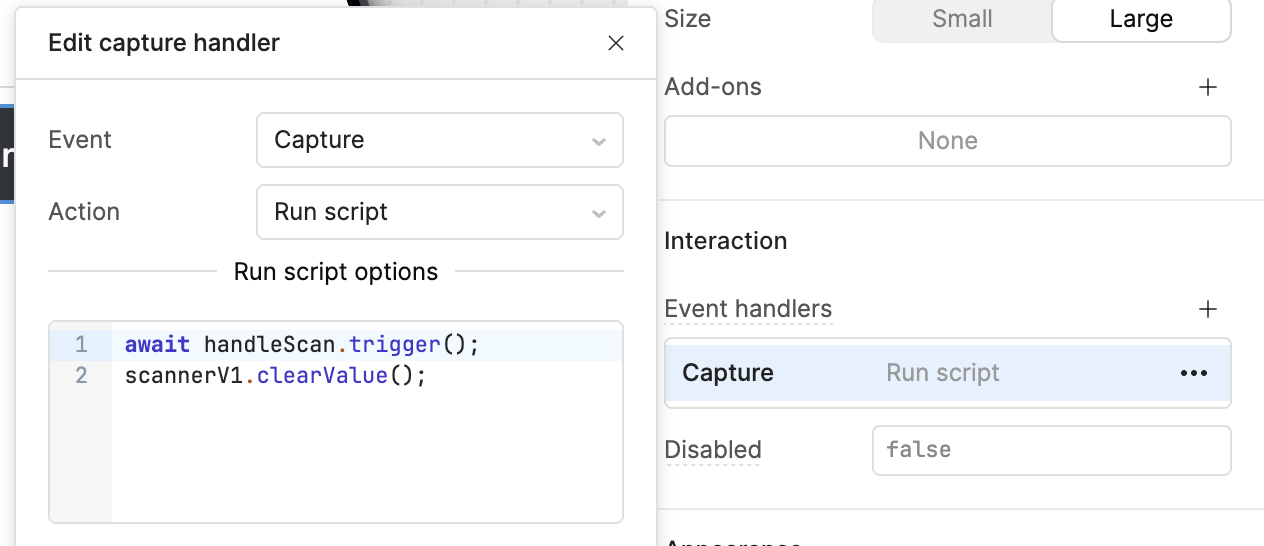
Can you clarify what continuous scanning means in your particular use case? Or, more generally, explain how you anticipate using the scanner? As you've noted previously, the results of sequential scans are all stored in a single array. If you want to process each code as it comes in, you'll need to call clearValue() after doing so.
I’ve been struggling with scanner freeze while using two scanner components on the same screen and I couldnt have resolve this issue for long now, maybe the new component will work better
We are having trouble with the screen turning black as others have mentioned, also poor performance on Android devices in the Retool mobile app. Thank you.

 No desktop debugging
 Accumulating scanned values