1) My goal: Run auth test workflow on a newly added env to a GQL resource
2) Issue: I have added a new env (duplicated an existing one) to our GQL resource, changed various configurations (base url, some keys, etc).
But I am unable to use the env in an app until I have tested the auth flow, and I am unable to test the auth flow, because it uses prod env variables instead of the new env variables.
3) Steps I've taken to troubleshoot:
- When I go into an app in edit mode, I can see the new env but it is disabled. There is meant to be a tooltip to show WHY it's disabled as explained on your forum here, so it seems there is an issue with Retool itself here
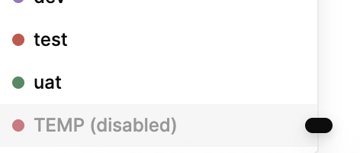
-
In the env settings, when I hit
test auth workflowit will go through the correct steps, but seems to take me back to the prod environment, as well as showing the auth attempt in the console + request data, shows me the prod URL being used, not the one for the env I have created + selected.
-
If I go to view the defined variables it shows them empty
-
Hitting the
Check the auth status using current credentialsseems to actually hit the correct env URL, but it's not passing the correct tokens so it fails on our end. -
We have some apps that let us use the
TEMPenv (eg it is not disabled). However when try to auth within a GQL query directly, this also uses the prod env even though I have another selected.

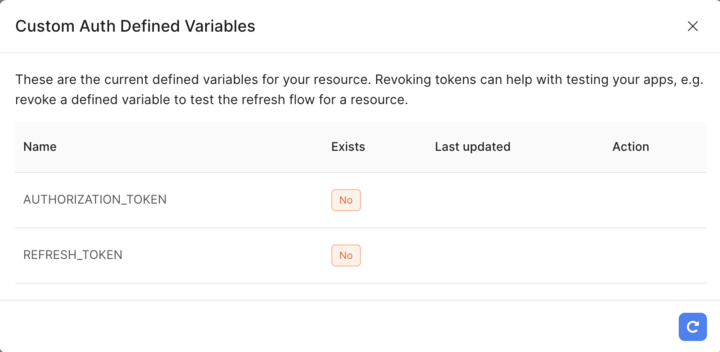
So to summarise, as far as I can see
- Env disabled explanation isn't working
- Testing custom auth flow isn't respecting the selected environment / correct environment variables
4) Additional info: (Cloud or Self-hosted, Screenshots)
Cloud hosted, screenshots above. Made a support request a week ago but no response.