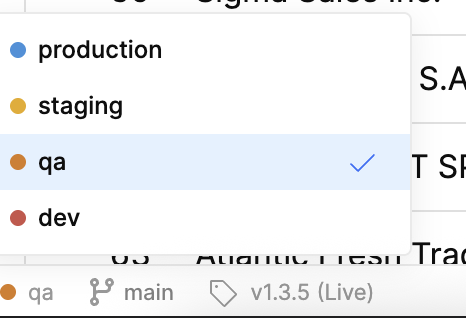
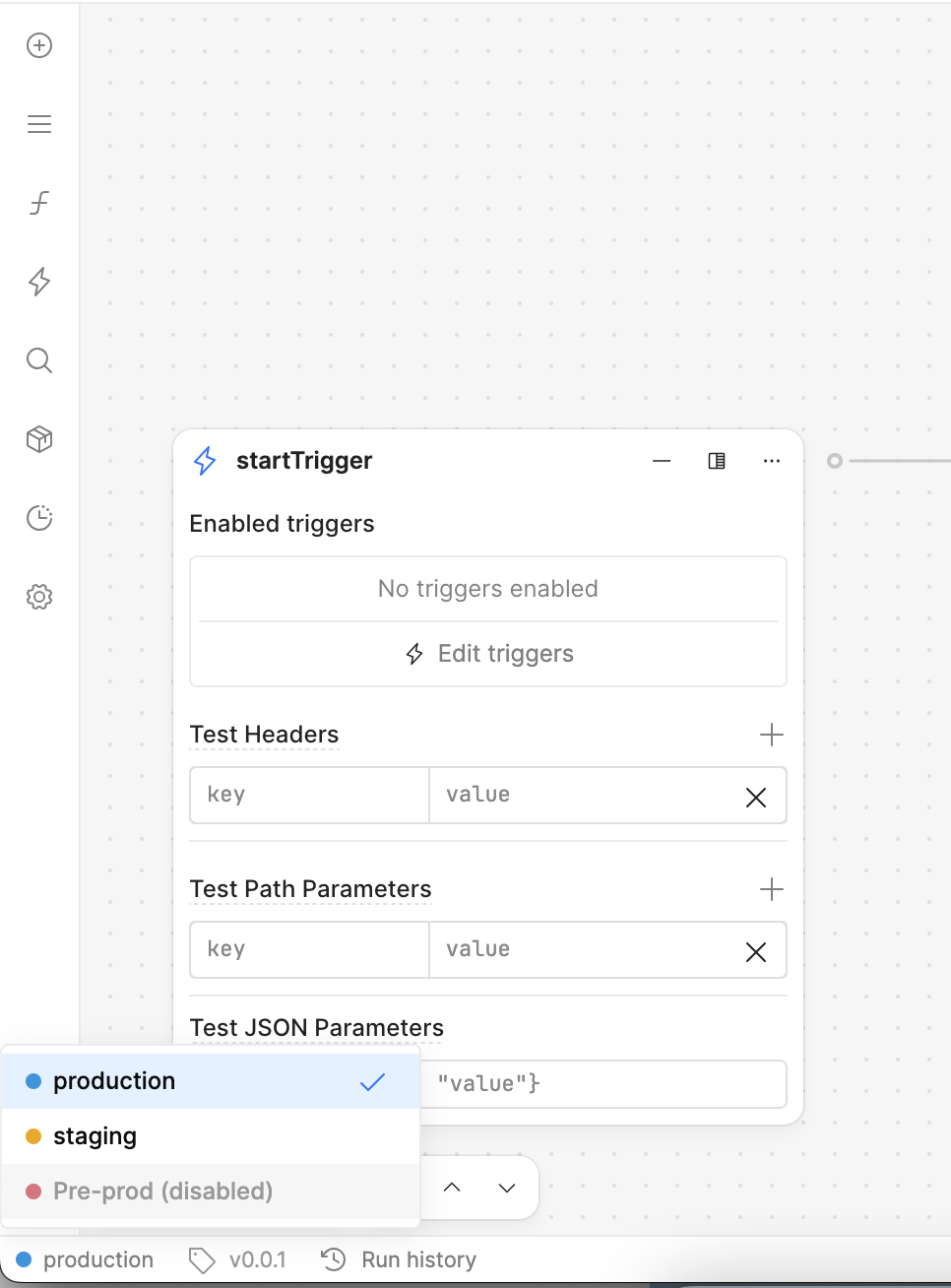
My goal: Allow users to have permission to switch envs in all apps
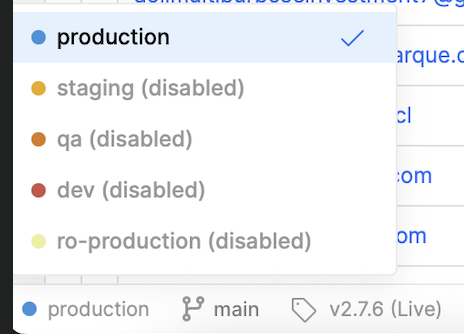
Issue: User belongs to a group that has access to Edit all apps and Use all resources. However, some users in that group has reported that the environment dropdown is sometimes disabled for them and only allow them to use Production environment. Others’ seem to be able to switch environments. This was resolved for a user a week ago but now is happening again on another app. Other than resource permission, are there other config we need to check to allow user to switch envs?
Steps I've taken to troubleshoot: User logged in and out of the app, toggled permissions for user’s group
Additional info:
User group has access to Use all Resources, Edit all Apps
Hi there @daphne-producepay!
This might not be a user permissions issue, but a resource permissions issue - the resources that you're using in your app may not have all of the environments enabled.
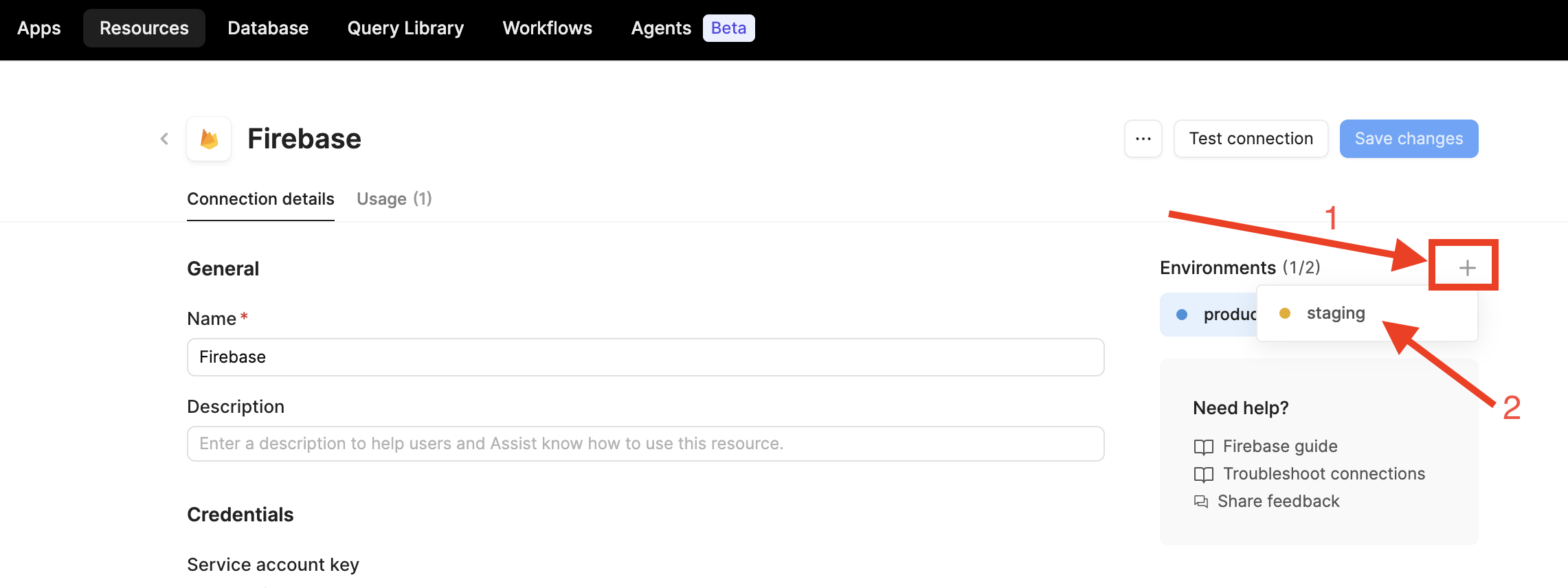
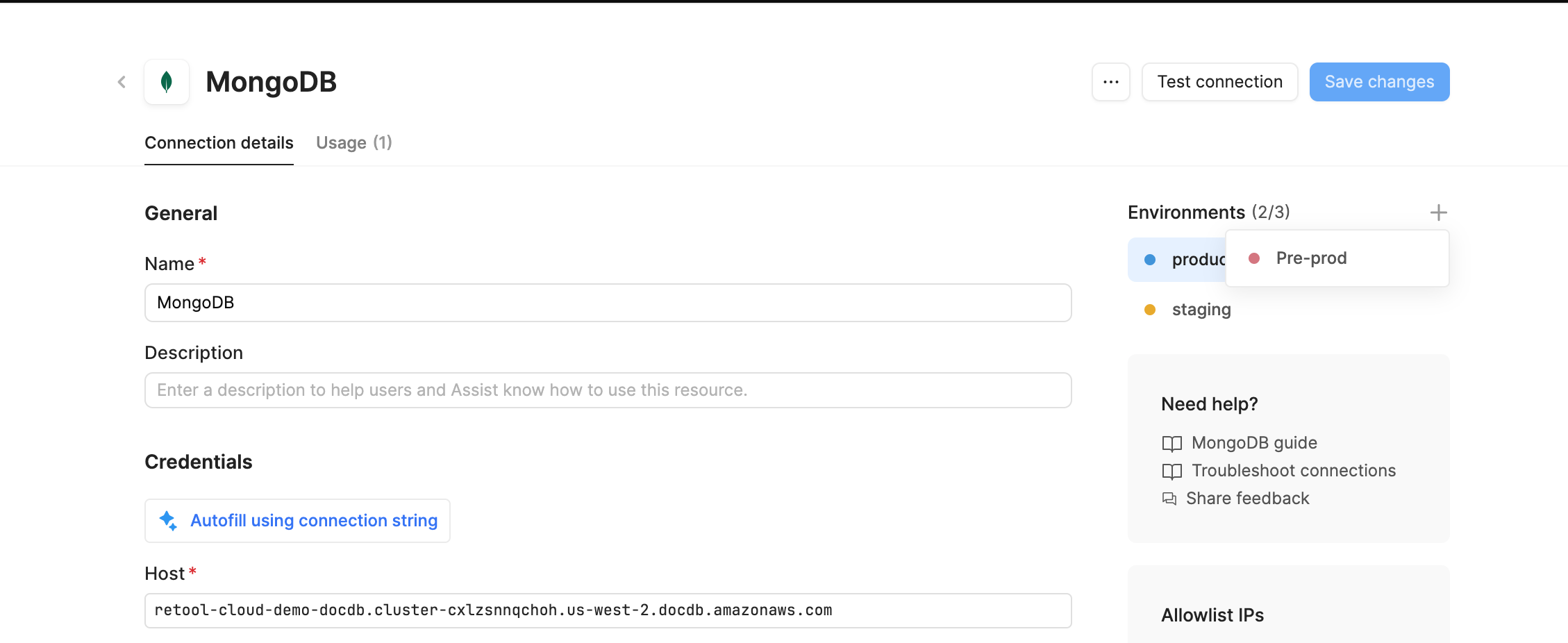
Could you double-check your resources' settings to see if you need to enable any additional environments? You can go to the "Resources" tab in the top nav bar, then click into a specific resource. Then, in the upper-right corner, you should click the "+" and enable environments here.
Hi @Jen , thanks for your response. I don’t think it’s a resource env setting issue since other users are able to use the environment dropdown in those apps even though they belong to the same group as the user that’s having this issue.
@Jen This issue seems to be intermittent. The specific app that the user was having issues with is now working fine. However, it’s now an issue on another app. I haven’t made any changes to either app so we’re not sure why this is happening/resolving itself.
Hi @daphne-producepay, thanks for clarifying the situation! I am coordinating with my team and we are still looking into this for you.
Also - would it be possible to stop in to our live Office Hours over Zoom? We would be able to better troubleshoot this issue with you this way. Our next Office Hours is today at 11am-noon PST!
Just circling back! For this situation, we will need more info from you (e.g. screenshots, any browser console errors, any failed network requests). Based on your description alone it is difficult to help debug.
If you are able to meet us for live Office Hours (held every Tues and Thurs 11am - noon PST), we can take a closer look at things together and help you get sorted!
Hi Jen, thanks for your response. Unfortunately I’m unable to attend the live Office Hours due to my timezone. When we checked the Debug window with the user, there was no errors shown there. We will check browser console errors. Just looking for additional pointers on where to look or if there are any ideas on what else may block the env selectors. Thank you!
Hi @daphne-producepay - thanks for letting me know this info! I’ve talked to the team internally and identified some potential root causes:
Are you using the releases feature? It’s possible that some users are occasionally seeing an older version of the app (i.e. an older release) with missing resource configurations.
Have you configured any custom roles for your users? You can check in Settings > Roles. It’s possible that custom role settings are given to certain users.
Can you double-check that all the resources you’re utilizing have the required environments enabled and configured? Our team believes this is the most obvious cause and I just want to concretely eliminate it.
Hope this helps! Feel free to DM me privately to share screenshots of resource settings, role permissions, and releases!
I’d like to elaborate a bit on @Jen’s response, as I believe your issue may be related to resource environment configuration rather than group permissions.
I understand that some users can see certain environments while others cannot. In my experience, this is often tied to how the resource environments are configured and enabled.
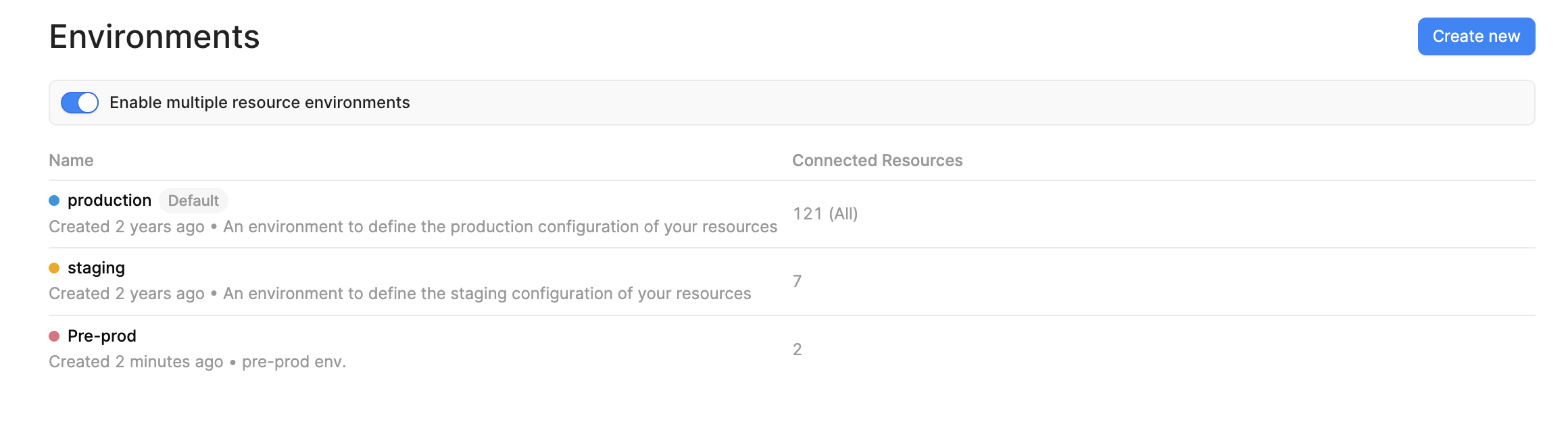
From the Resource Environment Settings , you can create multiple environments (e.g., Production, Staging, Pre-Prod, etc.). However, simply creating an environment does not automatically make it available within Workflows or Apps.
For example, in my setup, I have multiple environments configured, but I have only enabled Production and Staging for a particular resource. Since Pre-Prod is not enabled on that resource, it appears as unavailable/disabled when selecting environments.
Similarly, when I use a different resource and explicitly enable all environments, those environments become available for selection.
Based on the screenshots you shared, I would recommend checking:
The resource being used by the Workflow
The Resource Environment settings for that resource
Whether the missing environment is actually enabled for that resource
Whether the Workflow is referencing the expected resource
If everything looks correct and you're still seeing inconsistent behavior between users, could you share a few additional screenshots (or a short screen recording) showing:
The Workflow environment selector
The Resource Environment configuration
The affected user's view
That would help narrow down whether this is a permissions issue, a resource configuration issue, or potentially a product bug.
Hi @WidleStudioLLP , so just confirming, if the environment isn’t properly configured, then it would be disabled for all users right? Why would it be available for some users but not others within the same app?
We are not using Workflow for this.
We have multiple resources used in the app and I’ve made sure they’re all configured. Note that these resources are existing resources, not new for these apps (and these apps are not new either) so they should be set up and working since the user can switch environments using the same resources in other apps.
As for affected user’s view, I have a screenshot with the disabled env dropdown in the original post. Is there any specific view that would be helpful?
We are using releases but users are on the latest Live version and still had the issue
We do have a couple custom Roles but both users (one who had the issue and one who did not) have the same roles
They are configured, they have been for a while. These are resources that have been used for a while with no issues. And again, this issue appears only for specific users while others can use the different environments within the same app
New finding: user who see the disabled env dropdown can change the URL with &_environment=qa and was able to use the QA env even though the dropdown shows disabled. And since it works with the URL modification, I believe the resource was configured properly for this env
Thanks for the new findings - it sounds like the user doesn't seem to be gated to backend permissions, since the user is able to force the &_environment=qa in the URL to view the disabled environment this way. Glad to hear that this modification allows them to see the env for the time being!
The next time this issue happens, can you DM me these so I can take a deeper look:
Screenshot of any console errors
Screenshot of any failed network requests
The affected user(s) email addresses
Verifying with the affected user(s) that refreshing the page does not resolve the issue
This will allow me to check the activity of that particular user(s).