Hi all,
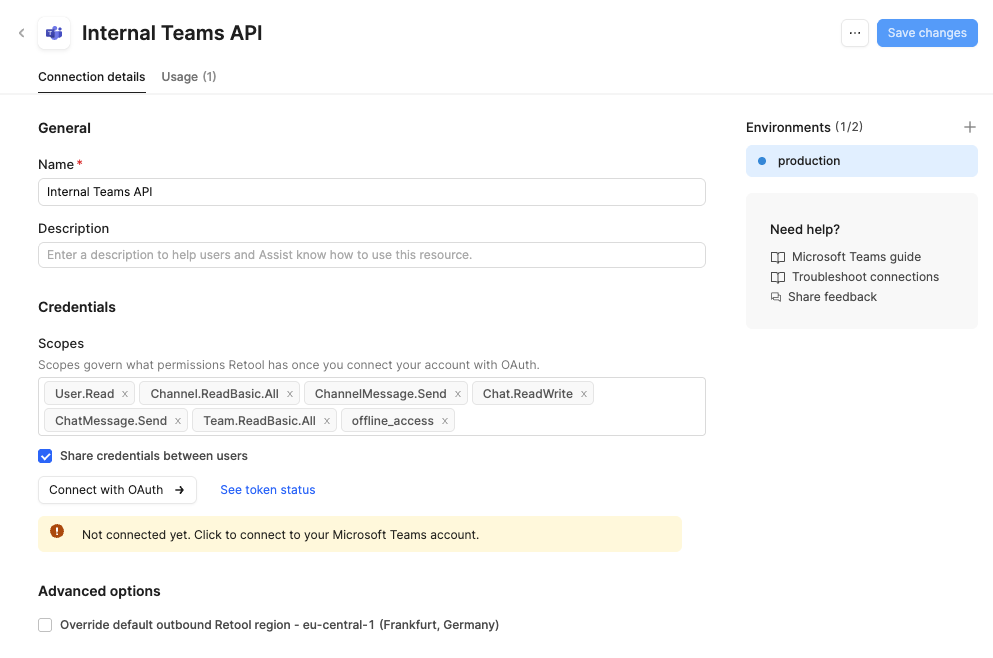
I’m trying to set up a Microsoft Teams connection in Retool via the Microsoft Teams resource (OAuth). The goal is simple: post a message to a specific Teams channel on a Retool event.
 What works
If I keep the OAuth scopes limited to only:
- User.Read
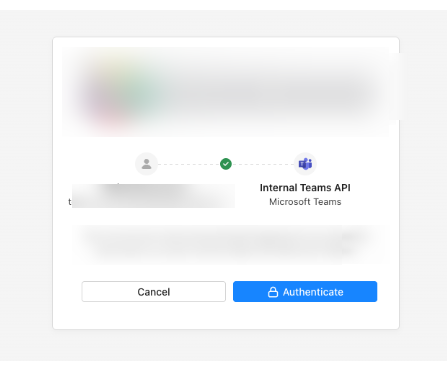
…the OAuth flow completes successfully and the resource connects.
 What doesn’t work
As soon as I add any additional scope, specifically:
- ChannelMessage.Send
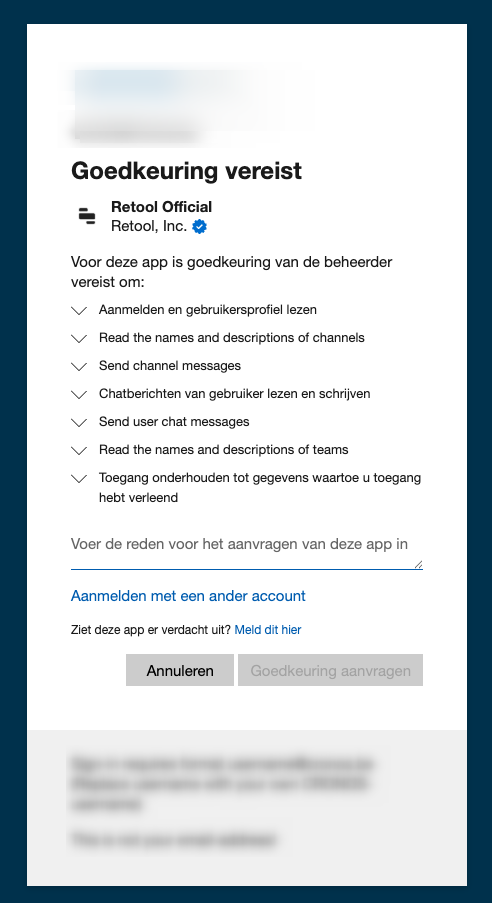
…the Microsoft login/consent screen always shows “Admin approval required / request approval” again, and I cannot complete the OAuth connection unless I request approval (again).
This keeps happening even though our admins already granted consent for ChannelMessage.Send.
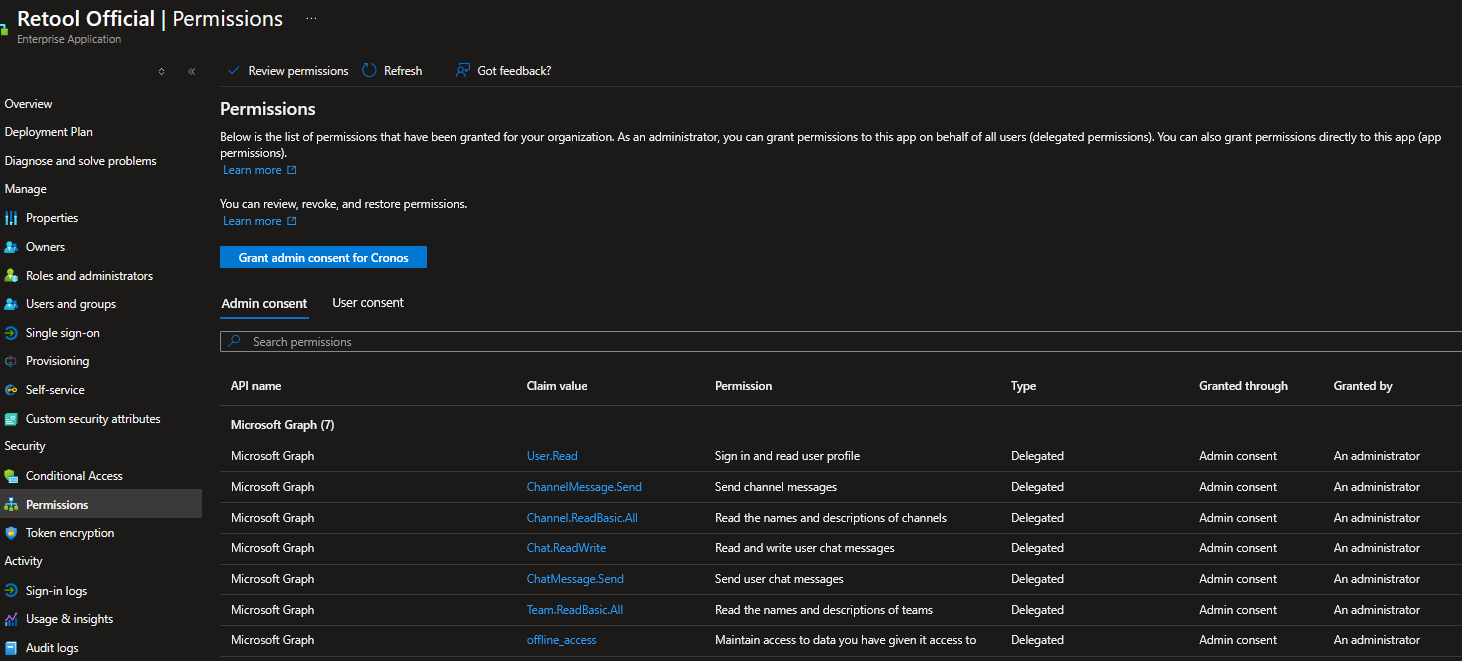
 Evidence: Admin consent is already granted
In Entra, the Enterprise Application permissions show:
-
User.Read (Delegated) – Granted via Admin consent
-
ChannelMessage.Send (Delegated) – Granted via Admin consent
What we already checked / tried
-
Confirmed we’re using delegated permissions
-
Confirmed admins granted consent for ChannelMessage.Send
-
Retool resource setup uses OAuth and the intended scope list
-
With User.Read only, connection succeeds every time
-
Adding ChannelMessage.Send immediately triggers the approval screen again
 Questions
-
Has anyone seen this behaviour where Retool OAuth works with User.Read, but adding Graph scopes forces a new approval prompt despite admin consent already being granted?
-
Could Retool be using a different Entra app / client_id depending on scopes (even though it looks like the same “Retool Official” branding), causing consent to not match?
-
Are there any known restrictions or required additional scopes/steps when using ChannelMessage.Send via Retool’s Teams integration?
Any help or pointers would be greatly appreciated. Happy to provide more details (e.g. the exact consent URL parameters, client_id, scope string, etc.) if needed.
Thanks!