My goal:
Retrieving data from the Google API (Gmail history) using a REST API resource in Retool.
Issue:
I configured a REST API resource in Retool with OAuth 2.0 authentication. The first “Connect with OAuth” flow worked: I logged into my Google account and got a valid access token and refresh token. Then I revoked both tokens manually to test re-authentication. After revoking, I clicked “Connect with OAuth” again, went through the Google login/consent flow, but when I returned to Retool the “See token status” panel showed no access token or refresh token. In other words: the second OAuth flow did not result in any tokens being saved.
Steps I’ve taken to troubleshoot:
-
Configured the REST API resource with Google OAuth 2.0 credentials.
-
Performed initial “Connect with OAuth,” authenticated — received access token and refresh token.
-
Confirmed both tokens were present under “See token status.”
-
Manually revoked both tokens.
-
Ran “Connect with OAuth” again, logged in to Google, granted consent.
-
Immediately opened “See token status” — saw no token values.
-
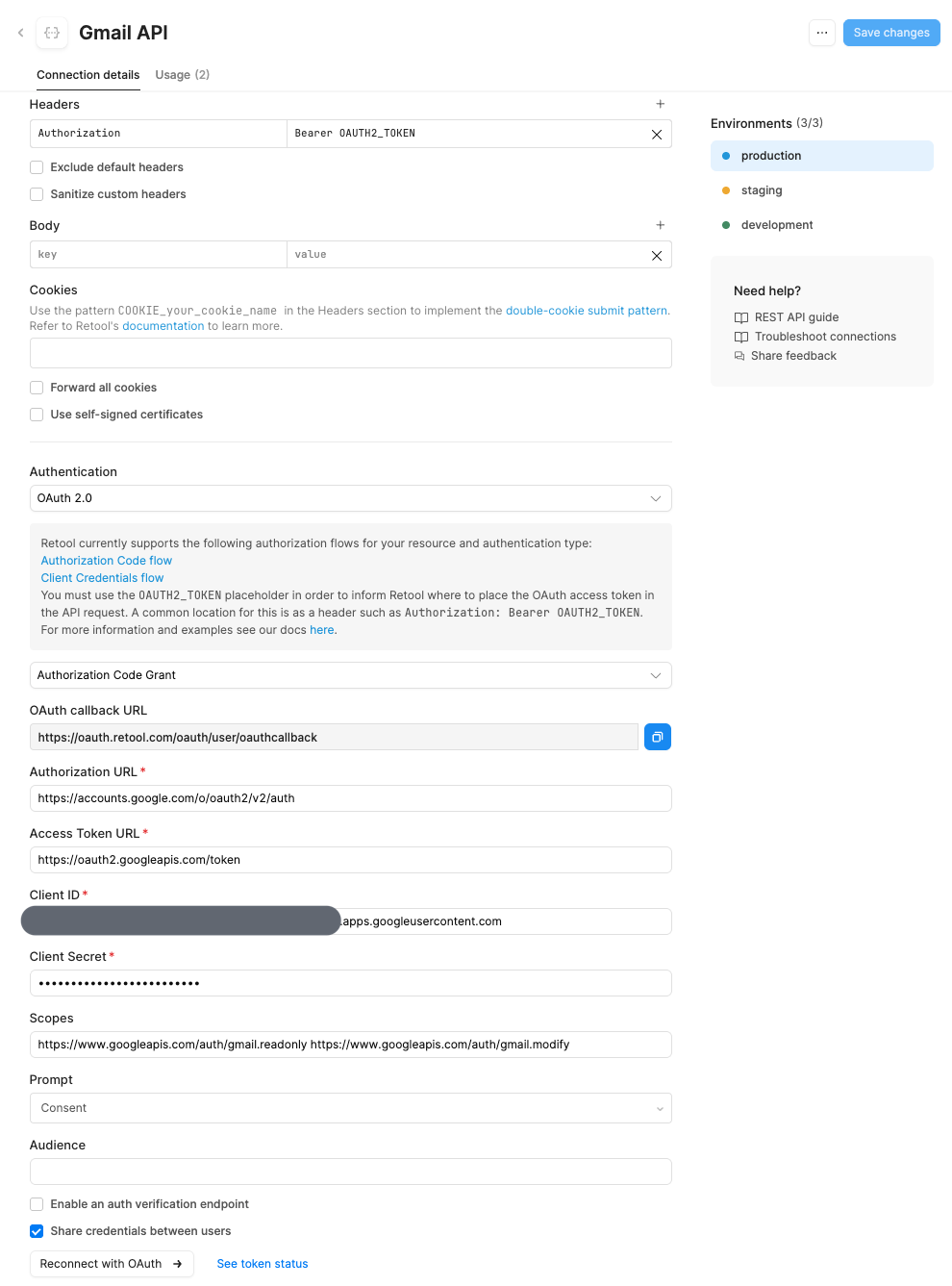
Verified I did not manually set or override any Authorization header.
-
Searched the community for similar reports; found some, but those seem outdated.
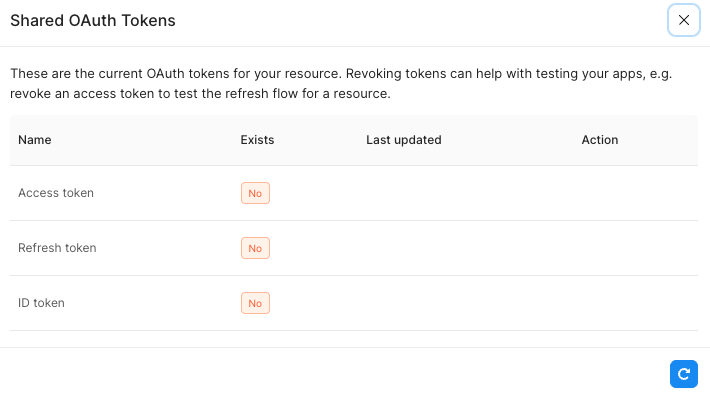
Additional info:
-
Retool deployment type: Cloud
-
OAuth consent screen in Google Cloud: I published the app (moved from “Testing” to “In production / Published”)
-
When the app was in “Testing” mode, I previously received refresh tokens that included a “refresh_token_expires_in” field (7-day expiry). After publishing the app, new token responses no longer include that field — not sure if that means no expiry, or a change in what Google returns.
-
Resource configuration:
What I’m asking
-
Has anyone recently (2024–2025) experienced the same behavior with Retool + Google OAuth / Gmail API: first OAuth works, but subsequent re-auths don’t store tokens?
-
If yes, did you find a configuration (scopes, OAuth settings, consent screen mode, “access_type=offline”, prompt, etc.) that reliably works for re-authentication?
-
Is there a known issue or regression in Retool’s OAuth 2.0 flow for Google APIs (especially Gmail)?
Thank you in advance for any insight or help.