Markdown Editor

My goal is to create a custom Markdown editor for my project. I created this component and its working file.

Currently, I am facing issues while adding options for the inspector tab and linking the editor to the retool form.

I am creating a Retool component for the first time, so I need your help to add more options to it and make it available for everyone

Hi @Deepak_Singh_Solanki

What’s your specific issue?

I have a bit of experience on custom components, thus, I might help.

Best

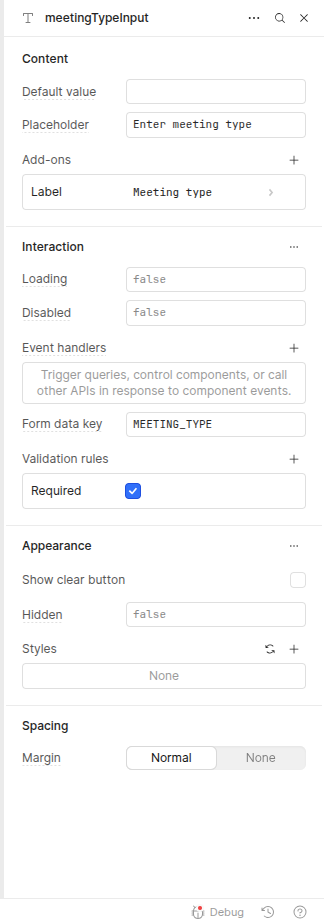
  1. I am not able to add all these options to the custom component as shown in the attached image.
  2. I want to map the custom component to the Retool form
  3. Also, a custom component should listen to retool events like setValue.

Did you properly configured props/events in the code?

Unless you show the code, it’s difficult to help you.

Best

Below are the code

import { useEffect, type FC } from 'react'

import { Retool } from '@tryretool/custom-component-support'

import { MDXEditor } from '@mdxeditor/editor'

import '@mdxeditor/editor/style.css'

import { ALL_PLUGINS } from './markdown-editor'

import './index.css'

export const MarkdownEditor: FC = () => {

Retool.useComponentSettings({

defaultHeight: 20,

defaultWidth: 100

})

const [label, setLabel] = Retool.useStateString({

name: 'Label',

initialValue: ''

})

const [value, setValue] = Retool.useStateString({

name: 'value',

inspector: 'hidden',

initialValue: ''

})

return (

{label && {label}}

<MDXEditor

markdown={value}

onChange={(newValue) => {

setValue(newValue)

    }}

plugins={ALL_PLUGINS}

placeholder={'Start writing... '}

/>

)

}

Hi @Deepak_Singh_Solanki,

Nice start on your custom component :slightly_smiling_face: I imported it into my instance for testing.
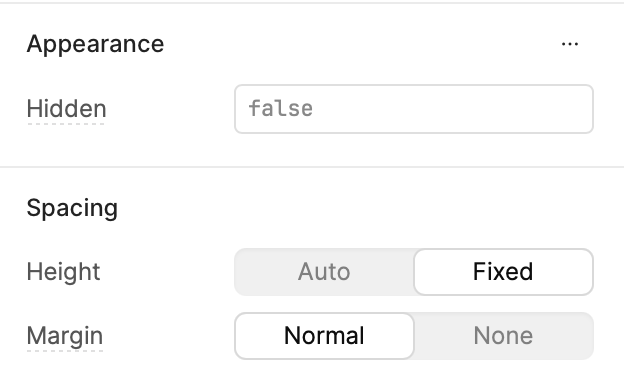
  1. The custom component only has the height, margin, and "Hidden" settings. Anything else would need to be added into the custom code for the component

  2. Unfortunately, the custom component data doesn't get mapped to the form's state, formName.data. Is that what you are looking to do? You might be able to solve for this with some Javascript that combines the custom component state with the form (instead of directly using formName.data)

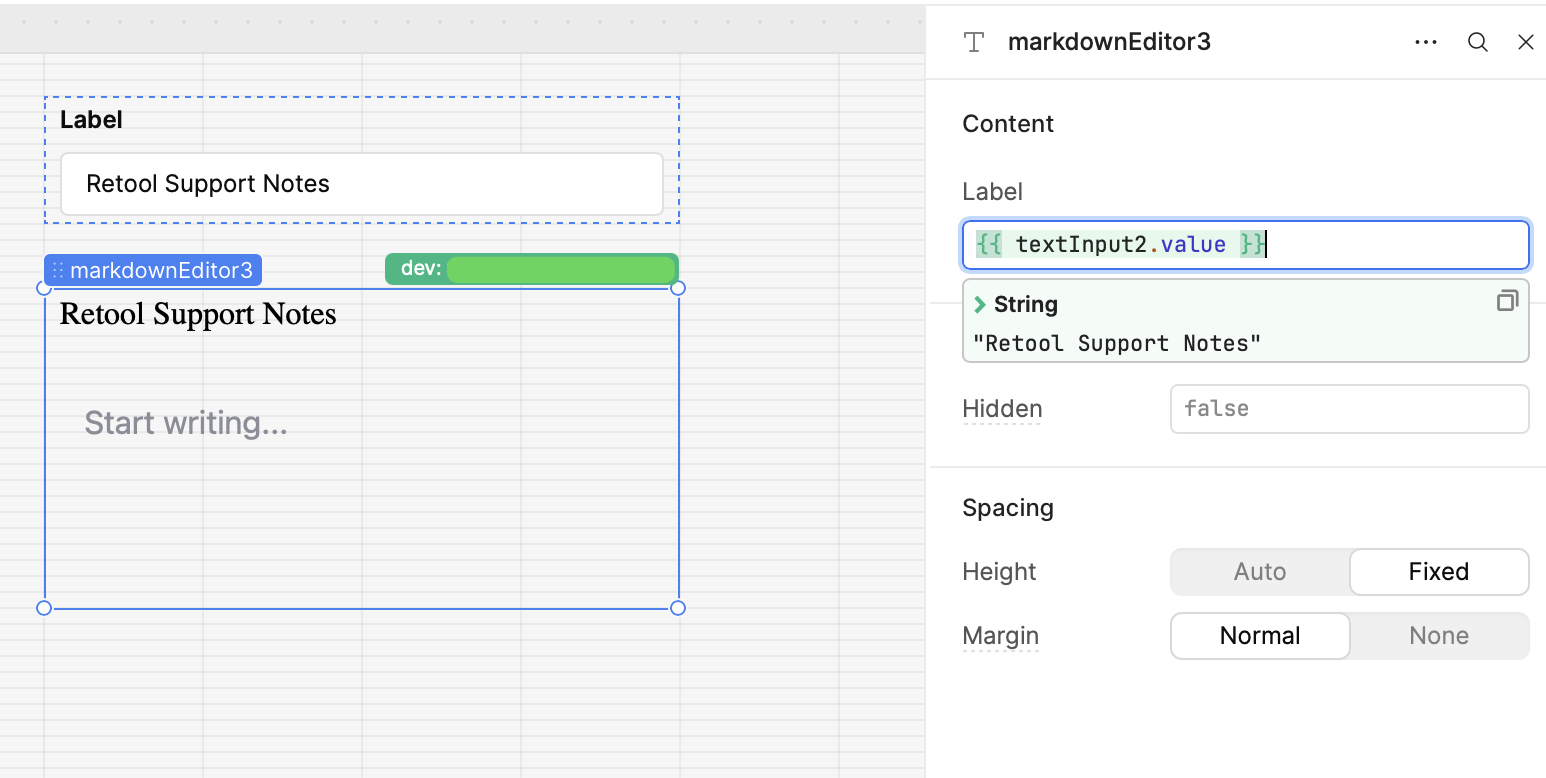
  3. The custom component interacts with other app plugin values through the inputs. For example, you can make your "label" input dynamic based another Retool component's value (see screenshot).

Let me know if it sounds like I'm misunderstanding any of your questions. If you have a specific example of a set value issue that you're working on, please feel free to share!

Still curious to hear @abusedmedia's thoughts, but this is my two cents