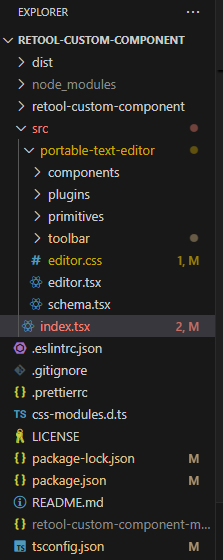
Custom Component - PortableTextEditor

  1. My goal: integrate the portableTextEditor playground to Retool as custom component.

  2. Issue: Encountered error

error

Error while importing custom component
error
: 
TypeError: Failed to resolve module specifier "react/compiler-runtime". Relative references must start with either "/", "./", or "../". at XS (https://retool-edge.com/libs/custom-component-collections.DS9AhuXc.umd.js:202:3546) at https://retool-edge.com/libs/custom-component-collections.DS9AhuXc.umd.js:202:2785
message
: 
"Failed to resolve module specifier \"react/compiler-runtime\". Relative references must start with either \"/\", \"./\", or \"../\"."
stack
: 
"TypeError: Failed to resolve module specifier \"react/compiler-runtime\". Relative references must start with either \"/\", \"./\", or \"../\".\n    at XS (https://retool-edge.com/libs/custom-component-collections.DS9AhuXc.umd.js:202:3546)\n    at https://retool-edge.com/libs/custom-component-collections.DS9AhuXc.umd.js:202:2785"

  1. Steps to reproduce:

this is my index.tsx file code

import { useEffect, useState, type FC } from 'react'
import { Retool } from '@tryretool/custom-component-support'
import {
  EditorProvider,
  PortableTextEditable,
} from '@portabletext/editor'
import { schemaDefinition } from './portable-text-editor/schema'
import { PortableTextToolbar } from './portable-text-editor/toolbar/portable-text-toolbar'
import { renderAnnotation, renderBlock, renderDecorator, renderListItem, renderPlaceholder, renderStyle, LinkPlugin } from './portable-text-editor/editor'
import { Container } from './portable-text-editor/primitives/container'
import { ImageDeserializerPlugin } from './portable-text-editor/plugins/plugin.image-deserializer'
import './portable-text-editor/editor.css'

export const PortableTextEditor: FC = () => {
  return (
    
    <div className="grid gap-2 items-start grid-cols-1 p-2 shadow-sm">
      <EditorProvider 
        initialConfig={{
          schemaDefinition
        }}
      >
               
        <Container className="flex flex-col gap-4 overflow-clip">
          <PortableTextToolbar /> //this line causes the error
           <div className="flex gap-2 items-center">
            <PortableTextEditable
              className={`rounded-b-md outline-none data-[read-only=true]:opacity-50 px-2 h-75 -mx-2 -mb-2 overflow-auto flex-1`}
              renderAnnotation={renderAnnotation}
              renderBlock={renderBlock}
              renderDecorator={renderDecorator}
              renderListItem={renderListItem}
              renderPlaceholder={renderPlaceholder}
              renderStyle={renderStyle}
            />
          </div> 
        </Container>
        <LinkPlugin />
        <ImageDeserializerPlugin /> 
      </EditorProvider> 
    </div>
  )
};

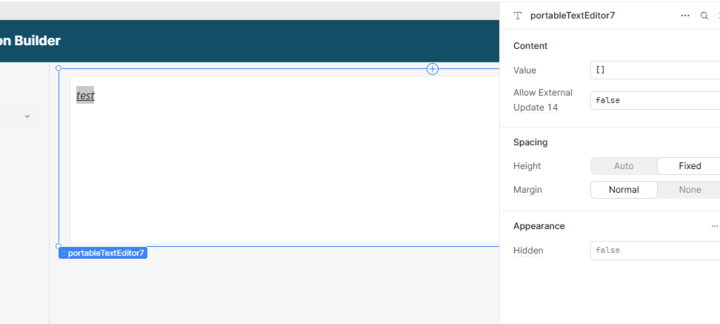
When commenting out the <PortableTextToolbar />, there are no error and it properly loads the component in retool but without the Toolbar.
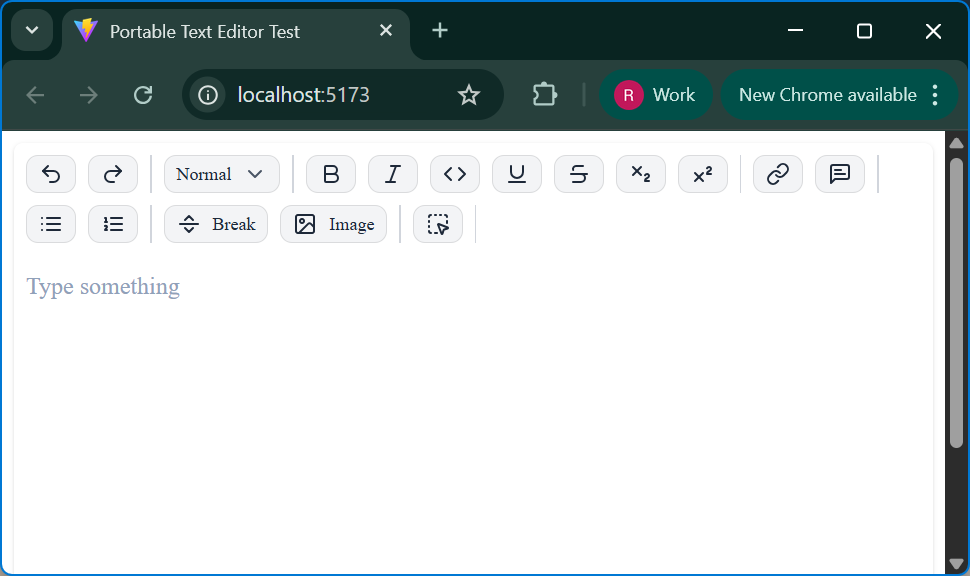
The same code I used in a separate vite app which works perfectly.
I asked chatGPT and this is the reply

Your error is caused by the @portabletext/toolbar package, which imports "react/compiler-runtime" in its distributed code. This is not a valid public React API and will break in browser environments like Retool.

Compatibility check:

  • Your React, React DOM, and @types/react versions are compatible with each other and with most modern packages.
  • The rest of your dependencies are standard and should work with React 18+.
  • The only critical issue is with @portabletext/toolbar, which is not compatible with Retool or any browser-based environment due to its use of "react/compiler-runtime".

Could someone from the Dev team validate if this is true?
Thanks

Hi @rmnl, thanks for getting in touch.

It looks like the library does not support apps using React 18, which is the version that Retool uses. I was able to verify by testing a new app with npm create vite using your sample code. It does look like the @portabletext/toolbar package specifically is the problem. You would need to reach out to the package owner to correct this.

1 Like

Looks like you'll have to hook up your own custom toolbar using the events and stuff they provide. I went a head and grabbed the sample code you'd need to get something showing up, just put the following code in your index.tsx file and change <PortableTextToolbar /> with <Toolbar />

import {
  defineSchema,
  EditorProvider,
  keyGenerator,
  PortableTextBlock,
  PortableTextChild,
  PortableTextEditable,
  RenderAnnotationFunction,
  RenderBlockFunction,
  RenderChildFunction,
  RenderDecoratorFunction,
  RenderStyleFunction,
  useEditor,
  useEditorSelector,
} from '@portabletext/editor'

import * as selectors from '@portabletext/editor/selectors'

// Define the schema for the editor
// Only the `name` property is required

/******************
 *     SCHEMA     *
 ******************/
const schemaDefinition = defineSchema({
  // Decorators are simple marks that don't hold any data
  decorators: [{name: 'strong'}, {name: 'em'}, {name: 'underline'}],

  // Annotations are more complex marks that can hold data
  annotations: [{name: 'link', fields: [{name: 'href', type: 'string'}]}],

  // Styles apply to entire text blocks
  // There's always a 'normal' style that can be considered the paragraph style
  styles: [
    {name: 'normal'},
    {name: 'h1'},
    {name: 'h2'},
    {name: 'h3'},
    {name: 'blockquote'},
  ],

  // Lists apply to entire text blocks as well
  lists: [{name: 'bullet'}, {name: 'number'}],

  // Inline objects hold arbitrary data that can be inserted into the text
  inlineObjects: [
    {name: 'stock-ticker', fields: [{name: 'symbol', type: 'string'}]},
  ],

  // Block objects hold arbitrary data that live side-by-side with text blocks
  blockObjects: [{name: 'image', fields: [{name: 'src', type: 'string'}]}],
})


/******************
 *     TOOLBAR    *
 ******************/
function Toolbar() {
  // Obtain the editor instance
  const editor = useEditor()

  const decoratorButtons = schemaDefinition.decorators.map((decorator) => (
    <DecoratorButton key={decorator.name} decorator={decorator.name} />
  ))

  const annotationButtons = schemaDefinition.annotations.map((annotation) => (
    <AnnotationButton key={annotation.name} annotation={annotation} />
  ))

  const styleButtons = schemaDefinition.styles.map((style) => (
    <StyleButton key={style.name} style={style.name} />
  ))

  const listButtons = schemaDefinition.lists.map((list) => (
    <ListButton key={list.name} list={list.name} />
  ))

  const imageButton = (
    <button
      onClick={() => {
        editor.send({
          type: 'insert.block object',
          blockObject: {
            name: 'image',
            value: {src: 'https://example.com/image.jpg'},
          },
          placement: 'auto',
        })
        editor.send({type: 'focus'})
      }}
    >
      {schemaDefinition.blockObjects[0].name}
    </button>
  )

  const stockTickerButton = (
    <button
      onClick={() => {
        editor.send({
          type: 'insert.inline object',
          inlineObject: {
            name: 'stock-ticker',
            value: {symbol: 'AAPL'},
          },
        })
        editor.send({type: 'focus'})
      }}
    >
      {schemaDefinition.inlineObjects[0].name}
    </button>
  )

  return (
    <>
      <div>{decoratorButtons}</div>
      <div>{annotationButtons}</div>
      <div>{styleButtons}</div>
      <div>{listButtons}</div>
      <div>{imageButton}</div>
      <div>{stockTickerButton}</div>
    </>
  )
}


/******************
 *   COMPONENTS   *
 ******************/
function DecoratorButton(props: {decorator: string}) {
  // Obtain the editor instance
  const editor = useEditor()
  // Check if the decorator is active using a selector
  const active = useEditorSelector(
    editor,
    selectors.isActiveDecorator(props.decorator),
  )

  return (
    <button
      style={{
        textDecoration: active ? 'underline' : 'unset',
      }}
      onClick={() => {
        // Toggle the decorator
        editor.send({
          type: 'decorator.toggle',
          decorator: props.decorator,
        })
        // Pressing this button steals focus so let's focus the editor again
        editor.send({type: 'focus'})
      }}
    >
      {props.decorator}
    </button>
  )
}

function AnnotationButton(props: {annotation: {name: string}}) {
  const editor = useEditor()
  const active = useEditorSelector(
    editor,
    selectors.isActiveAnnotation(props.annotation.name),
  )

  return (
    <button
      style={{
        textDecoration: active ? 'underline' : 'unset',
      }}
      onClick={() => {
        if (active) {
          editor.send({
            type: 'annotation.remove',
            annotation: {
              name: props.annotation.name,
            },
          })
        } else {
          editor.send({
            type: 'annotation.add',
            annotation: {
              name: props.annotation.name,
              value:
                props.annotation.name === 'link'
                  ? {href: 'https://example.com'}
                  : {},
            },
          })
        }
        editor.send({type: 'focus'})
      }}
    >
      {props.annotation.name}
    </button>
  )
}

function StyleButton(props: {style: string}) {
  const editor = useEditor()
  const active = useEditorSelector(editor, selectors.isActiveStyle(props.style))

  return (
    <button
      style={{
        textDecoration: active ? 'underline' : 'unset',
      }}
      onClick={() => {
        editor.send({type: 'style.toggle', style: props.style})
        editor.send({type: 'focus'})
      }}
    >
      {props.style}
    </button>
  )
}

function ListButton(props: {list: string}) {
  const editor = useEditor()
  const active = useEditorSelector(
    editor,
    selectors.isActiveListItem(props.list),
  )

  return (
    <button
      style={{
        textDecoration: active ? 'underline' : 'unset',
      }}
      onClick={() => {
        editor.send({
          type: 'list item.toggle',
          listItem: props.list,
        })
        editor.send({type: 'focus'})
      }}
    >
      {props.list}
    </button>
  )
}

source

2 Likes

hi @jacobstern thanks for checking the compatibility.
I will try to reach out to the package owner and see what they can do about this.

hi @bobthebear thanks for checking this.
yeah, since there is an issue with the @portabletext/toolbar, our only option is to create a custom toolbar.

I created a custom toolbar as you did and just re-create the primitive components (dialogbox, buttons, ...).

For the meantime, I'll try to reach out to the package owner and while waiting, I will use the custom toolbar that I created.

Again, thanks for sharing your code. This is also helpful.

1 Like