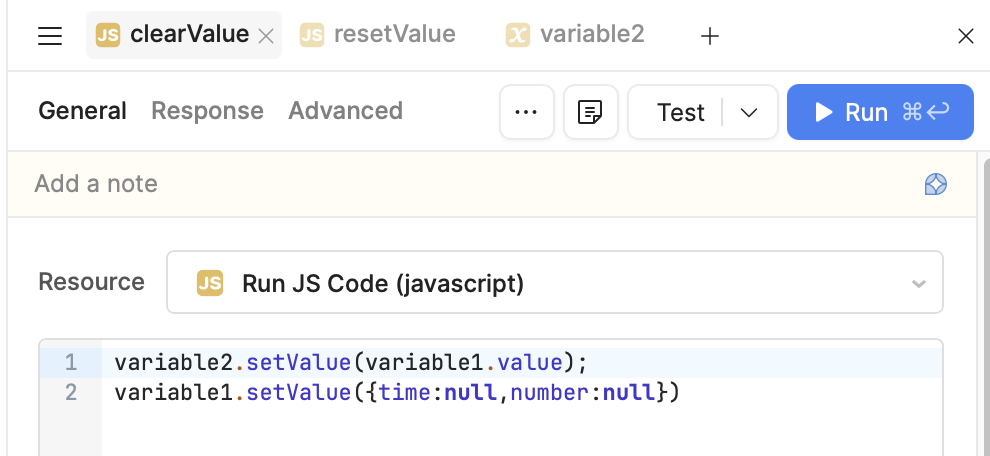
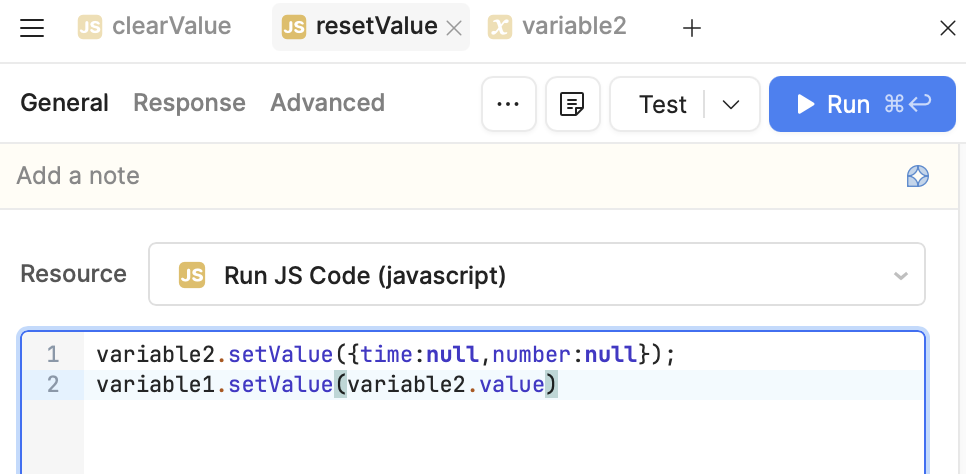
My goal: Create a dynamically sized list that can be edited by the user, isn’t compressible into a table, AND also follows retool’s regular process
Issue: Components that take inputs do not change their presented value when the underlying value changes unlike those same components outside of a list.
Steps I've taken to troubleshoot: I’ve added the “reset value” functions to run for all the component objects every time an edit is saved, as the actual application has the contents of these lists change regularly and this issue causes the user swapping between the information groups to not being demonstrated properly. The penultimate issue with this strategy is that the information is not present as soon as the information is loaded up as it passes through a few transformer queries, resulting in the possibility of it being opened prior the underlying information being prepared (by seconds or less) so the user sees none of the values of the input list filled in. In order to avoid this, I had to create a loop of queries waiting for the input components to not be null which is needless overhead IMO.
Additional info: (Cloud or Self-hosted, Screenshots) Cloud
Thanks for reaching out about this! It's a bit tricky to diagnose without seeing the queries, but this certainly sounds like it should work the way you're expecting.
Any chance you can share the code or dm me an export of the app?
Hi @Tess,
Here is the json export for the example application I listed above. The only queries on the page are to allow the buttons to clear or reset the items on the list component AND regular components at the same time to highlight the issue clearly. The ‘set null’ button is speaking directly to the variable that the list is based on.
Thanks for the example - that was super helpful. Unfortunately, I am able to reproduce this on the current version of Retool, as well as much older versions of Retool. I will request that the eng team further investigates this issue, but given this has been the behavior for quite some time, I'm curious if we can find a different workaround for your use case.
Can you share more about how the list is changing regularly?
it will have the behavior that you're looking for. However, I'm not sure if that is a good solution outside of this test app.
The code is using a second variable to keep track of the most recently cleared value. Instead of clearing and reseting the component, you are clearing and resetting the underlying variables.