I am creating a user information form page.
I want to prevent users from accidentally deleting tabs or reloading the page while typing.
I'd like to display a "Do you want to leave this site?" alert that can be implemented with a "beforeunload" event trigger.
Is it possible to do something like this with retool?
Any method is fine as long as you can do something similar.
I am not familiar with any Retool way to do this. But I do know there is a general browser way to do this as I have seen it done, though never done it myself.
I have no specific advice other than get your Google-fu on. Hopefully there is some JS that does it and Retool's sandbox does not defeat it.
You will also need to track if your data is "dirty" (changes but unsaved) so you know when it is appropriate to alert the user. Search this forum for some ways others have solved this.
I'm also unaware of a way to do this within Retool though others may indeed have found ways to do it!
It has been brought up as a request before, I'm going to move this into the feature request section for now and we can let you know here if more support gets added
This feature request is not being prioritized at this time, but if that changes I'll leave an update here. Thank you for sharing your interest with our team!
+1 definitely want this. I was using many modal frames in single page apps for users to input form data. I was able to code in warnings letting the user know there changes were not going to be saved if they closed the modal. a growing app feature base and decreasing app performance as a result has got me busting out apps into multipage apps. It sucks a bit that people can close out of what they were doing without warning.
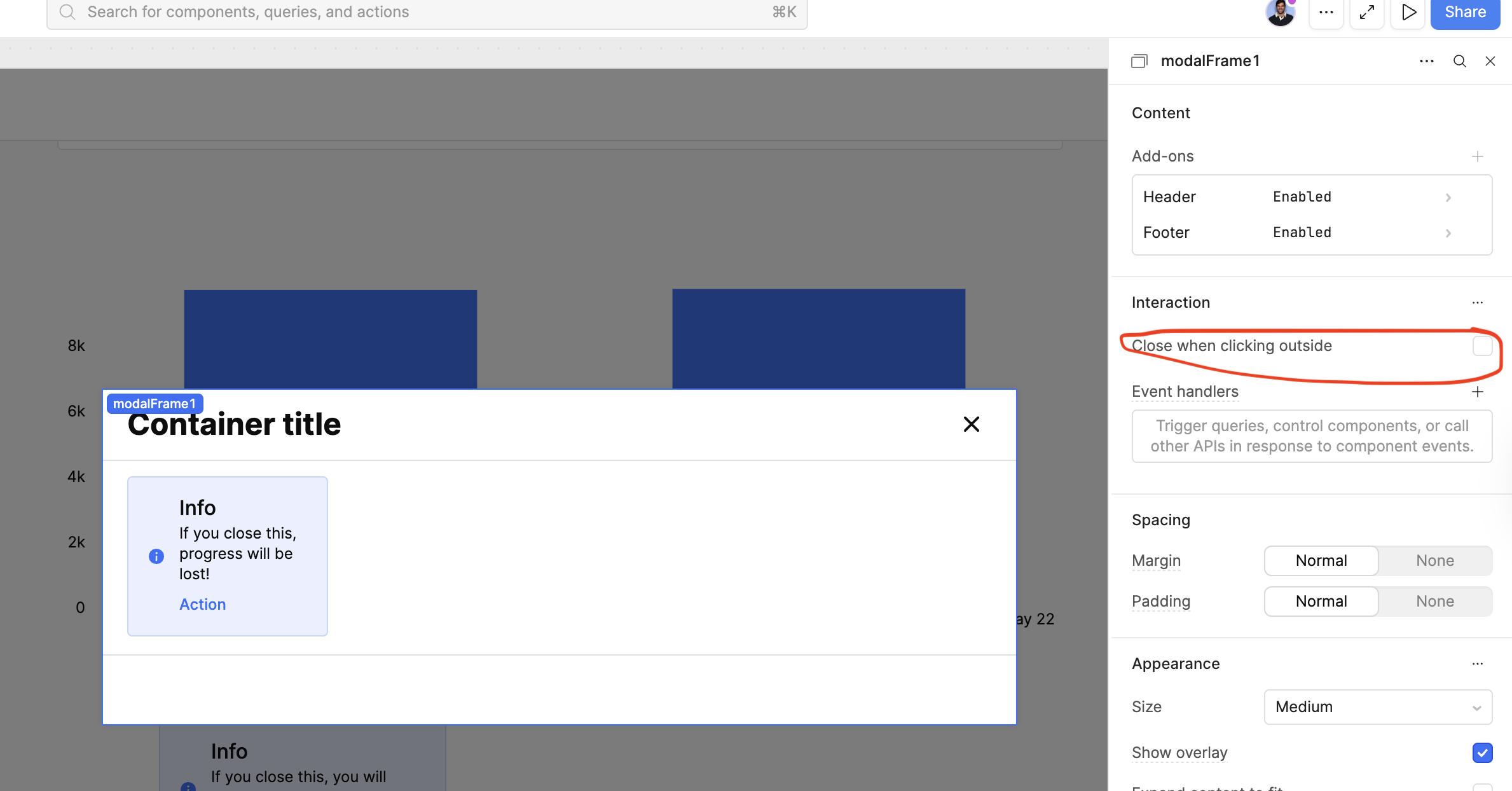
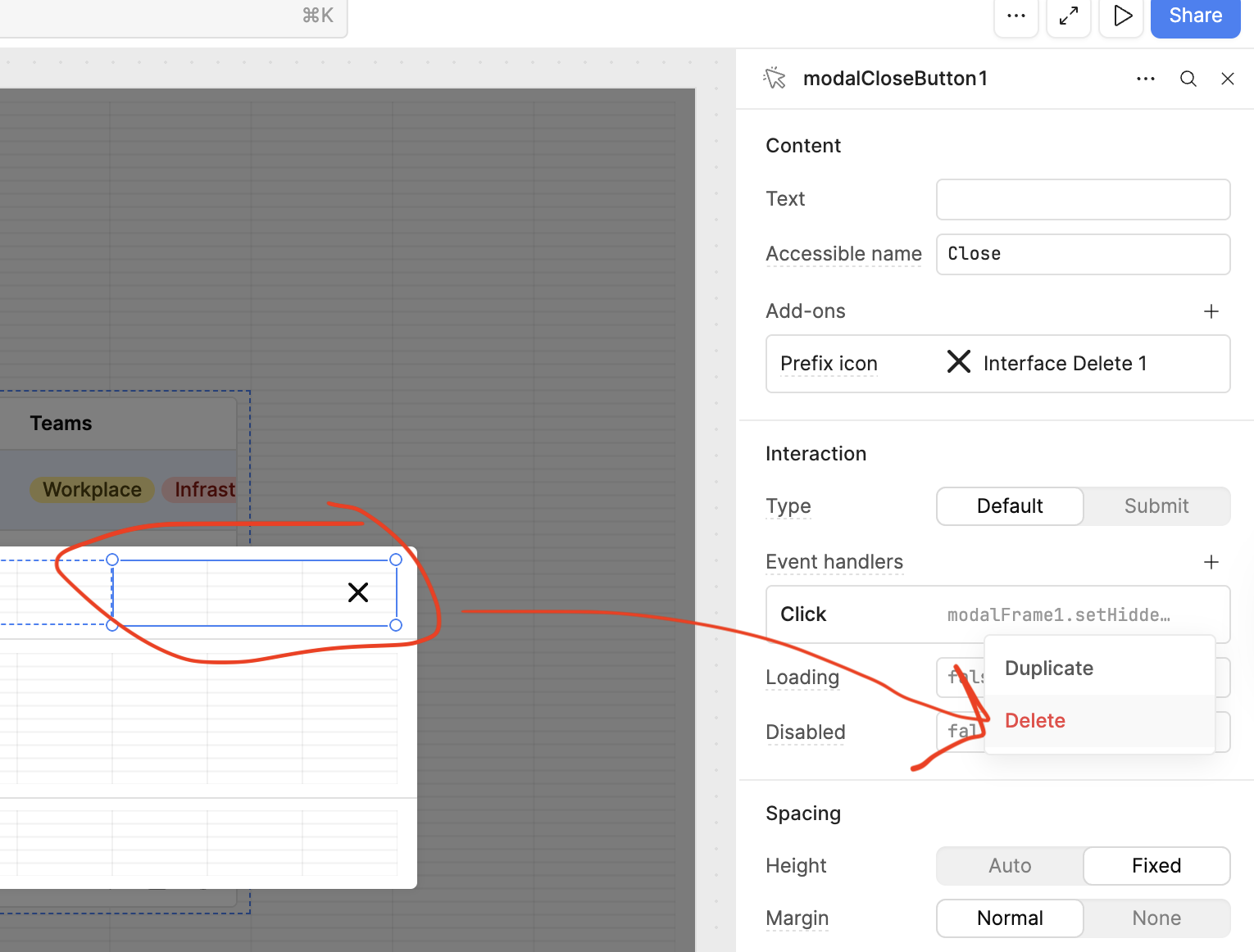
-Then click on the X button component of a modal, it will have a default click handler built in, you can remove this default click-to-close event handler.
Now we can replace it with some logic to control the alert warning the user and a "Real" close modal button.
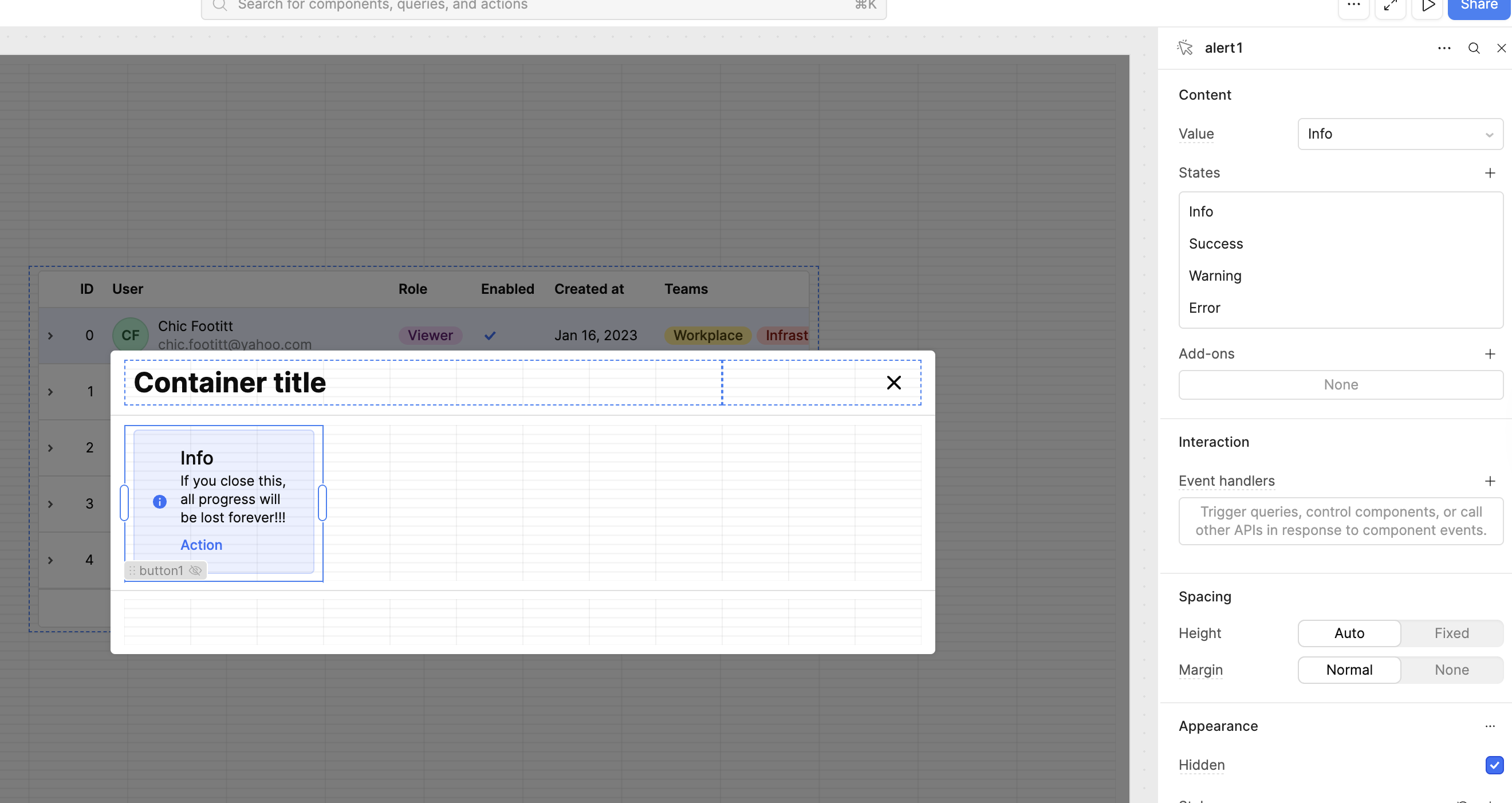
Create you alert component on the modal, create your close button component on the modal. Set these up with the text you want and set them both to be hidden default on page load.
Now go back to the modals X button and give it two event handlers, one for the alert and one for the button. These will set those two components to be NOT be hidden so the user sees the warning when clicking the X trying to exit. Set up both component actions the same.
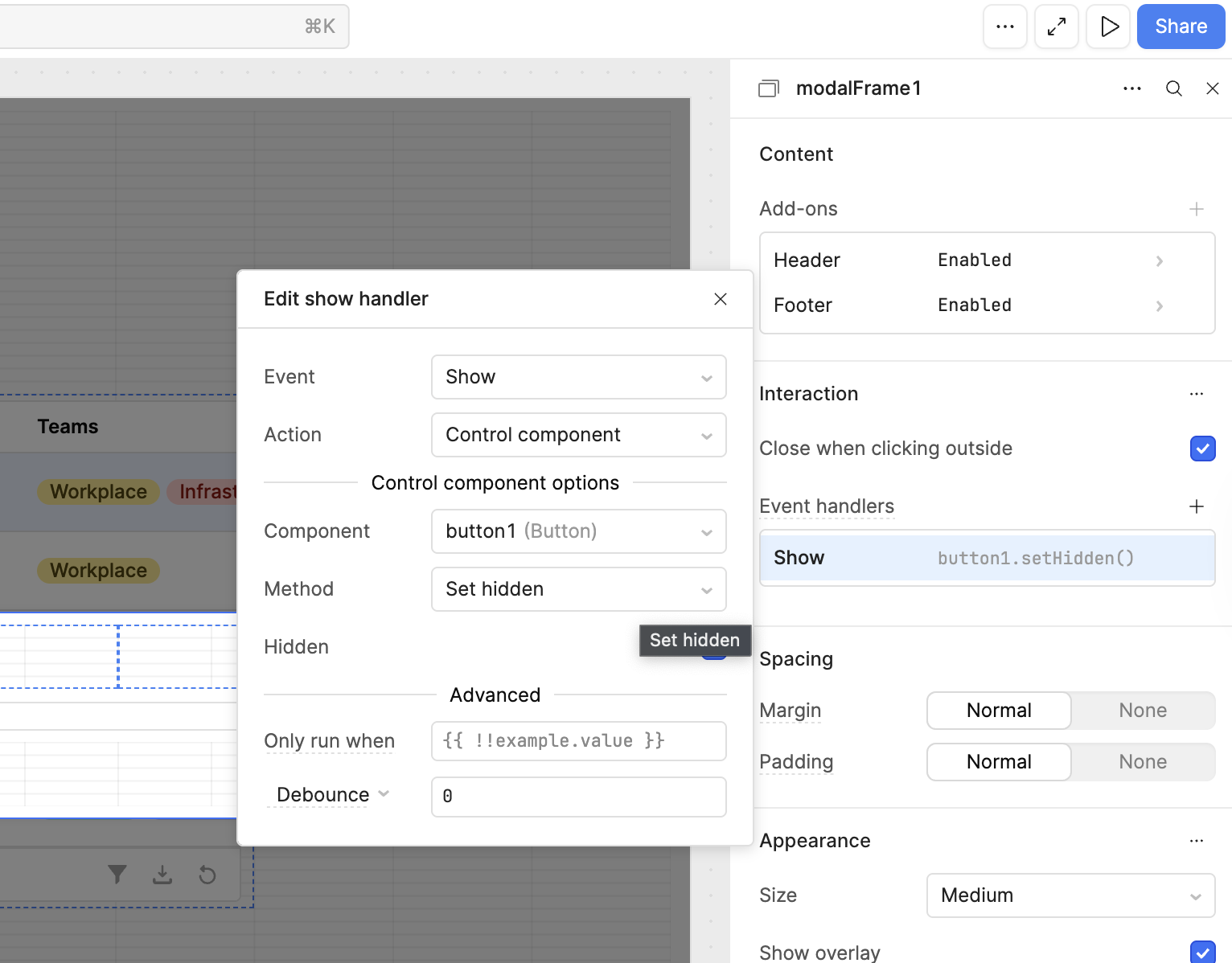
The final piece of the puzzle, making sure that button is hidden when the modal is re-opened. Because the button cannot be given a "control component" Action for itself (causing an infinite loop) we are going to have to find another creative way to set the button to hidden.
Lucky for us we have a modal event when it is close/opened(hidden/unhidden) which we can use to control the button's display property.
Nice. Thanks. I hadn't noticed that alert component. I will definitely check it out. It would still be great for retool to be able to interact with the browser though to be able to activate a browser level warning when data is about to be lost as a result of attempting to close a tab.