Hey Blur and team,
Great question and ask!
Vishal has a good suggestion of using buttons, but if you want to continue using the Tabbed Container component, then the easiest way to do something similar to this would be using the Custom CSS styles in the Advanced Settings of your app. This page here links to how that works at a high level. --- Custom CSS styles | Retool Docs
I found this community post from last year helpful as well. It walks through how to think about this and make those changes if you are not familiar with CSS. --- Maintain custom CSS styles on components through feature updates, etc
In short, there should be an ID that you can find for most elements in the Retool UI that you can then apply custom styling to via CSS. I tried this on my own and I was able to change the background color but someone more fluent in CSS might know of some better ways to make it more visually as you shown in your mockup.
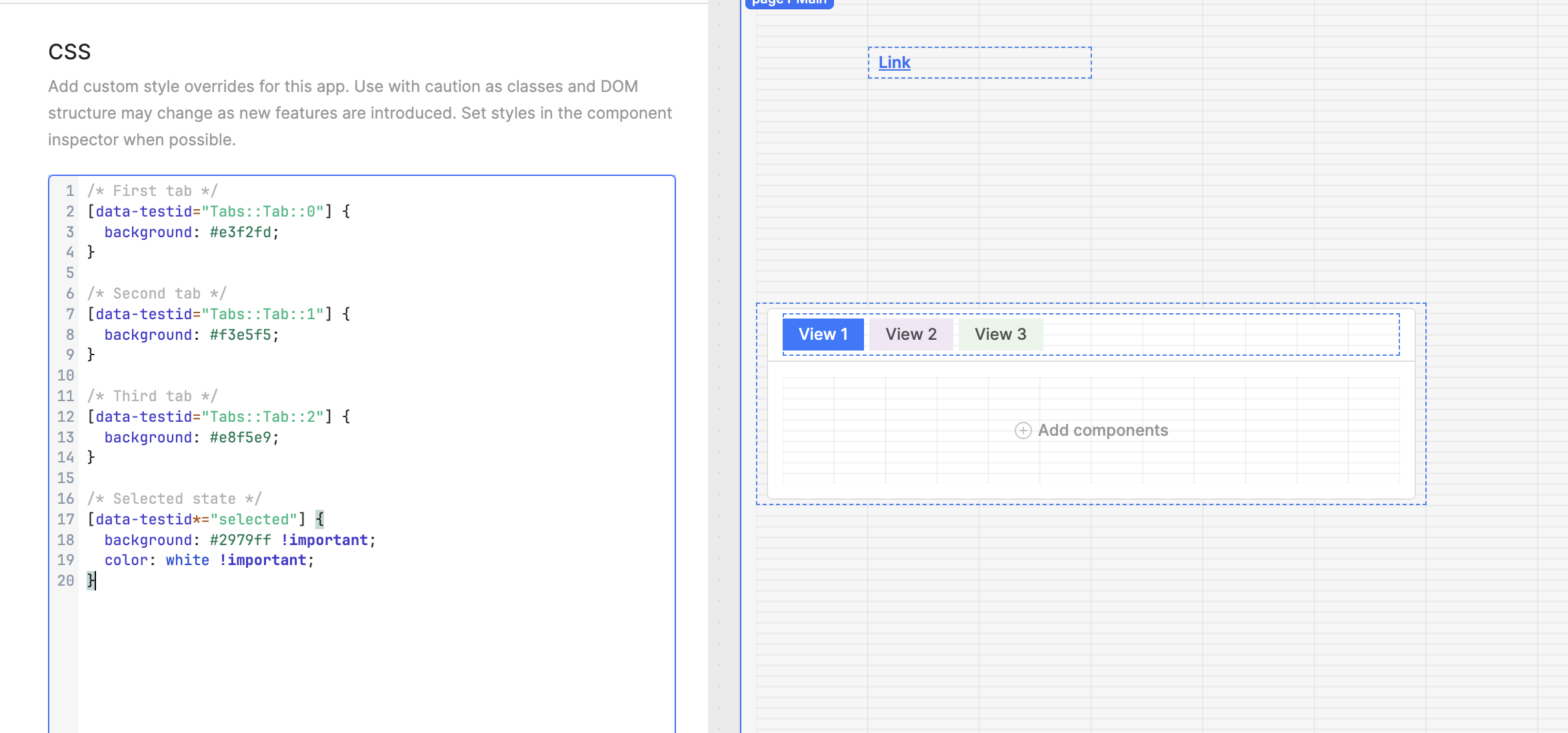
You could also try and find the element via F12 inspector in your browser, copy the HTML element into something like ChatGPT, and ask it to help write up the CSS for you and test it out.
If this is still not enough, please let me know some ideal ways you would like this feature implemented into the Retool product, and I will happily create a feature request on your behalf 
Regards,
John | Retool Support