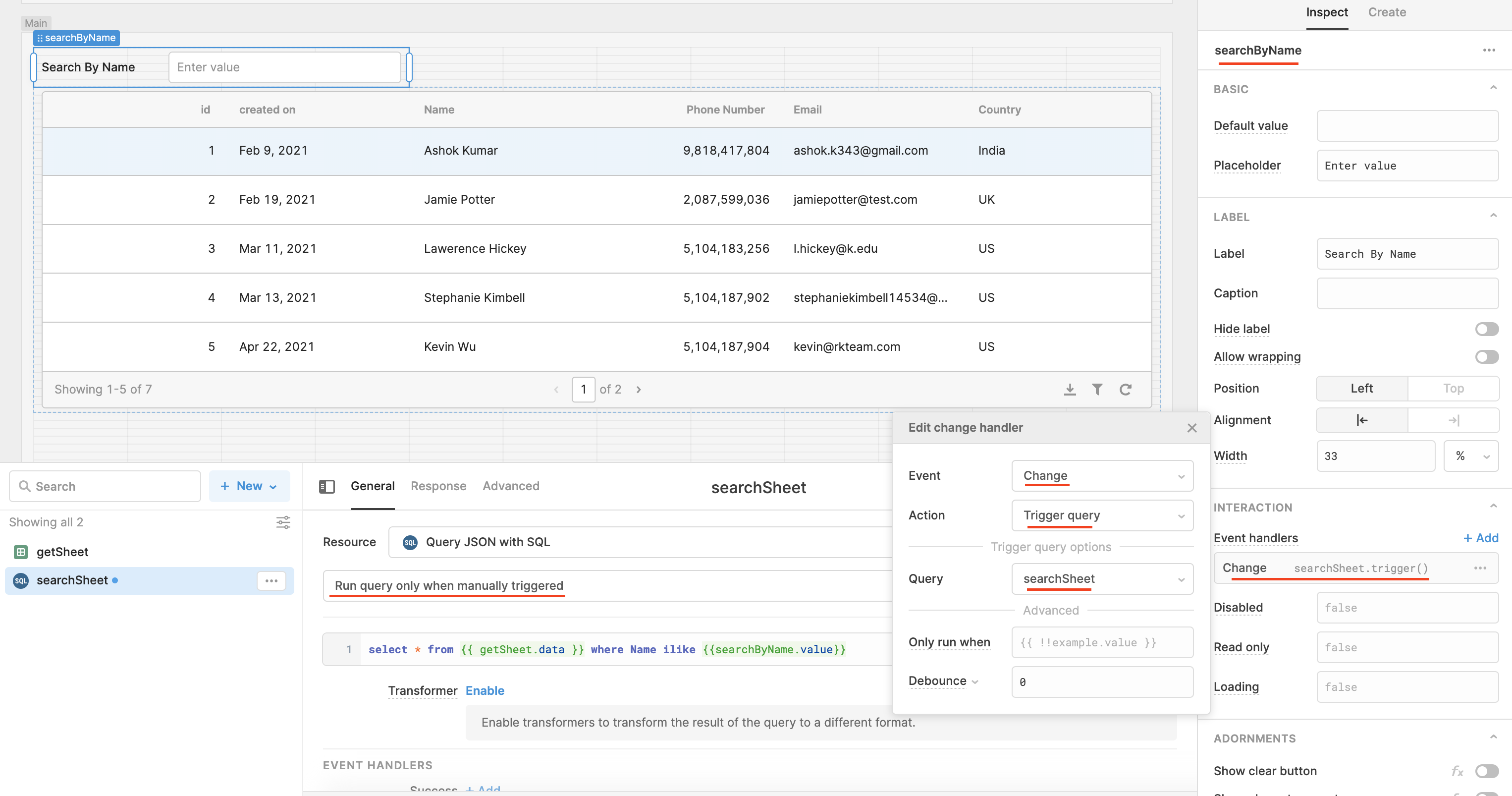
Hi all, thanks for your answer @DavidD, that's spot on! @volkanduran, DavidD is suggesting you create a Query JSON with SQL query with something along the lines of select * from {{ getSheet.data }} where Name ilike {{'%' + searchByName.value + '%'}} where getSheet is your Google Sheets query and searchByName is the Text Input or Select component used for the search input. Depending on how you want your search query to work, you might want to add some wildcards (the '%'s), as I did in my example. This Query JSON with SQL query will need to be set to 'Run query automatically when inputs change':

or you could set the query to 'Run query only when manually triggered' and set an event handler on the input/select component to run the query on Change (when the select input changes):
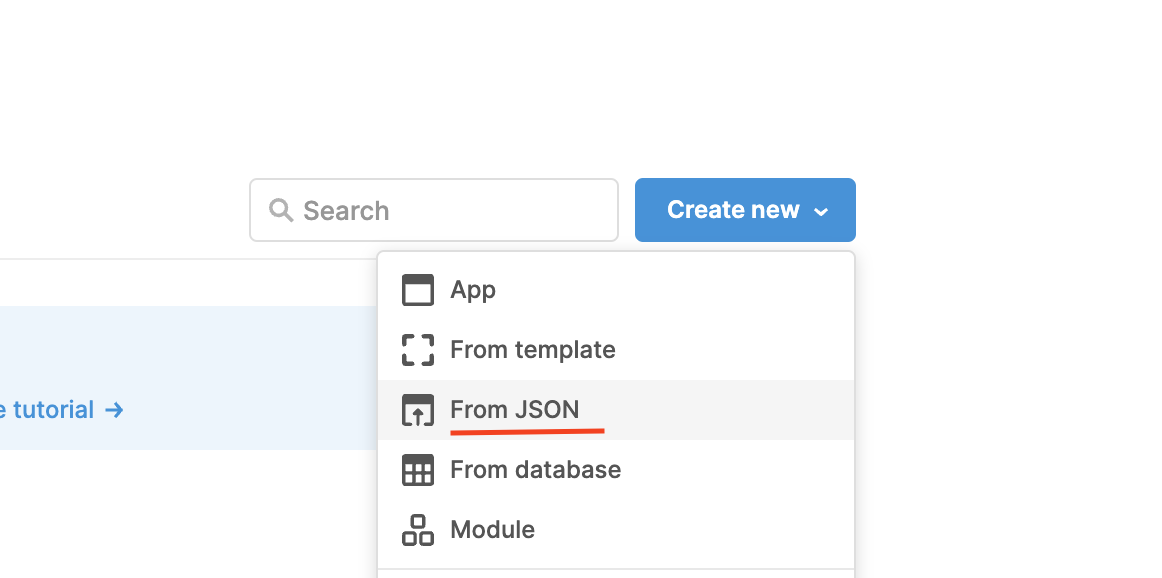
Attached is an export of this example. You can import this JSON file by clicking Create new (home page) > From JSON.
I hope this helps!
Filter-20Google-20Sheet.json