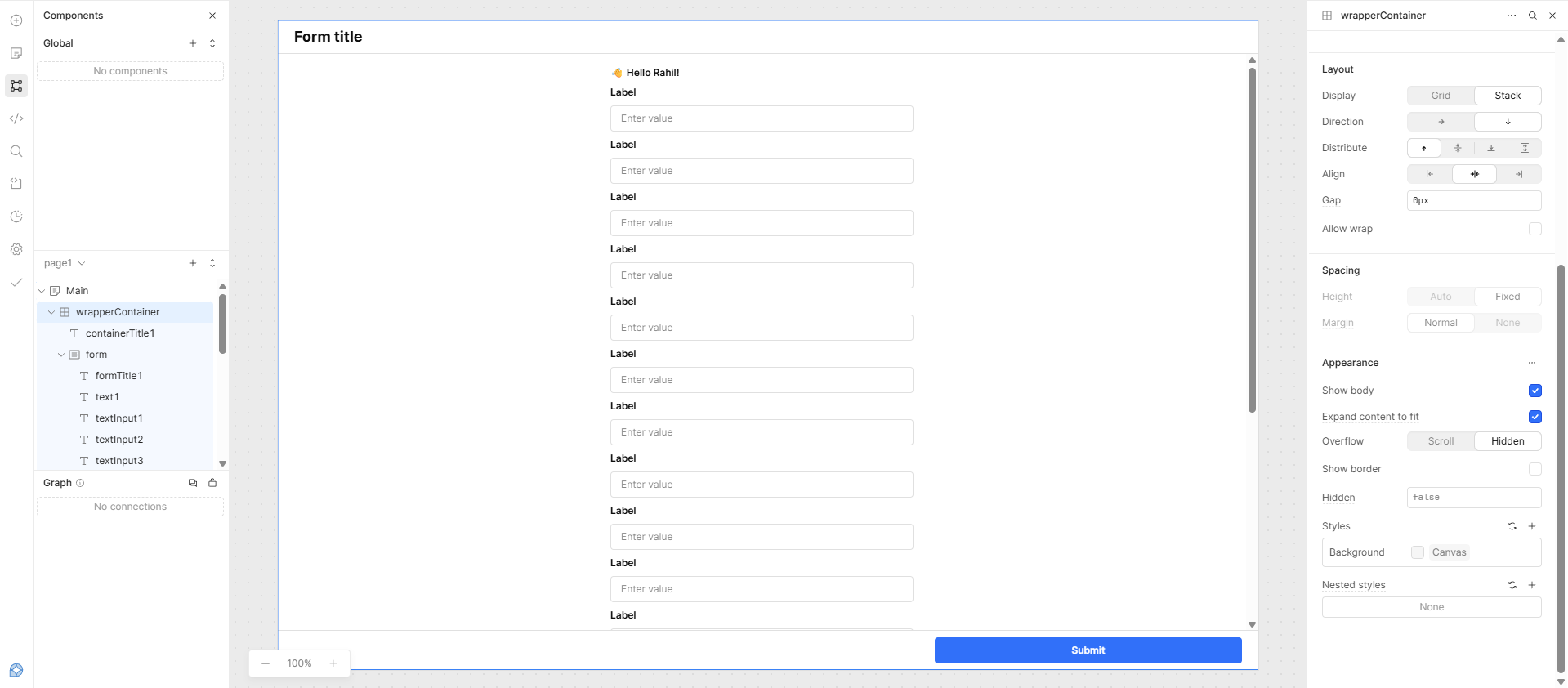
I noticed that the “Expand Content to Fit” option is enabled on Main Container , which is why the body scroll is disabled. To resolve this, you can enable “Expand Content to Fit” in the wrapperContainer and then adjust the form fields as needed.
Thanks for your answer but unfortunately with your solution my UI is broken and this doesn’t explain why the scroll is disabled since if you place a table rather than a form, the scroll is still enabled either with a Fixed or a Fill height.
Hi @sacha, I tested your app json and saw that when I inspected the body of the form in chrome dev tools, the overflow stays set to hidden, regardless of changing the setting through the Retool UI. I submitted a bug request for this, but in the meantime this custom CSS should work:
._body_utpul_163 {
  overflow: scroll !important;
}
Keep in mind that class names can change over new retool releases so you may have to inspect the page to find a new class name if it stops working. Here is some potentially more robust custom CSS (replace "FormName" with the name of your form component):
div[data-testid|="FormName"] form > div > section > div {
  overflow: scroll !important;
}