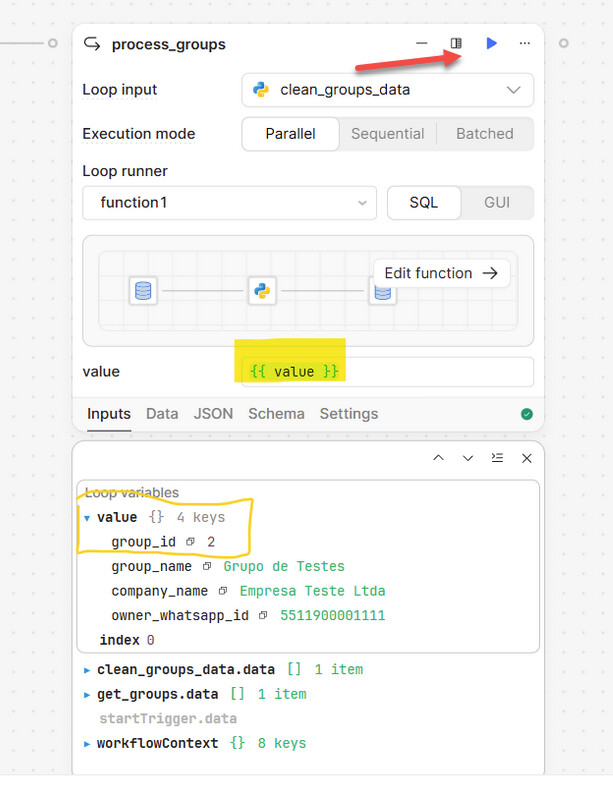
I’m experiencing an issue when trying to access the current item inside a Loop in Retool Workflows.
My Workflow has the following structure:
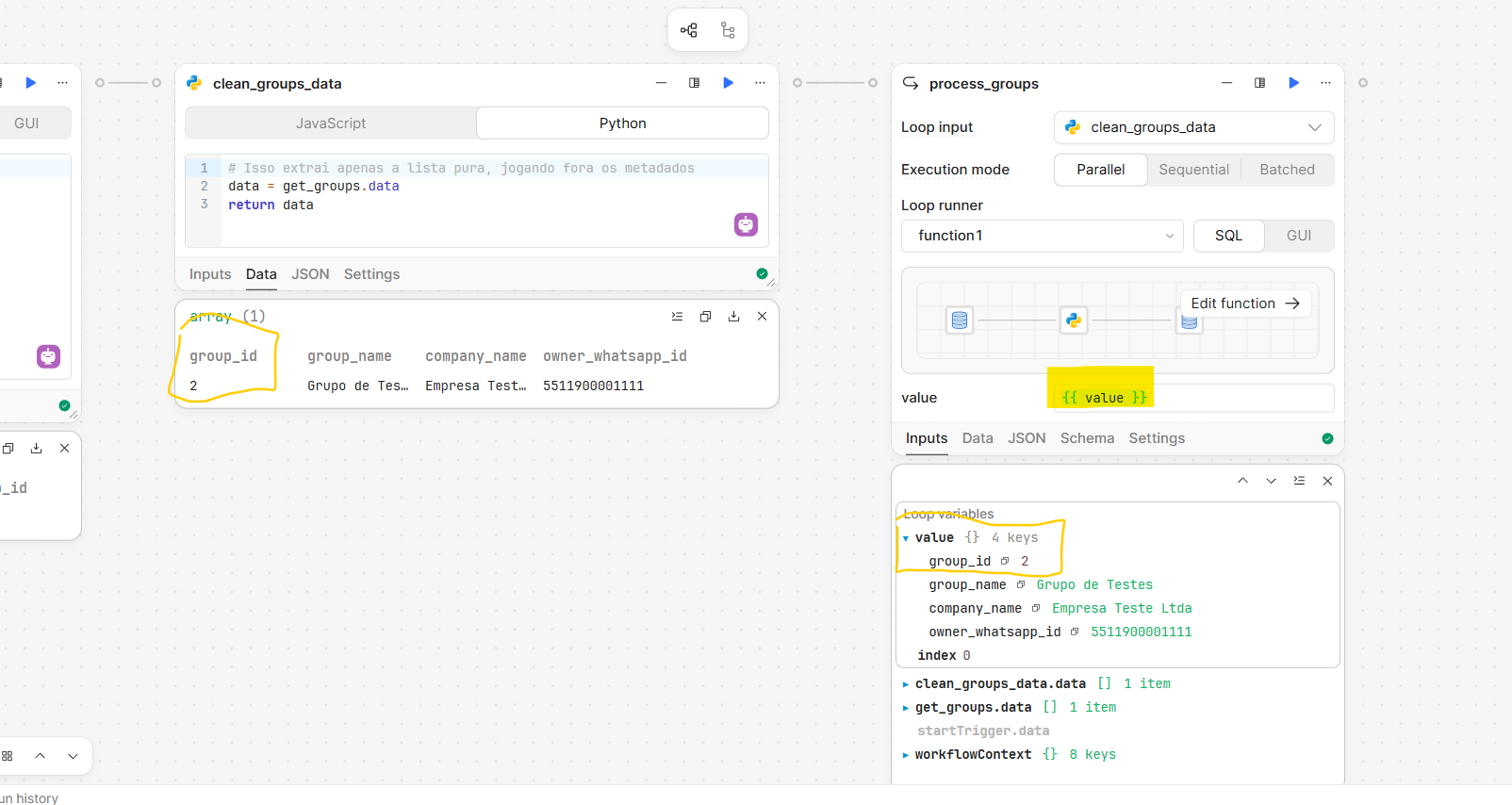
A query that returns a list of objects (e.g., { group_id, group_name, ... }).
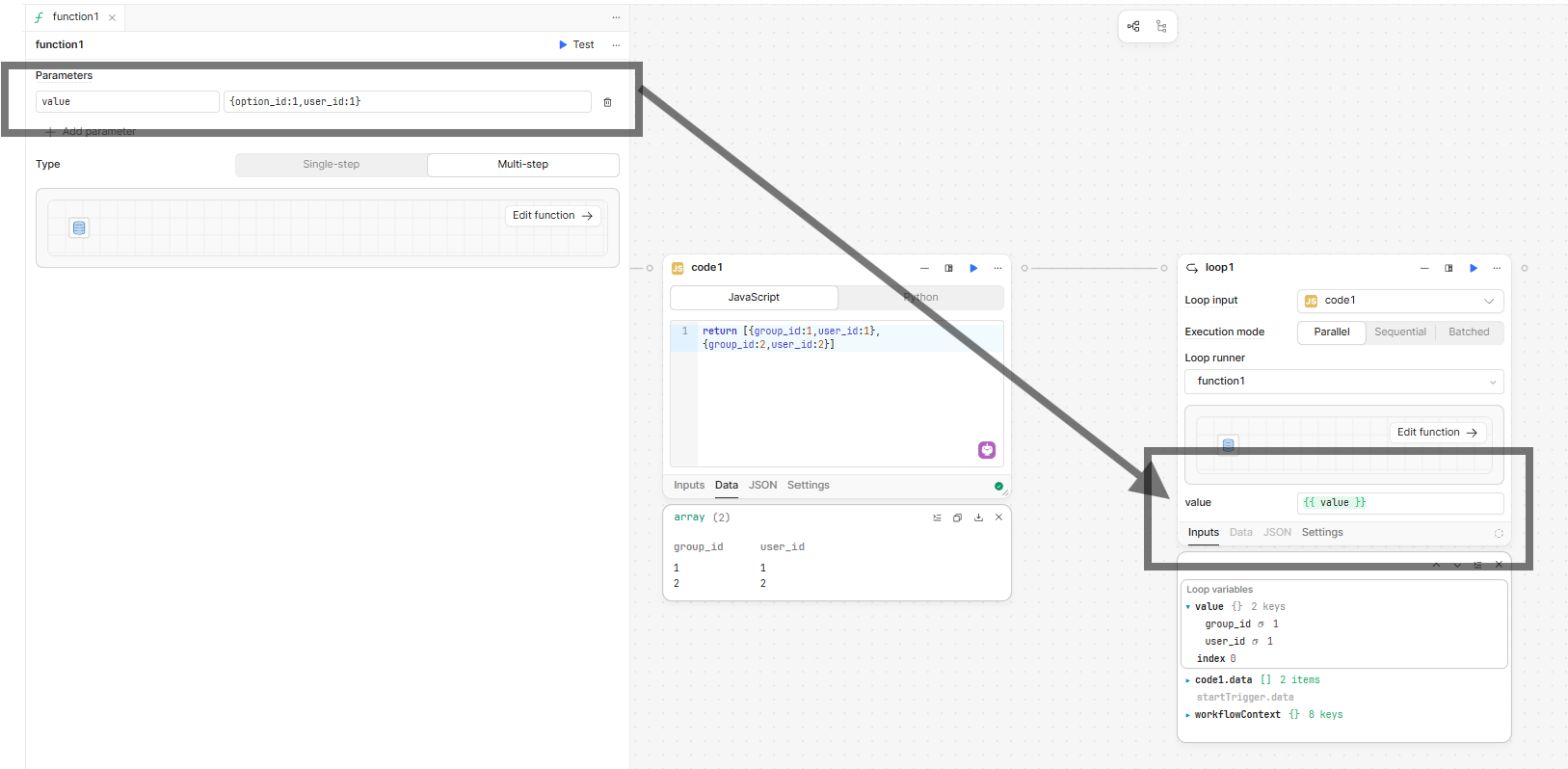
A Loop node (“process_groups”) that uses this list as the Loop input.
Inside the Loop, a “Loop runner” that executes an SQL query for each item in the list.
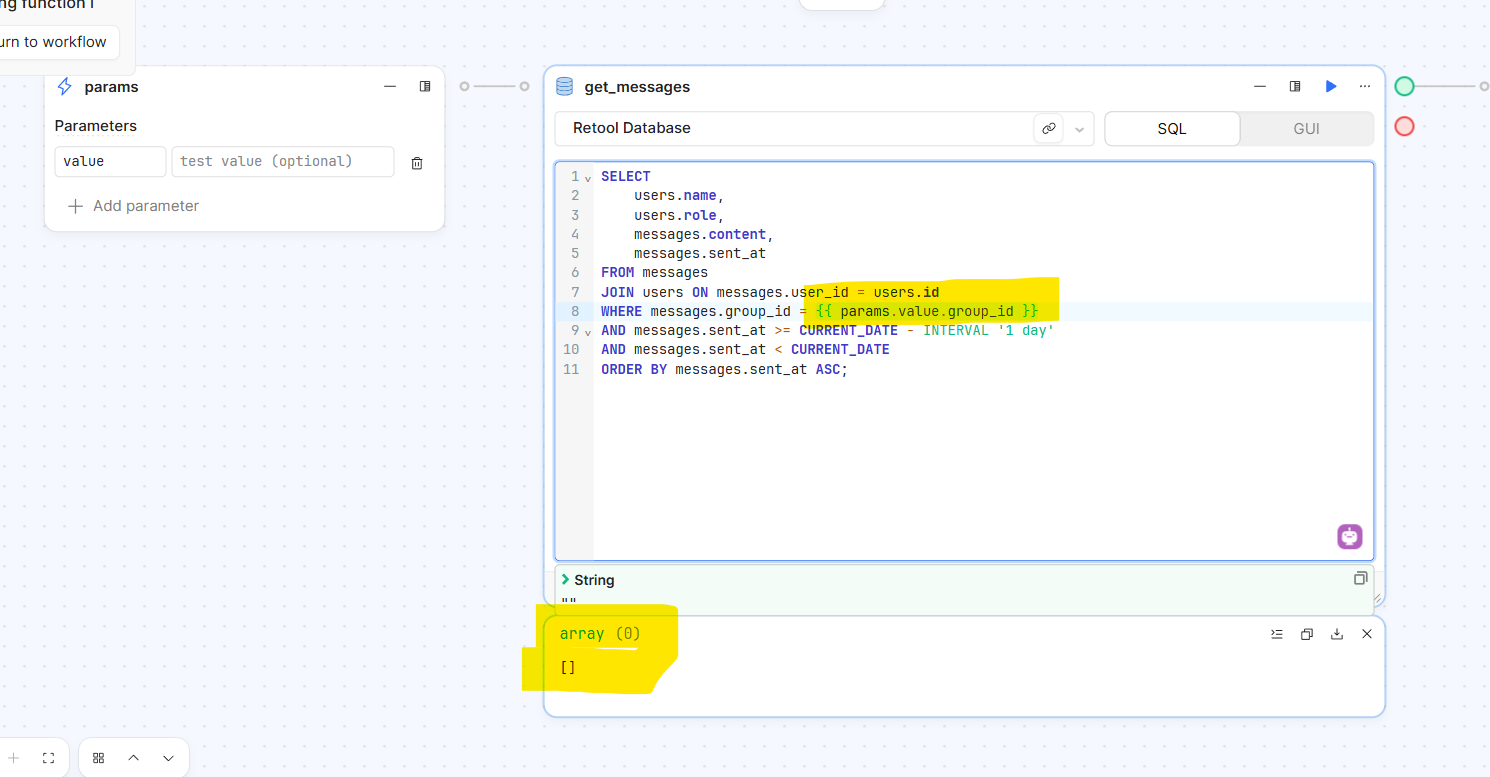
The problem is that I cannot access the current loop item from within the SQL query.
I’ve tried all known reference formats for accessing the current item:
{{ value }}
{{ value.group_id }}
{{ loop }}
{{ loop.value }}
{{ current.value }}
{{ item }}
{{ item.group_id }}
In all cases, Retool returns errors such as:
"value is not defined"
"loop is not defined"
"current is not defined"
"item is not defined"
In other words, none of these variables exist in the Loop Runner context, even though it is clearly inside a Loop block.
The Loop is correctly configured and receives an array of objects, so it should expose a variable representing the current item, but that’s not happening. Because of this, I cannot access group_id within the SQL query.
I need support to clarify:
Which variable should be used in the current Loop Runner context.
Whether there has been any recent change in how Loop variables are exposed in Retool Workflows.
Whether this might be a bug preventing the current item from being accessible inside the Loop.
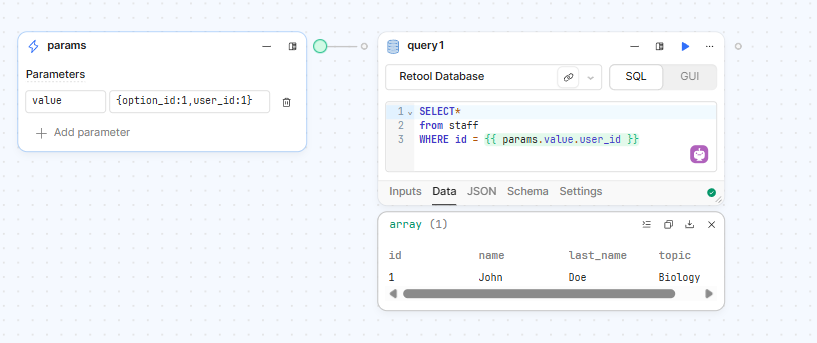
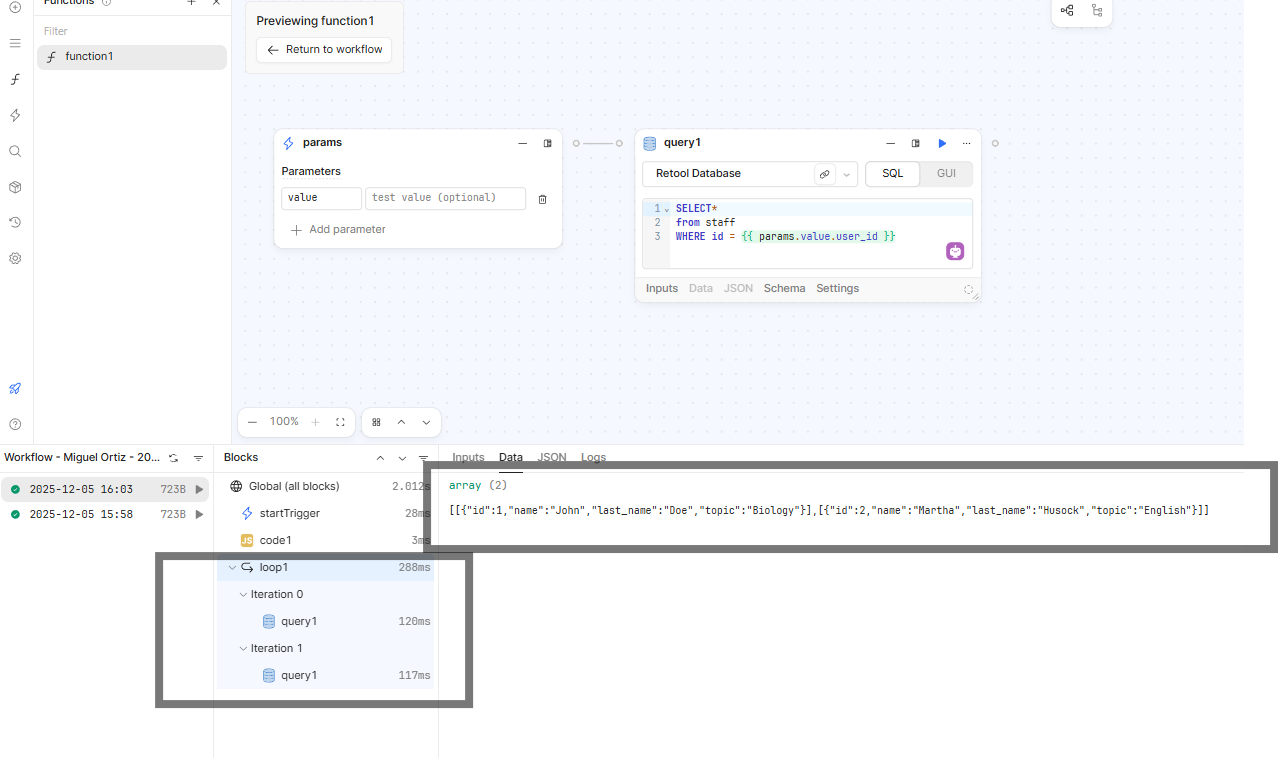
The issue is that since you are providing ‘1’ in the test field, it is performing the query. In the main workflow, the value field contains data such as group_id, but inside the loop, the group_id value is not being received.
When using the value “test”, it works, but when the value comes from the original workflow, it does not arrive. Do you know why this is happening? How can I make it recognize the value?
I have a quick question about your process. It seems like you are running the code from within the function definition blocks. When you do this, the only value that the nodes will see will come from the Test params value. I haven’t seen the results of what happens when you run the function block directly from the main workflow:
In this state, if you press the play button does the node return an empty array or error? If so, then it seems like there is some sort of bug/issue with the loop runner.