Hello @MiguelOrtiz, @Steven_W,
I was trying to do the same thing yesterday and got it to work.
Setup your Gmail connection with Rest API (using OAuth 2.0)
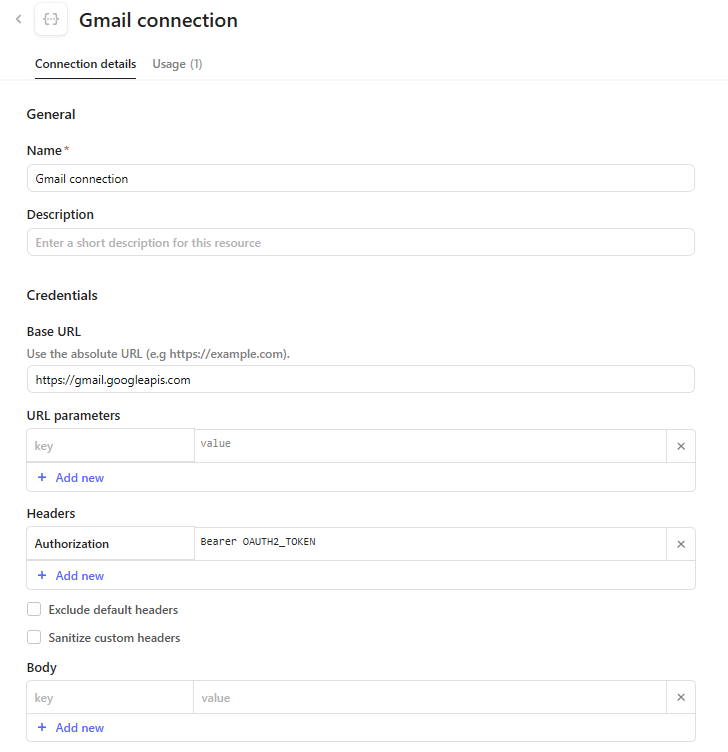
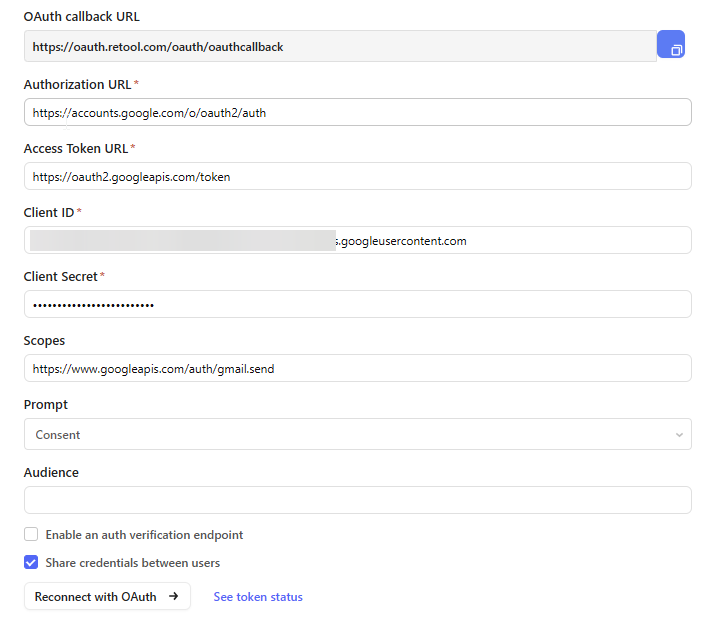
Setup your resource query.
If you use a send as, include it here as well
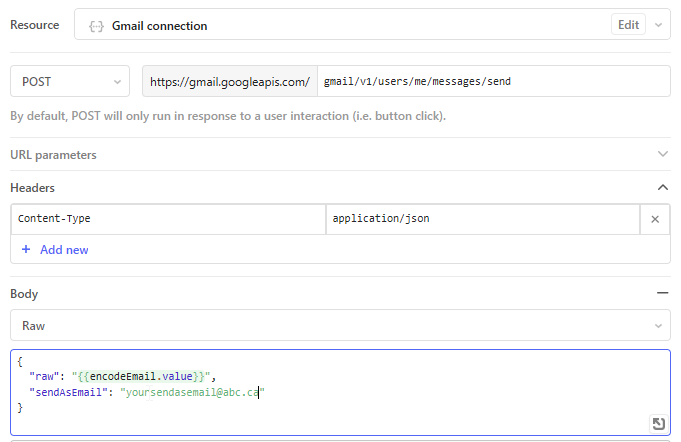
Setup a transformer to handle the email:
const to = {{ form1.data.emailInput }}.split(',').map(email => email.trim()).join(', ');
const subject = {{ form1.data.subjectInput }};
const body = {{ form1.data.messageInput }}.replace(/\n/g, '<br>'); // Replace newlines with <br> tags
const signature = '<br><br>Thanks for choosing Optipath Systems'; // Added HTML line breaks for separation
const fromName = '=?utf-8?Q?=E2=9D=84=EF=B8=8F_xxxx'; // Quoted-Printable encoding for emoji
const fromEmail = 'yoursendasemail@abc.ca';
const from = `${fromName} <${fromEmail}>`;

const utf8Subject = `=?utf-8?B?${btoa(subject)}?=`;
const messageBody = `${body}${signature}`;
const messageParts = [
  `From: ${from}`,
  `To: ${to}`,
  'Content-Type: text/html; charset=utf-8',
  'MIME-Version: 1.0',
  `Subject: ${utf8Subject}`,
  '',
  messageBody,
];
const message = messageParts.join('\n');

// Base64url encode the message
const encodedMessage = btoa(unescape(encodeURIComponent(message)))
  .replace(/\+/g, '-')
  .replace(/\//g, '_')
  .replace(/=+$/, '');

return encodedMessage;
Create a form to pass the variables and submit:
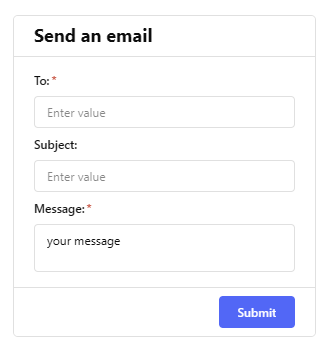
That should do it!
Credit also to Kyle in this post.