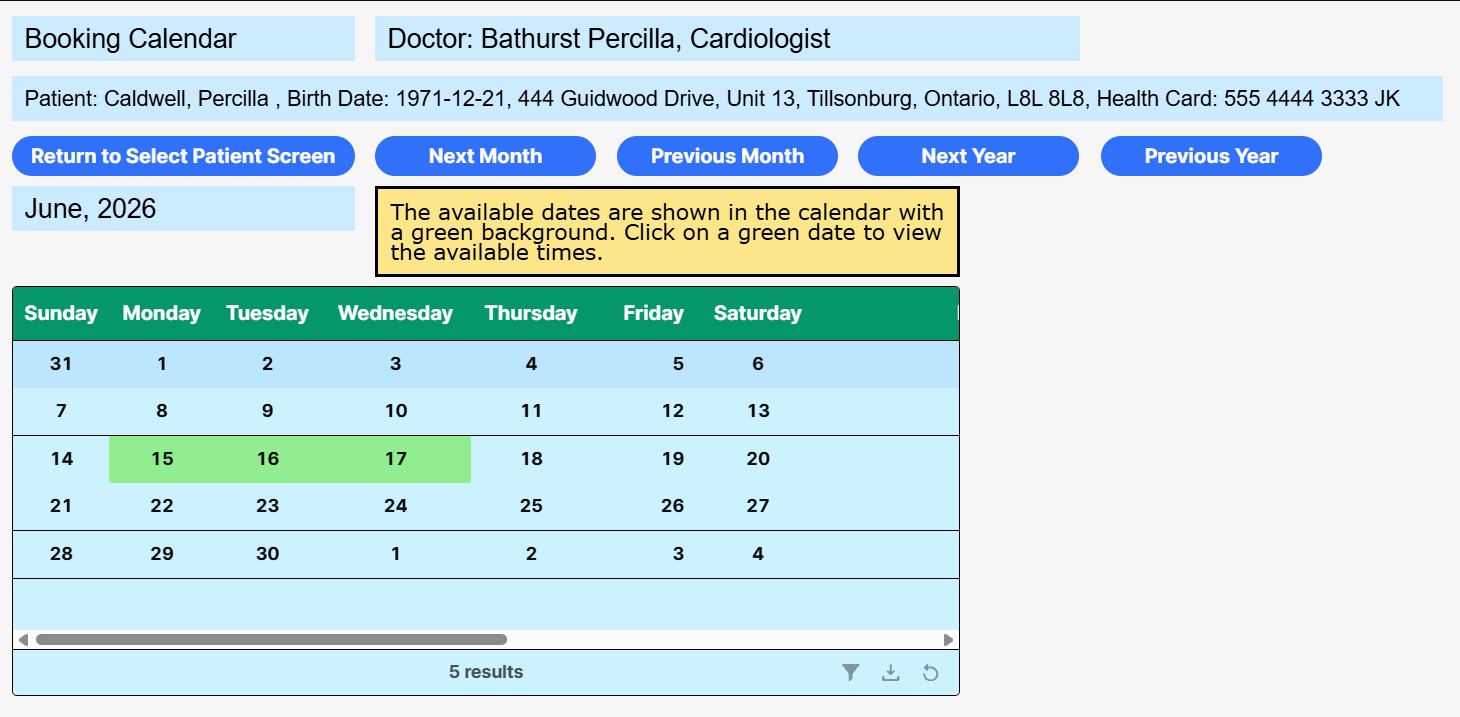
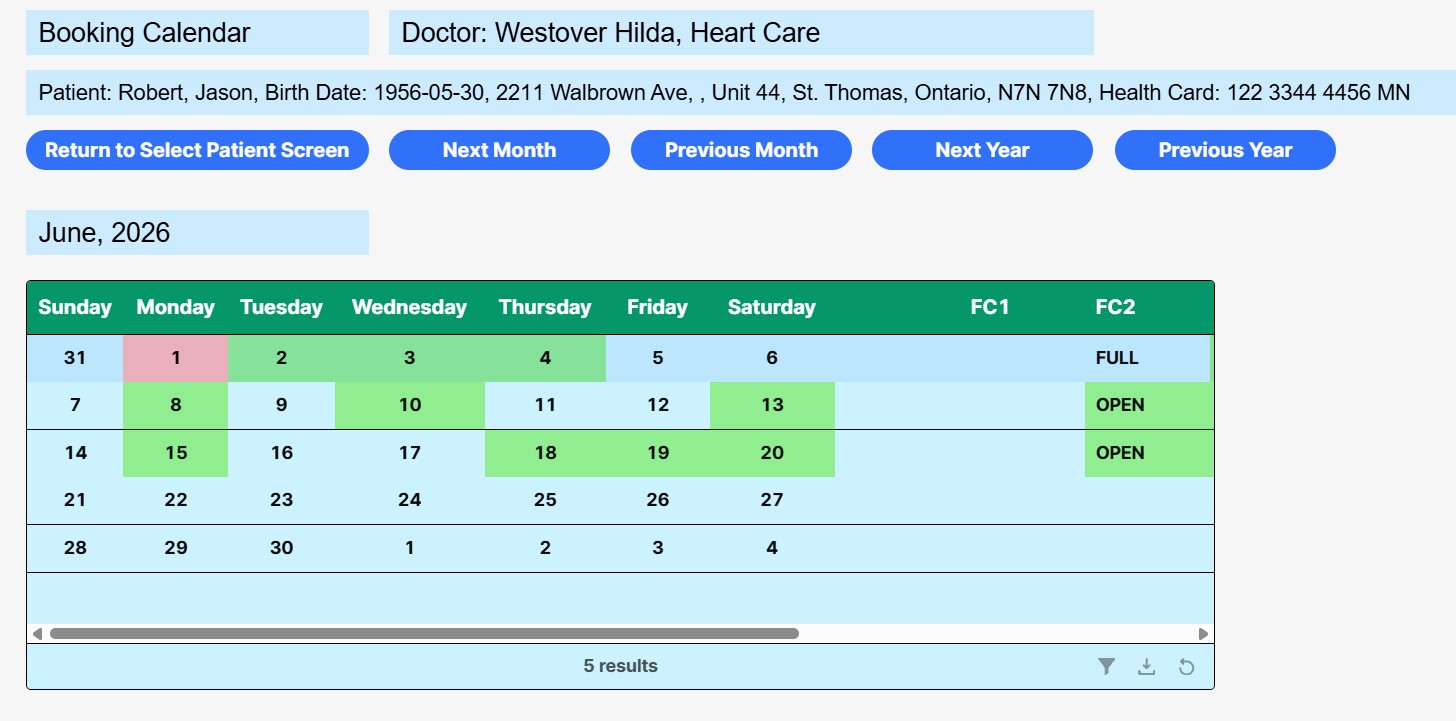
I have a calendar as shown in the image below.
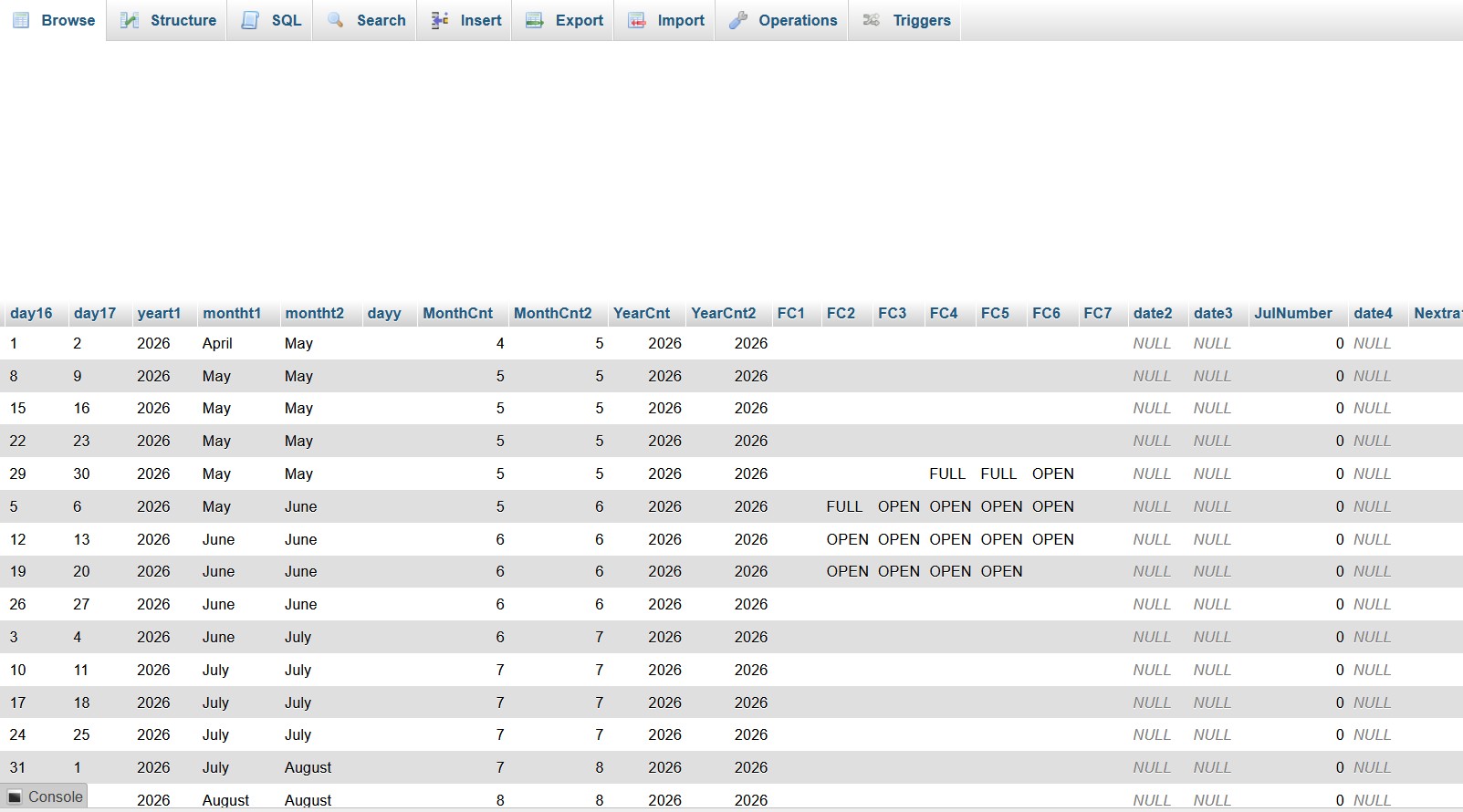
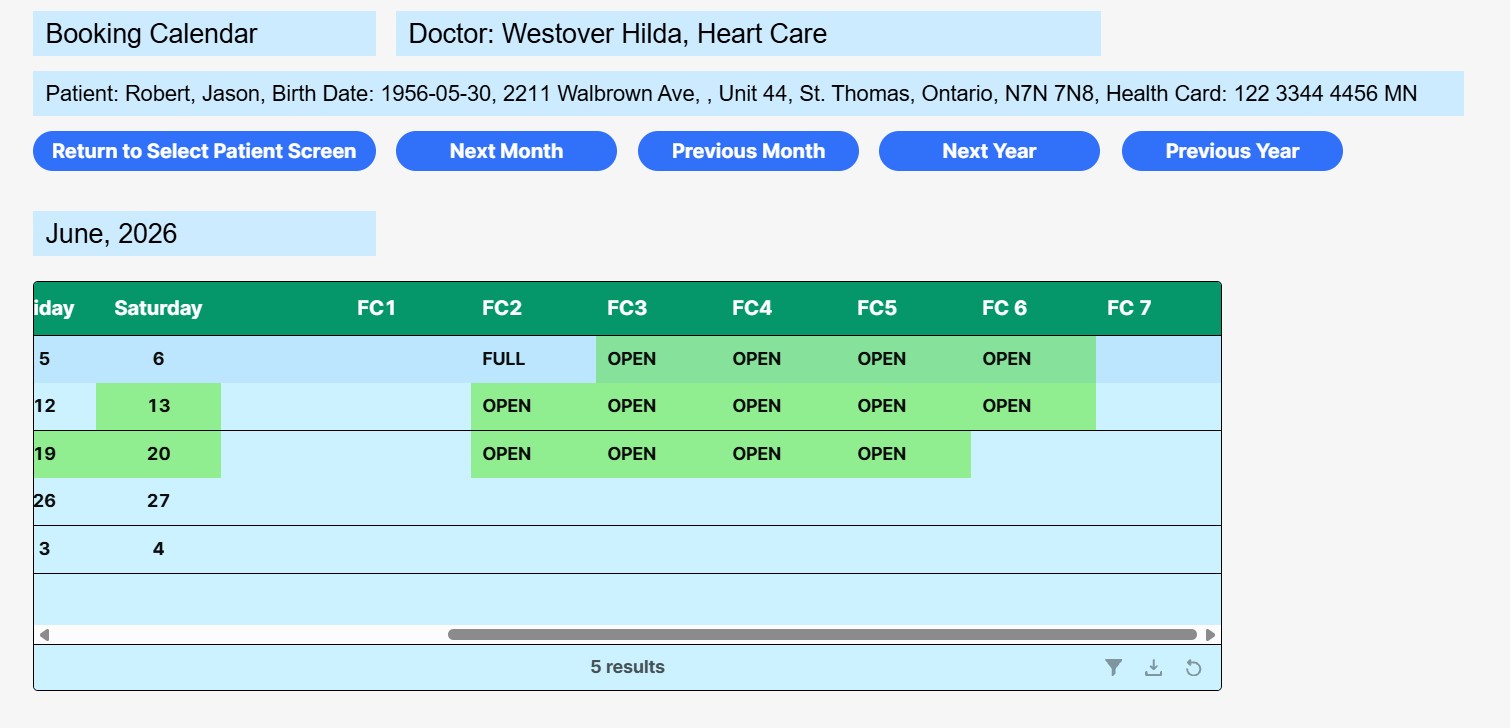
In the data table I have Fill Code values that can be OPEN or FULL or nothing. This is also shown.
FC1 relates to Sunday, FC2 relates to Monday .............. FC7 related to Saturday.
I am trying to get the cell backgound color to change when the FC value us OPEN.
Any thoughts?
Mike
1 Like
Hey @mdsmith1
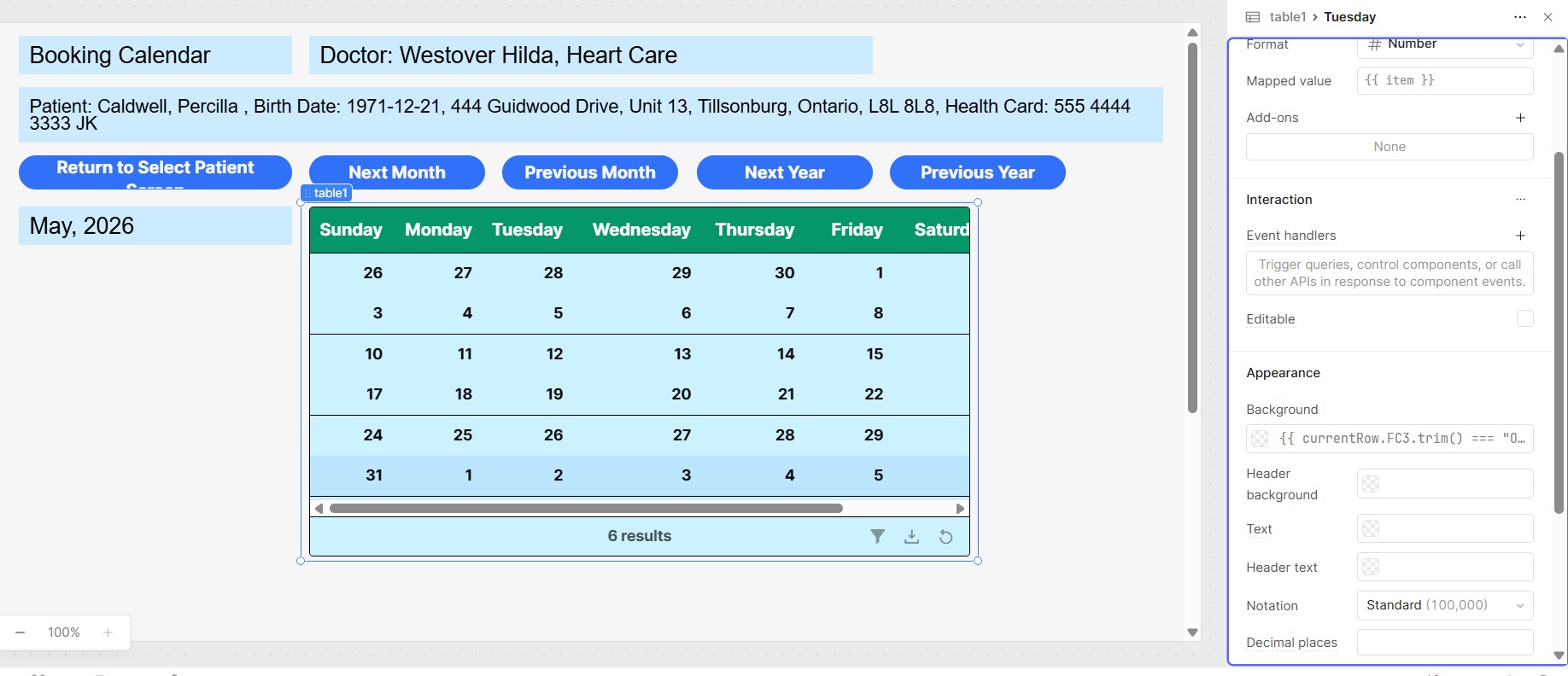
Please click on each cell in the table and configure the background color condition as shown below?
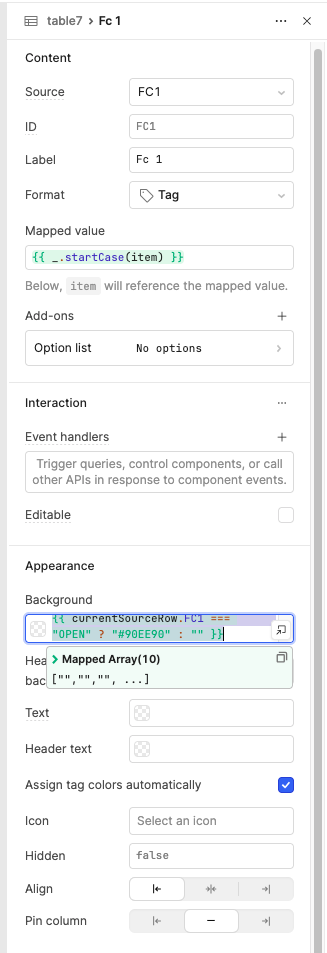
{{ currentSourceRow.FC1 === "OPEN" ? "#90EE90" : "" }}
This condition will apply a light green background color whenever the cell value is "OPEN" .
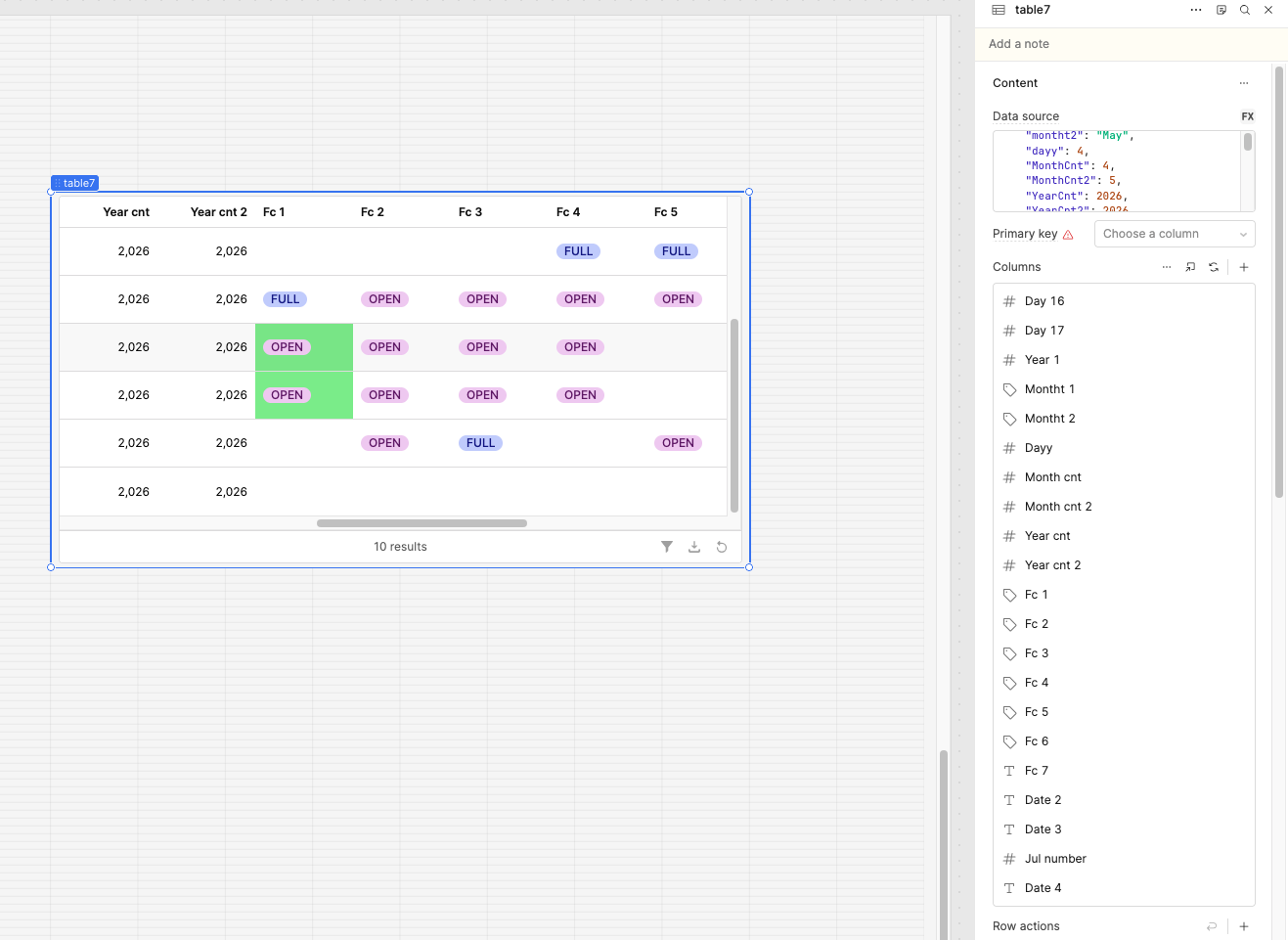
Please apply the same logic to all columns from FC1 through FC7 , updating the field name accordingly for each column. I have attached a screenshot for reference, so you can configure it based on that layout.
Yes, your code is working but not in the way I would like.
I am showing 2 screen captures.
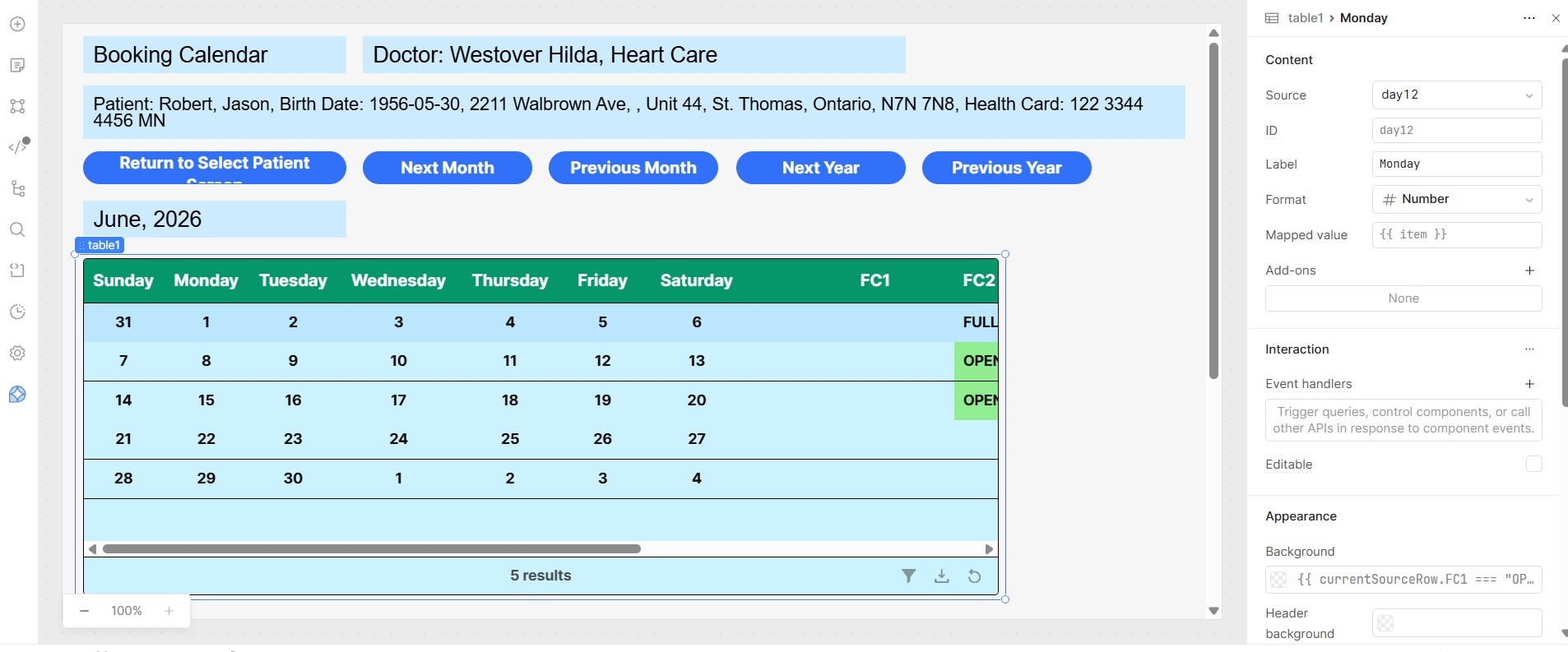
The first shows the days which are Sunday to Saturday. They have the suggested FC codes applied to them but they don't change. They are called day11, day12, ,,,, day17.
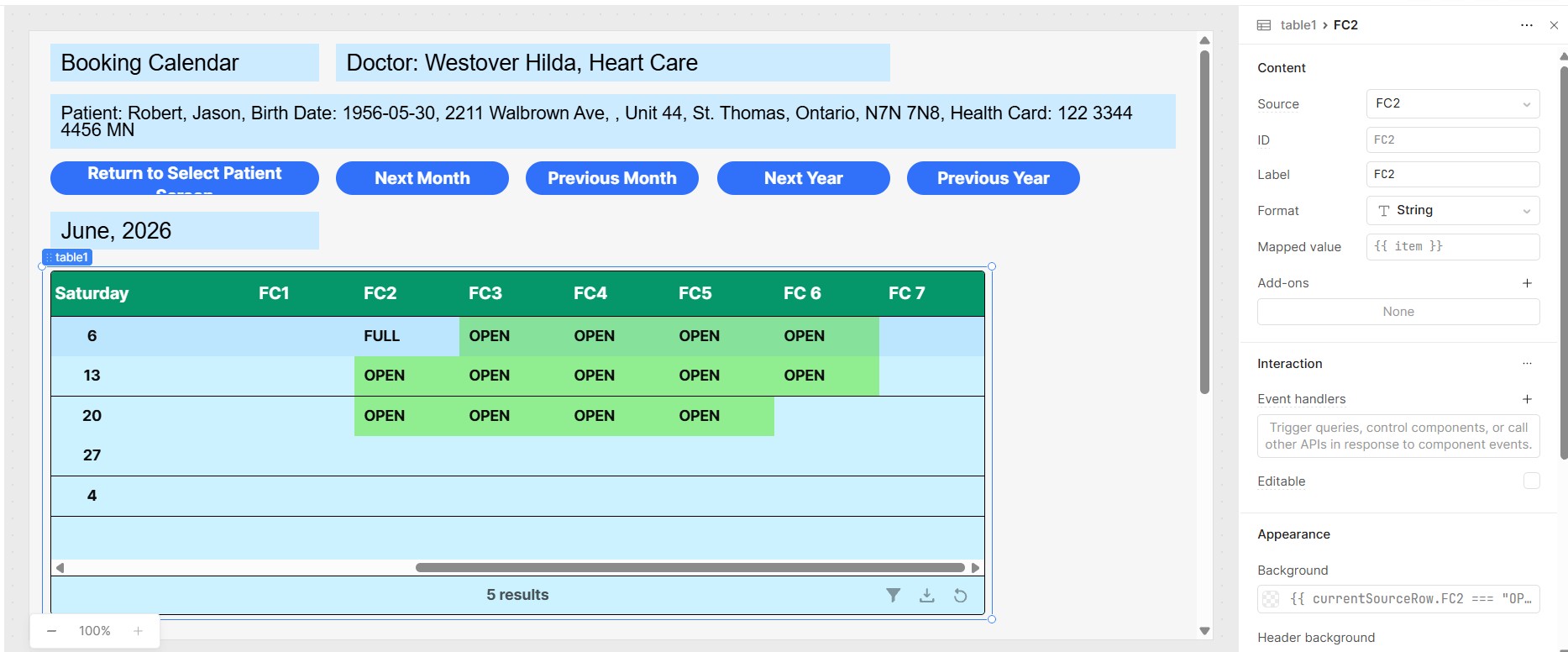
The second shows where I have also applied the same code to the Fill Codes themselves FC1, FC2 ... FC7 and they work perfectly.
Is there a way of getting the Days to take on the green colors in accordance with the Fill Codes having the values OPEN?
Mike
1 Like
Great question! The reason the day columns (day11–day17) don't colorize is that they contain date numbers, not "OPEN" or "FULL" — so we can't check them directly. Instead, we use moment.js to figure out the day name from the date, then look up the matching FC value.
Use this same logic in your column :
{{
  (function() {
    const fcMap = {
      "Sunday":    currentSourceRow.FC1,
      "Monday":    currentSourceRow.FC2,
      "Tuesday":   currentSourceRow.FC3,
      "Wednesday": currentSourceRow.FC4,
      "Thursday":  currentSourceRow.FC5,
      "Friday":    currentSourceRow.FC6,
      "Saturday":  currentSourceRow.FC7
    };

    const fullDate = moment(
      `${currentSourceRow.YearCnt}-${currentSourceRow.MonthCnt}-${item}`,
      "YYYY-M-D"
    );
    const dayName = fullDate.format("dddd");
    const fcValue = fcMap[dayName];

    return fcValue === "OPEN" ? "#90EE90" :
           fcValue === "FULL" ? "#FFB6B6" : "";
  })()
}}
How it works:
- It builds a full date from
YearCnt,MonthCnt, and the cell's day number (item) momentconverts that into a day name like "Monday" or "Friday"- It looks up the matching FC column from the map
- Returns green for OPEN, red for FULL, or blank for empty
Steps to apply:
- Click each day column
- Paste the expression into the Background field under Appearance
- That's it — no changes needed per column, it self-resolves!
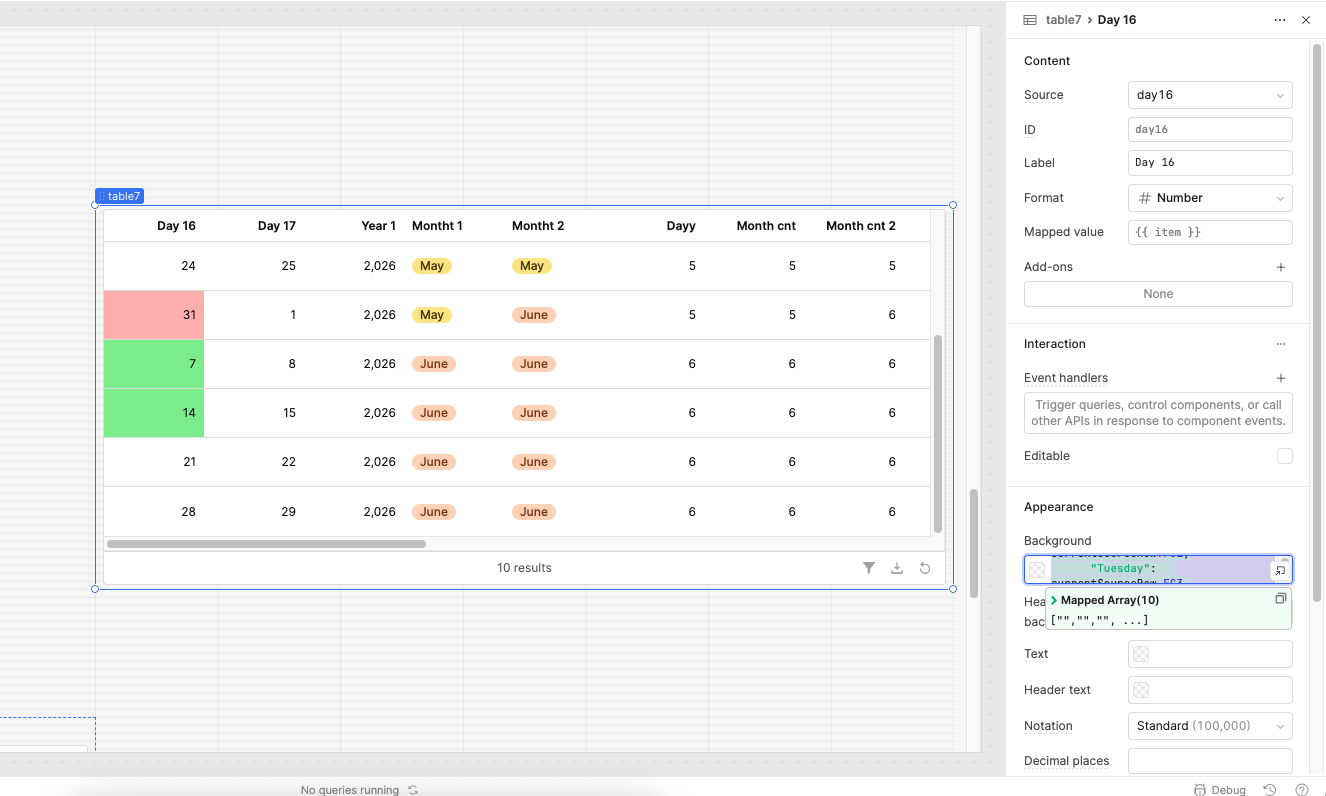
I have tried this and it seems the code only works some of the time. You can see the screen shots below.
I think it might be better if you could give me the code for just one day and I could see if that works.
Mike
1 Like
Can you please add conditions for 11 and 12 day and check it ,
day11 (Sunday) — checks FC1:
{{ currentSourceRow.FC1 === "OPEN" ? "#90EE90" : currentSourceRow.FC1 === "FULL" ? "#FFB6B6" : "" }}
day12 (Monday) — checks FC2:
{{ currentSourceRow.FC2 === "OPEN" ? "#90EE90" : currentSourceRow.FC2 === "FULL" ? "#FFB6B6" : "" }}
Please let me know if it works
Do you need any additional help, @mdsmith1?
The code I am using is below and it is working fine,
{{ currentSourceRow.FC2 === "OPEN" ? "#90EE90" : "" }}
I will mark your answer as the solution.
Thank you for your help on this.
1 Like