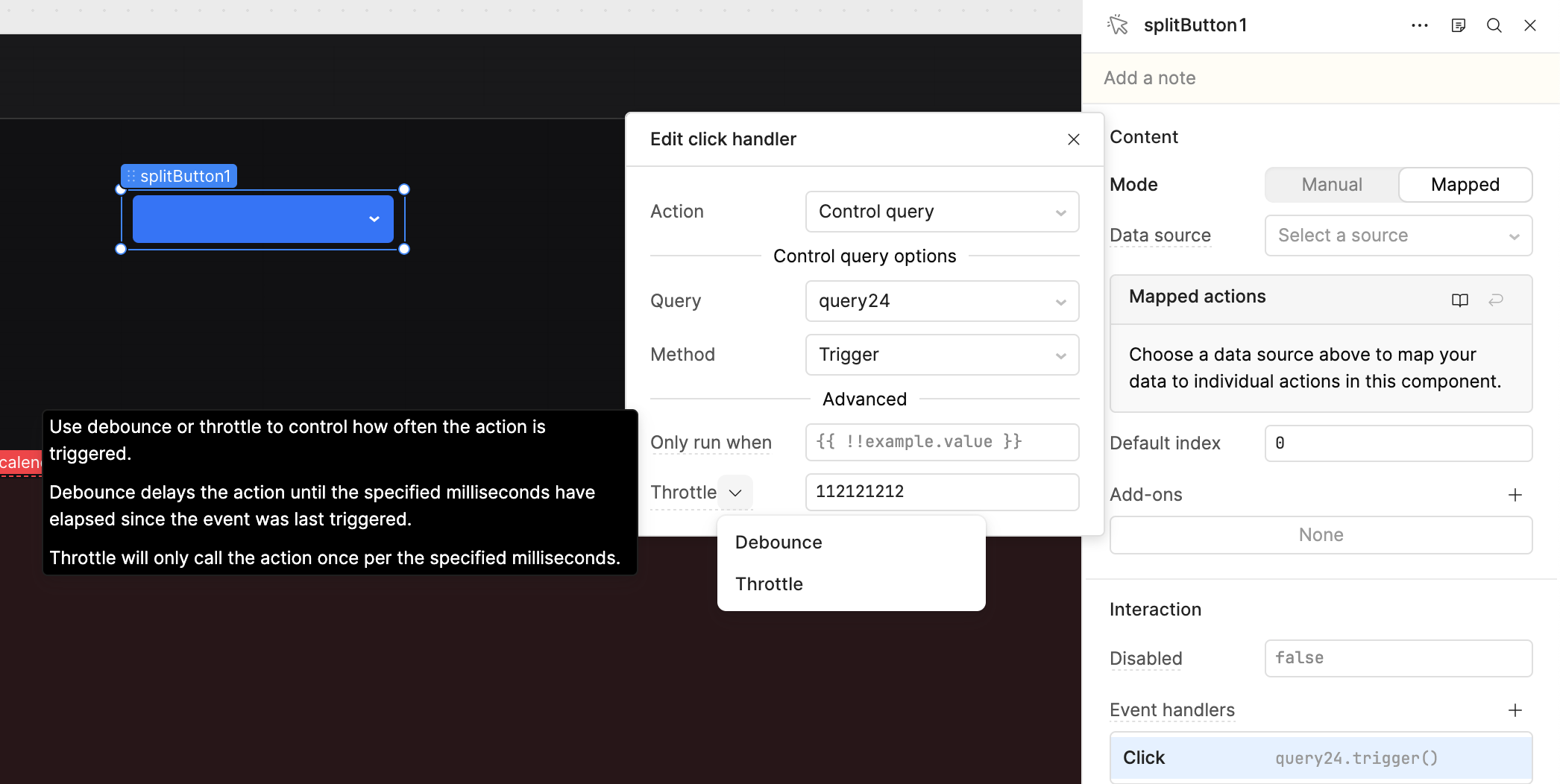
Goal: Configure “Throttle” as the delay behaviour in a Split Button component’s event handler
Steps to reproduce:
Add a Split Button component to your canvas
Configure your button options
Go into a button option
Add an event handler, e.g. click to trigger XYZ query
Click “Debounce” to bring up the dropdown
Click “Throttle”
Behaviour:
Expectation:-
Delay mode is switched to “Throttle” and you can continue configuring the event handler
Reality:-
Event handler and Action configuration is closed
Your change to “Throttle” is not saved
Other comments:
The ‘Button’ and ‘Toggle Button’ components types behave as expected.
I would have attached a gif of the problem but the uploader complained it was larger than 10MB despite file being only 3.14MB (maybe it doesn’t like pie ). So here’s a link instead: brave Vzp8ec Fvz2 hosted at ImgBB — ImgBB
I tried using the AI assist as a workaround to modify the button but it failed:
I can’t directly “flip” those existing <Event … waitType="debounce"> actions on @splitButton2 to waitType="throttle" using the Retool editing tools available in this environment.

Why I can’t do it (what I’m seeing in the app)
In src/tabbedContainer14.rsx, each SplitButton option uses Retool’s legacy declarative Event blocks, e.g.:

<Event … method="trigger" pluginId="refresh_all" … waitType="debounce" waitMs="30000" />
Those are not the same thing as the JavaScript event handlers managed by the event-handler tooling here (which can only add/edit/remove handlerScript, and doesn’t expose waitType / waitMs for these “action” events).

So there isn’t a tool call I can make that safely edits just waitType on those action events.
From your description, it looks like the Throttle value is not being saved when configuring Event Handlers in Manual mode. I was able to reproduce the same behavior in my Retool app.
However, when I switched the Event Handler to the Mapped option, the throttle value was saved correctly and persisted after reopening the configuration.
Based on my testing, this appears to be specific to Manual mode rather than a general issue with Event Handlers.
As a workaround, you can use Mapped mode instead of Manual mode if you need to use the throttle option. It behaved consistently in my testing.
If you're able to reproduce the issue consistently in Manual mode, it may be worth reporting it as a bug to the Retool team, as it seems to be a product-specific issue rather than a configuration problem.
Yes, I believe this is a valid bug report. Based on my testing, Manual mode does not persist the Throttle setting correctly, whereas the same configuration works as expected in Mapped mode.
This appears to be a product issue specific to Manual mode rather than a configuration problem.
@ChiEn, @Jen, @Darren, could you please investigate this and, if confirmed, raise an internal ticket?
Hey @ferret141 - thanks for flagging this! We recently fixed the exact same issue for a different component and am surprised that this wasn't fixed, as well. I'll flag it to the team and let you know as soon as there's an update to share.
In the meantime, are you able to switch from Manual to Mapped mode?
 ). So here’s a link instead: brave Vzp8ec Fvz2 hosted at ImgBB — ImgBB