We have a multi-page application that is used by a significant number of external users.
Three of our users (all from the same organization) reported that after a successful login, they are presented with an infinitely spinning wheel on a white background. Essentially, our homepage never loads. This was confirmed via a screen share. During one attempt, we noticed a brief flicker where the user was presented with a view of our application folder structure (only the ones they had permissions for), which is not what they should see, but the view quickly landed on the aforementioned spinning wheel.
We cannot replicate the issue using any of our internal accounts. We have also confirmed via screen share with other external users that this issue is not universal; they are able to log in without issue.
I reviewed the users’ audit logs and can see that there were times a month ago where they were logging in, after which I can see all of the relevant queries running that would indicate they were successfully using the application. Recently, however, I see none of the queries running after a successful login event.
So far we have tried the following without success:
Using multiple browsers
Clearing browsing data
Disabling and re-enabling their accounts
Resetting their 2fa
Groups and relevant permissions confirmed to be correct
Hey @pod2 - thanks for reaching out! I'm happy to dig into this for you.
This definitely sounds like a permission issue. Can you share the emails of the affected users as well as any error messages that pop up in their browser console during this process? To dig deeper, it would be super helpful to capture their network traffic via a browser trace.
Feel free to share any or all info via DM, for the sake of privacy!
I don’t know if you are still looking into this issue, but we are experiencing something similar. We have used public apps for quite some time, but as of relatively recently, we noticed that we see infinite loadings happening whilst trying to open an app. My current guess is that it relates to browser performance, but this was not occurring a month ago and it is a seemingly random intermitent issue. The app we are experiencing it most on was made before multi-app pages were out of beta, so some end users are experiencing it whilst going between pages.
I made a quick demonstration app here: https://gritppo.retool.com/embedded/public/26d343c2-4595-4ff5-8d28-8e108915b667
Video Demonstrating it: https://drive.google.com/file/d/1Bog-HC9dLDeSze4cqk5YmcSo8EBDIilm/view?usp=sharing
App Json:
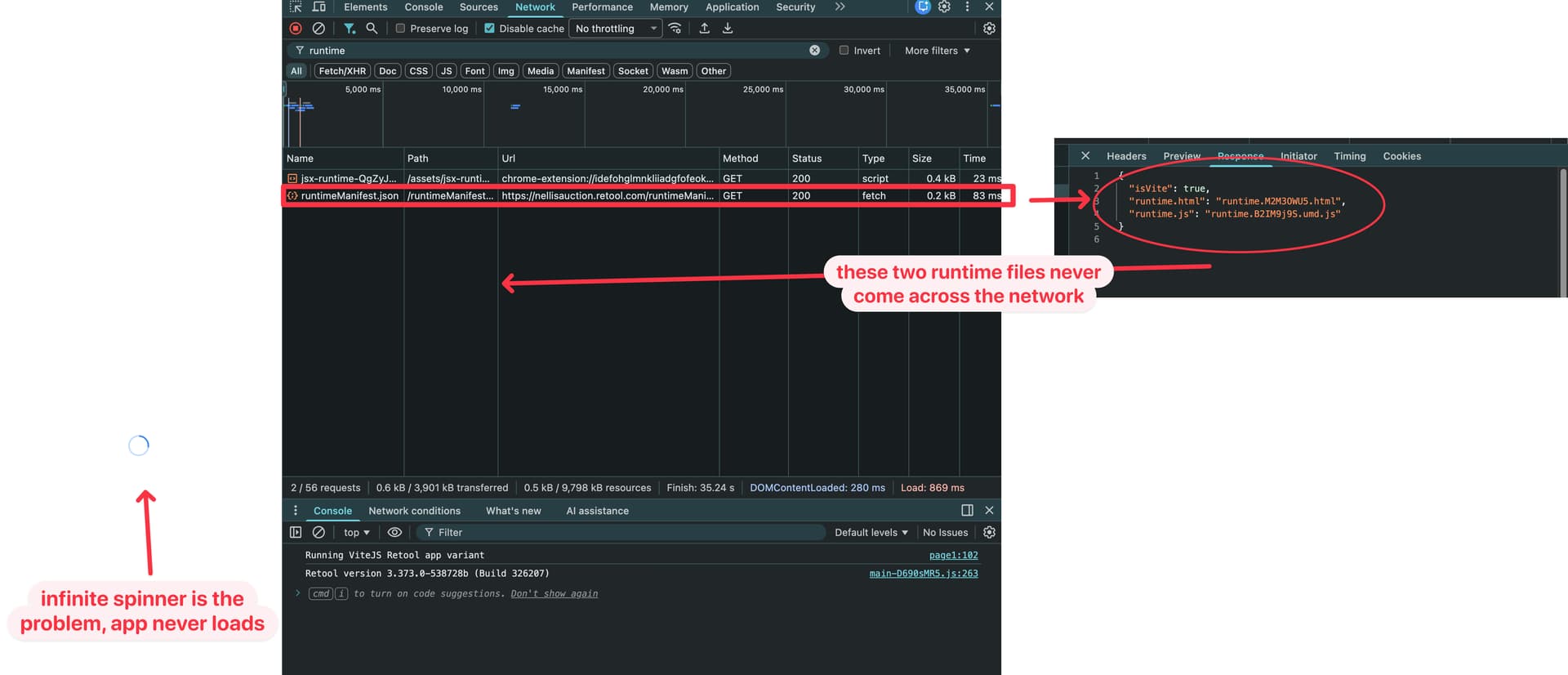
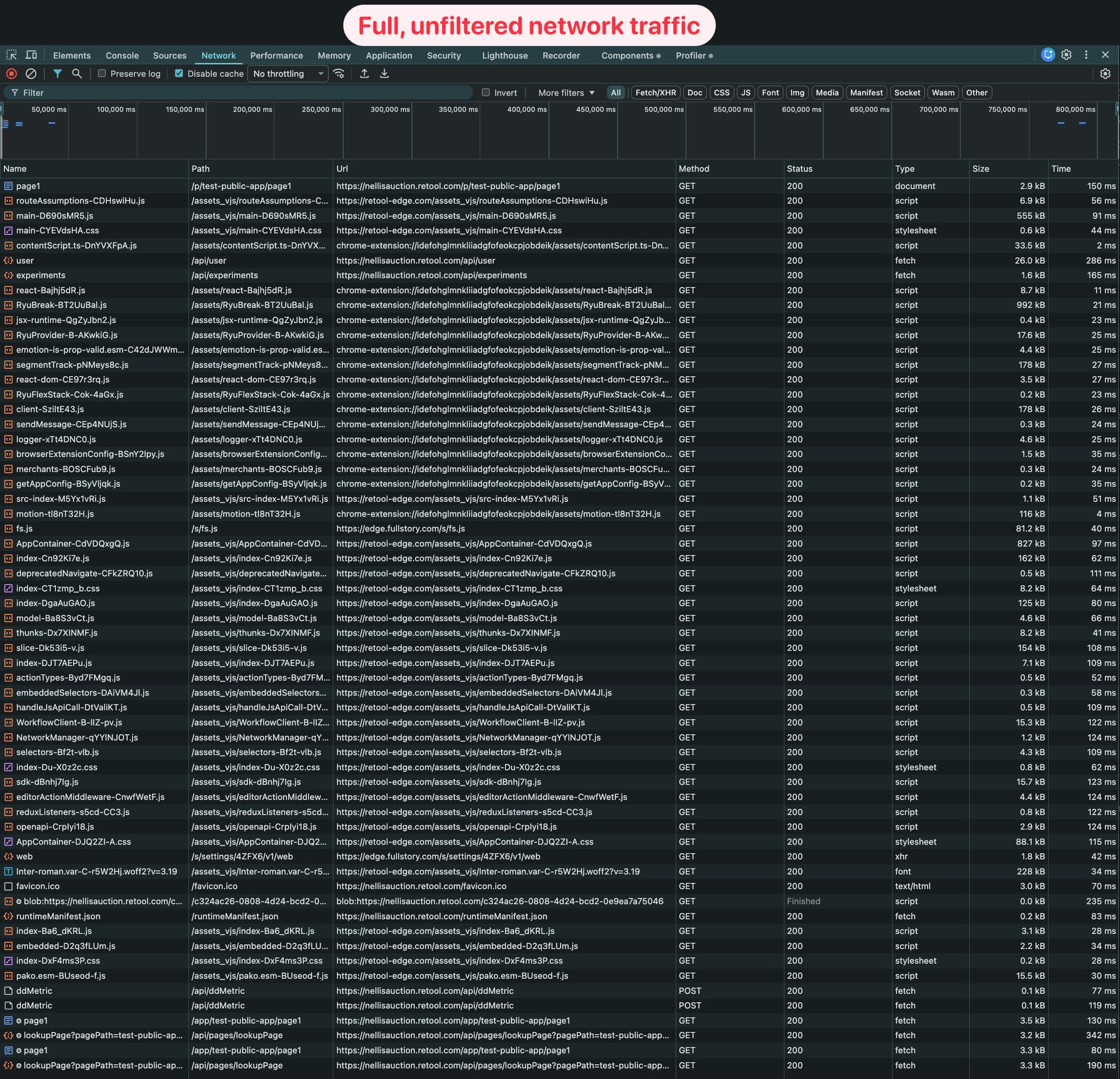
+1 to what @Daniel_Fleuranvil said….almost word-for-word same problems on my end. Difficult to troubleshoot because the behavior is intermittent…failures occur before my Retool application(s) load. Since the html and js files listed in runtimeManifest.json are never downloaded, I’m thinking it’s an issue with Retool’s runtime.
I published a blank app, made it public, added a custom URL, and then loaded it up a few times. On the second or third hard refresh, I got stuck with a the infinite blue spinner. Screenshots included below…I also have a HAR file I can send if it’s helpful (doesn’t appear I can upload HAR files with this message).
Welcome to the community, @shawn-nellisauction! I'd be interested in getting that HAR file, if you want to DM it to me. Thanks for sharing that additional info as well, @Daniel_Fleuranvil.
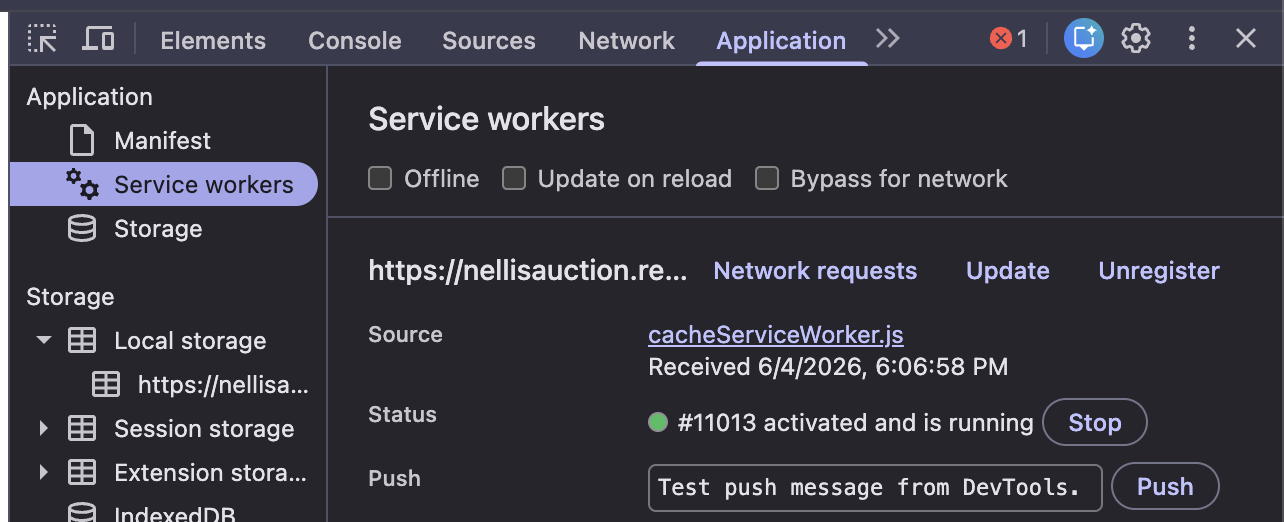
My initial guess is that this might be related to page caching that we're doing via service worker, but I should be able to confirm with more diagnostics.
Just wanted to keep bumping this, curious if you have any updates for us @Darren ? Were you able to confirm if the service worker page caching is the issue, and if there might be any workarounds that we can try?
Have you guys had any luck with disabling the beta feature “Cache Service Worker”? I just discovered this in the org admin settings…however, even after toggling it off and hard refreshing & unregistering the service worker via dev tools, it seems to keep coming back (so disabling the org setting has not fixed the problem with my public apps).
I found the beta setting in Retool admin, disabled it
Went back to my public app, did a hard refresh
Noticed I was still having the blue spinning wheel, so I went into dev tools to see if I could find the service worker…I thought a hard refresh would clear it up, but it was still there
I clicked the “unregister” button on the service worker in dev tools, and Chrome shows the service worker is “deleted”
I closed dev tools and did a hard refresh
Re-opened dev tools and the service worker is re-activated and in a “running” state
Kinda feels like the toggle in the beta settings didn’t accomplish anything? I was also wondering if I would need to create a new release of my app and re-publish it after changing the toggle, in order for it to take effect….haven’t tried that just yet.
UPDATE: We have a fix coming for the relevant Beta toggle that will let us confirm cacheServiceWorker as the root cause and optionally disable it entirely.
I did some additional investigation into this and believe that you are right, @shawn-nellisauction. I've reached out internally for confirmation and hopefully we can roll out a quick fix that at least lets you disable the service worker. I'll give you an update as soon as I can.
Hey @shawn-nellisauction - I've done some testing and this seems to have been resolved with the recent change to the service worker flag. There's an occasional hang, but nothing that I can consistently reproduce. Let me know what you're seeing on that end!
It does appear that the service worker is staying deleted now, so that seems like improvement.
I don’t believe that this has impacted the blue spinning wheel problem though….I still have to refresh my way through that daily. I think there is varying level of impact around my org though…a developer on my team does not seem to encounter the problem with the same consistency as I do.
Not entirely sure what to do next, I’d be curious if anyone else on the forum is still tryin to navigate this problem.
I heard similar from @Daniel_Fleuranvil, who showed up to Office Hours last week. In all the digging and testing that I've done, the issue's frequency definitely seems to be related to the local browser environment. It still seems more likely to happen in a brand new window, for example, but is pretty rare when refreshing an existing tab or opening a new tab in an existing window.
For context, these observations are all on Chrome. And now that I say that, of course, I can't replicate it at all.
Hey all - we've addressed another potentially relevant bug that will hopefully make the loading of public/embedded apps more reliable. Let us know if you notice a difference!
I am having a similar issue with a public facing app getting stuck on the blue loading wheel. This is blocking an important project for us as I can’t launch until I can assure management that the app will load reliably whenever someone goes onto it. This is really quite urgent for us and I would be very grateful if this could be fixed asap.
Here is some more information:
App type: Public-facing classic app
Issue: Intermittent infinite blue loading spinner on initial startup — occurring before any queries run. Matches the pattern described in this thread.
Symptoms:
Most page loads succeed normally.
Occasionally, the app hangs on the blue spinner before the Retool runtime has started executing queries.
A page refresh sometimes resolves it, but not reliably - some refreshes still hang.
Some users seem to be more impacted than others.
App details, for context:
Four retool_db select queries set to run on page load, each with 1-hour query caching enabled.
One JS query that combines those results into an HTML string. This runs after the select queries have returned results.
The HTML string is rendered in an HTML component.
Typical successful load time (first query trigger to rendered result) is 1-2 seconds.
What I've tried:
Disabled the "Cache Service Worker" beta setting in Org Settings.
Manually unregistered the service worker via DevTools → Application → Service Workers, then cleared site data and hard-refreshed.
Is there a solution to this problem? I have HAR files for both a successful and failed run if that helps.
Would someone from Retool also be able to confirm this is a known issue and not something we’ve done wrong, to help me explain the delay to our stakeholders.
Hey @realpolitik - welcome to the Community! And thanks for reaching out.
This is unfortunately something that has been surfaced a few times now, so it's definitely on our radar. It's been really challenging to consistently reproduce and thus identify a root cause, though, so any information you can share (such as HAR files) would be much appreciated!
At a high level, there seems to be a race condition in the initialization of the runtime environment that is exacerbated by specific client-side conditions - potentially OS or RAM/CPU resourcing. This thread identified Windows clients as being particularly susceptible, for example. Disabling Efficiency Mode might be a good place to start, as that has been a source of issues before.