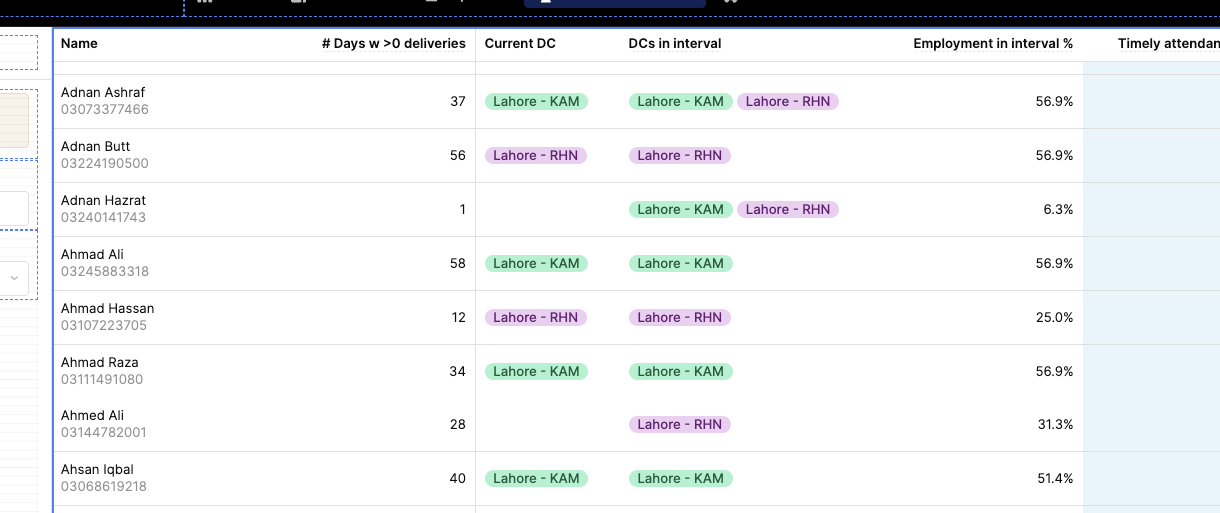
@engineering-tajir The Tag column type doesn't support wrapping it renders each tag as an inline-flex chip, so they always stay in one line.
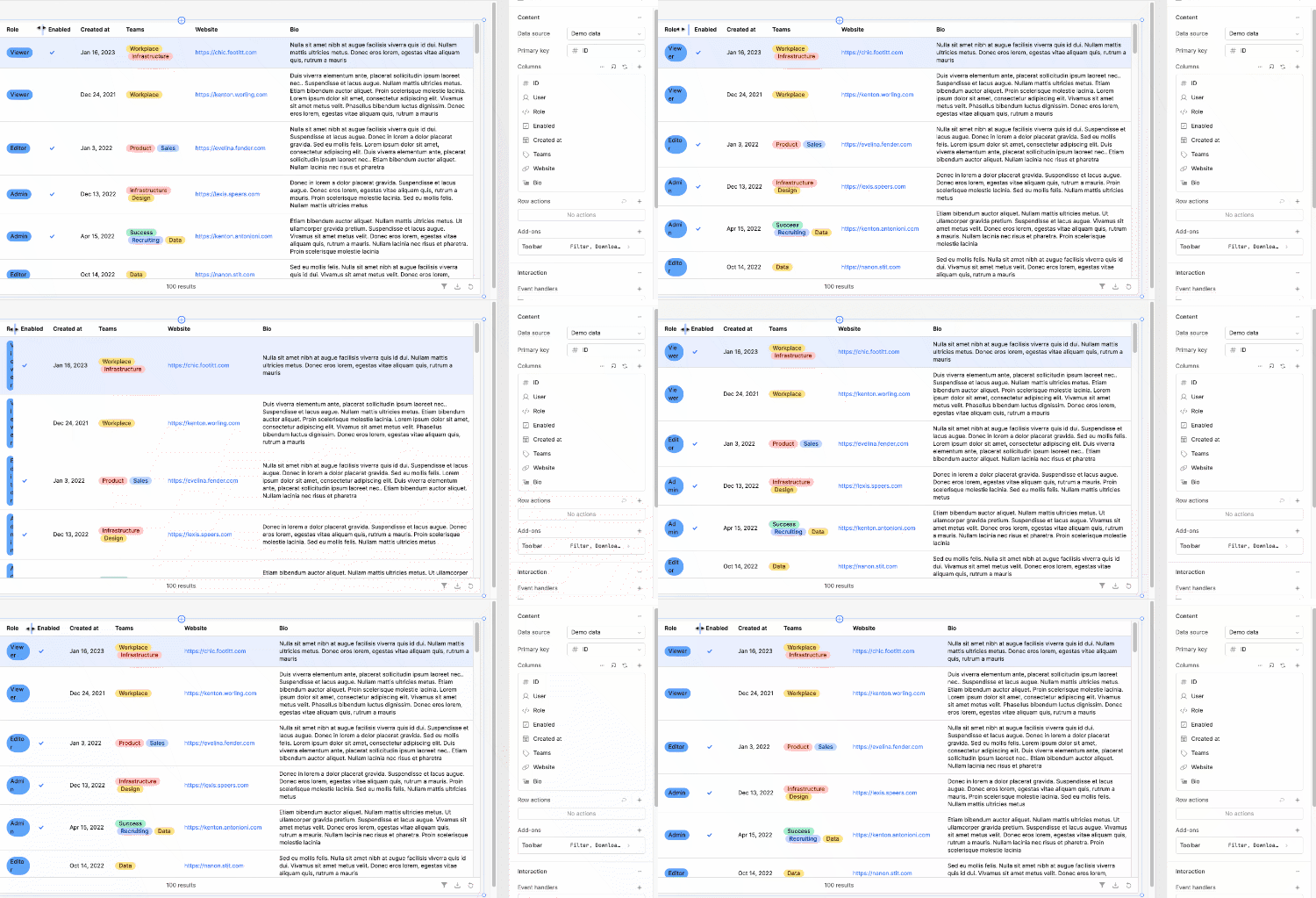
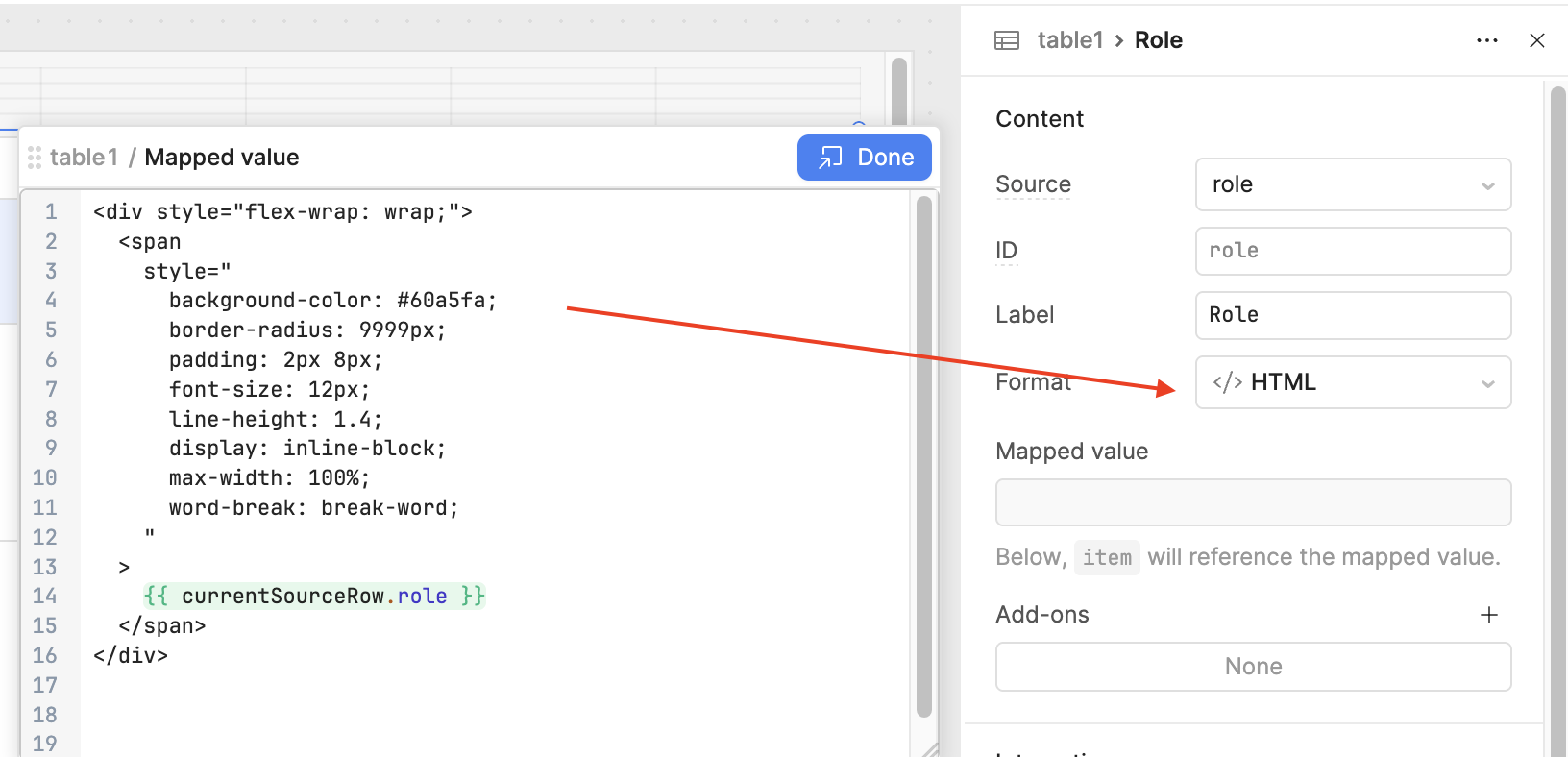
To make them wrap based on the column width, switch the column to HTML format and render the tags inside a flex container with flex-wrap: wrap. That allows the tags to automatically move to the next line when the column is narrow.
2 Likes
Thanks so much for the input @Vishal1620, you are right that the Tags column does not support wrapping at the moment. I tried out your suggestion and it seems to work well on my end.
@engineering-tajir, is this what you had in mind? I included a GIF and a screenshot below for reference.
Hey @engineering-tajir happy new year!  Just checking in with you, what do you think of the suggestion I shared above? Were you able to try it out on your end?
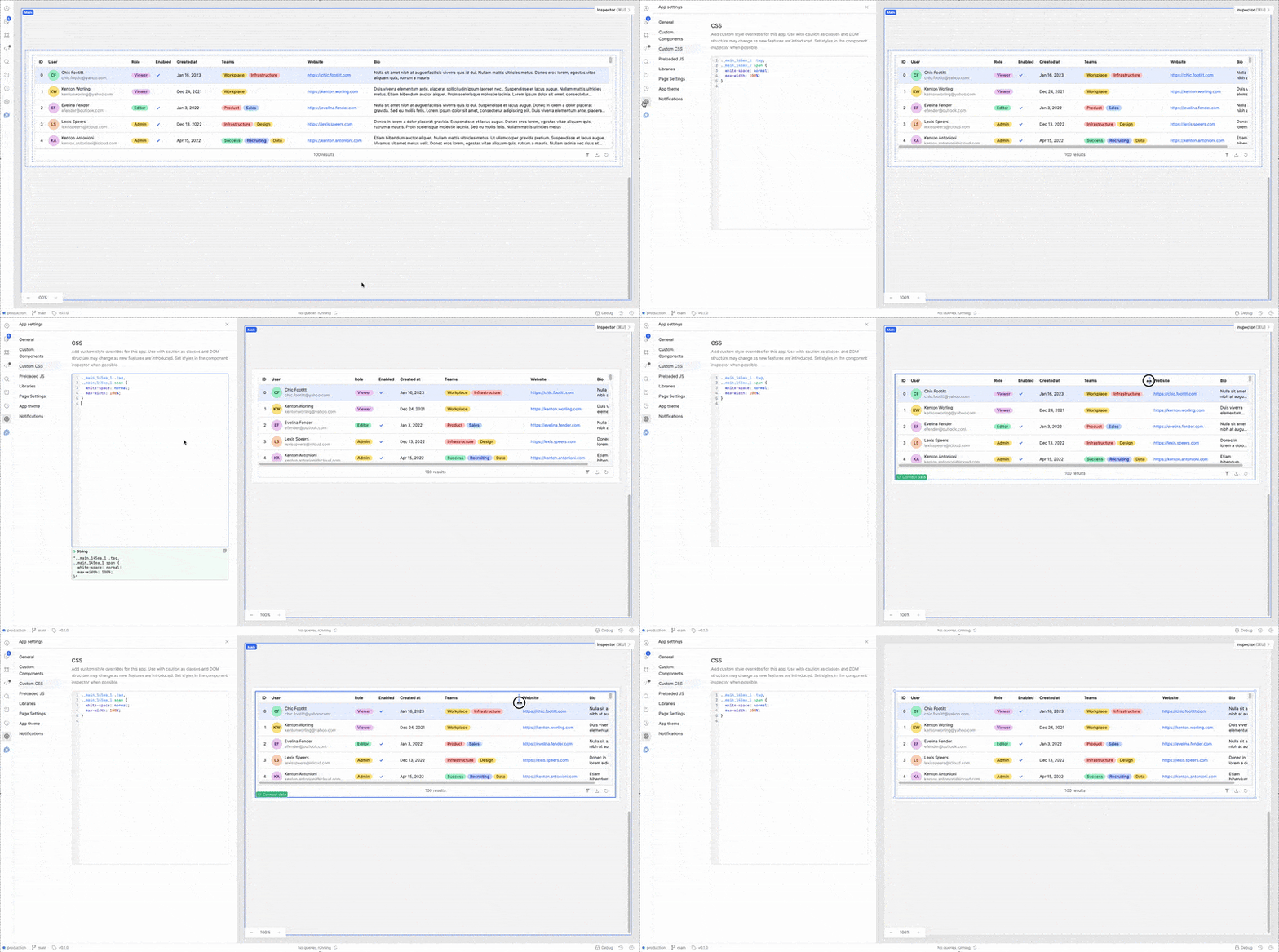
To wrap the column content according to the column width in the table, you need to apply custom CSS
._main_145ea_1 .tag,
._main_145ea_1 span {
  white-space: normal;
  max-width: 100%;
}
You can find the appropriate class names by inspecting the table in the browser. Once you identify the table’s class and the specific class used for the column cells, apply this CSS in your custom styles.
Hey @engineering-tajir, how’s it going? Just checking in to see if you still need help. Did my suggestion above help at all?