Hey @SplinteredGlassSolutions — Alex here from the Retool team 
I also ran into this issue and searched the forums looking for a fix and found your post. After some digging, I discovered a workaround that might help you.
While we don't yet support adding dynamic {{ }} references in the Metadata field of the Upsert Document action in the Retool Vector block, you can add this metadata manually after the document has been upserted.
The workaround involves writing to your RetoolDB instance directly, since each Retool Vector Store is actually located in a unique table in the public schema in your Retool DB instance.
Steps to update the metadata:
- First you need to query your RetoolDB instance to identify the correct table for your vector store. You can use this query and run it in the query library, or in any RetoolDB query block. The goal of this is to get the table name in RetoolDB where we store the documents in your Vector Store.
Query:
SELECT
  table_schema,
  table_name
FROM information_schema.columns
WHERE
  table_schema = 'public'
  and table_name ilike '%__retool_vector%'
Example Results:
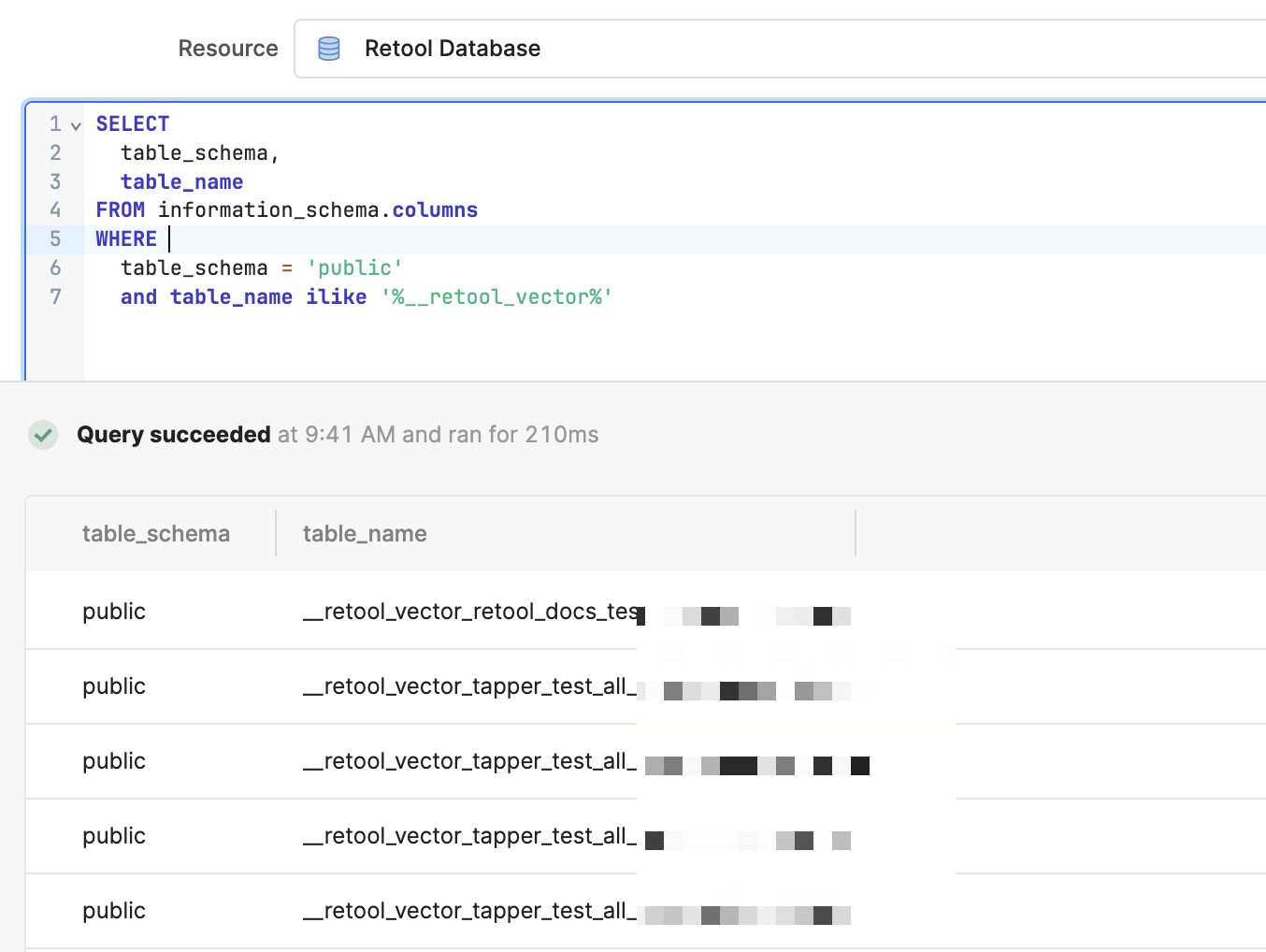
You will just have to comb through the results to find the table name that matches the name of your Vector Store. For example, a Vector store with the name "Tapper Test Vector" might have a table name that looks like __retool_vector_tapper_test_vector_fc56febe_b2ed_6291_e
- Add a RetoolDB block after your Retool Vector block to update the metadata. You will need a unique identifier, either in the metadata or the name field of your vector document, in order to update the correct file. In my case, I can rely on the
namefield being unique — it's defined earlier in the workflow along with the metadata. The metadata value that I'm passing is just a JSON object.
Example query:
UPDATE public.__retool_vector_tapper_test_vector_fc56febe_b2ed_6291_e
SET metadata = {{ formatMetadata.data }}::jsonb
WHERE source = {{ formatData.data.fileName }}
Screenshot of the update block

Once the second query runs, you will see the updated metadata on the document you uploaded to the vector store.
Hope this helps!