Right now, I am not focusing on offline mode, but the file upload is not working in online mode either.
Here is a simple code example:
const files = FileInput.files || [];

await Promise.all(
  files.map(async (f) => {
    const dataUrl = await utils.getDataByObjectURL(f.uri);
    const [info, base64Data] = dataUrl.split(",");

    return onlineS3Upload.trigger({
      additionalScope: {
        fileDataInfo: info,
        fileData: base64Data,
        fileType: f.type,
        fileName: `user_${Date.now()}_${f.name.replace(/\s+/g, "_")}`,
      },
    });
  })
);
I am able to get all the files from the input, convert them to Base64, and trigger the S3 upload using additionalScope. and my s3 query look like this
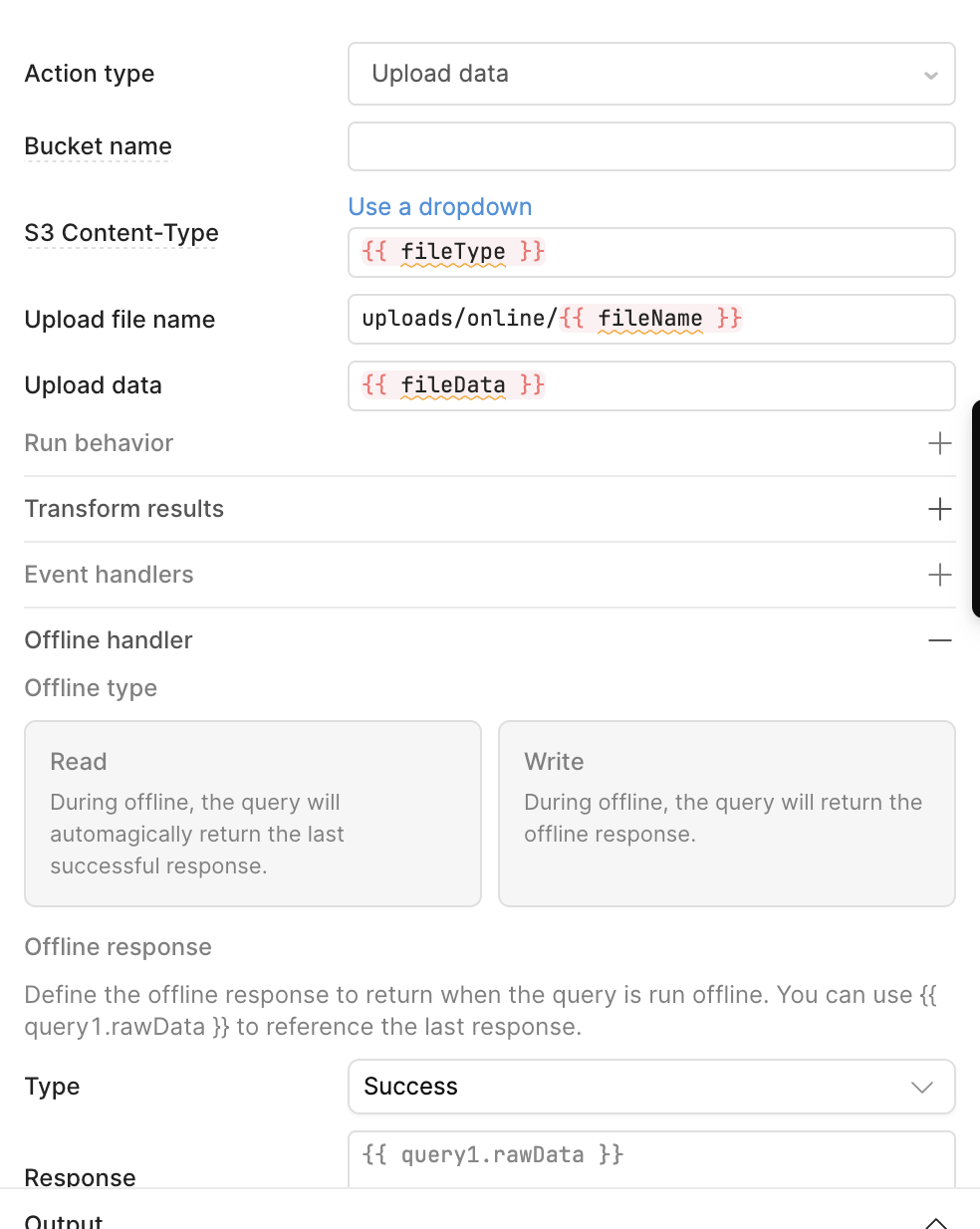
This code works completely fine on the web. However, when I use it on Android, it does not work. I can see the Base64 data string stored in S3, but the uploaded file is not valid. Issue in android and ios both.
Same issue as this Upload images to S3 from Mobile Input - #8 by cedric.liike
I also tried using static values for the upload data to verify the behavior, but the file in S3 is still not working.
The values I tried were from a small text file containing “hello world”:
data:text/plain;base64,SGVsbG8gV29ybGQKSGVsbG8gV29ybGQKSGVsbG8gV29ybGQKSGVsbG8gV29ybGQKSGVsbG8gV29ybGQKSGVsbG8gV29ybGQKSGVsbG8gV29ybGQ=
SGVsbG8gV29ybGQKSGVsbG8gV29ybGQKSGVsbG8gV29ybGQKSGVsbG8gV29ybGQKSGVsbG8gV29ybGQKSGVsbG8gV29ybGQKSGVsbG8gV29ybGQ=
text/plain;base64,SGVsbG8gV29ybGQKSGVsbG8gV29ybGQKSGVsbG8gV29ybGQKSGVsbG8gV29ybGQKSGVsbG8gV29ybGQKSGVsbG8gV29ybGQKSGVsbG8gV29ybGQ=