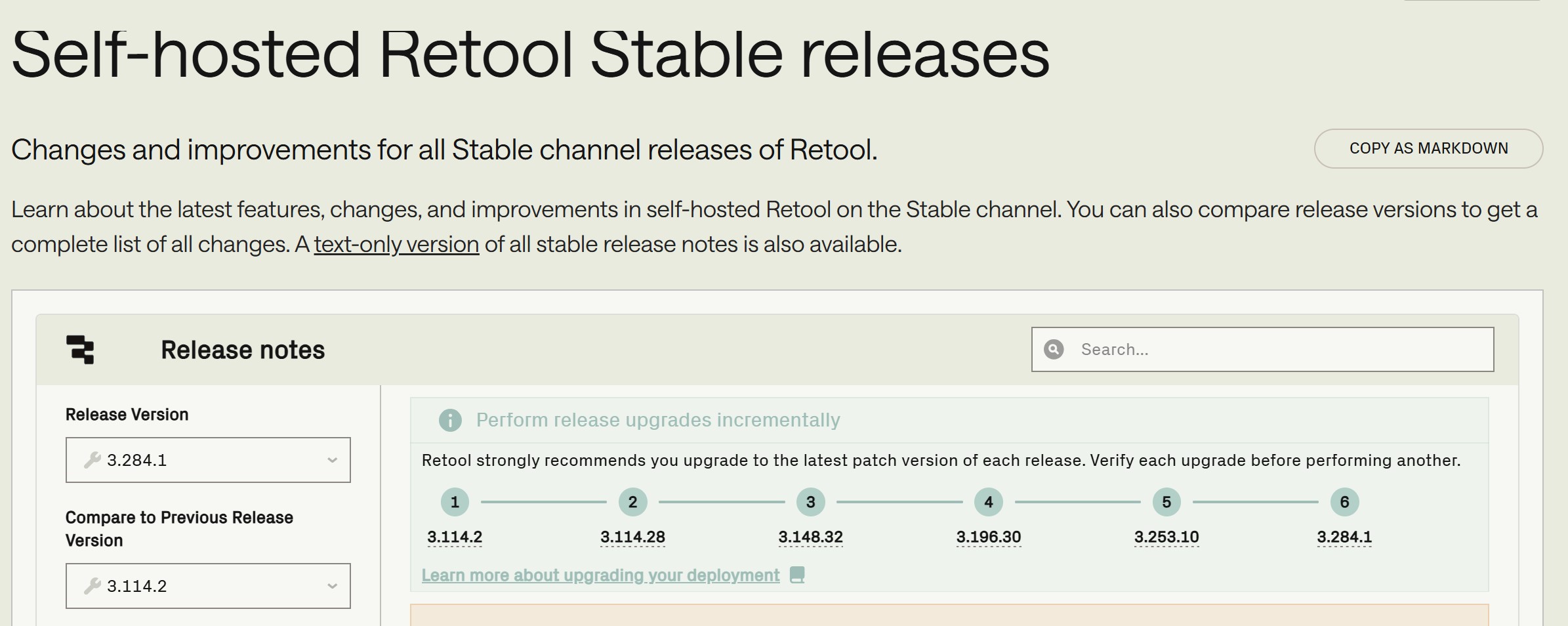
we’re running a self-hosted Retool instance (version 3.114.28) using Docker and the integrated PostgreSQL database (no externa
l DB or Workflows). We’re currently trying to upgrade to version 3.148.32, but we’re running into an issue during the process.
Following the official documentation, we upgraded step by step — moving from the last patch of one major version to the last patch of the next. The upgrade from 3.114.1 → 3.114.28 worked smoothly. However, when upgrading from 3.114.28 → 3.148.32, the system appears to complete the upgrade process successfully, but afterwards, two containers continuously restart:
retool-onpremise-master-api-1
retool-onpremise-master-code-executor-1
There are no visible errors during the upgrade process itself, but these two containers fail to stay running afterward.
Question:
Has anyone experienced a similar issue or can recommend a working upgrade path from 3.114.28 to a higher version (eventually 3.148.32)?
Any insights into what might cause these containers to restart would also be greatly appreciated.
Do you have access to the container logs for the api and code_executor services? The error messages there might help identify what’s causing this issue.
Could you also share your compose.yaml file? We’ve updated our compose setup a few times, so comparing yours with the latest version (linked here) can help highlight what’s going wrong.
The upgrade from 1.114.28 to 1.148.0 was successful. The upgrade from 1.148.0 to 1.148.32 was not successful. I have sent the log file and the YML file by email.
This issue was related to a compatibility issue between their Ubuntu version and the nsjails sandbox used by the code executor. We’ve recently seen this happen on Ubuntu 24.04+ due to AppArmor’s kernel.apparmor_restrict_unprivileged_userns restriction.
Ubuntu’s release notes cover this change in more detail here. Effectively this is an update from Ubuntu to better restrict access to the kernel for unprivileged users.
If your version is on 24.04 of greater there are a few ways to resolve this:
Downgrade the host to Ubuntu 22.04.
Create a custom profile to allow nsjail to run while keeping the rest of the system protected.
This relaxes permissions only for nsjail, rather than disabling the kernel-wide restriction for every process on the host.
Use environment variables to bypass the privileged container checks for the code executor - ALLOW_UNSAFE_CODE_EXECUTION=true and IGNORE_CODE_EXECUTOR_STARTUP_CHECK=true. As the names suggest, this is the least recommended option and comes with meaningful security trade-offs. There’s a clearer breakdown of the risks in our docs.
We are working on a more comprehensive fix/improvement to avoid these workarounds in the future.