I am using the new Table component and have a Multiselect Tag column named my_anwers. The data for this table also includes a question_type column (with values like 'single' or 'multi select').
I need to apply validation rules to the my_anwers column on a per-row basis, based on the question_type for that specific row:
For 'single' rows: The user should only be allowed to select a maximum of 1 tag.
For 'multi select' rows: The user must select a minimum of 2 tags. If they only select one, I need to display a validation warning.
I want to accomplish this using a single column to provide a good user experience. I've tried looking for a 'Validation' property that accepts currentRow, but I can't seem to find the right place to implement this logic.
What is the correct way to set dynamic, row-level Min tags and Max tags for a Multiselect Tag column? or how to this function via change event.
Great question, and definitely something that would be a nice to have in the multiselect tag option.
As far as I know, there is not native way of achieving this, unfortunately.
The way I would approach this would be:
Use a variable that has as default the data for the table, e.g. query1.data
Use such variable as the table's data source
Upon users editing the multiselect tag, you use variable1.setIn( [index,my_answers], table1.changeSetArray.... etc) which would update the variable
Have a transformer that verifies each row in the variable data, and validates as x the rules you shared, i.e. if row has single, my_answers should be length =< 1, otherwise return error and message error, which could be also referring to the given row, e.g. "Dear user, you selected two items in row x, please selet only 1". etc
The output for this transformer would also disable/enable any final submit button, etc.
Does it make sense? Happy to expand more if needed.
That functionality would be super useful to have it natively built in to the table component. I can definitely make a feature request ticket for this with our engineering team!
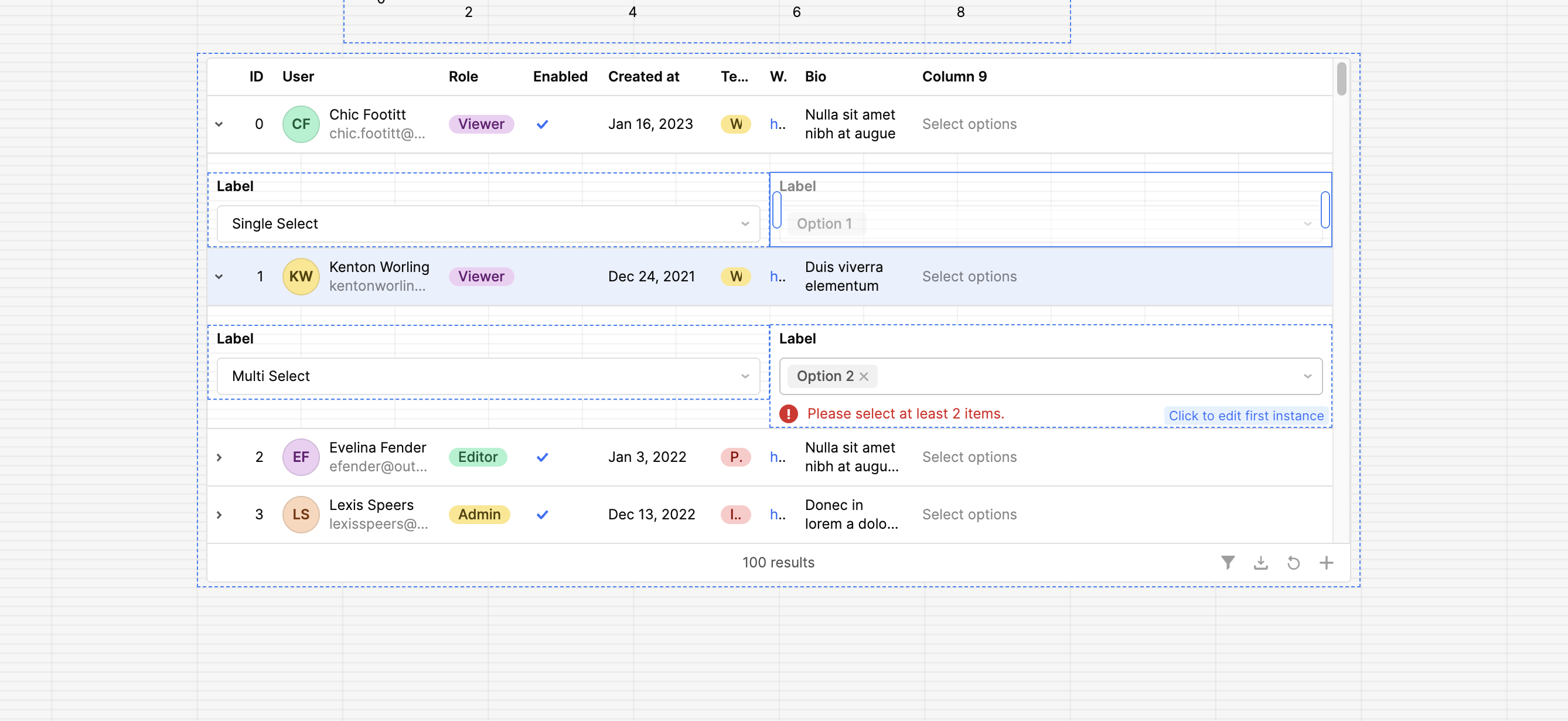
In terms of work arounds, you can build out similar logic with a select component to determine single vs multiple for a second multi-select component.
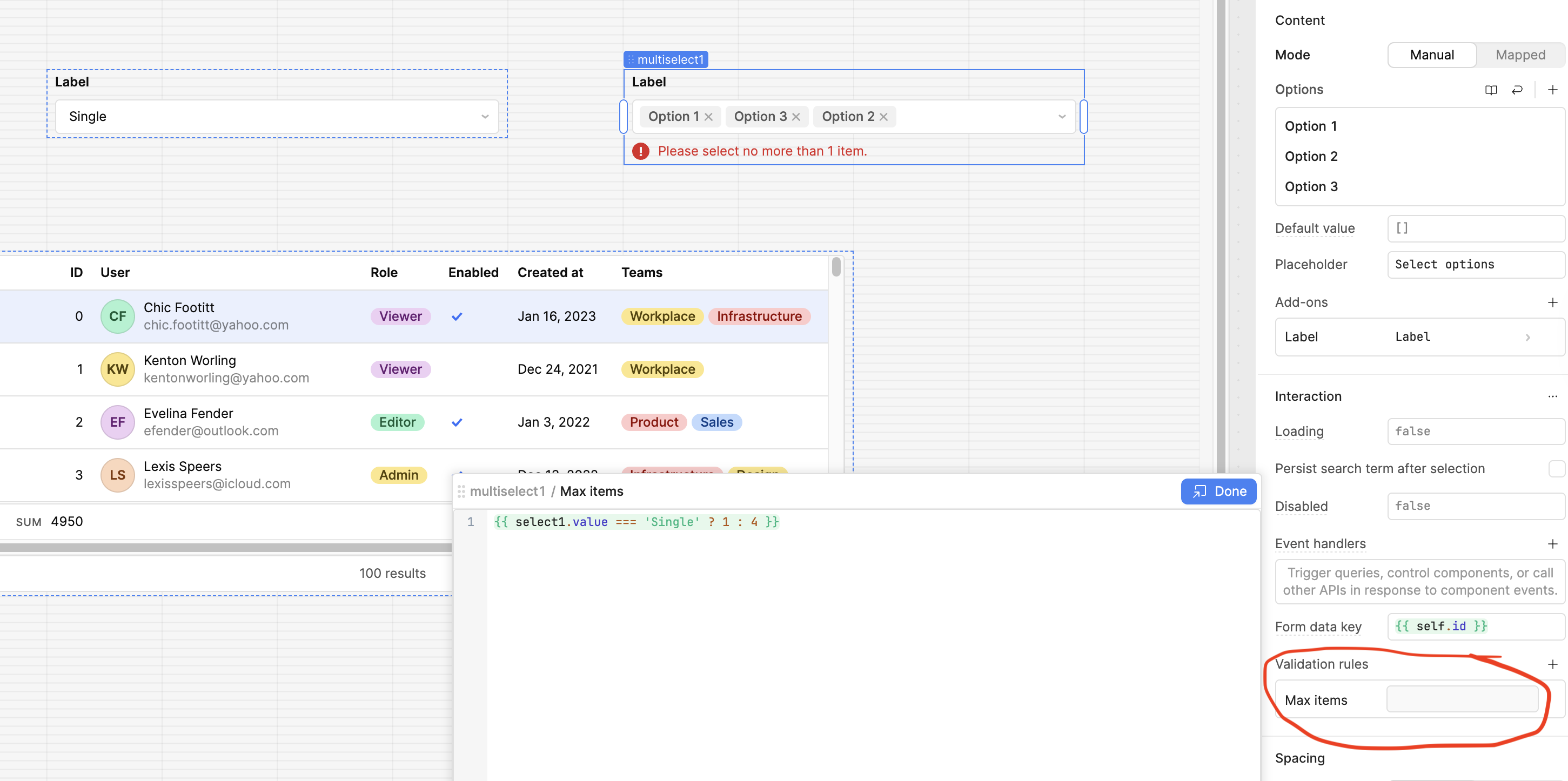
This example sets max selectable options when 'single select' is chosen. Disabling the component once one option has been selected.
So the next step would be to have this same functionality for tags Let me know if it would be possible to use select+multi-select instead of tags column for your use case!
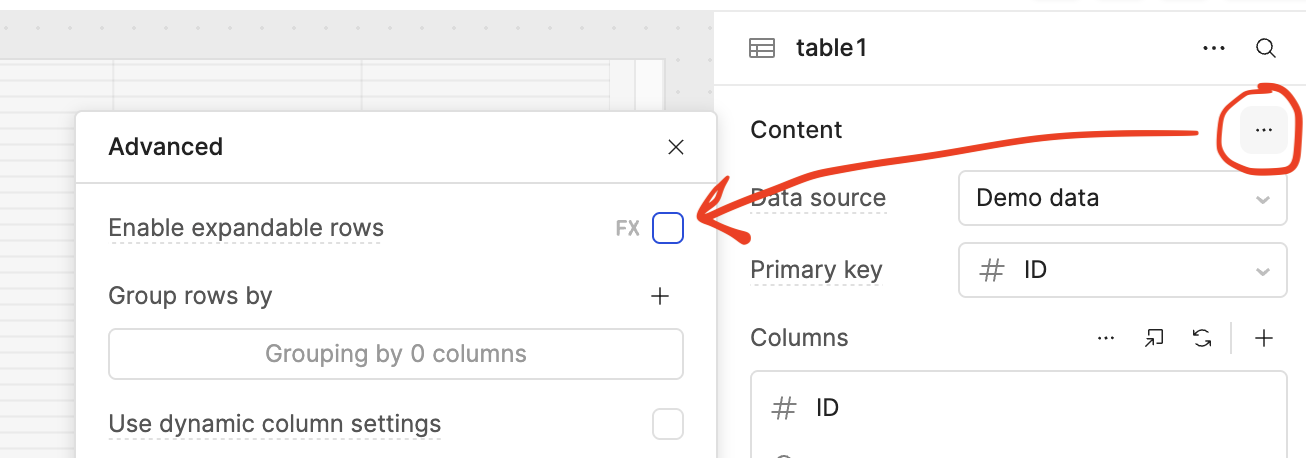
You can give a table the "expandable rows" property to add in these components for each row in your table as well!
thanks a lot for your reply. and We raised this issue in the help port. with #00103144
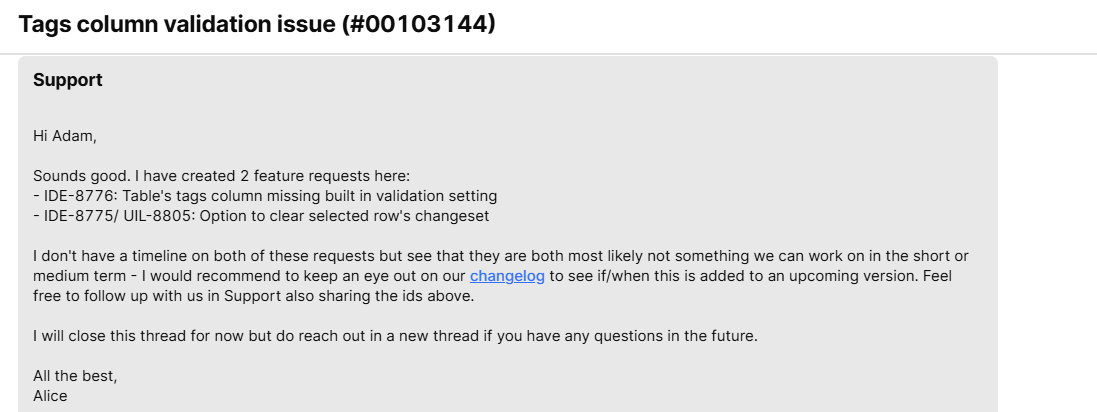
Appceciate below 2 IDE requests can be prioritized to complete by your team. thanks.
screenshot as below. currently we are using the tags and table change cell event to raise error messges and using table color colors for the selected Row.
@Jack_T Just clarify: your example sets max selectable options when 'single select' is chosen. Disabling the component once one option has been selected
However,the end user may still need to change the selected option from one one option to another option.but your solution disabled this scenario. it can not meet the actual requirement of the end users.
No problem, thank you for contacting support and getting those tickets created
Good to hear that you were able to find a work around in the short term using the tags and table change cell event to raise error messages and using table color colors for the selected Row
Yes thank you for pointing that out in my example, I spun that up really quickly just to show you an example of using Javascript in the 'Disable' input field combined with ternary logic.
The best part about the Mutli-select component is that it has additional functionality for exactly that use case, where you want to define the number of selectable options to only be one but not disable the Mutli-select so that a user can change their choice as needed.
If you look under validation rules you can add either a min or max number of items and use Javascript to define the value based on any logic you want. For this example I chose 4 but you can set that to whatever you want.


 Let me know if it would be possible to use select+multi-select instead of tags column for your use case!