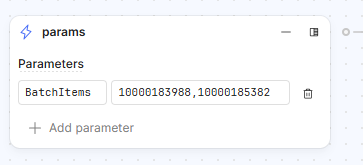
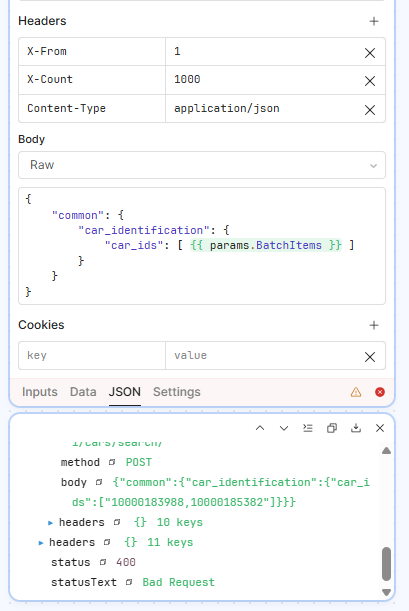
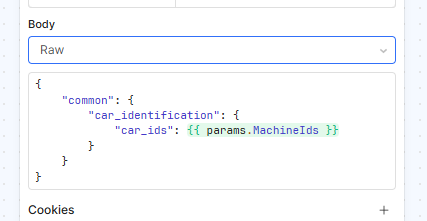
I am passing in values that I want to use directly in the body (raw) of an API call. This fails as double quotes get added around my values: how can I stop this behaviour and have the output exactly the same as the input, i.e I don’t want "10000183988,10000185382", I want 10000183988,10000185382?
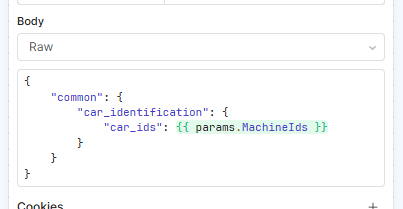
If you want an array, I recommend passing an array. For example, 10000183988,10000185382 will be interpreted as a string but [1000183988,10000185382] is an array and should be processed as an array and when using the value you can just write:
Thanks, that works if I use hardcoded values, but when I try passing into a loop it fails.
I hardcode the loop input to the function as [1000183988,10000185382] and it works correctly with the loop function
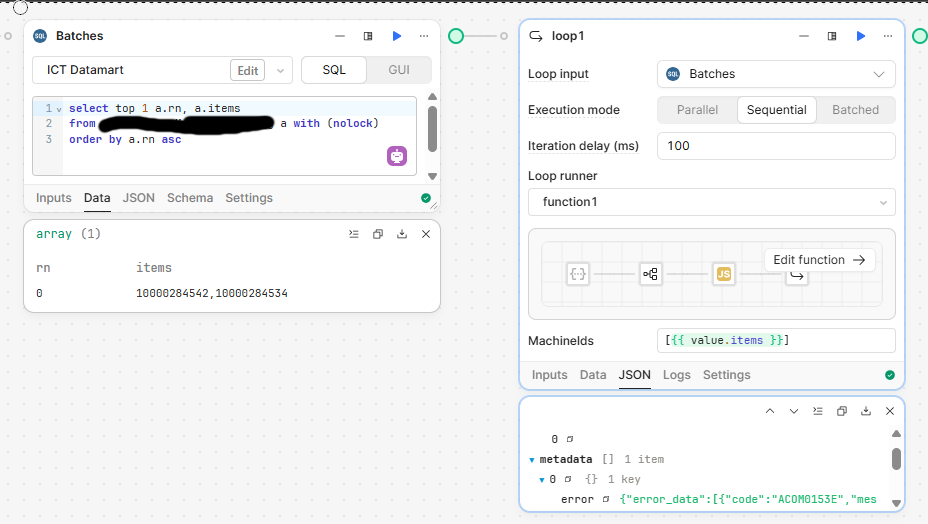
I pass in [{{ value.items }}] and it fails due to formatting in the JSON body of the API call
I pass in {{ value.Items }} and then add square brackets in a code block (return '[' + params.MachineIds + ']') and it fails due to formatting in the JSON body of the API call
I pass in [{{ value.Items }}] and then again add square brackets in the API raw body and it fails due to formatting in the JSON body of the API call
I am unsure how to proceed to pass the data through.
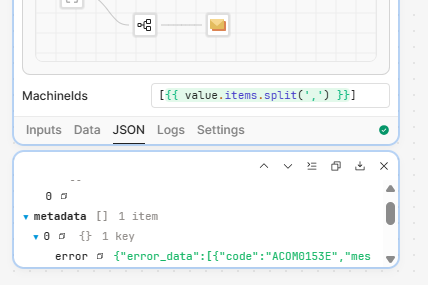
It looks like you need to create the array from a string. Your table column items seems to be returning a comma delimited string (a la 10000284542,10000284534). If this is always the case (comma separated values) probably the most straightforward thing to do is to use the .split() function with a comma as the delimiter.
In doing this, you would also need to drop the Array brackets ([<-- {{ yourValue }} -->]) from your MachineIds input. Instead you would send the array using {{ value.items.split(‘,’) }} which should send the MachineIds parameter as an array value: [10000284542,10000284534]
ETA: You could do the string split in the function block you are building as well. It has to be converted to the proper array format before being sent in the payload one way or another.